
Detection.
AI detection tools are a scam.
You read a text, and you just *know* it’s written by ChatGPT.
Delve, tapestry, realm…
And also overusing expressions like: “It’s not [obvious thing] — it’s [other thing].”
If you and I can detect it, clearly an AI bot can detect AI text, right?
Right??!
Well, no. It’s more complex than that.
But at the end of this newsletter (it’s 5 minutes, don’t be dramatic), you will master:
The truth about AI detection bots.
How to forever avoid sounding like an AI.
The copy & paste prompt to edit any text and remove its AI feel.
1. The truth about AI detection bots.
AI detection bot is a scam.
You don’t believe me?
Read this from (one of) the creator of ChatGPT:
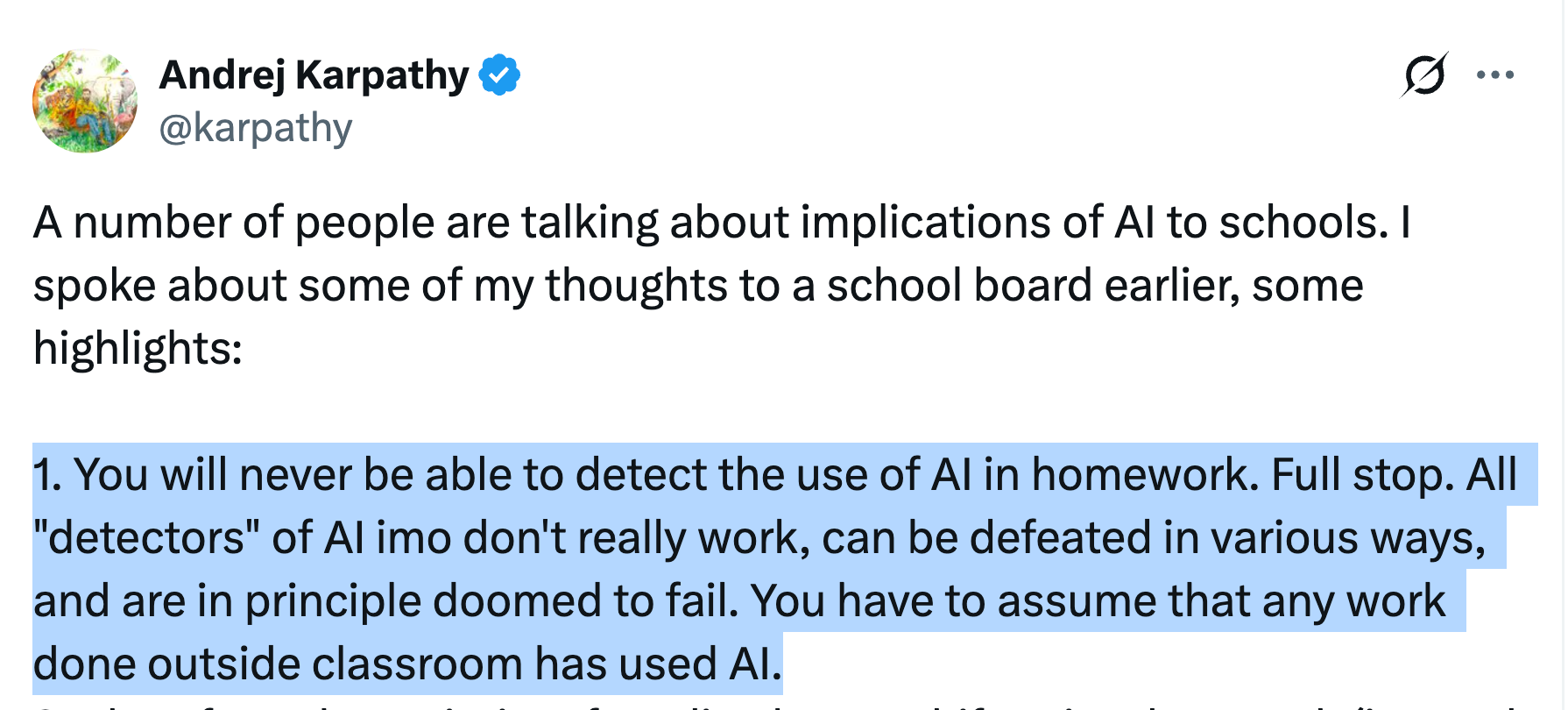
“But what about these AI detectors? They make tons of money!!”
Take GPT Zero, for example. They are projecting to earn over $20 million in 2025.
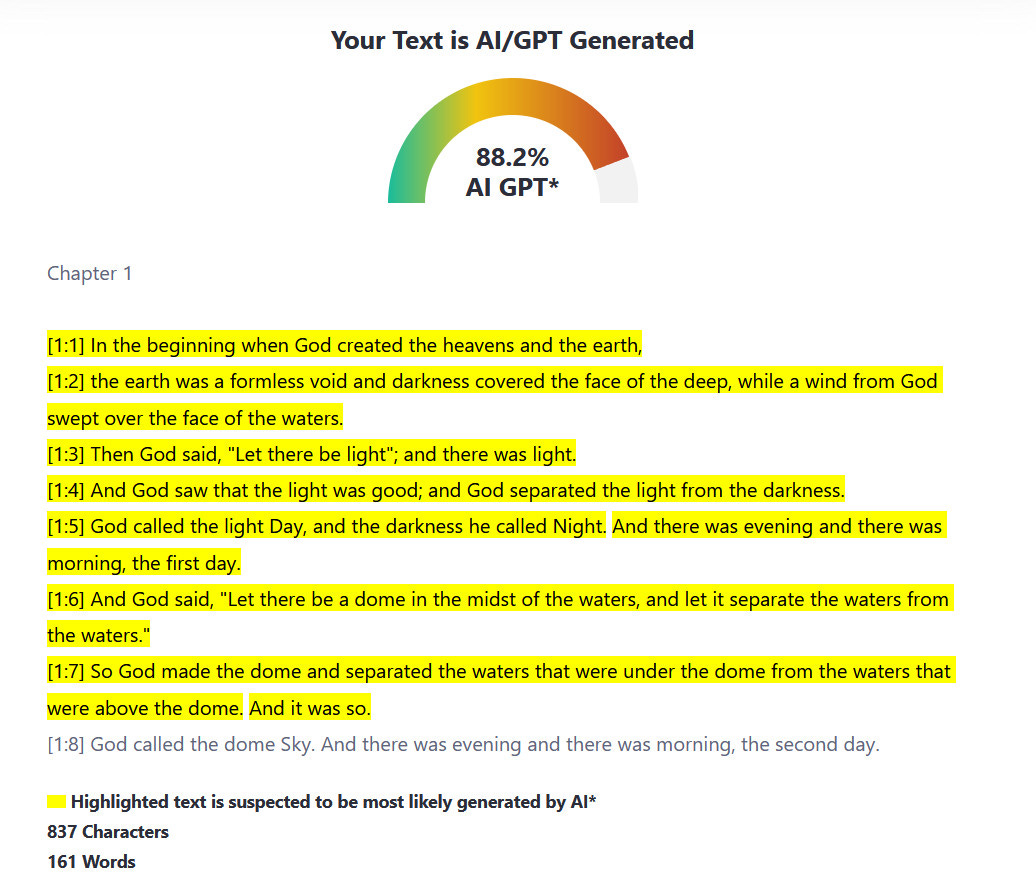
Well, here’s what an AI detector thinks of the Bible.
88.2% made by ChatGPT.
Here’s the thing.
AI detectors are just pattern-matching machines. They learned what “AI text” looks like. And what “human text” looks like.
But here’s the problem.
Humans can write robotic text. AI can write natural text. The two overlap. A lot.
So when a detector sees your writing, it’s basically guessing. It might be “better than random” across thousands of samples. But on YOUR specific text? Coin flip.
And it gets worse.
Short text gives the detector almost nothing to work with. Imagine if I ask “AI or not?” with a one-liner. The overlap between “human” and “AI” is basically a circle.
No classifier can fix this. It’s math.
Sorry if any of you spend on AI detection. It’s a lost cause.
But we can still tackle the “AI feel” of copies. And at the end of this newsletter, I’m even sharing how to use AI to help you remove the “AI feel”.
2. How to forever avoid sounding like an AI.
I found this massive Wikipedia library on “Signs of AI writing”.
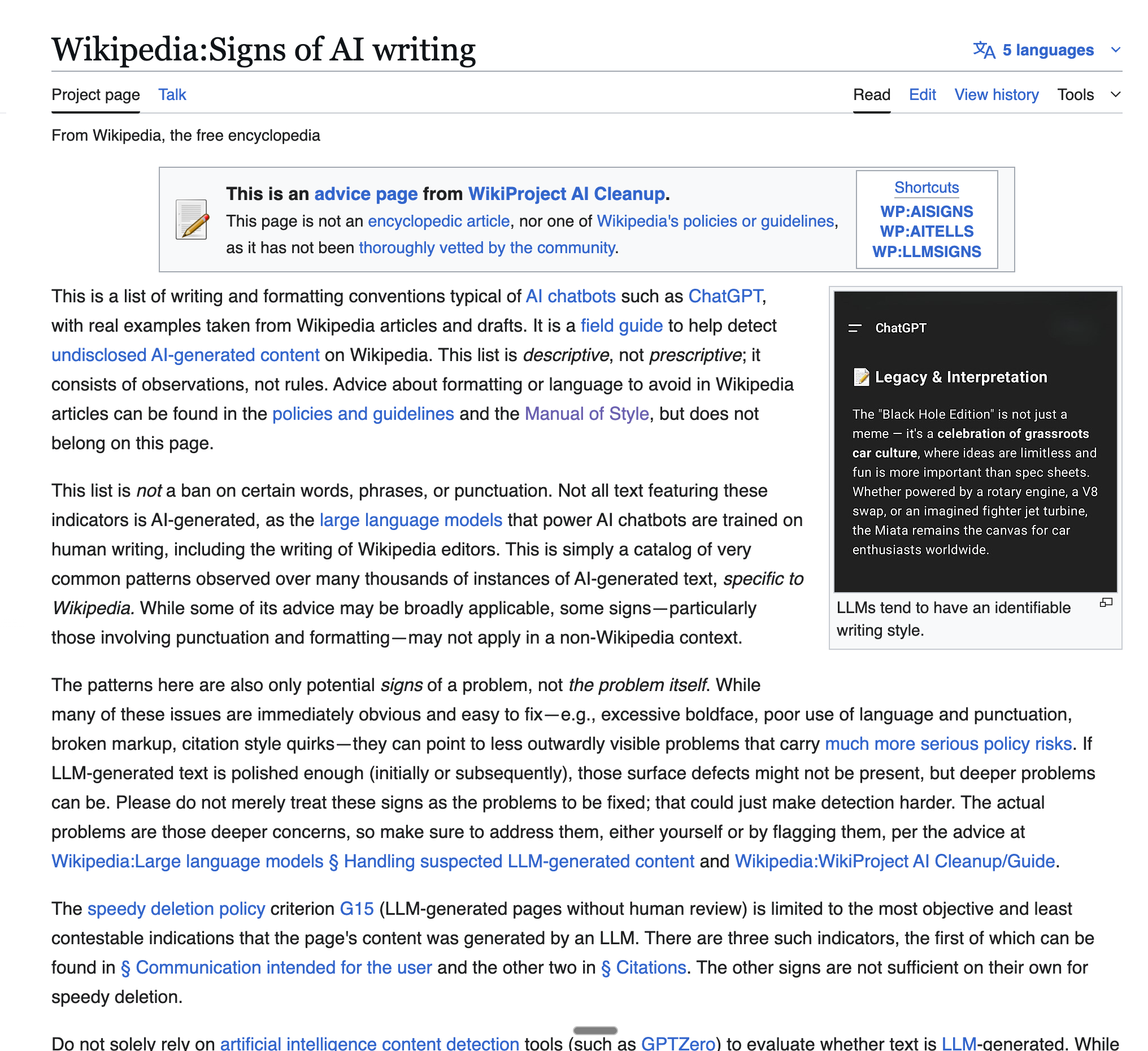
I love this article. But you don’t have time to read.
So here’s a recap:
1. Stop padding your sentences.
AI loves to exaggerate.
Everything is “pivotal.” Every detail “underscores” something deeper.
Every trend “continues to captivate audiences worldwide.”
Nobody talks like this.
Here’s what to cut:
“highlighting the importance of...”
“plays a crucial role in...”
“it is important to remember that...”
These phrases add zero information. They exist because the model is trained to sound smart. But smart writing is specific. Not exaggerated.
Like, take a look at this:
AI: “This development highlights the ongoing evolution of the digital landscape and underscores the importance of adaptability in modern business.”
Human: “This changes how small teams compete. They can move faster now.”
See the difference? One sounds like a press release.
The other sounds like someone who actually knows what they’re talking about.
Be that person.
2. Ban the AI vocabulary.
You know the words. You’ve seen them everywhere since ChatGPT launched.
Here’s my banned list:
delve
intricate
tapestry
interplay
foster
garner
underscore
pivotal
showcase
enduring
(I covered this extensively in my “Ban” newsletter. Go read it if you haven’t.)
But words aren’t enough. You also need to kill certain sentence structures:
“Not only... but also...” - Delete this construction from your brain. It sounds like a college essay.
The rule of three - AI loves listing three things. “Speed, efficiency, and innovation.” It’s overused. We can’t do this anymore.
“From X to Y” - “From ancient traditions to modern innovations” is AI equivalent for “I have nothing specific to say, so I’ll stay vague.”
3. Fix your pacing.
AI writes like a metronome. Every sentence is medium length. Every paragraph is three to four sentences. The rhythm never breaks.
Real writing is uneven. Short sentences hit hard.
Bim. Bam. Boum.
You feel it.
Sometimes you need a longer one to build context or give the reader room to breathe before you drop something important on them.
Mix it up.
Use “maybe” and “sometimes” when you’re not 100% certain. AI never hedges. Humans do. That uncertainty is what makes writing feel real.
Start sentences with “And” or “But” or “Like”. Write as you speak.
And use “I” and “you.” AI defaults to passive voice and third person because it’s trained on formal documents. But you’re writing for people. Talk to them directly.
Also we hate passive voice.
We want action. Adventure. Bim. Bam. Boum.
4. Kill the meta commentary.
AI can’t help itself. It wants to explain what it’s about to do.
“Let’s walk through...” “Below is a detailed overview...” “In this section, we will explore...”
Delete all of it.
Just say the thing. Don’t announce that you’re about to say the thing.
Same goes for conclusions:
“In conclusion...”
“To summarize...”
“Overall...”
If you’ve made your point, stop writing. You don’t need to summarize what someone just read two paragraphs ago.
Also, on this note, AI overfits your prompt. Sometimes, when I say “write for non-technical people,” it actually writes “For non-technical, they must consider…”.
I hate this. Stop this, ChatGPT, please.*
*daily reminder saying “Please” to ChatGPT does not work. It makes it worse.
5. Formatting that doesn’t look like a template.
AI loves structure. Headers, subheaders, bullet points, numbered lists.
Use these like salt. Don’t overdo it.
One em dash per piece. Maybe two. (I say this with pain because I actually love em dashes. But AI ruined them.)
Don’t bold every key term. Don’t create a bullet point for every sentence. Let your paragraphs breathe.
And never end with “Challenges and Future Prospects.” You’re not a college student hitting their word count.
6. Be concrete. Be opinionated.
AI writes like someone afraid to commit.
Everything is “may,” “could,” and “often considered.”
Take a stance.
Don’t say: “This approach may potentially offer some benefits for certain organizations.”
Say: “This works for teams under 10 people. Bigger companies will struggle with it.”
Give examples. Real ones. Not “imagine a hypothetical scenario where...” Just point to something that actually happened. That’s something AI struggles with.
Like this one time I had to write for… See? I got you here :)
And when you explain a concept, show how it applies. Don’t give me abstract platitudes about “the importance of strategic thinking.”
Tell me what to do on Monday morning.
I am overwhelmed with decisions to make. Make some for me (& tell me why).
That’s a lot of rules. Would it be nice if an AI could know all of them and edit your text to remove them?
Well, hi, I’m Ruben. I love doing this for a living.
At the end of this newsletter, I will share how the prompt to ban AI-feel, forever.
It’s the next section.
You are new? Access my archive of guides:
https://docs.google.com/document/d/1pWuMCBVQo1zKcgKltX_BZxAr31KgxmOlp3Vzvmc5Hxc/edit?usp=sharing.
3. The copy & paste prompt to edit any text and remove its AI feel.
This section is to copy my shortcuts.
I made both a prompt to copy and paste, and a custom GPT, to edit any text.
The goal?
Never sounding like an AI (even when you didn’t intend to).
So first, copy and paste this prompt on ChatGPT: