
🎙️ Flow.
Stop typing. Starting talking to your computer.

ChatGPT does not sound like you.
And it will never exactly sound like you.
You can train it as much as you want, but it’s just not it.
It does not *feel* like you.
And after writing literally thousands of posts online, reaching over 300 million impressions on my Linkedin, studying AI for hours, I have a secret to share.
ChatGPT will never sound like you.
Even crazier: your keyboard won’t either.
You can’t type on a keyboard and magically sound authentic.
You know what sounds like you?
Your voice. Your actual voice.
This (free) guide has one goal:
How to write with your voice, not your fingers.
Warning: This technique is addictive. Your keyboard will feel lonely.
The most magical AI. Yes, more than ChatGPT.
Wispr Flow is the simplest AI on the market: talk to it, and it writes perfectly well. If it makes a mistake (like your name), correct it, and it will remember it.
That’s it. The secret I had to share.
You’ve tried Siri before. And it sucks. I agree.
But Wispr Flow is different. It just… works.
Sounds too simple?
Because you didn’t experience it.
Try it once. Remember it forever.
It reminds me of my “First day of AI”.
GPT just went public, and you can now have a chatbot write like a human. Science-fiction. A feeling of “Wait, how do we start something from scratch again?”
Wispr Flow feels the same: “Wait, why do we use a keyboard again?”
At the end of this newsletter, you will master:
How to set up Wispr Flow (as simply as possible + it’s free).
How fast Wispr Flow is (it’s like 4x faster than any of you reading this).
How I write with my voice, not my fingers (and why it’s my most authentic self, you can’t beat it).
How to set up Wispr Flow.
I do my best always to make the simplest how-to guide possible.
✦ Step 1: Go to wispr.ai.
Click on “Download for MacOS”.
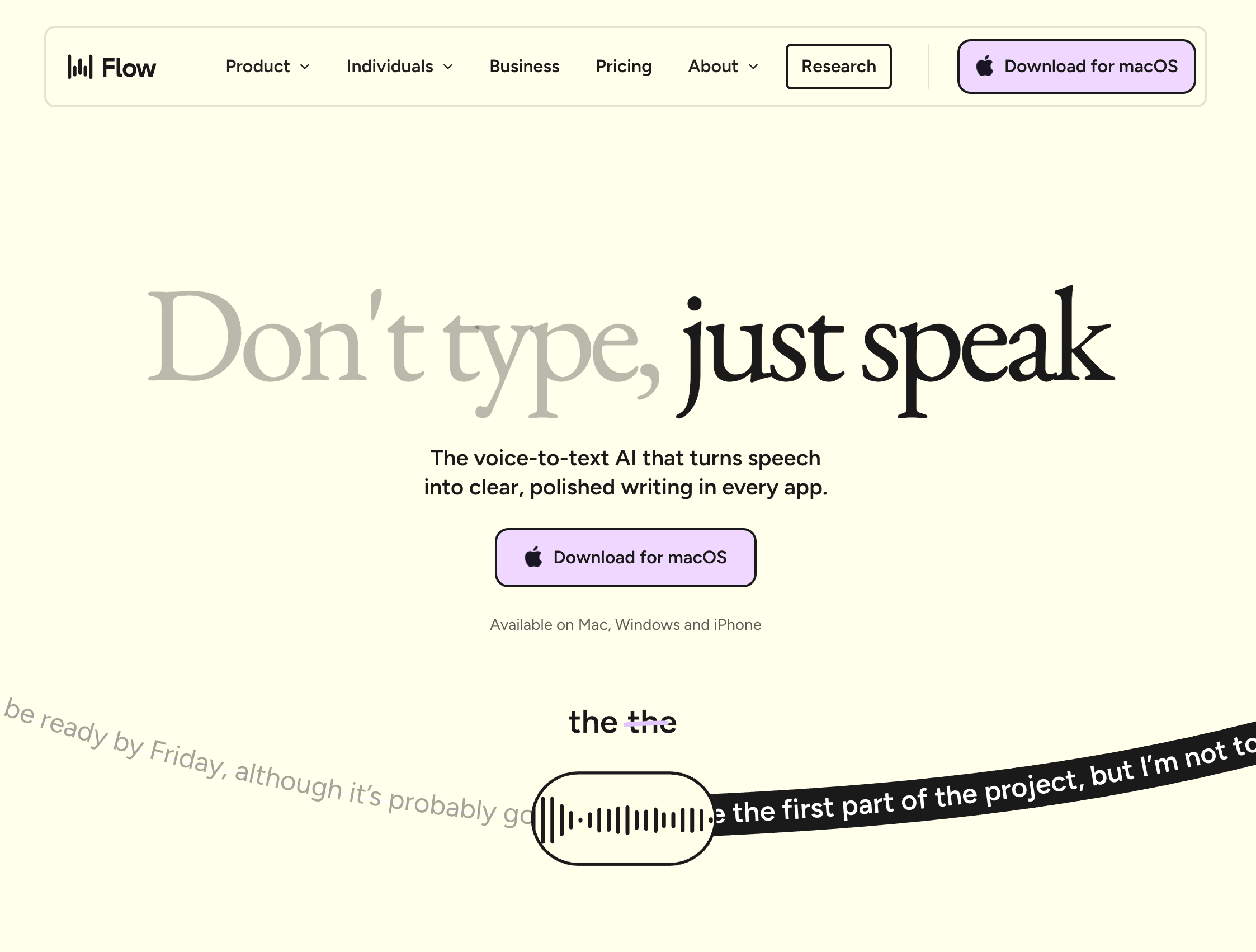
There is a (great) free plan. You don’t even need to put your credit card.
✦ Step 2: Choose your favorite keystroke to activate Wispr Flow.
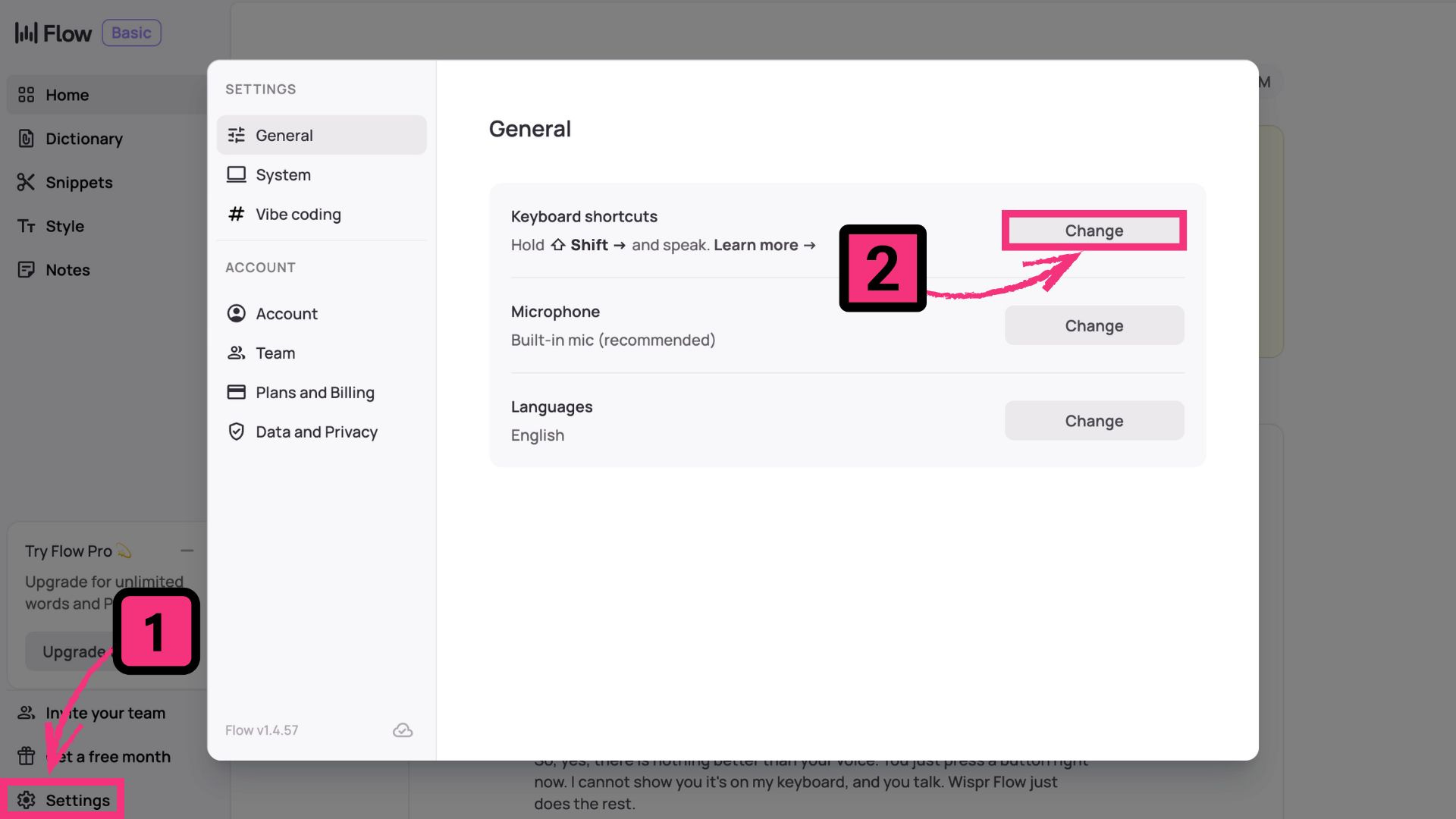
I personally love “Shift”, the little arrow below “Enter”.
✦ Step 3: Go to any app, hold your keystroke (like shift) and… talk.
The magic lies in your correction. Wispr Flow will remember it.
Here’s an example live, in 27 seconds:
Your dictionary is updated automatically, but you can edit it inside your settings.
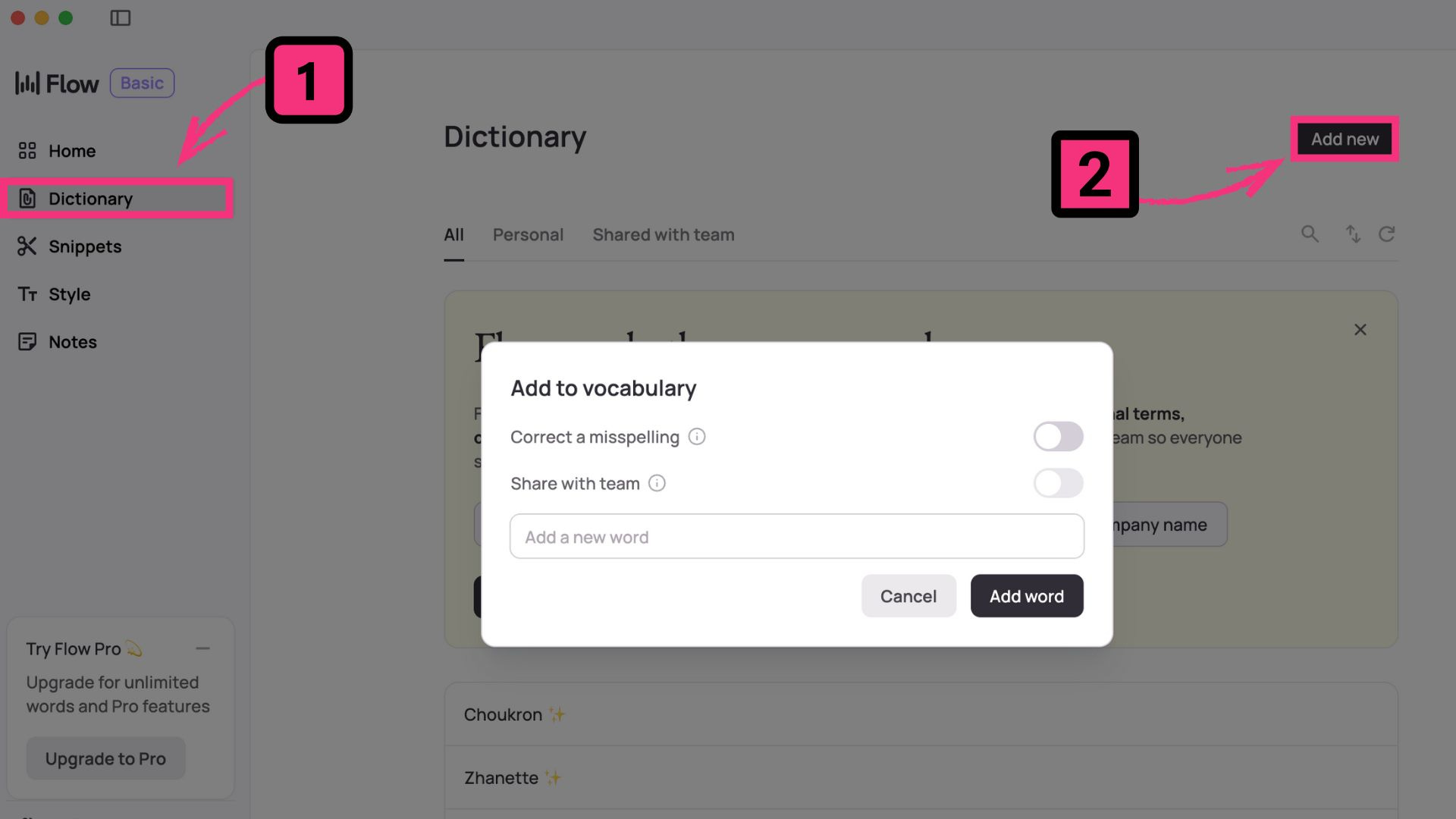
You’re having an issue? Leave a comment, and I’ll fix it. I’m a power user.
You don’t have any issue? Just say hi, the Substack comment section is probably the only one free from the AI bot army. It’s nice to actually connect with humans.
4 times faster than (any of) you.
An image is worth a thousand words.
Take a look at my Wispr Flow’s analytics:
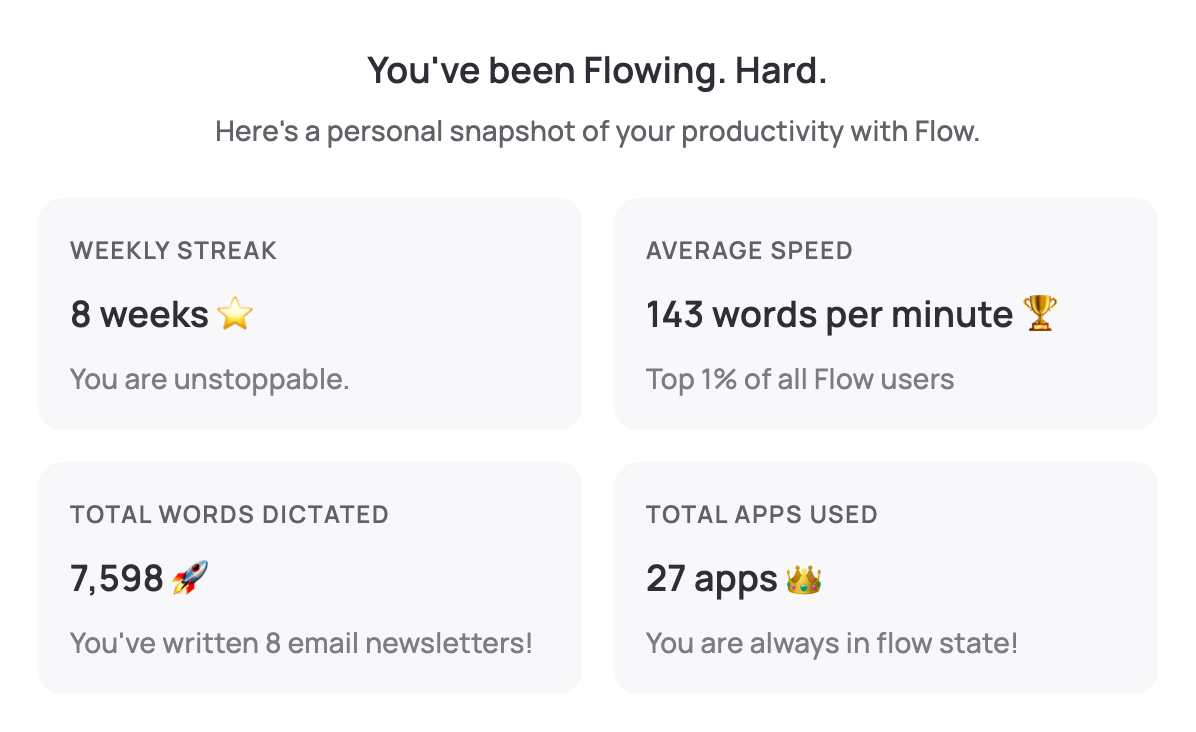
143 words per minute.
How fast is 143 words per minute? Ask ChatGPT.
Top 1% of typers, literally professionals, write 120 words per minute.
Wispr Flow is literally an unfair speed advantage.
I’m ready to bet 80% of your job is to just… type things.
Even if you use AI, you still need to prompt it (with words).
So speed matters. And being fast is one thing.
But the secret advantage lies in authenticity.
→ You can’t *not* be authentic when you talk.
Especially if you talk to yourself.
Here’s a full video demo in the next section.
How I write (without typing).
I reach 2 to 3,000,000 impressions per week on Linkedin.
This is how I write a Linkedin post*, using my voice:
*I actually posted the post I am making on my Linkedin.
A lot of you guys reading this article don’t know me.
So hi - I’m Ruben Hassid - and I teach people how to master AI.
I have 700,000+ followers on Linkedin after posting every day for 3 years.
FYI: I think you can skip all of my Linkedin posts and just read my blogs here.
I answer every comment under my blog posts (like this one).
So tell me: what has been a struggle lately on your Linkedin?
And if you don’t have any struggle, just say hi in the comments. Bonus point if you drop your Linkedin account so I can connect with some of you!
blog archive: https://docs.google.com/document/d/1pWuMCBVQo1zKcgKltX_BZxAr31KgxmOlp3Vzvmc5Hxc/edit?usp=sharing
I partnered with Wispr Flow as a perk of my paid newsletter.
Since my newsletter costs $200 a year, I tried to get roughly $200 worth of AI credits for my paid community. So far, I can give you:
Wispr Flow Pro for one month, for free (instead of $12).
Gamma Pro for 50% on your first month (instead of $25).
EasyGen Pro for 0.99$ on the first month (instead of $59).
Blink Pro for one month, for free (instead of $200).
Lindy, they give like $20 worth of free credits.
I am not sure what the sum of it all is, but it’s a nice bonus, alongside joining my private Slack, receiving my prompt library & accessing my full blogs.
This blog is free, but usually my video walkthrough is for paid members.
Anyway. Enough talking to myself.
See you!
Nothing beats your real voice. That’s the magic.
Gonna check Wispr Flow now
Great post! I have personally been enjoying WhisperTyping.com a lot. Uses the same model, and doesn't have any limits (no dictionary tho). What are your thoughts?