So you open ChatGPT, and you think ChatGPT knows better how to prompt itself.
You start typing something like this:
Make a prompt for [desired result].
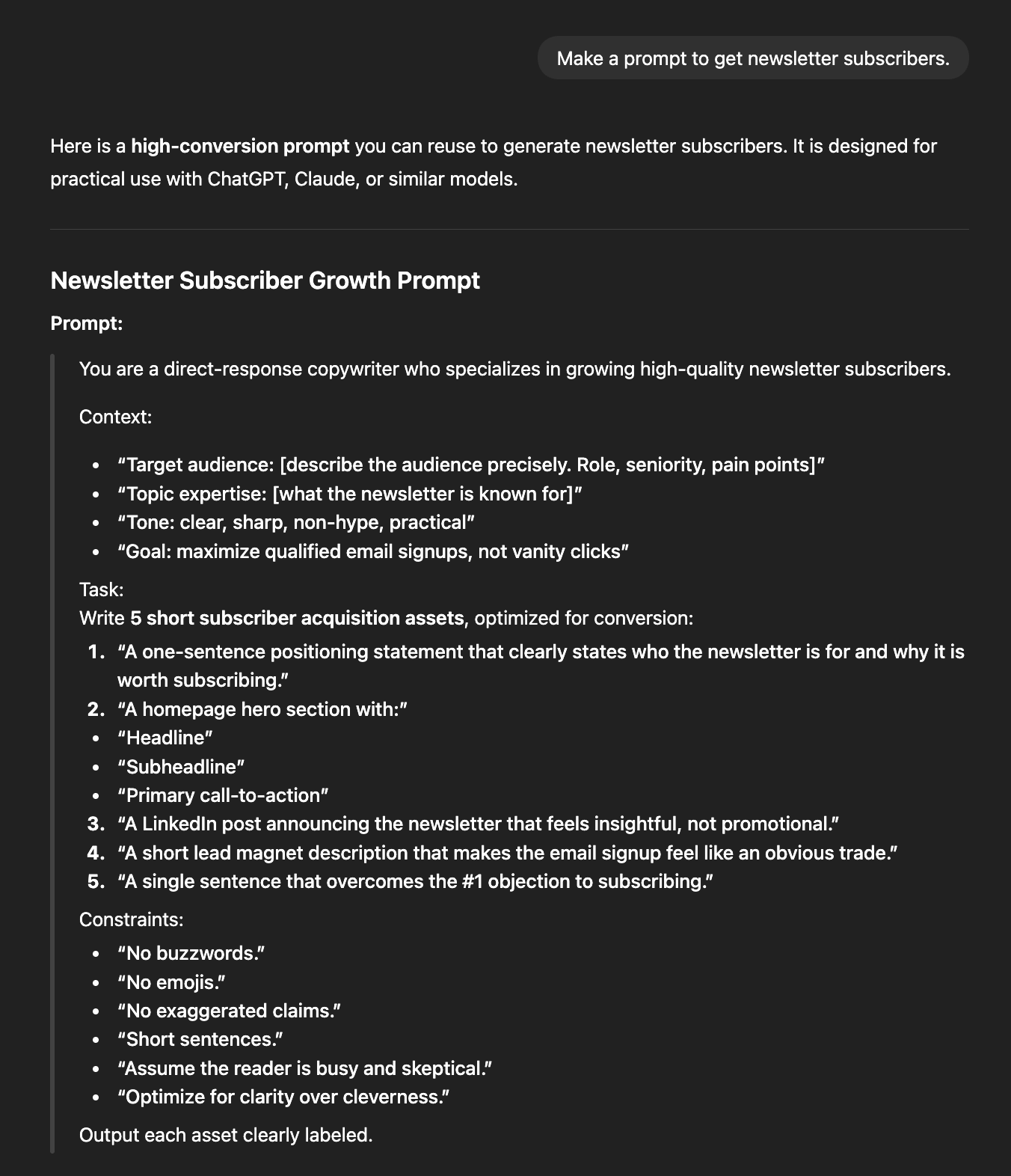
And you get a terrible prompt like this:
It’s really bad because:
You give vague descriptions.
You don’t define what success looks like.
You try to fit everything in one shot.
But it’s not your fault. I plead guilty.
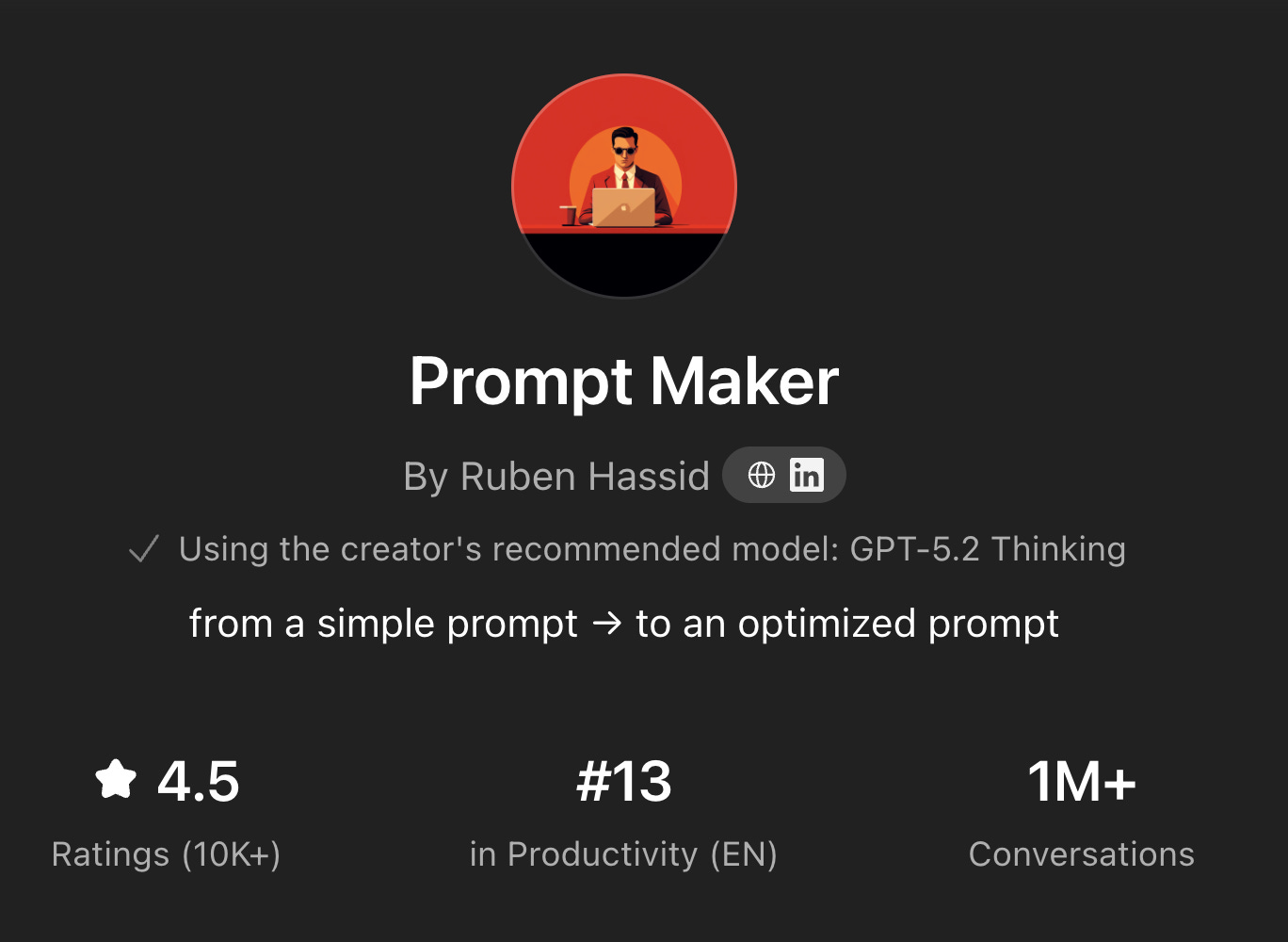
I made you believe that ChatGPT, when prompted correctly, writes better prompts than you. Because 2 years ago, I made my first GPT, the Prompt Maker:
OK, maybe this GPT is better than 99% of people using ChatGPT. These prompts are definitely better than “Write me an email”. But the truth is, you have two types of requests to an LLM (like ChatGPT):
You need something quick. Like a Google search, or finding something in a PDF. The stakes are low, the task is quick. You do NOT need to use a complex prompt for this. Just the right settings, explained here.
You need AI for a serious task. Heavy brainstorming, parsing a legal contract, creating a multi-step marketing plan, writing a brief to an agency… The sky is the limit, but the method is specific.
We are here to better ourselves with AI, capable of prompting any serious task.
No, ChatGPT won’t help you write better prompts.
This guide will:
1. Your Prompt Fail Before You Even Type.
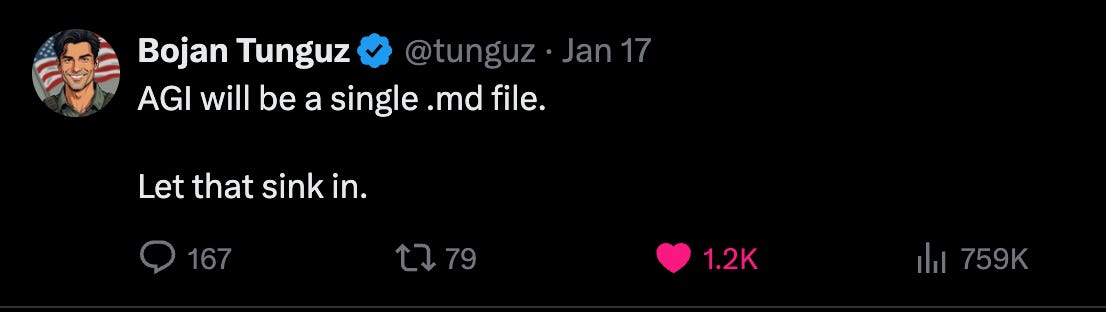
AGI (=Artificial General Intelligence) will be a single markdown file.
You open ChatGPT.
You have a vague idea in your head. Maybe you saw something that worked on social media. Maybe you need to solve a problem.
You start typing. Hoping AI fills in the gaps.
It won’t.
The model has no idea what’s in your head. It only knows what you type. And if what you type is fuzzy, you’re getting a fuzzy output. Every. Single. Time.
Most people think prompting = typing. But prompting = thinking.
Before you write a single word, you need to prepare three things:
A. Find a reference — and download it as markdown.
Not vague inspiration. A file AI can actually read.
Here’s the exact process:
Find something that makes you say, “I want exactly this.” A contract. A memo. A proposal. A landing page. An email. A report.
Use a tool like MarkdownDown or copy it into a markdown converter.
Save the .md file. It’s a text file, but made for LLMs like ChatGPT.
Here’s a quick 24-second video, as a step-by-step:
“When should I create a Project inside ChatGPT?”
If you’re going to repeat this task with the same desired output — like writing weekly reports, client proposals, or team updates — create a Project. Upload your reference there once. Now every future prompt starts with that context baked in.
☑ One-time task? Just upload the file to the chat. ☑ Repeating task? Build a Project.
Upload the markdown file we just made to your AI (=LLMs).
And now you prompt it this:
Analyze this reference so you can recreate something similar later.
Give me a short, actionable blueprint: - What is it? - Tone - Key patterns.
Keep it under 100 words total.
These will be your instructions to recreate this type of text as closely as possible without having access to the original reference.
So if someone never read this reference, they could easily recreate it, start to finish, with your instructions. Everything in a codeblock.
Save the output. This is your blueprint.
I will continue my example with a quick video:
C. Fill out your success brief.
Now define what YOUR version needs to achieve.
It’s the only part you need to actually type, just 4 questions.
SUCCESS BRIEF
Type of output + length: [Contract, memo, report, proposal, landing page?]
Recipient’s reaction: [What should they think/feel/do after reading?]
Does NOT sound like: [What to avoid — generic AI, too casual, too legal, jargon-heavy?]
Success means: [They sign? They approve? They reply? They take action]
Example for a C-level briefing:
SUCCESS BRIEF
Type of output: Executive summary, 1 page max.
Recipient’s reaction: “I understand the situation and know what to decide”.
Does NOT sound like: Jargon-heavy consultant speak.
Success means: They make a decision in the meeting without asking follow-up questions.
Example for a legal contract review:
SUCCESS BRIEF
Type of output: Contract risk summary. 2 pages.
Recipient’s reaction: “I know exactly what to negotiate”
Does NOT sound like: Legalese that needs translating
Success means: Client can walk into negotiation prepared
Now you have three artifacts:
Your reference (markdown file).
Your blueprint (the reverse-engineered breakdown).
Your success brief (what YOUR version must achieve).
Time to assemble them.
2. Show, Don’t Tell.
You have everything. Now stack it into one prompt.
Here’s the structure:
[1. Upload your reference markdown file first]
I uploaded a reference to what I want to achieve. Here’s what makes this reference work:
### [2. Paste your blueprint] ###
Here’s what I need for my version:
### [3. Paste your success brief] ###
Now that you know all of this information, let's create the plan to complete it step by step in a chat (5 steps maximum). Define the outline, and ask me one question so you can move on to the first step.
That’s it.
Here’s a quick video showing you how:
No guessing. No “write me something like...” and hoping AI figures it out.
You gave AI:
A concrete example to follow
A breakdown of WHY it works
A brief defining YOUR success
Context about YOUR situation
Now the AI sees exactly what you see.
But don’t make the mistake of not chatting with it.
3. It’s Called “Chat” For A Reason.
That’s easily the biggest mistake you make when you use AI.
And it does not matter if you use ChatGPT, Gemini, Grok, or Claude.
They are all GPTs → G-enerative P-retraining T-ransformers.
It stands for “fancy autocomplete machine that replies, using training data”.
The revolution wasn’t the GPT, but the ability to discuss, call out the mistake, and steer the conversation where you wanted the GPT to go.
It was actually such a big revolution that we embedded this conversation into the technology itself. When your AI is “thinking”, it’s talking to itself. And the result is much, much better (= smarter, following instructions better…).
Don’t trust me. Trust science.
“Training language models to follow instructions with human feedback” (arXiv:2203.02155, 2022).
“Chain-of-Thought Prompting Elicits Reasoning in Large Language Models” (arXiv:2201.11903, 2022).
“A Survey on Multi-Turn Interactions with Large Language Models” (arXiv:2504.04717, 2025).
Now the key is to avoid bloating your chat.
So you must follow these guidelines very strictly:
Now the key is to avoid bloating your chat.
So you must follow these guidelines very strictly:
1. Correct errors immediately and explicitly*
As soon as the model makes a factual mistake, logical error, or drifts off-track, call it out directly (e.g., “That’s incorrect—X is actually Y because [brief reason]. Fix this and continue.”). Do not let errors compound across turns.
2. Keep every message concise
Avoid long preambles, chit-chat, or unnecessary politeness. State only: correction (if needed) + next instruction + any required context reference. Long user messages bloat the context window and encourage long AI replies.
3. Reference prior output precisely
Instead of repeating information, quote or refer to specific parts (e.g., “In your previous response, you said [short quote]. Build on that by adding…”). This keeps context focused and reduces redundancy.
4. Use directive language
Include phrases like “Respond briefly”, “One paragraph only”, “Bullet points, no fluff”, or “Revise your previous answer to be ≤200 words”. Modern models follow such instructions well.
5. Steer aggressively toward convergence
At each turn, push closer to the final desired output (e.g., “Now produce the final version incorporating all fixes” or “Summarize everything so far into a clean, complete answer”). Do not explore tangents unless strictly necessary.
6. When context feels bloated, reset
If the conversation exceeds ~8–10 meaningful exchanges or you notice repetition/declining quality, copy the current best output, start a new chat, paste it, and continue with “Here is the refined version so far—now improve/finish it by…”. This avoids token waste and context decay.
You now know 1/ what to do before a prompt, 2/ how to prompt, and 3/ the importance of chatting with your AI.
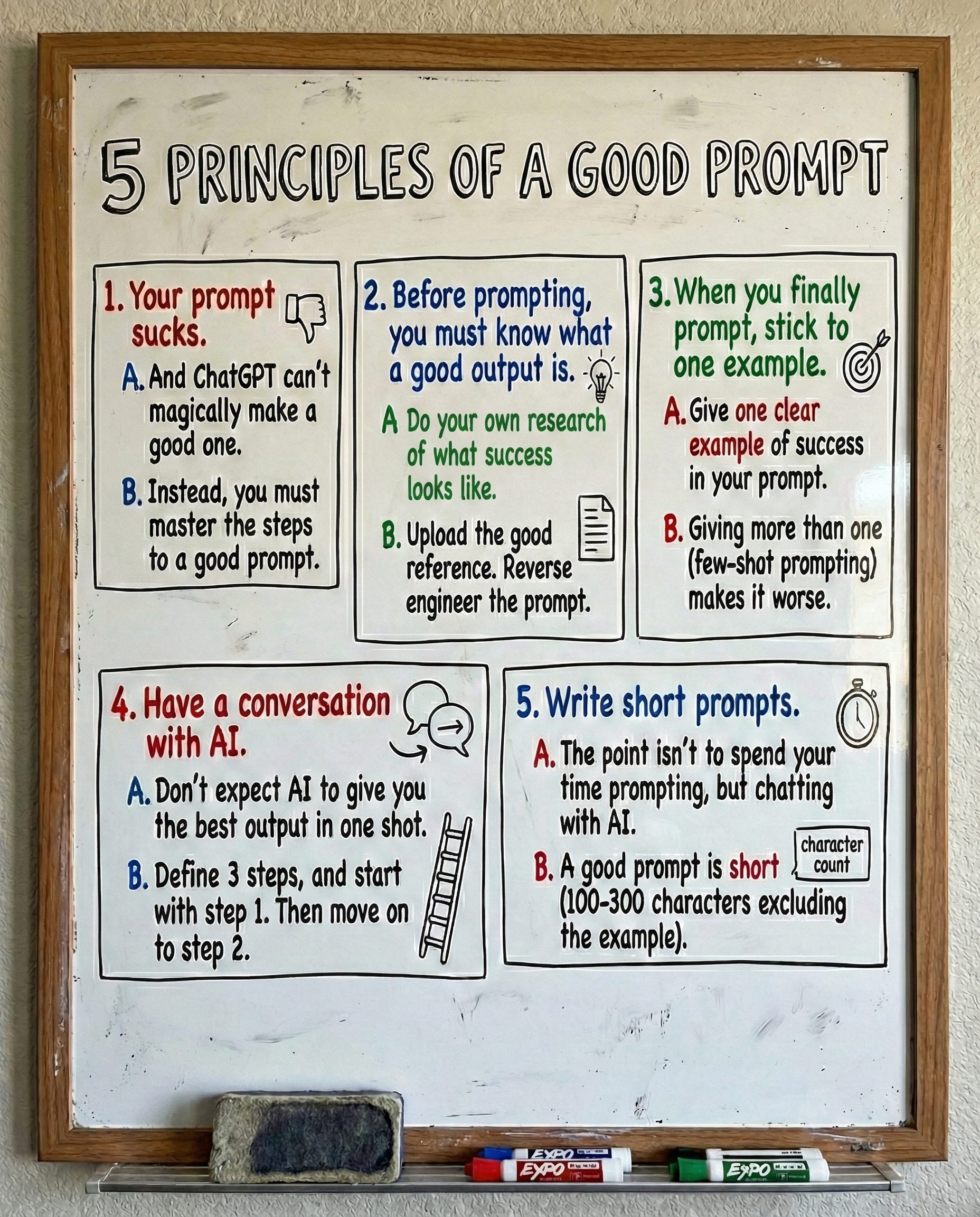
You want to save this? I made this cheat sheet for you:
Cheat sheet.
You want to save this guide without all of the instructions.
So here’s my cheat sheet for you to bookmark & save:
This is part of my prompt library, under the “Cheat Sheet” category.
✦ It’s my free gift to people who subscribe to How to AI. If you didn’t subscribe to this newsletter for free (like 230,000 other weekly readers), well, do it.
✦ If you are a subscriber but can’t find the prompt library link, leave a comment under this article. My team will personally DM you the link!
Most people think the problem is the prompt, but it’s actually the lack of clarity, context, and structure before the first word is even typed, which turns a powerful tool into a confused assistant responding to a vague idea pretending to be a strategy.



Most people think the problem is the prompt, but it’s actually the lack of clarity, context, and structure before the first word is even typed, which turns a powerful tool into a confused assistant responding to a vague idea pretending to be a strategy.
Hi! I couln't find the prompt library link in the email I received when I subscribed. Could you help me? Thanks!