
being good at ai is (stupidly) simple
like seriously, stupidly simple:

> ai is not that hard.
> ai is this simple.
> go to claude.ai.
> create a new account. somehow, you have to verify your phone.
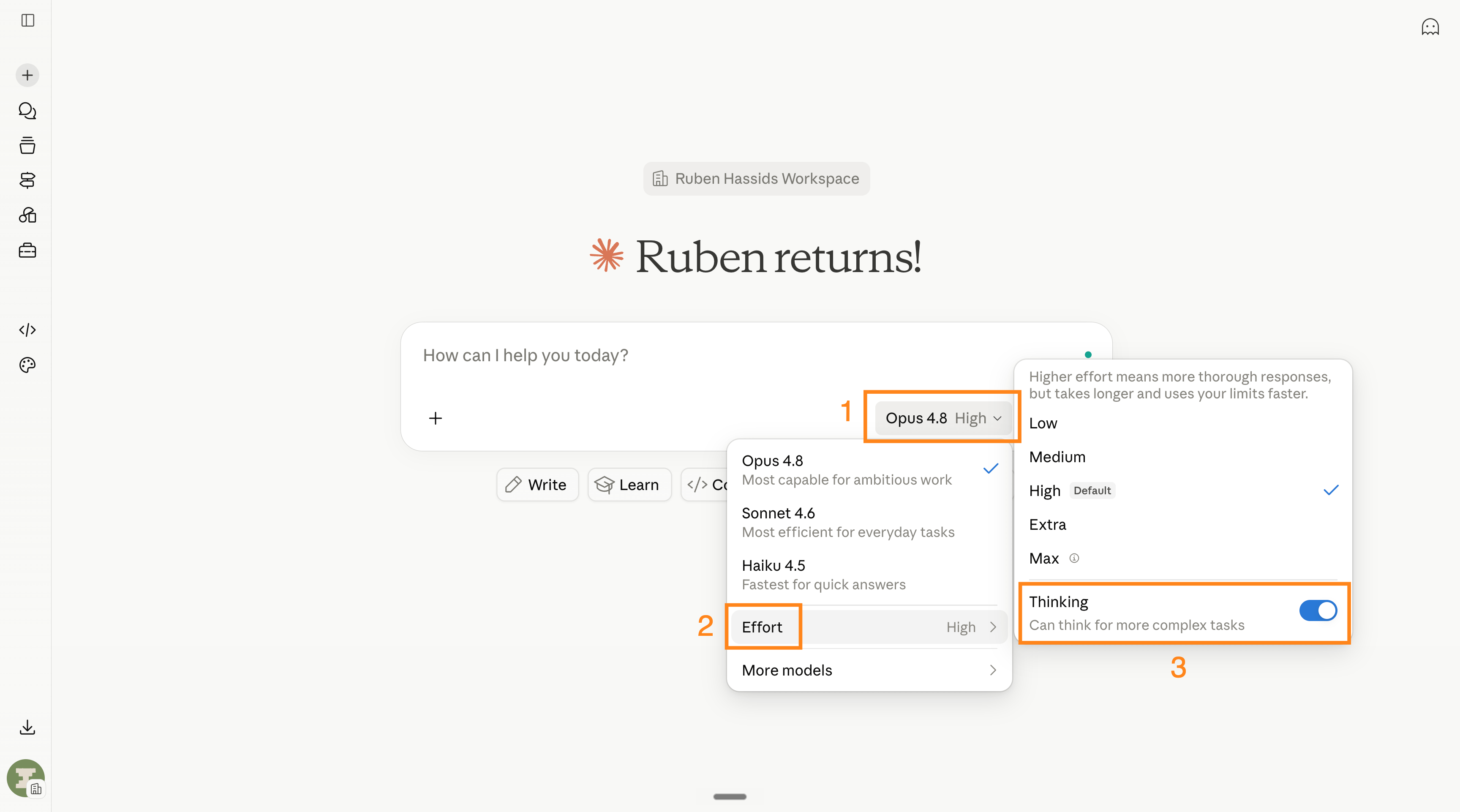
> look at the box where you type. bottom-right corner.
> it shows a model, like “Sonnet 4.6” (free) or “Opus 4.8” (paid).
> you want the nice and smart ai instead of the free one.
> pick Opus 4.8. set the thinking level to High. turn on “Thinking”.
> it looks like this:
> now the infamous “prompt”… suspenseful music
> you do NOT need to know how to prompt “like an engineer”.
> the trick is a tool few use, called AskUserQuestion.
> basically claude asks YOU the questions, instead of you prompting it (badly).
> so go for something like: “Help me do [X] for [Y]. Use AskUserQuestion first.”
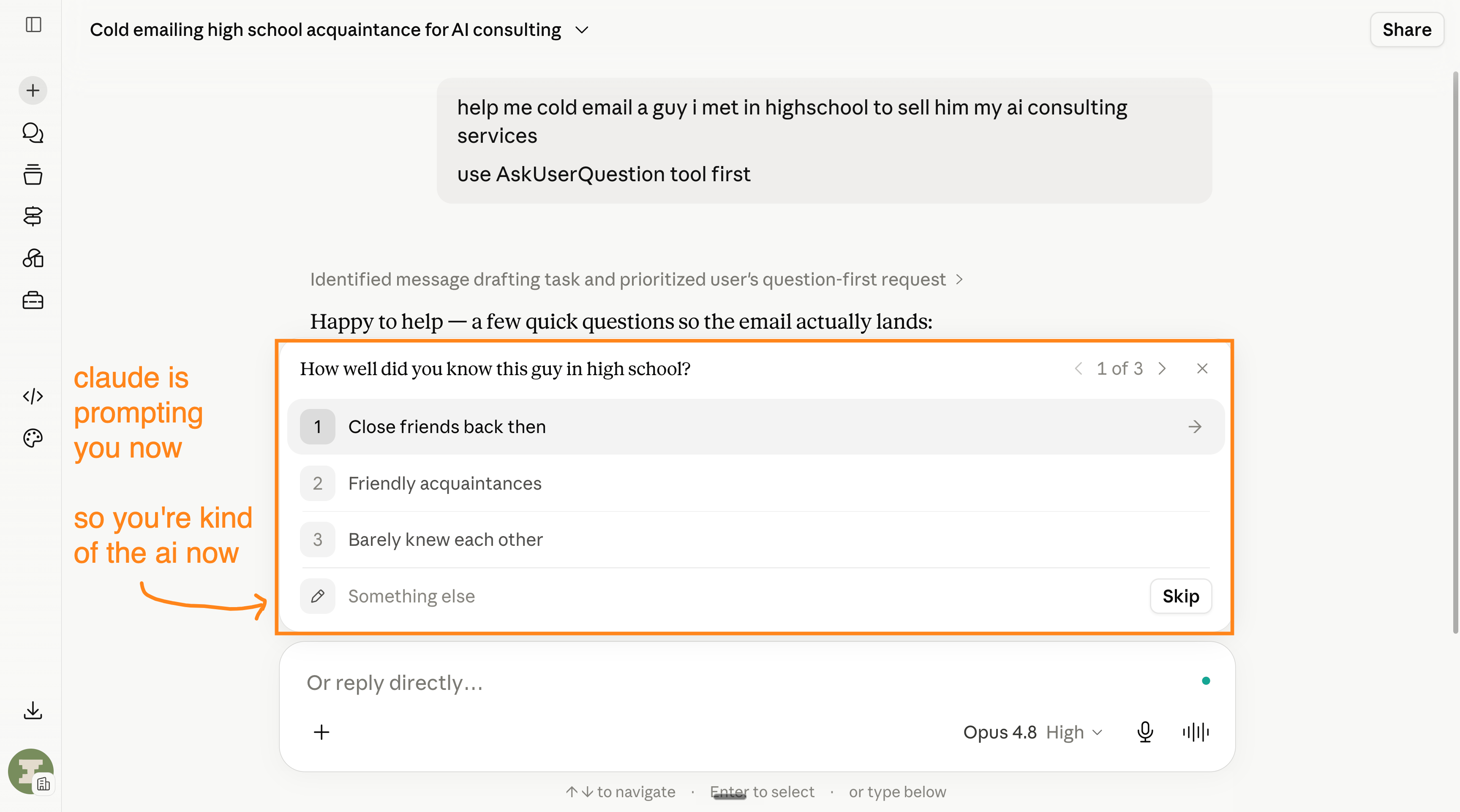
> you just click on the answer, or type it in the “Something else” box.
> it usually has 3-5 questions, the more you say, the better the answer after.
> sometimes you want to go pro, like “give me 3 different strategies”
> and claude gives you this nice little design for 3 answers:
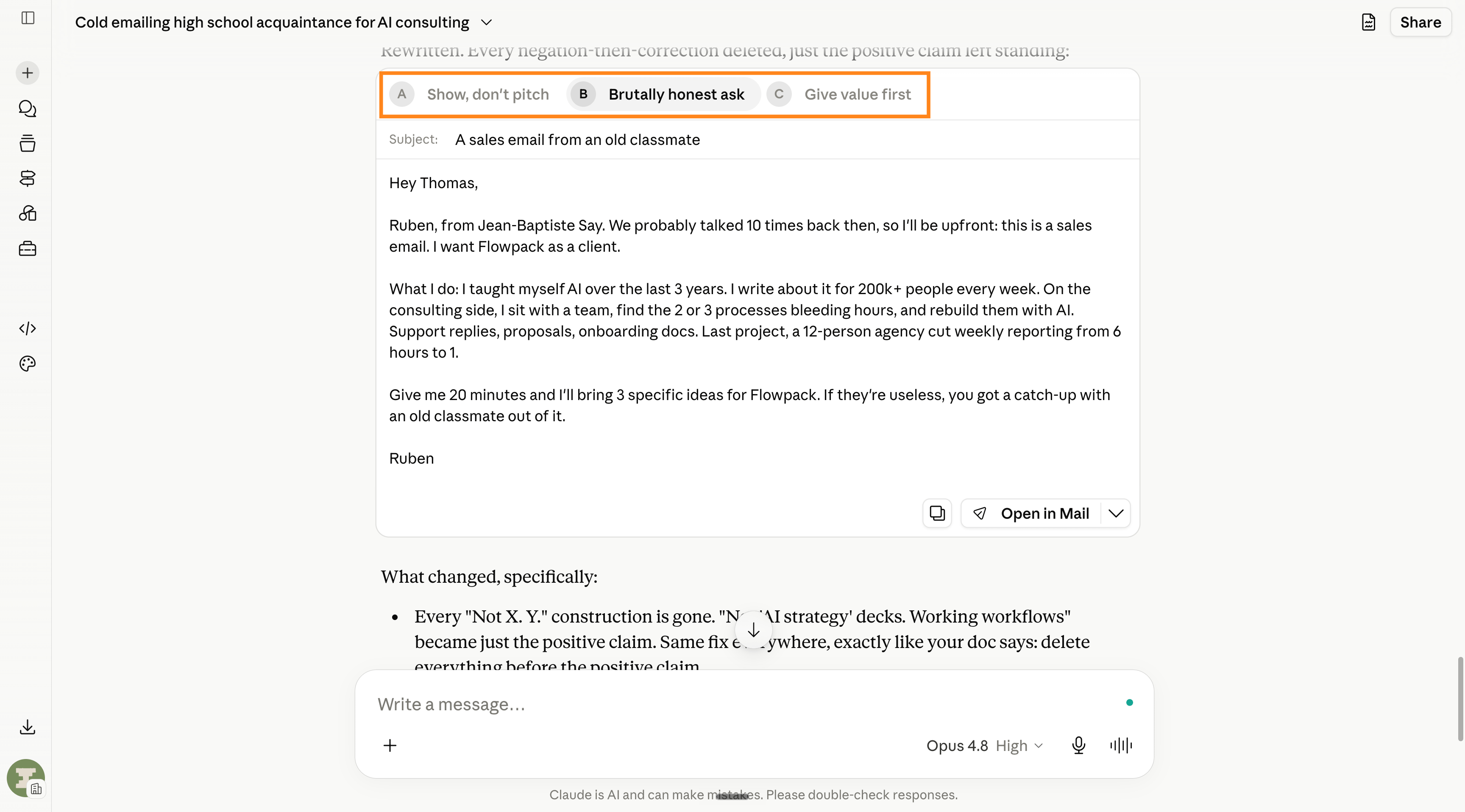
> that one line, “ask me questions first,” makes you a power user.
> write it on your hand. and brag about being a prompt engineer.
> you’re already using ai better than 99.9% of the population.
> that was level 1.
>
> now level 2. talk to your computer.
> you can use another ai to write by talking to your computer.
> yes, you talk 4x faster than you type. and if you’re my mom, 400x faster.
> typing on your computer is so 2024. the future is now, old man.
> i like using wispr flow, it’s a free tool, ai, you talk and the computer writes.
> it looks and sounds like this:
> you are not faster at using a computer, with ai.
>
> now level 3. you need claude’s app now.
> download the app here: claude.com/download
> open it. click the “cowork” tab. it’s at the top next to chat.
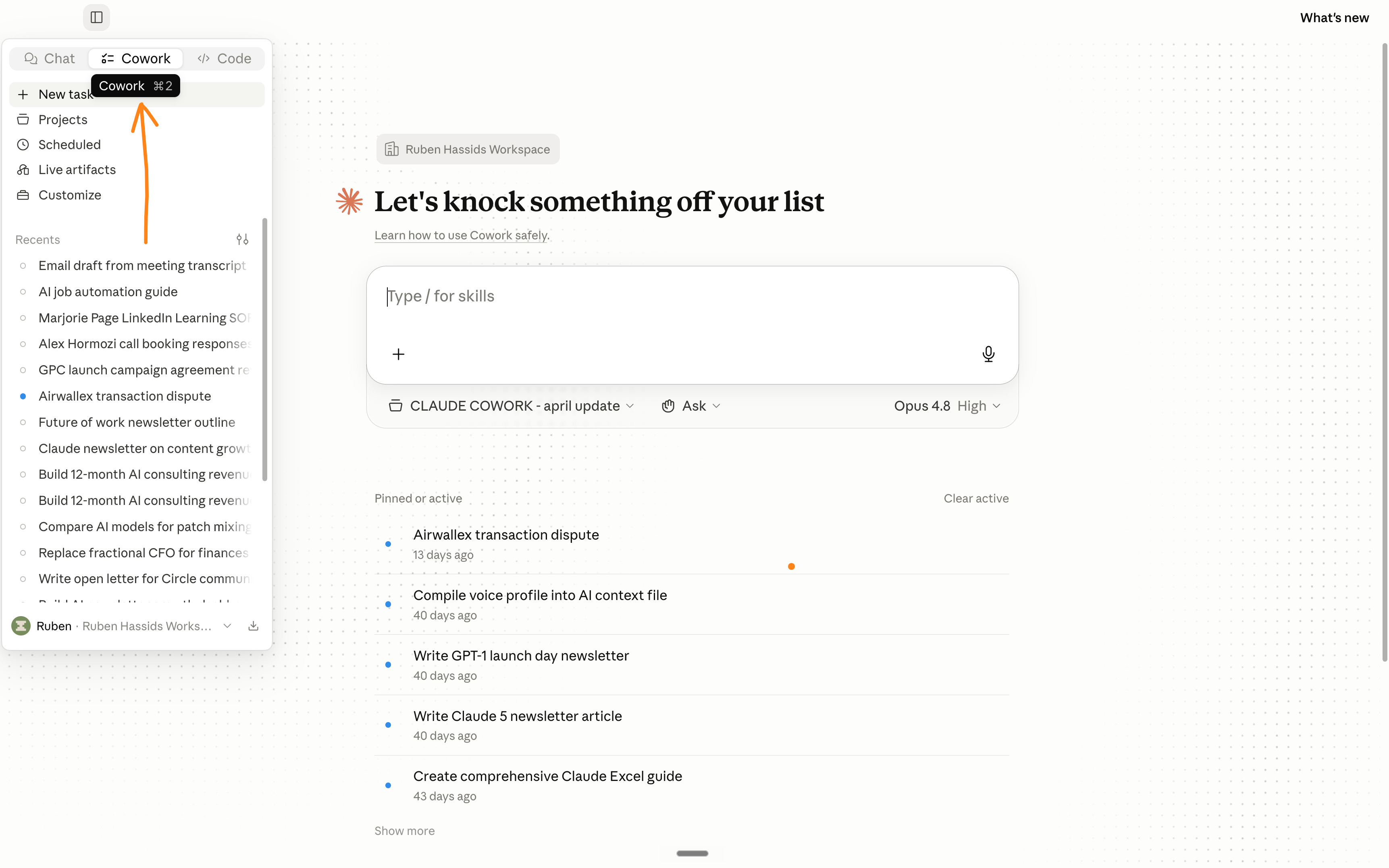
> in the browser, claude answe.. you copy-paste the results.
> claude cowork is different.
> it makes the actual file and saves it on your computer.
> the real PDF. the real spreadsheet. sitting in your folder.
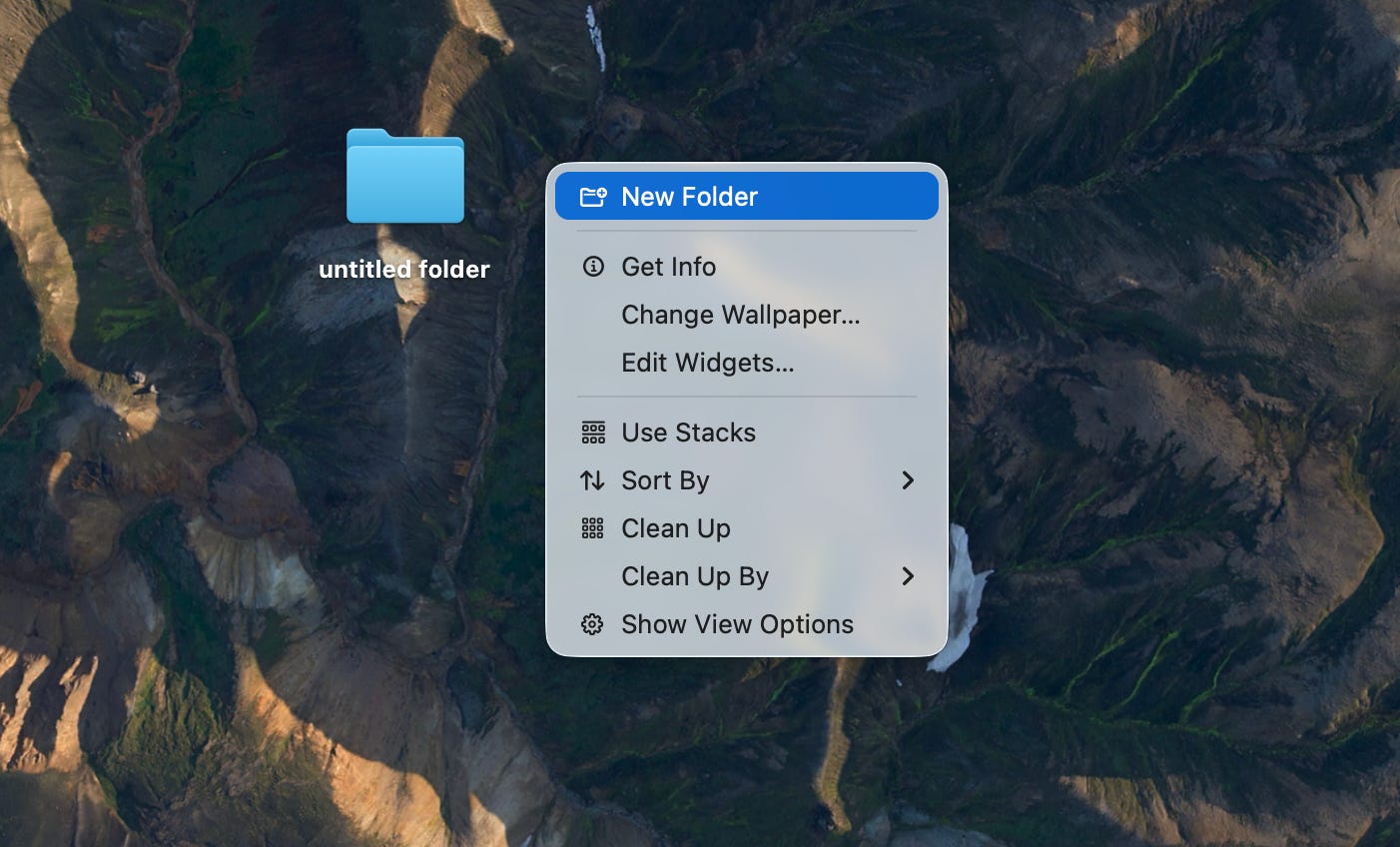
> so make one folder on your computer. call it “cowork.”
> i can’t believe i’m explaining this, but go to your computer’s homepage and do a right click to “create a folder” that’s how you create a folder, like:
> select it inside cowork. claude can read everything inside it now.
> ok. stop here. take a breath. how do you “select it”?
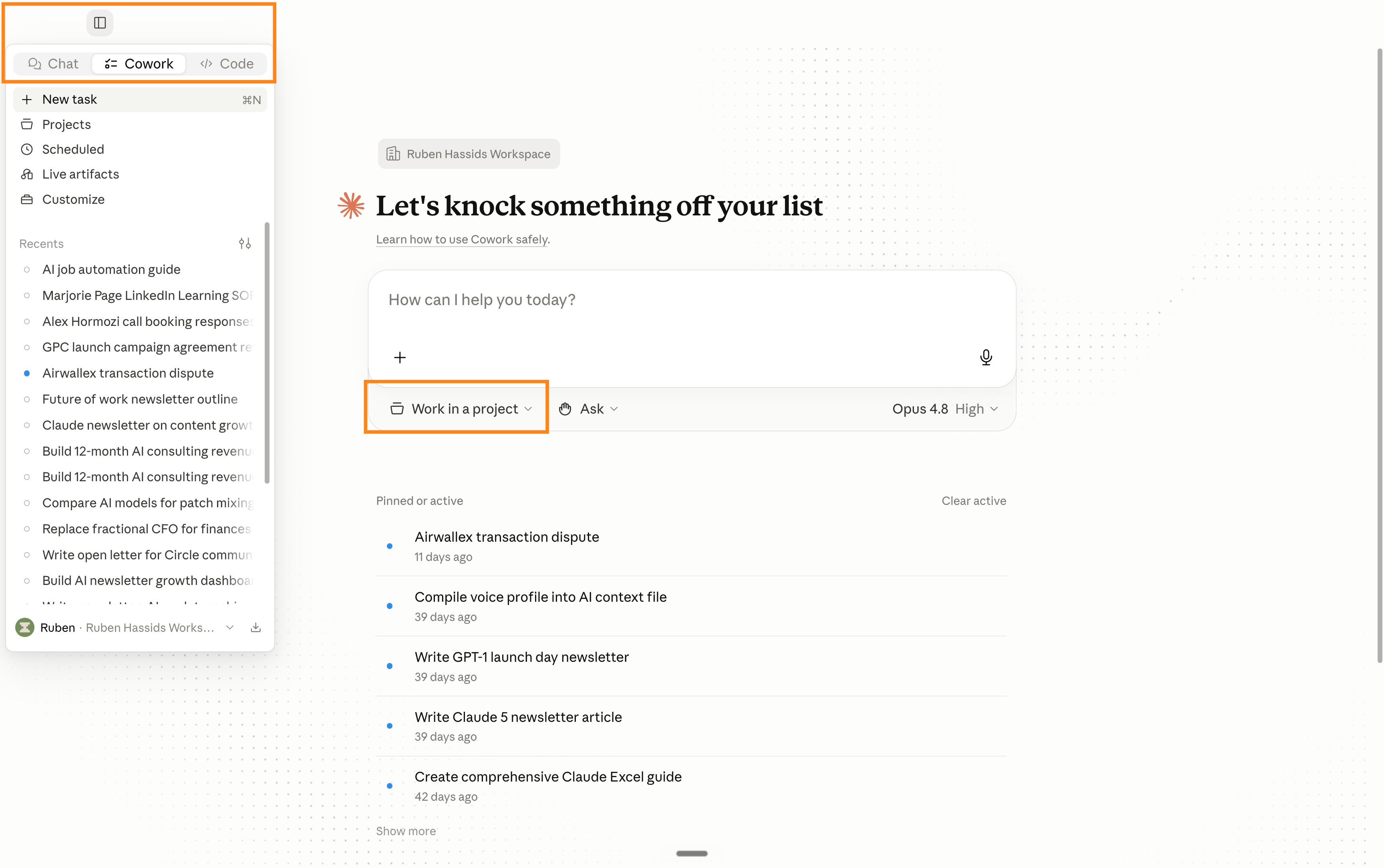
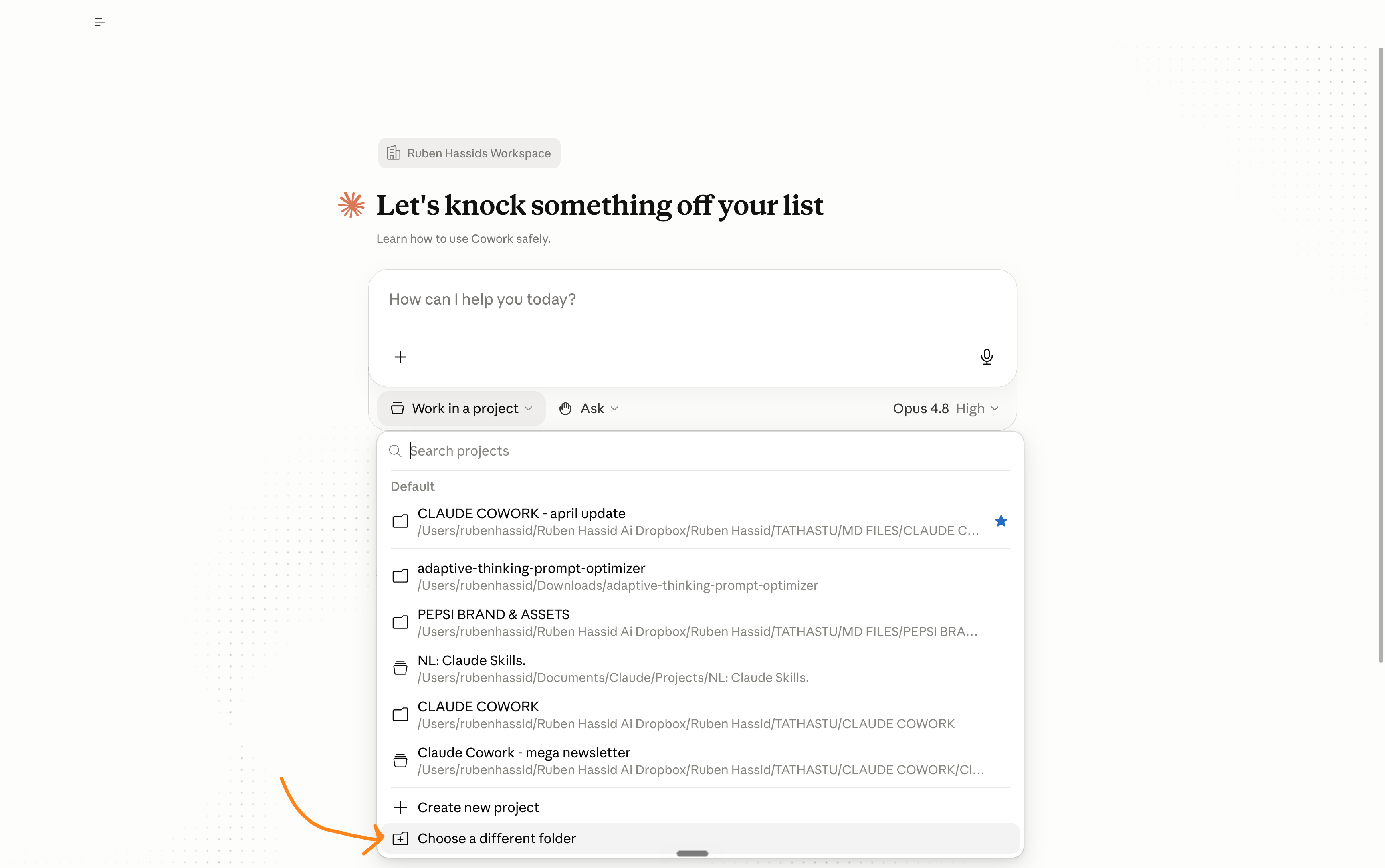
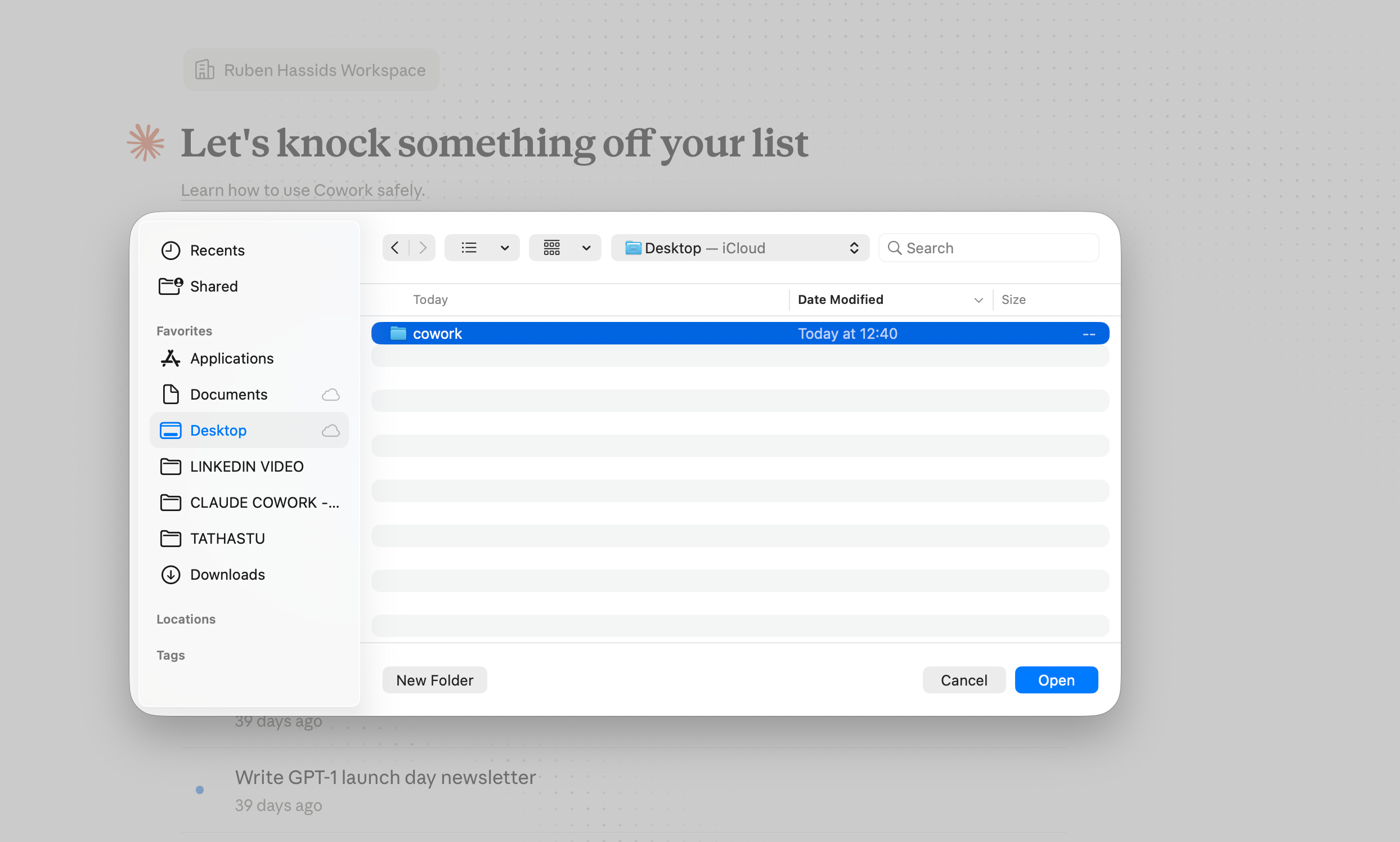
> drag it into cowork. claude reads everything inside it now.
> drop in a messy doc, an old proposal, last month’s numbers. anything.
> now use the trick again:
> “build a spreadsheets to do [x]. but ask me what you need first.”
> 3 minutes later, a clean Excel file. in your computer.
> but wait, there is more.
>
> level 4. connect your apps.
> i can safely say after this level, you are the top 0.000000000001% of the world
> actually no, that’s less than one person, we need to make more kids, guys
> left sidebar, click “customize,” then “connectors.”
> it will connect your claude to your app, like gmail / calendar / notetakers.
> connect gmail. connect your calendar. connect your meeting notes (granola, otter, whatever) - shockers, i know
> it will ask you if you want to connect your apps.
> say yes to everything.
> test it by going super hacker mode and prompt something like:
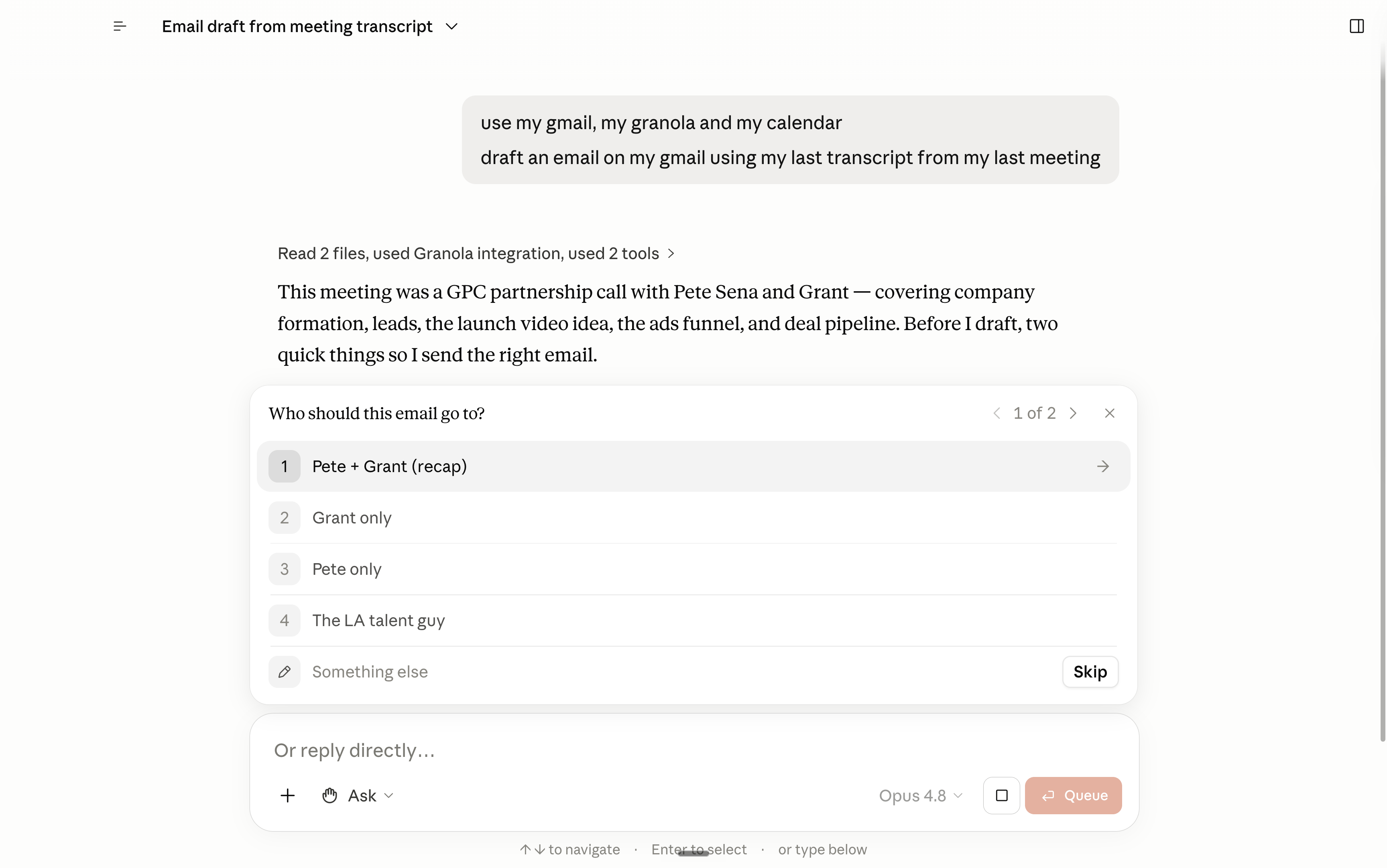
> ai just needs context. it needs to know you. it’s simple.
>
> level 5. you can train claude on new skills.
> now go to the left side bar, and find “customize”, find “skills”
> skills are playbooks claude runs on its own when the task fits.
> wait, it sounds too technical
> skills are premade stuff claude knows before answering.
> like an employee who knows the standard procedure to do [X].
> so first, we need to create a skill before using a skill.
> turns out… claude made a skill… to create skills… called /skill-creator
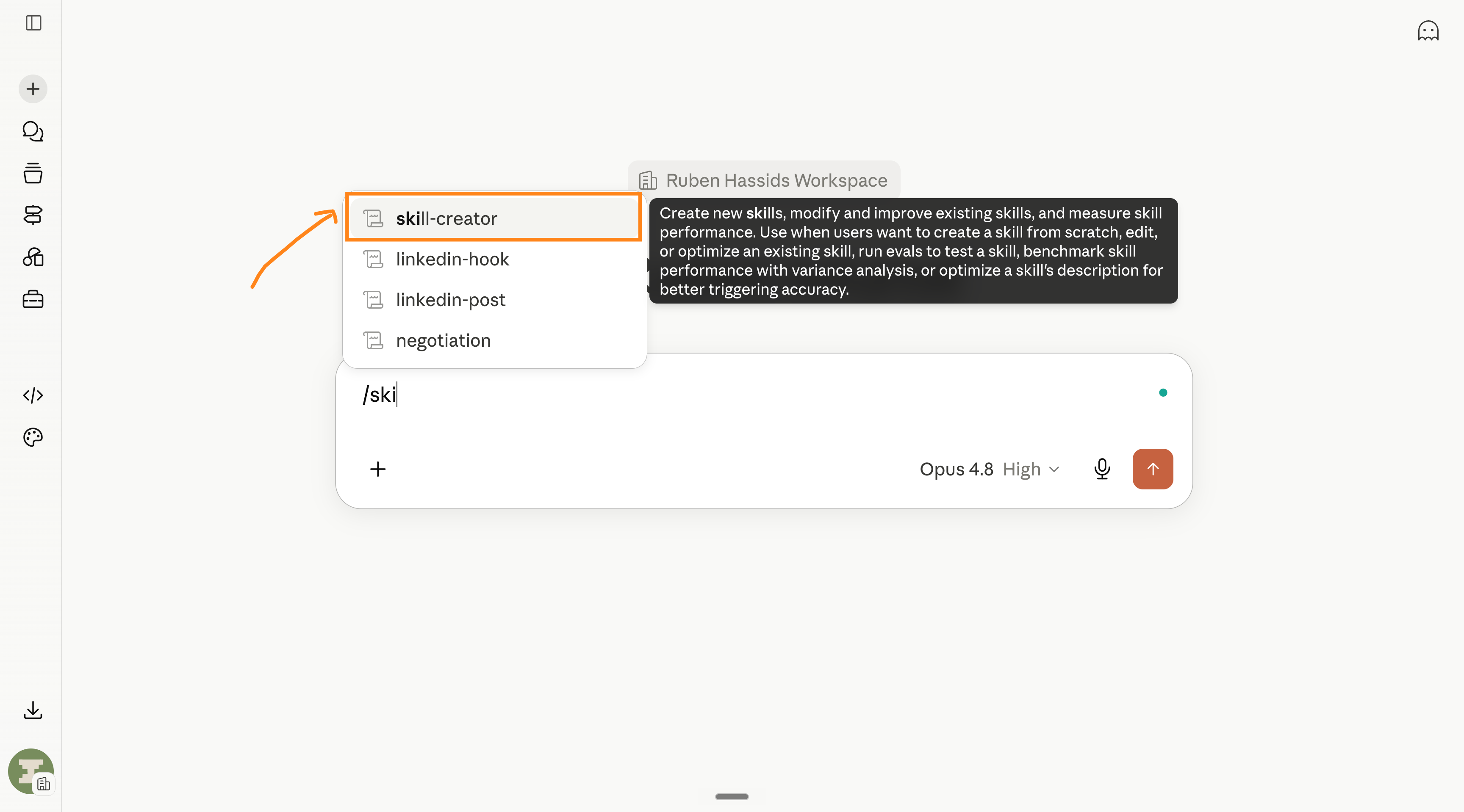
> now just say what you need as a skill, like for example:
> “i want to teach claude how to make excel spreadsheets the way i love them.”
> and add “but ask me questions first” at the end.
> you answer the questions to the ai so the ai is better at being a good ai.
> once you’re done, it will ask you something like this:
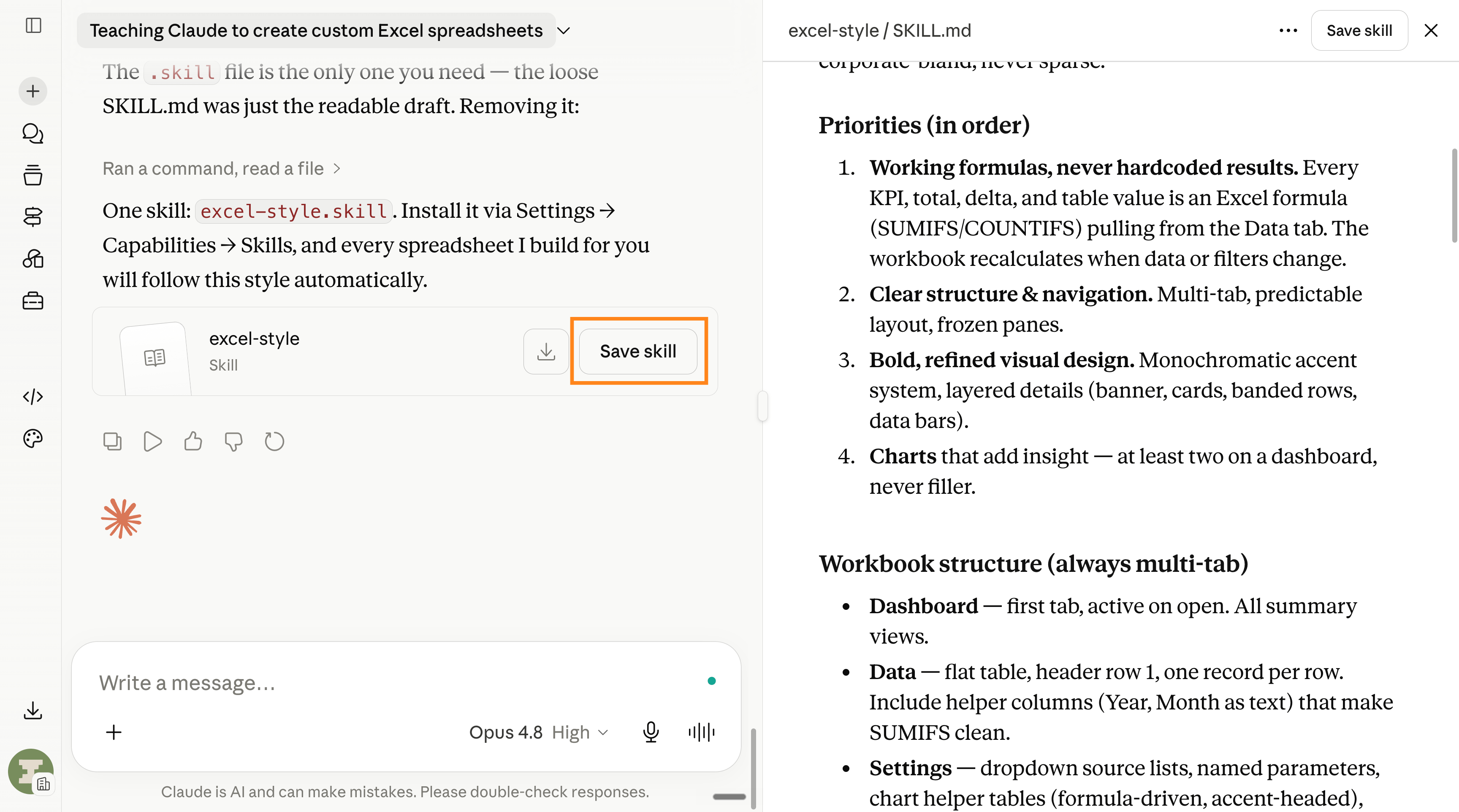
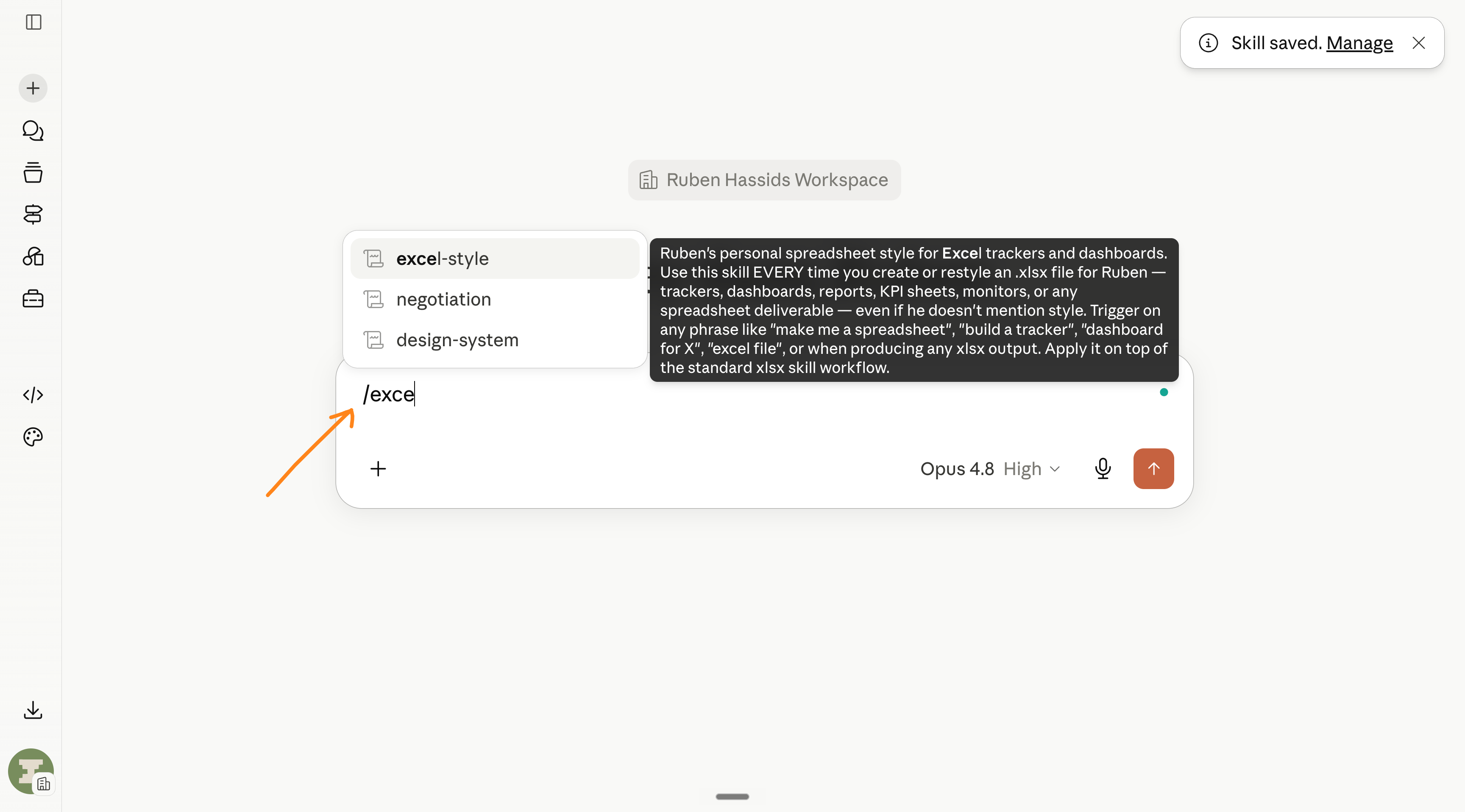
> you gave claude skills, and you can share them with your team.
>
> final boss. coding.
> you don’t know how to code. me neither. but you can do cool stuff now.
> you can make a real website. or app. tonight. yourself. using English.
> in the app, open claude code (the </> tab in the left sidebar).
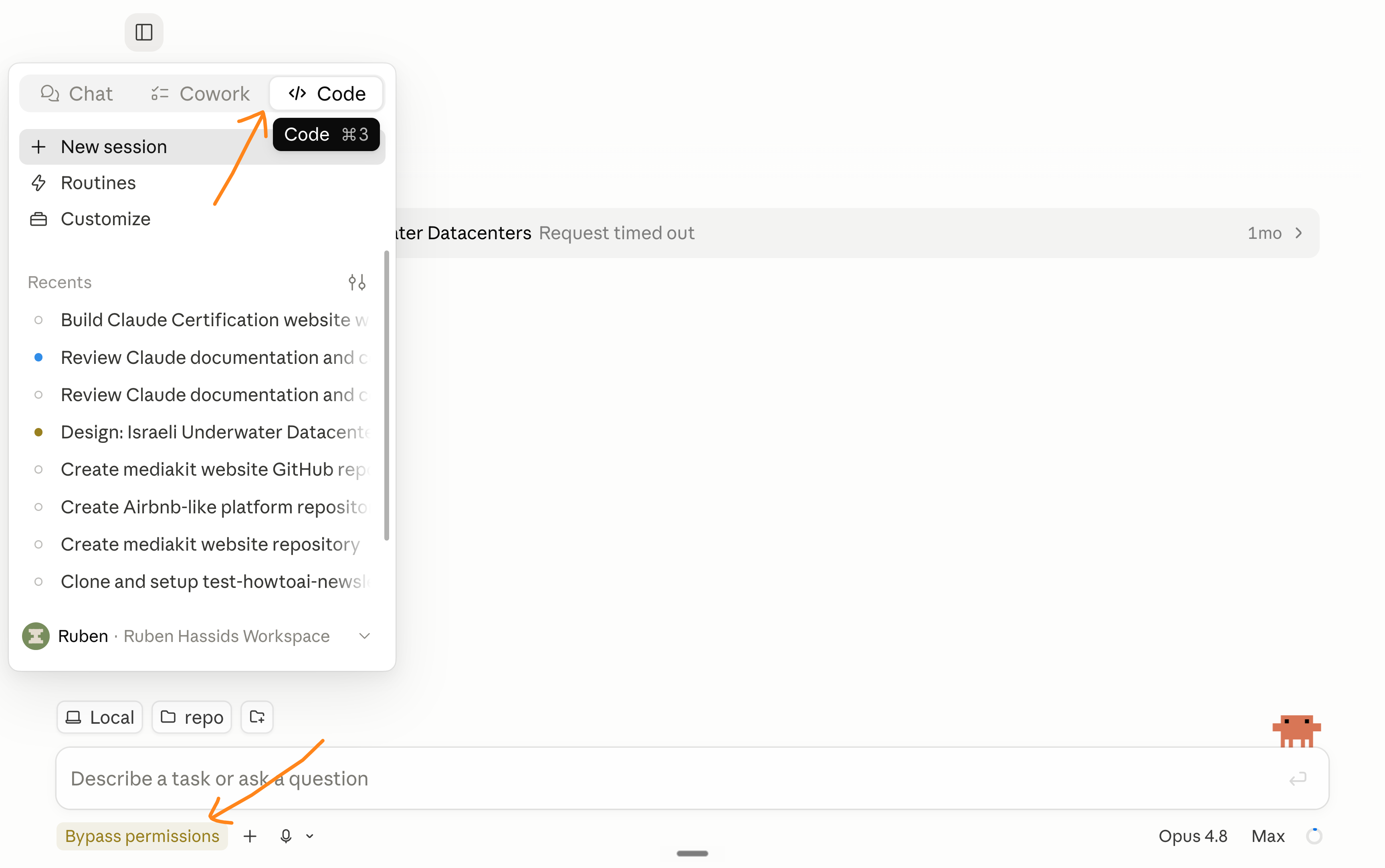
> turn on the mode that stops it asking permission for every step.
> (it’s the scary one. bypass permissions. all it means is “go. i trust you.”)
> same trick:
> “build a page where people book a 30-min call with me. ask me questions first.”
> the AskUserQuestion box pops:
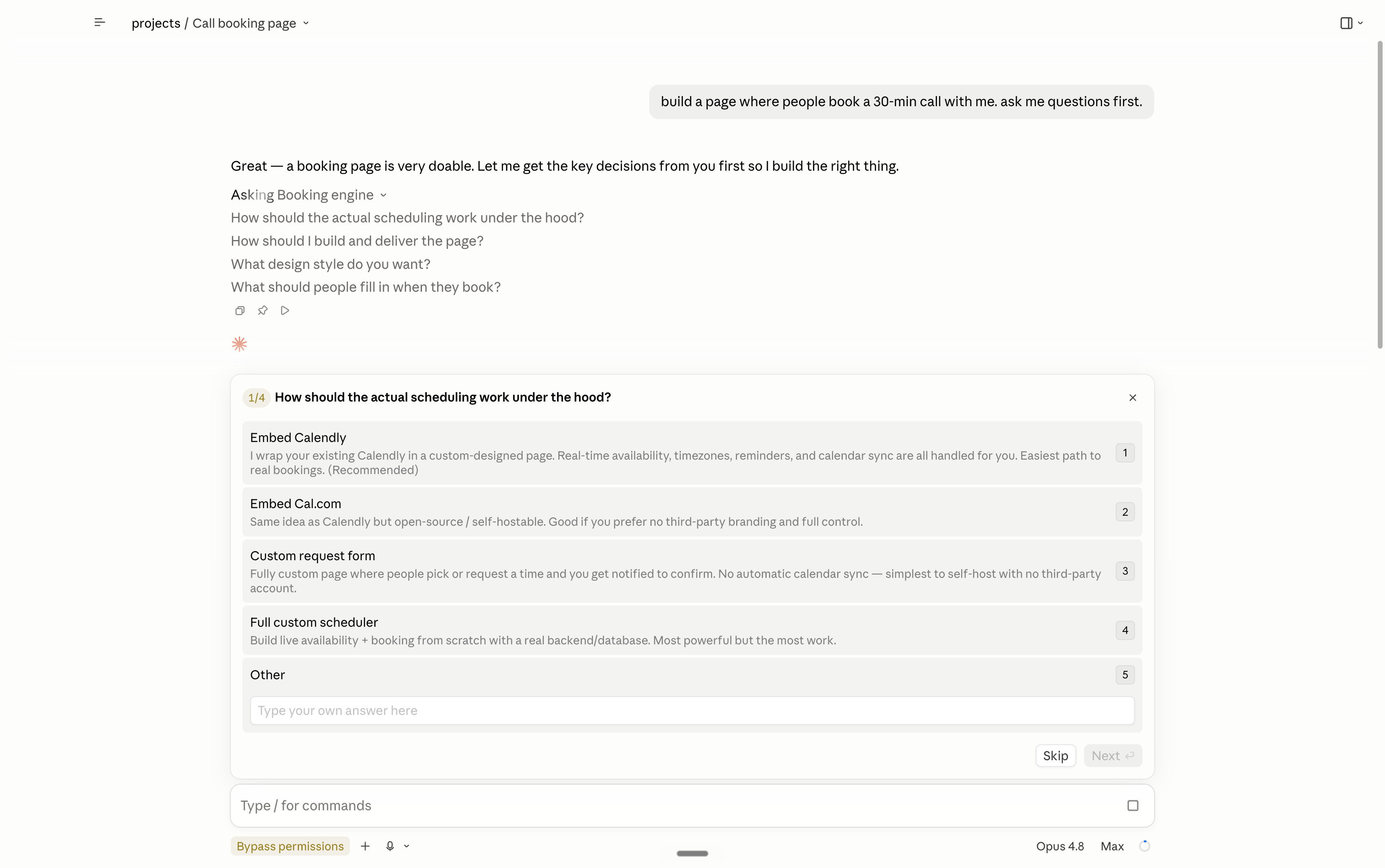
> “dark mode?” click. “bookings to gmail or calendly?” click.
> then it builds. the form, the buttons, all of it.
> 4 minutes later: “done. open this.” you open it. it works. magic.
> want it on your phone? “make this an app i can put on my phone. ask me first.”
>
> being good at ai is stupidly simple.
> you asked claude to ask you questions, then clicked the answers.
> most people i meet say “i’m so behind” but they never even tried.
> the bar to knowing is trying. how low is that?
> i dropped out of university. i can’t code. i now build things for enterprises.
> so open this article on my substack. open claude. start at level 1.
> tonight. not tomorrow. tonight.
>
> ps: this newsletter is free, and will always be free.
> but some enterprises want to go faster with ai.
> dm me on linkedin. i’ll personally answer & connect.
> humanly yours.
> ruben.
> want to support the newsletter for free? share it:
> want to subscribe to the newsletter for free? click here.
These are great. Thank you so much for helping us out. It is greatly appreciated!
Opus 4.8/high changed everything for me 🤝