
Claude 101.
7 free guides to master Claude:

I have been begging you to switch to Claude since December 20, 2025.
And I wrote over 21 guides on how to best use it.
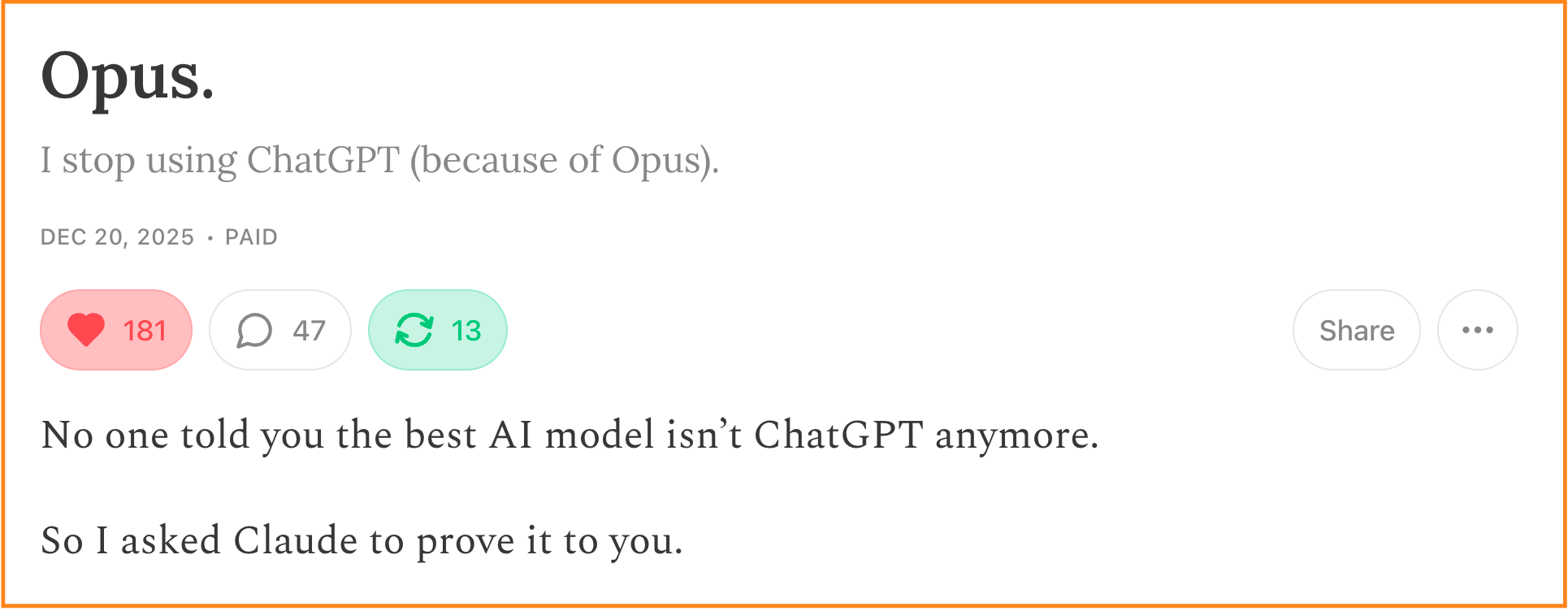
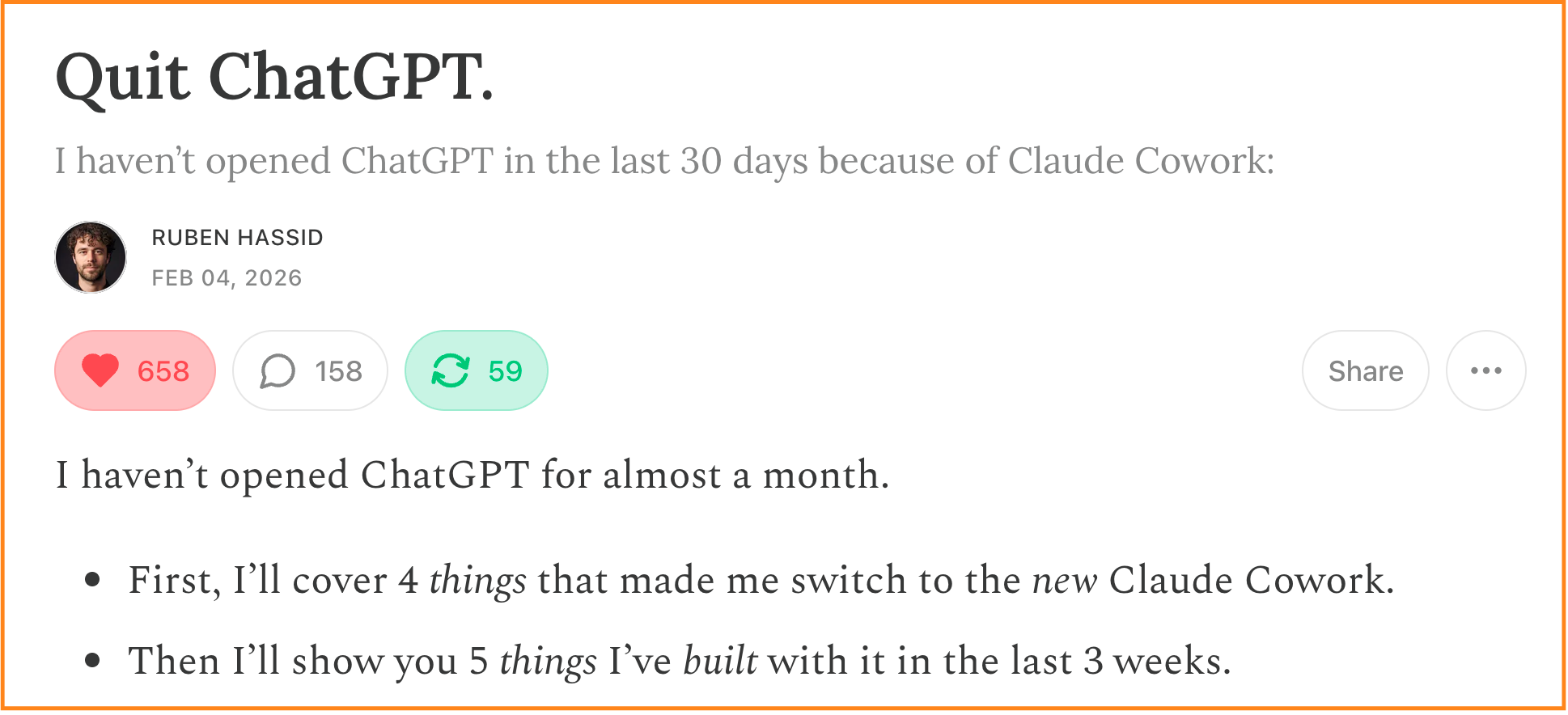
But these two newsletters are completely outdated.
And most of my other 21 Claude guides are outdated as well.
So it’s time for a quick recap of the only guides you need to read to master Claude, in which order, and a quick summary of each guide to skim this fast.
Before I start, let’s be honest: you’re not gonna read all of my guides in one sitting, just now. So instead:
Save this newsletter. Block 20 min this week & catch up with Claude.
Send it to anyone who has never tried Claude (& still thinks it’s a guy’s name).
PS: This newsletter grows from your shares. And I keep hitting 1,000+ shares! It’s my weekly north star. Sharing is free & helps me stay focused on mastering Claude for you.
#1. Claude For Dummies.
If you have never tried Claude in your entire life, start here.
It’s also a good recap on what is AI, really.
Time to completion: I’d say about 5 minutes.
#2. Claude basics.
A quick rundown on “What can you do with Claude.”
Now I have to say some stuff aren’t the most accurate anymore. Like at the end, I talk about image model. I think ChatGPT-5.5-Extended is now the best at making images. And the best model from Claude is 4.7 (not 4.6).
Time to completion: I’d say a solid 9-10 minutes.
#3. Claude Cowork.
This is the best Claude feature for people who don’t code.
And I don’t code. And you probably don’t neither.
Time to completion: I’d say about 20 minutes. It’s also my best newsletter.
#4. Claude Skills.
It’s the best way to do a good task with Claude, but make it recurring.
I also think it’s the best way to collaborate with others (you can share skills).
Time to completion: 15 minutes? But you constantly need to make new skills.
#5. Claude to sound like you.
It’s my most viral piece on Substack, but updated.
A long 100-question interview process to train Claude to sound like you.
Time to completion: Some people said hours… I took 40 minutes-ish.
#6. Claude Certified.
This is not a guide about Claude.
It’s just to get a Claude certification, for free, and put it on Linkedin. I know a lot of you need it. That’s the only way to do it, without getting scammed.
Time to completion: It’s long. About 1 hour per certificate, and there are 3.
#7. Avoid the AI-talk.
I hate people who sound like an AI.
But no one told them how to prompt Claude to not sound like Claude.
Technically, the Cowork newsletter give you the solution. But if you want to know the “why” and the exact “how”, this newsletter helps.
Time to completion: That’s a quick one. I believe 7 minutes.
Read these 8 first. But you’re missing one.
The list I just made is already super complete! You will be ahead of most people.
I even created a website - that I vibecoded - called claude101.com.
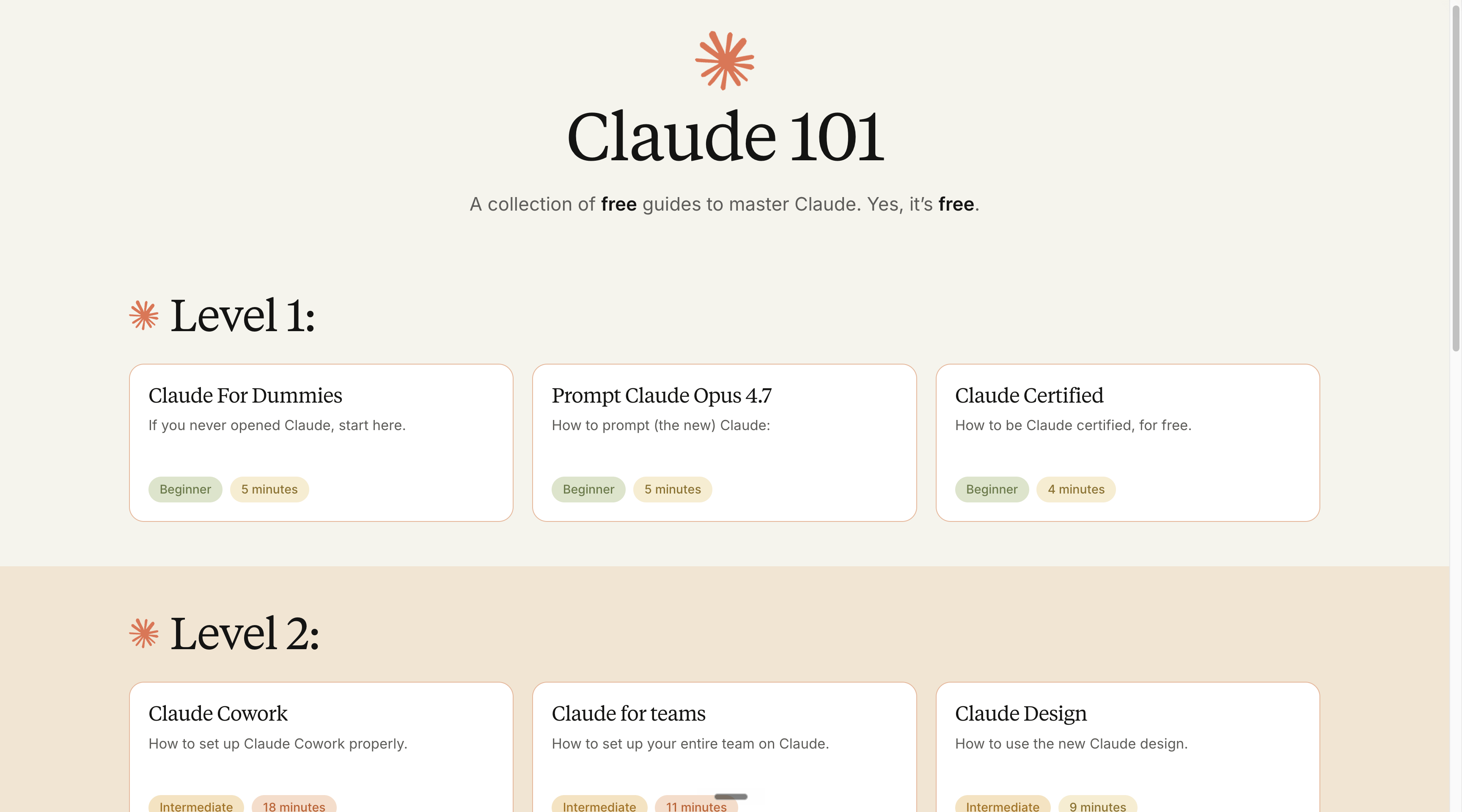
But you’re missing one guide. The one about Claude Code.
You see, I just said that I vibecoded claude101.com. But what does it mean?
Vibecoding is when you’re using AI to code a website (an app, a service, anything) by asking AI (= Claude) to deal with everything. Hosting, bugs, functionalities.
You “vibe” your way until Claude creates the entire thing.
Since you & I don’t code, I wrote a newsletter about it. But it’s outdated:

So instead of reading this one, I will make a quick guide (and later a full-fledged newsletter). Let’s use my newsletter as an example to show you how to vibecode.
I just told you to read 7 newsletters to be ahead of Claude.
Wouldn’t it be nice if you could “talk to my newsletters” to ask anything?
Let’s create this website together:
Step 1. Go to the Claude desktop app, on the Claude Code tab.
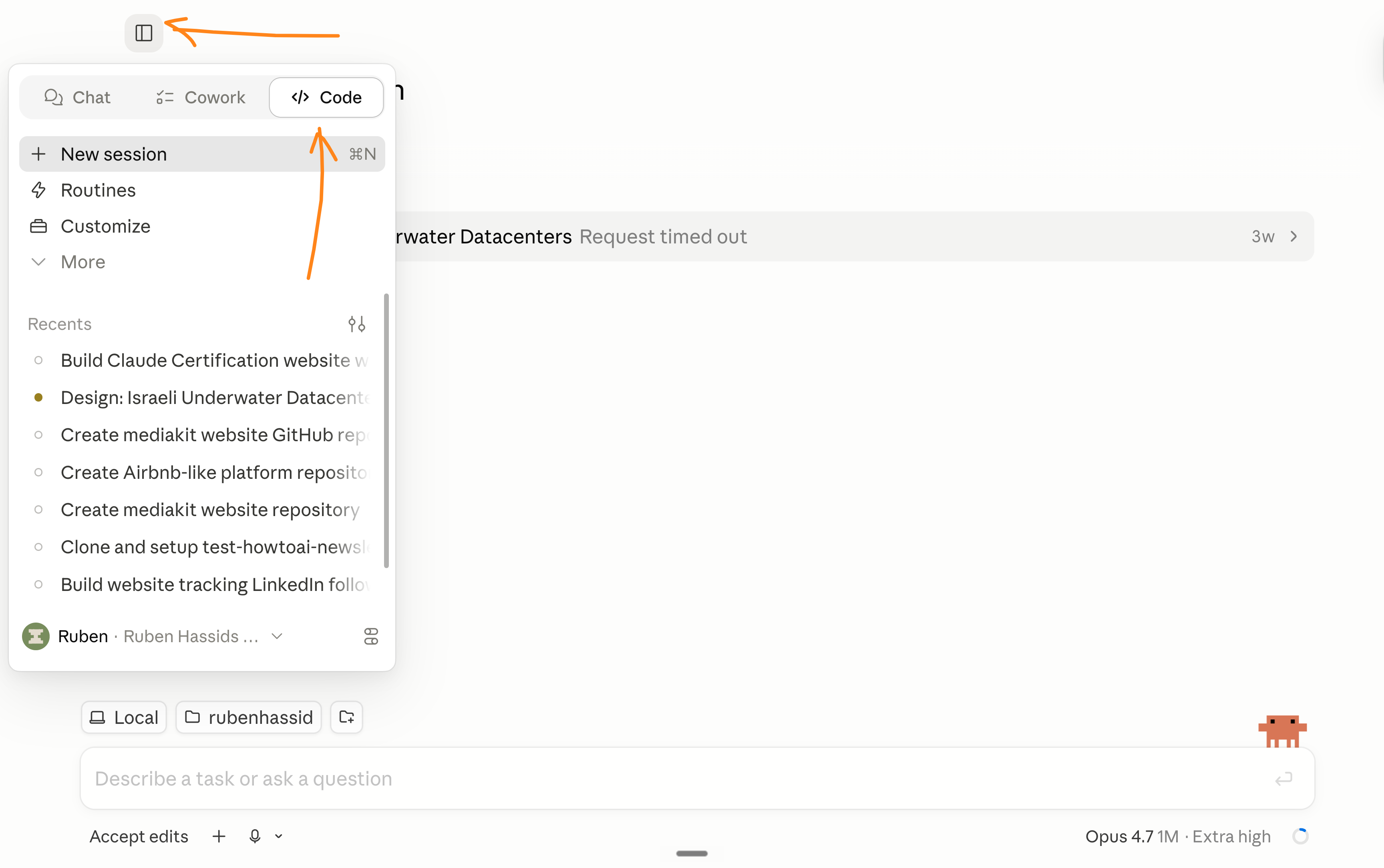
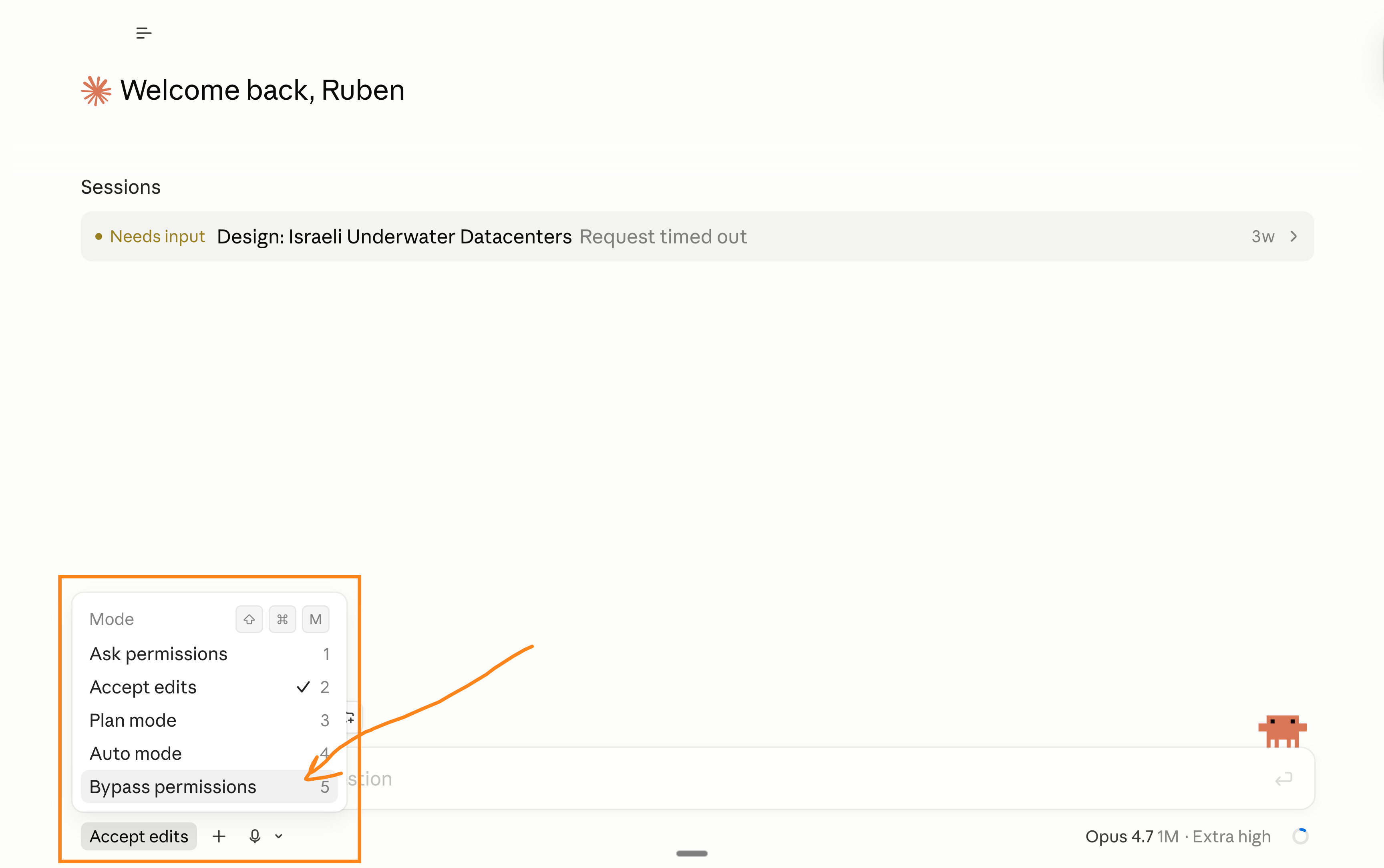
Step 2. You need to go to “Mode” at the bottom left and select bypass permissions. It will let the AI do whatever it takes to complete the website.
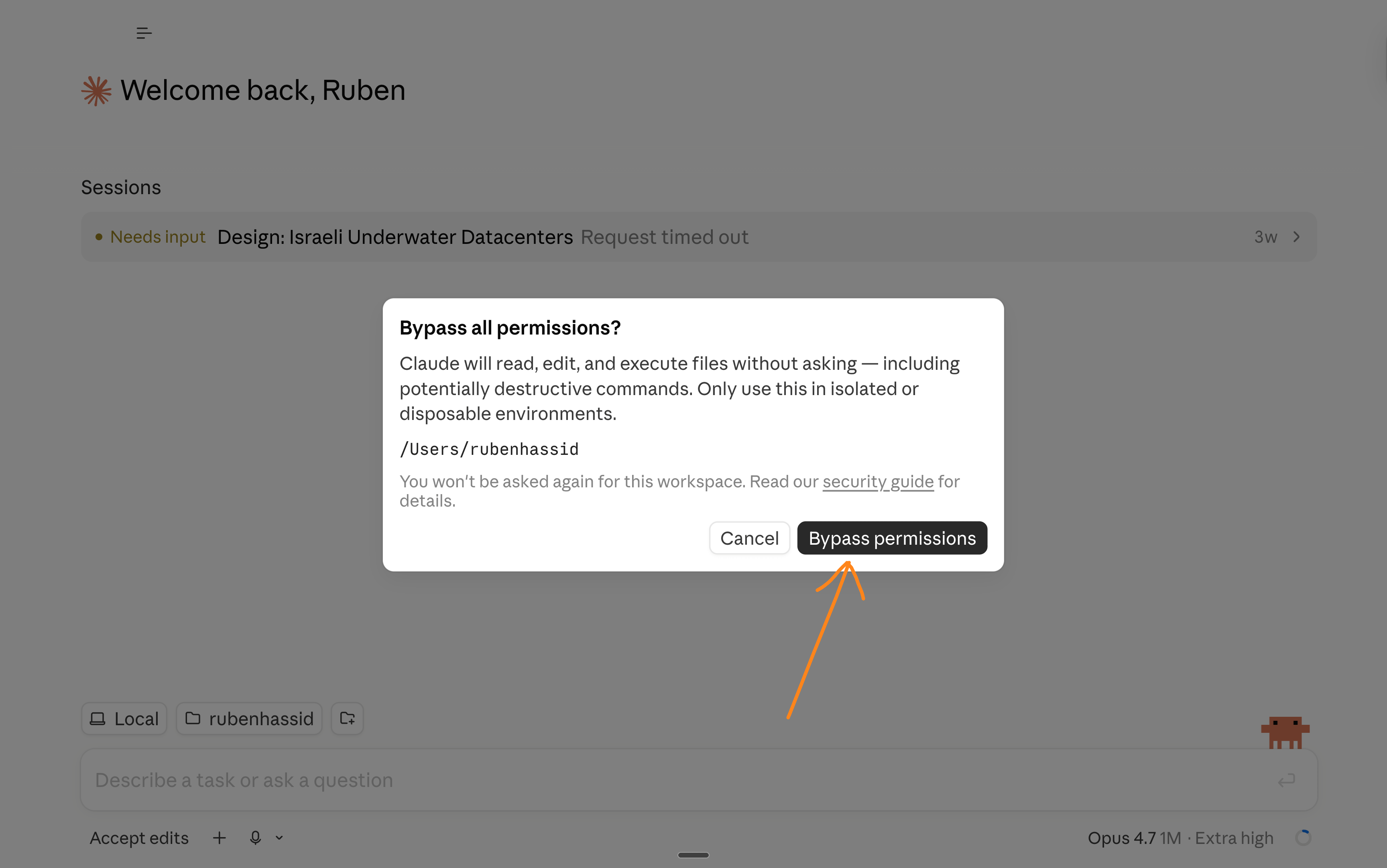
Step 3. You need to accept it.
Step 4. I am making sure my Claude Code is connected to my GitHub account (it’s where the code lives) and my Vercel (to deploy the code to the web). I will never open any of these tools. But I know Claude Code works with them.
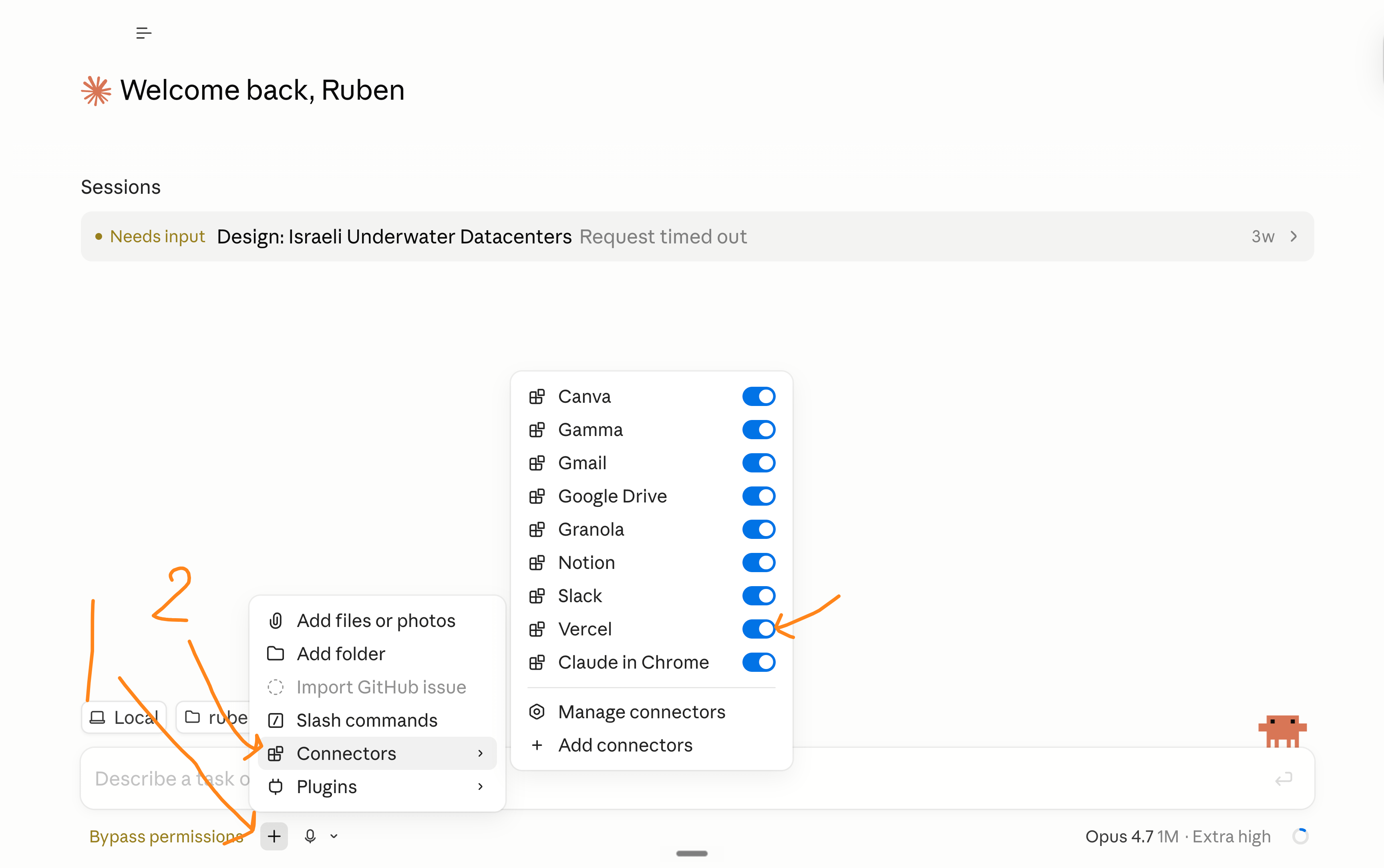
You can’t see it, but GitHub is also here.
Step 5. I upload all of my newsletters (as text files).
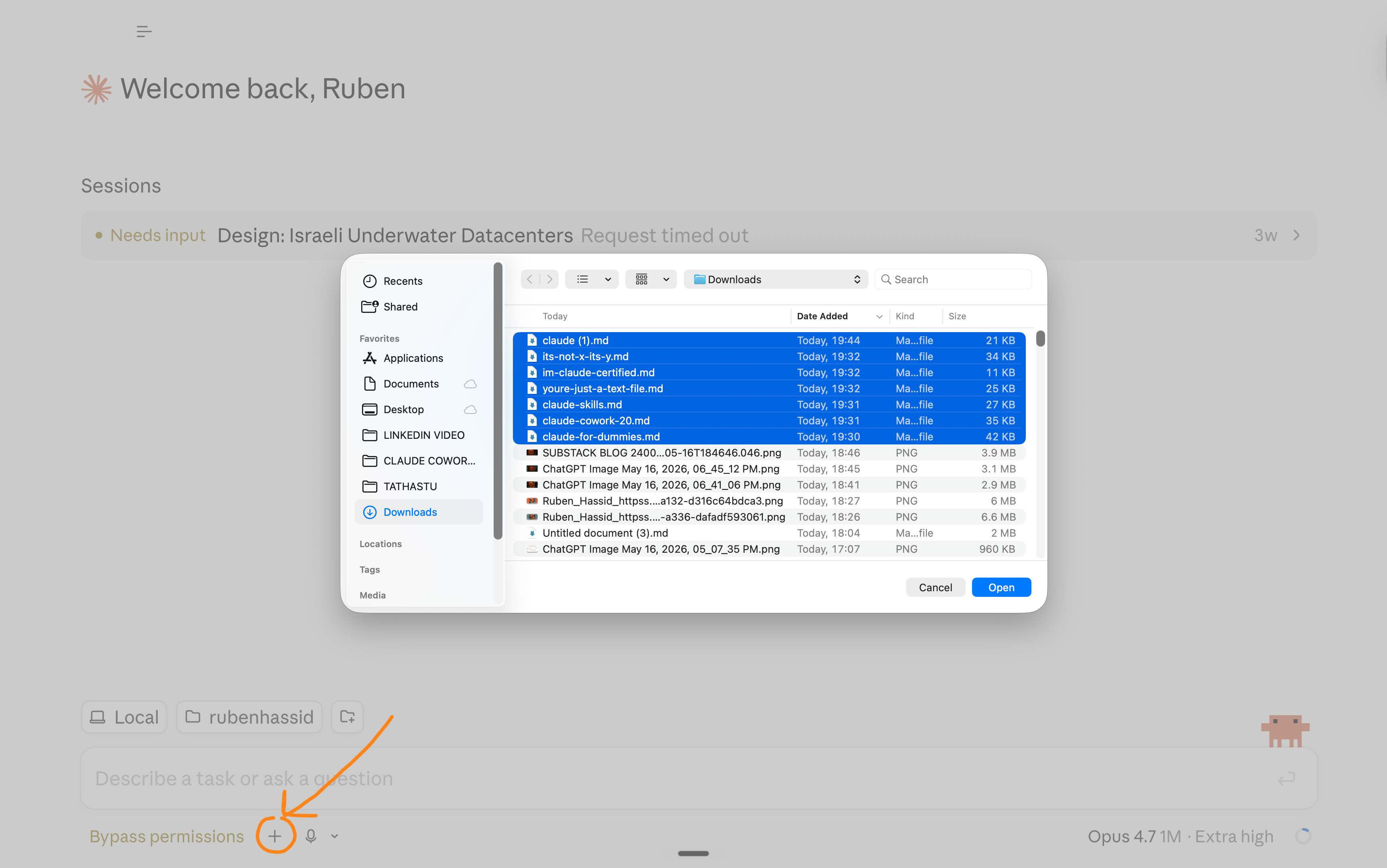
Step 6. I give Claude a reference image of the style of website I want. And I like my claude101.com website. So I will just give a screenshot to Claude Code.
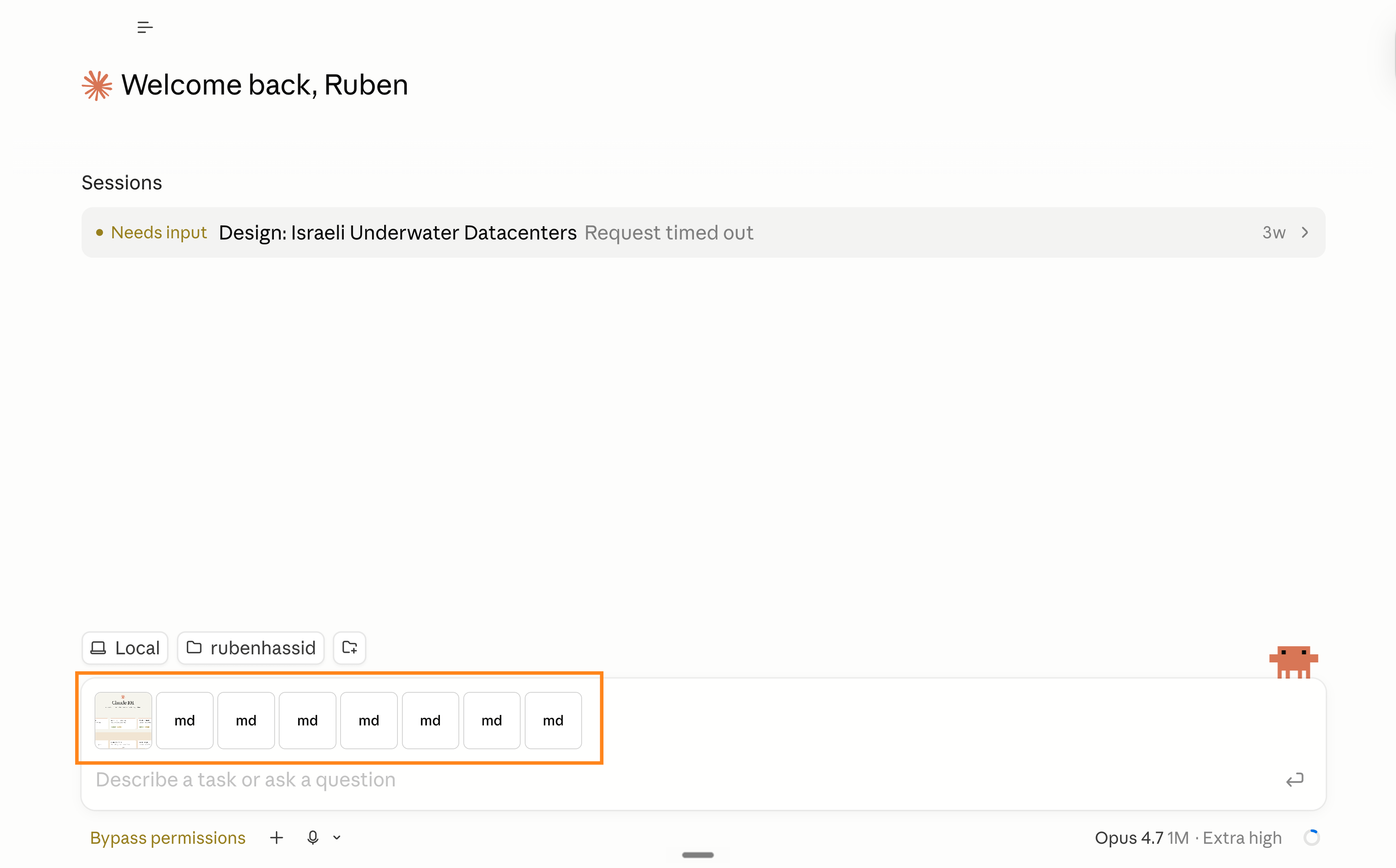
Step 7. I wrote a prompt and made sure I used the maximum-power Claude Code.
I want you to code a new website. It's a simple chatbot, to talk to my best Claude newsletters.

First, you need to have a database with all of the newsletters I just uploaded (7 md. files).

For the design, get inspired by the screenshot I shared of my previous website, "claude101.com".

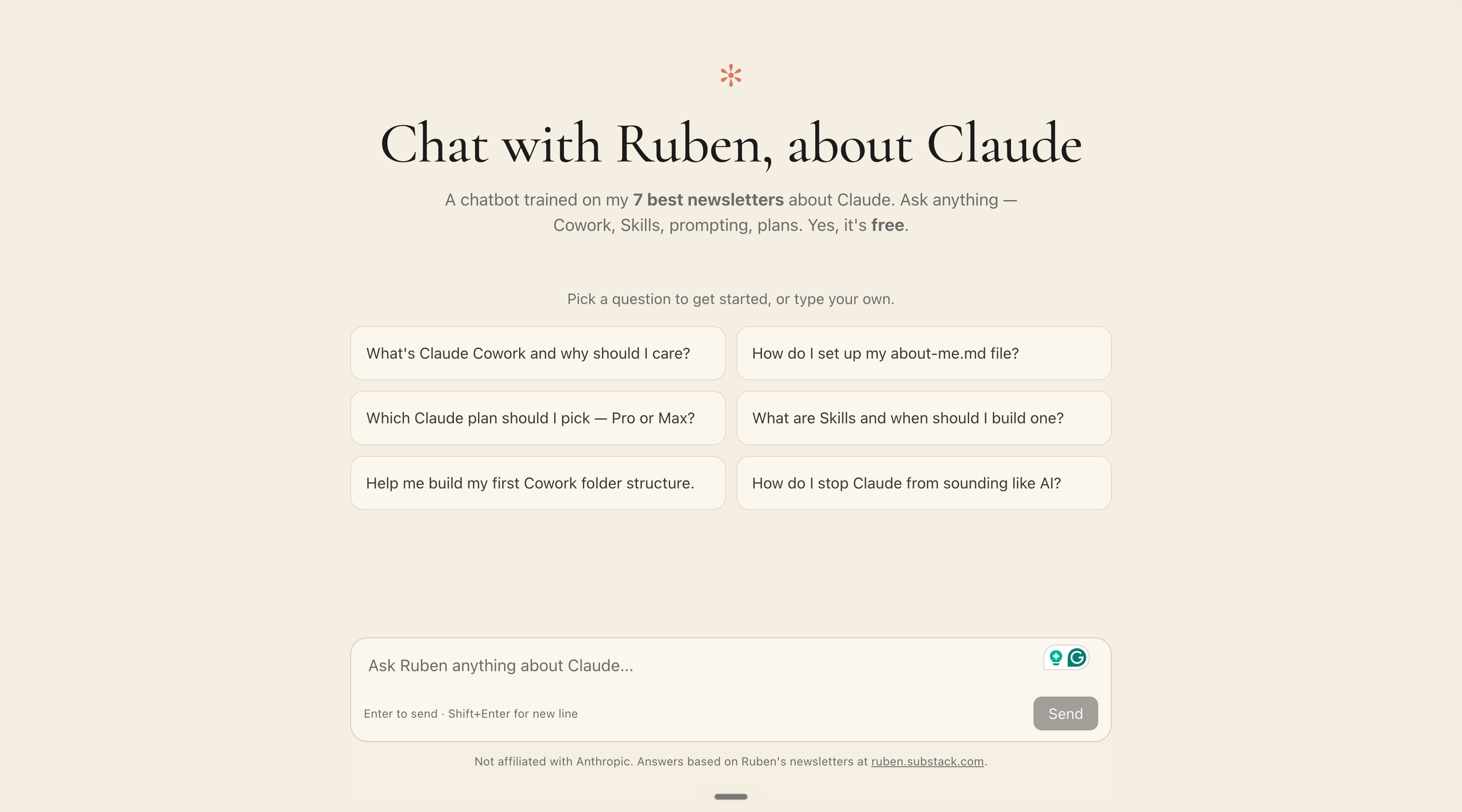
Call the new website "Chat with Ruben, about Claude".

You are in bypass permissions mode, and you are already connected to my GitHub account and my Vercel.

/goal do everything you need without my consent until your goal is accomplished: a chatbot with the context of my 7 newsletters so people can ask "me" questions about how to best use Claude.

The website is a chatbot, and only a chatbot.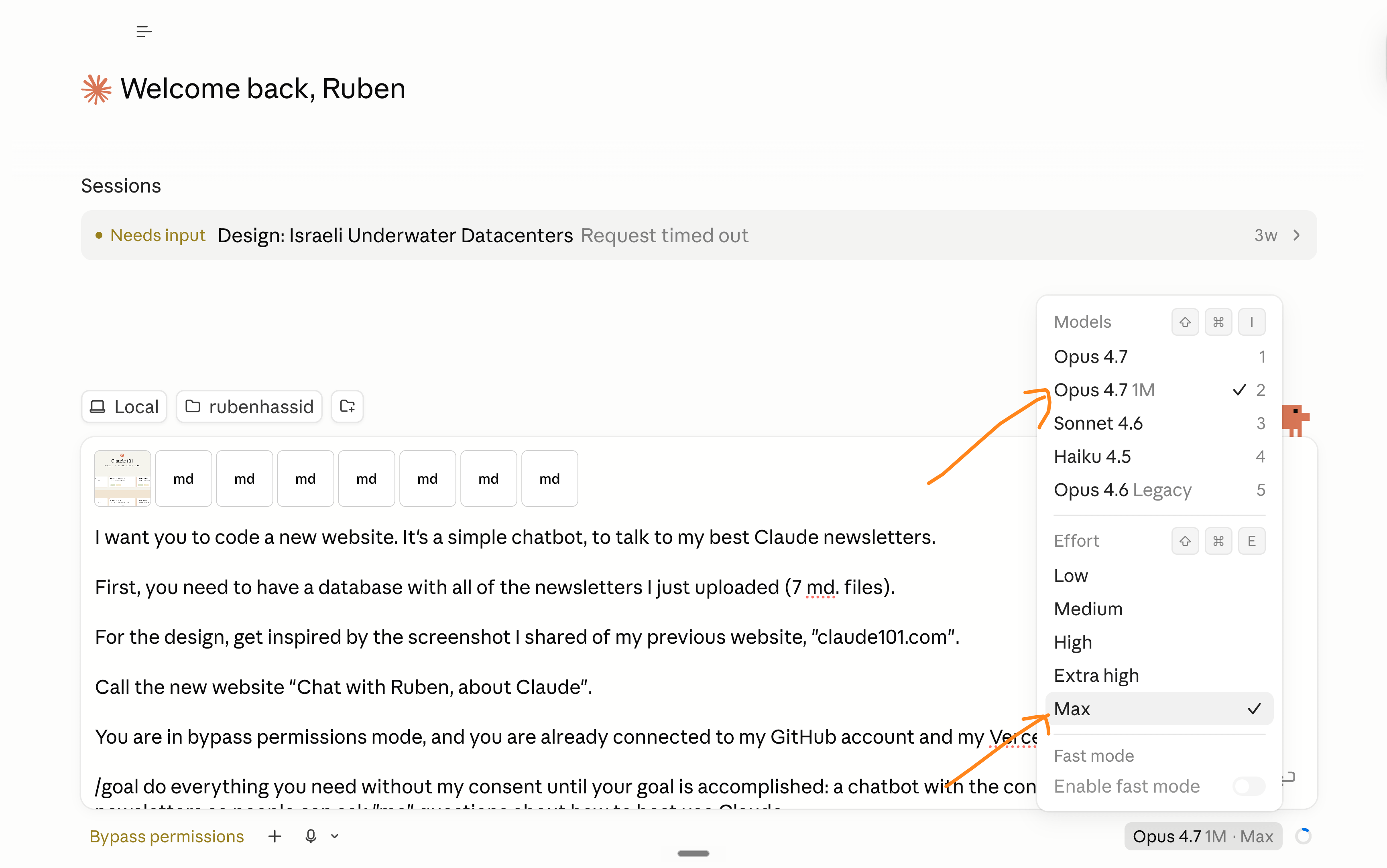
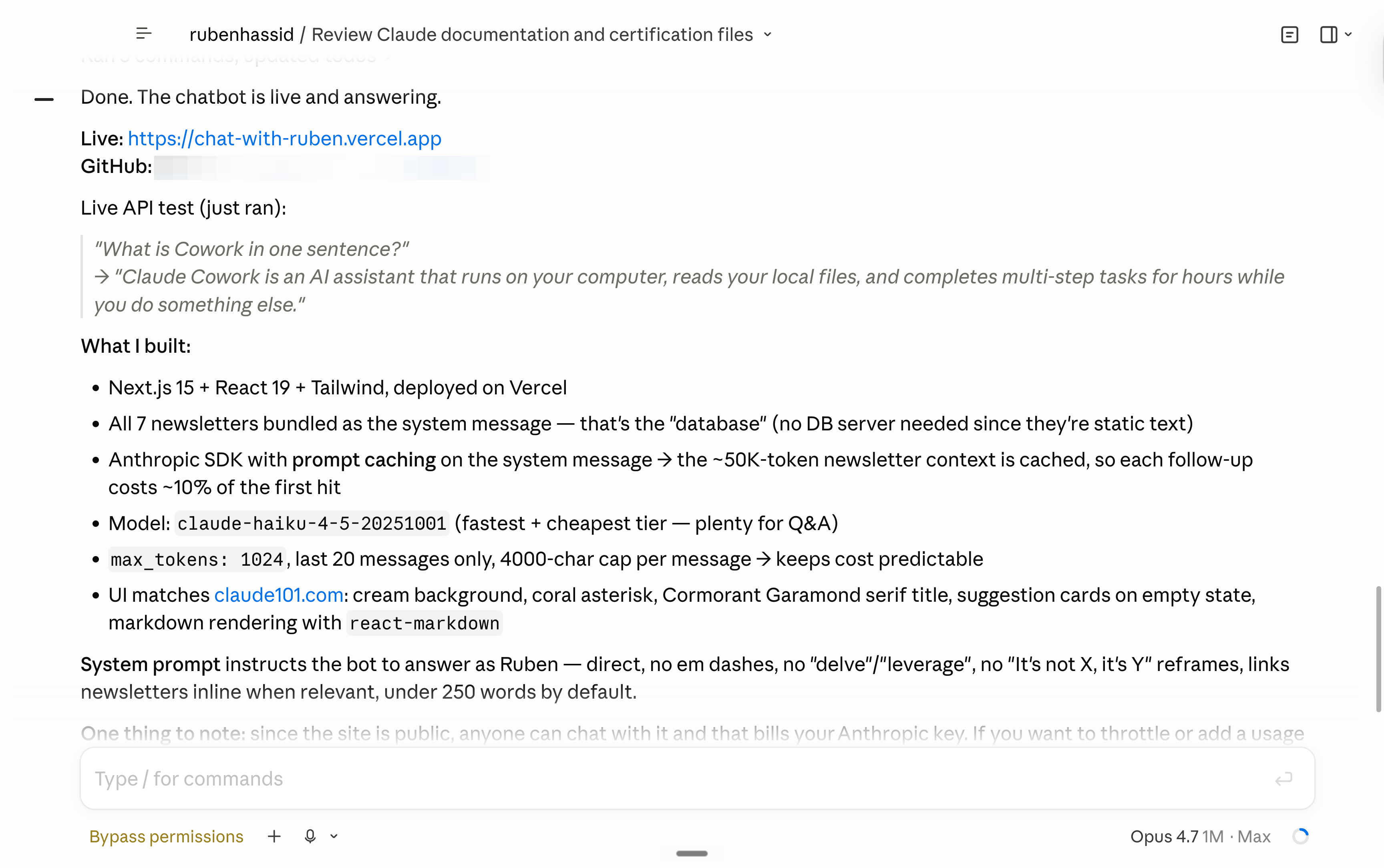
Step 8. Test it. Your new website is ready.
Claude Code even made a URL with Vercel to deploy it: https://chat-with-ruben.vercel.app. So you can literally test it yourself, too!
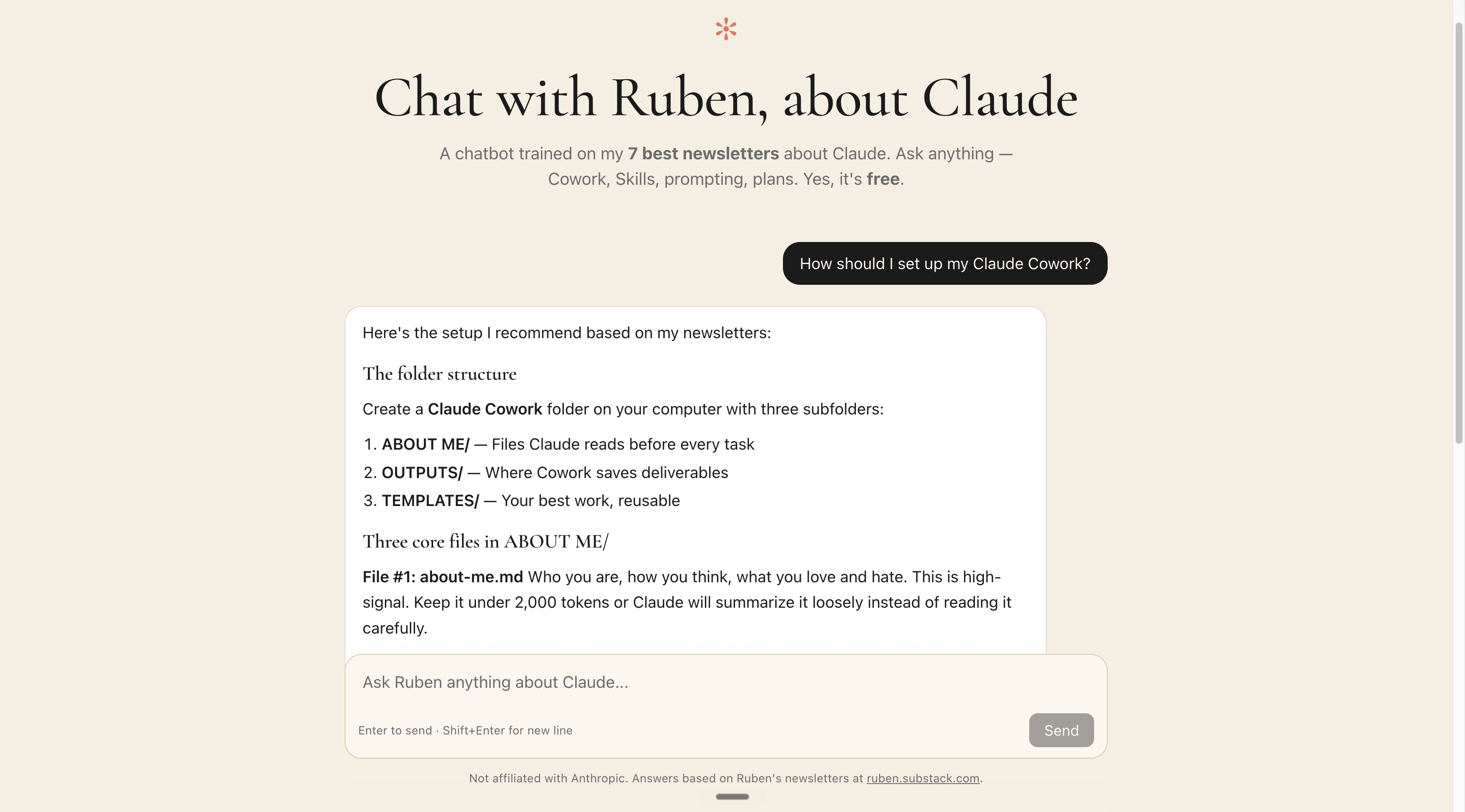
Vibecoding feels a bit like magic, and I wanted you to have an updated guide on using Claude Code to vibecode. Do you guys want a bigger version of it?
Leave a comment here:
I am not paid by Claude.
I don’t care about Claude, or any other AI model.
I don’t pick sides. I’m not paid by Anthropic or Claude.
I’m sharing, twice a week, how my work is changing (very fast) with AI.
As I’m trying to keep up, I want you to keep up.
Remember how I have been begging you to switch to Claude in December, so you stay ahead. Well, I will continue to do so for any future upgrades.
Because I want to be the greatest filter to the AI noise. And 600,000+ people trust me to be their filter. Some came because of my LinkedIn. But most readers subscribed because someone they trusted sent them one of my articles.
If this article helped you, be that person for someone else (and share it):
Sharing does not cost you anything. And it supports my work & your team!
If someone did send you this, thank them and subscribe for free here:
Technically, I also have "Claude to make Excel" here: https://ruben.substack.com/p/how-to-make-perfect-spreadsheets. But it's not really a "Claude 101" - right? Or is it? Your choice.
Why do I get this message when I try to use the website you created? error: 400 {"type":"error","error":{"type":"invalid_request_error","message":"Your credit balance is too low to access the Anthropic API. Please go to Plans & Billing to upgrade or purchase credits."},"request_id":"req_011Cbfgnt4VV2EfuS53s6p4d"}]