
Video.
AI (now) makes (good) videos.

AI makes videos.
But only one AI makes the best for you.
You don’t have a shortage of good AI to make videos: Google Veo-3, OpenAI Sora, Midjourney, Kinetix, Runway, Kling, Luma, Pika, xAI Grok…
But there are really only three categories:
From text → to video.
From image → to video.
From image + video → to video.
Let’s dive in.
1. From text → to video.
This is like ChatGPT, but for videos.
You write what you want → you get a video.
I compiled the best four models to show a side-by-side comparison.
Prompt: Fujifilm Portra 400H film still, shiny white Porsche 930 Turbo, in heavy motion blur, Sunset Los Angeles, telephoto
Prompt: A chef cutting a tomato thinly sliced horizontally, on a wooden cutting board. 50mm lens, close-up angle, soft top lighting.
Now, which model is best (✪) and why?
Google Veo-3 ✪✪✪✪
It’s Google’s flagship video model.
✦ To access it: gemini.google.com.
✦ It generates an audio with your video automatically.
✦ Overall best model to follow your prompt instructions.
Hailuo ✪✪✪
It’s coming from Minimax, a top Chinese player that raised $600 million.
✦ To access it: hailuoai.video.
✦ Good overall: prompt adherence, physics, character consistency.
✦ But there is a caveat: you cannot select the aspect ratio. You can only generate a 16:9 (landscape) video. People want control.
PixVerse ✪✪
A newcomer (Aug 2025) with a surprising understanding of physics.
✦ To access it: app.pixverse.ai.
✦ Hit or miss: the tomato example is awful, the car example is the best (by far).
✦ Attention to details: you can “follow the sun” & its physics on the car example.
OpenAI Sora ✪
The famous Sora from OpenAI, the parent company of ChatGPT.
✦ To access it: sora.chatgpt.com.
✦ The hype was insane back in February 2024…
✦ … but the model did not live up to the hype. It’s bad (so far).
2. From image → to video.
We covered text-to-video. But there is a better way: image-to-video.
And the best AI image model is Midjourney (cf. my benchmark of image models).
So we’re going to 1) generate a Midjourney image (top left), and 2) animate it.
Image prompt on Midjourney: POV from an armored knight on horseback riding, gripping reins with a gauntleted hand in the foreground, through a Scottish highlands landscape of varying elevation, littered with tons of poor medieval peasants rioting, medieval norman castle far in the distance, siege weapons, burning debris, wounded men crawling, river flowing off to the right side of the image, cinematic motion blur from the speed, crumbling medieval home on the left, gritty, visceral, dark fantasy, ultra-detailed, raw and desperate energy. --ar 4:5
Animation prompt on each model: A knight is riding his horse through the battlefield.
Now, which model is best (✪) and why?
Kling 2.5 ✪✪✪
A Chinese model with over 22 million users worldwide.
✦ To access it: app.klingai.com.
✦ The best & most creative model for image-to-video.
Midjourney ✪✪
The best model to generate an image also has an “animate” option.
✦ To access it: midjourney.com.
✦ It’s ok, and super fast to go from image to video. But it is not the best framework to make professional videos.
Runway ✪
The $3 billion AI video company.
✦ To access it: runwayml.com.
✦ Runway has many strengths, but not this one. Too many artefacts (= bugs).
The problem is always the same: control & realism. There is only one way to get this perfectly, by mixing an image + a video reference → to generate the final video. This is how professionals use AI.
3. From image + video → to video.
Now we’re getting into the Hollywood level of generations.
Yes, it requires more work. Yes, it’s more expensive.
But you’re trying to replace hundreds of thousands of dollars of production.
The concept is simple: 1) generate an image (with Midjourney), 2) record a simple video of you (or a stock video) performing something, and then 3) create a video using both the image and the reference video.
Here’s an example with figure skating.
1 - I generated the image with Midjourney.
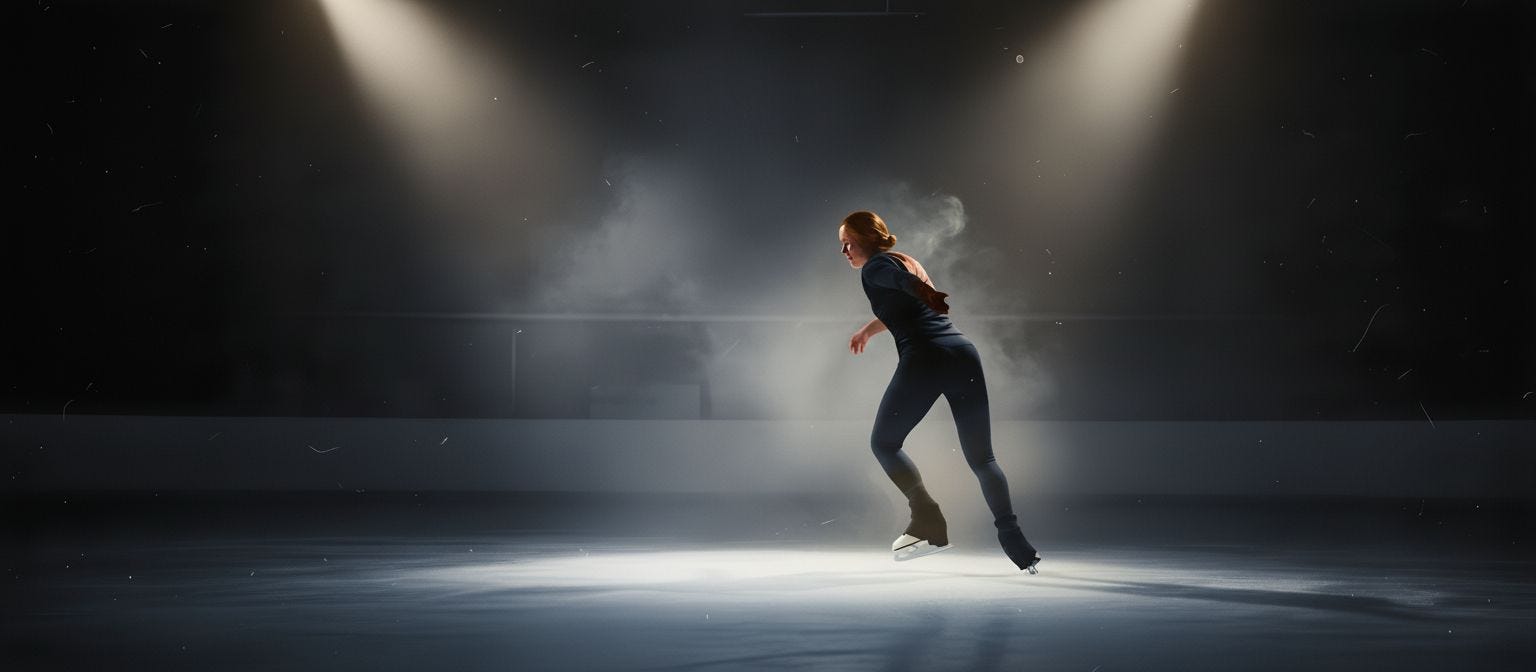
2 - The top left is the acting reference. The rest are three models animating it.
Prompt to animate: Sequence of a figure skater performing a flawless 720-degree ballerina spin on a dimly lit indoor ice rink. The skater glides into the center spotlight, her silhouette crisp against the surrounding darkness as soft white beams slice through a delicate haze of frosty air. With each rapid rotation, the sharp blade carves perfect arcs into the glistening surface, scattering tiny crystalline ice chips that sparkle like floating diamonds before settling back to the rink. Subtle clouds of chilled mist rise from the skates’ friction, illuminated by cool silver light and faint blue highlights, while the smooth polished ice reflects a ghostly double image of her spinning form. Hyper-realistic textures of frost, fabric, and breath, with immersive sound design implied through silent visual cues—every detail conveying the elegance, speed, and power of a 720 ballerina figure on ice.
Kinetix ✪✪✪✪✪
The leading AI video model for character motion & camera control.
✦ To access it: kinetix.tech.
✦ The best model to generate a video adhering to the acting reference. No need for CGI anymore: just act it out, Kinetix generates it.
✦ Now the best model to control the camera in 3D. It’s still in beta, and I have access to it. Scroll down a bit and watch me transform into Iron Man.
Luma ✪
✦ To access it: lumalabs.ai.
✦ They just released “Ray-3”, but I couldn’t make it work.
Moonvalley ✪
✦ To access it: moonvalley.com.
✦ A new player, but still not convincing.
Now let’s have some fun and turn me into Iron Man.
4. I am Iron Man.
Yes. This is one of the upsides of being a content creator.
I can spend 15 minutes generating myself as Iron Man, saving Paris.
I generated an image on Midjourney.
I upscaled the image from Midjourney → to nano-banana (Gemini).
I then uploaded the image & my recorded video → into Kinetix to animate it.
Last step, I upscaled the video from Kinetix using the best upscaler on the market (4 cents per upscale, quite cheap!).
I recorded a 10-minute face-to-face video where I show you (exactly) how: