
Vibecoding.
It will never make you rich. But you still need it.

No, I won’t sell you a get-rich-quick Claude Code guide.
I see this kind of content every week on socials:
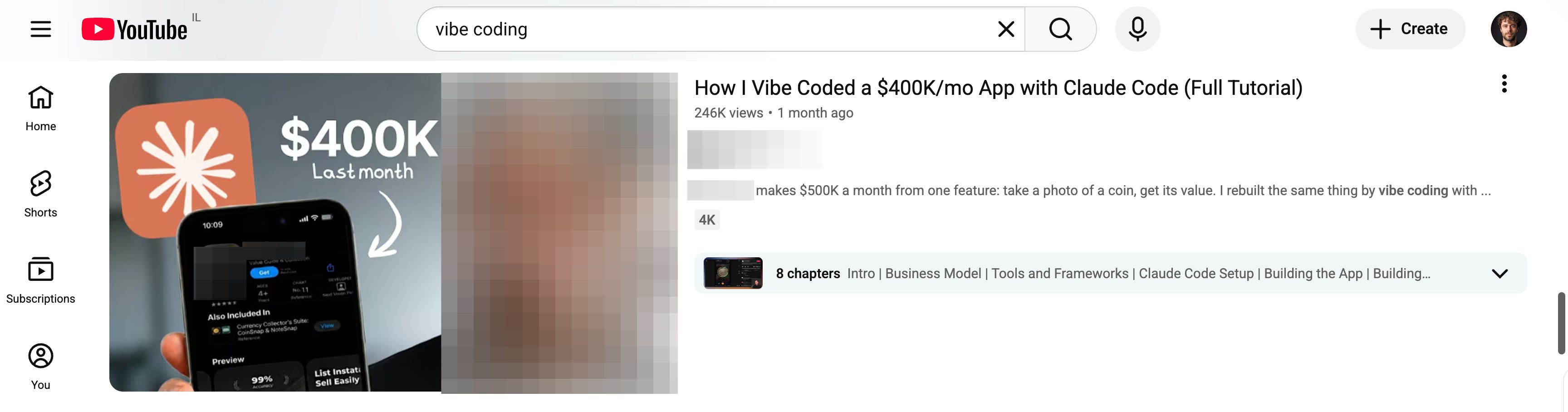
It’s because of this new concept, vibecoding.
Vibecoding is when you build a website just by talking to an AI in plain English — “make me a thing that does this” — and it writes all the actual code. You “vibe” to create things.
If there is one thing I never ever said, it is “get rich with AI”.
Getting rich or having a functioning company is far more complex than just knowing how to prompt an AI. I won’t sell you a get-rich-quick scam.
But vibecoding is still worth your time.
It’s good for two things.
One: you build a clickable version of your idea and hand it to someone, like a developer or a designer, so they stop guessing what you meant.
Two: you build a small tool that does the job better than a simple Claude-chatbot interface. Just for you, your team, or a few customers. Rough edges are fine because nobody else sees them.
Claude Code is the tool to vibecode. You describe what you want in plain English, and it builds it. You won’t write a single line of code.
I made this as the one guide for Claude Code, for people who don’t code.
How to set it up. How I use it to brief my tech team, code entire websites without coding, and benefit from the fastest AI breakthrough (= coding).
Also, I will share where Claude Code falls short (I’m always honest).
Two things before we start:
1. Save this guide and spend 30 minutes this week to try Claude Code.
2. Send it to anyone who still hasn’t tried Claude Code (or Claude).
PS: You must know someone who needs to be better at AI. This newsletter grows from you sharing this, for free, to this one person.
1. How does vibecoding look?
Before I give you all of the exact steps to vibecode an app or a website, you want to see some examples.
A mockup to brief my dev team.
I have a consulting firm in NYC called “GPC”. We help companies adopt AI (today, Claude) faster.
I don’t know how to code, but I have an army of devs I can reach out to.
Before vibecoding, I would (try to) explain what I want.
Now, I can quickly build it, and send an actual website before they code a robust version of it:
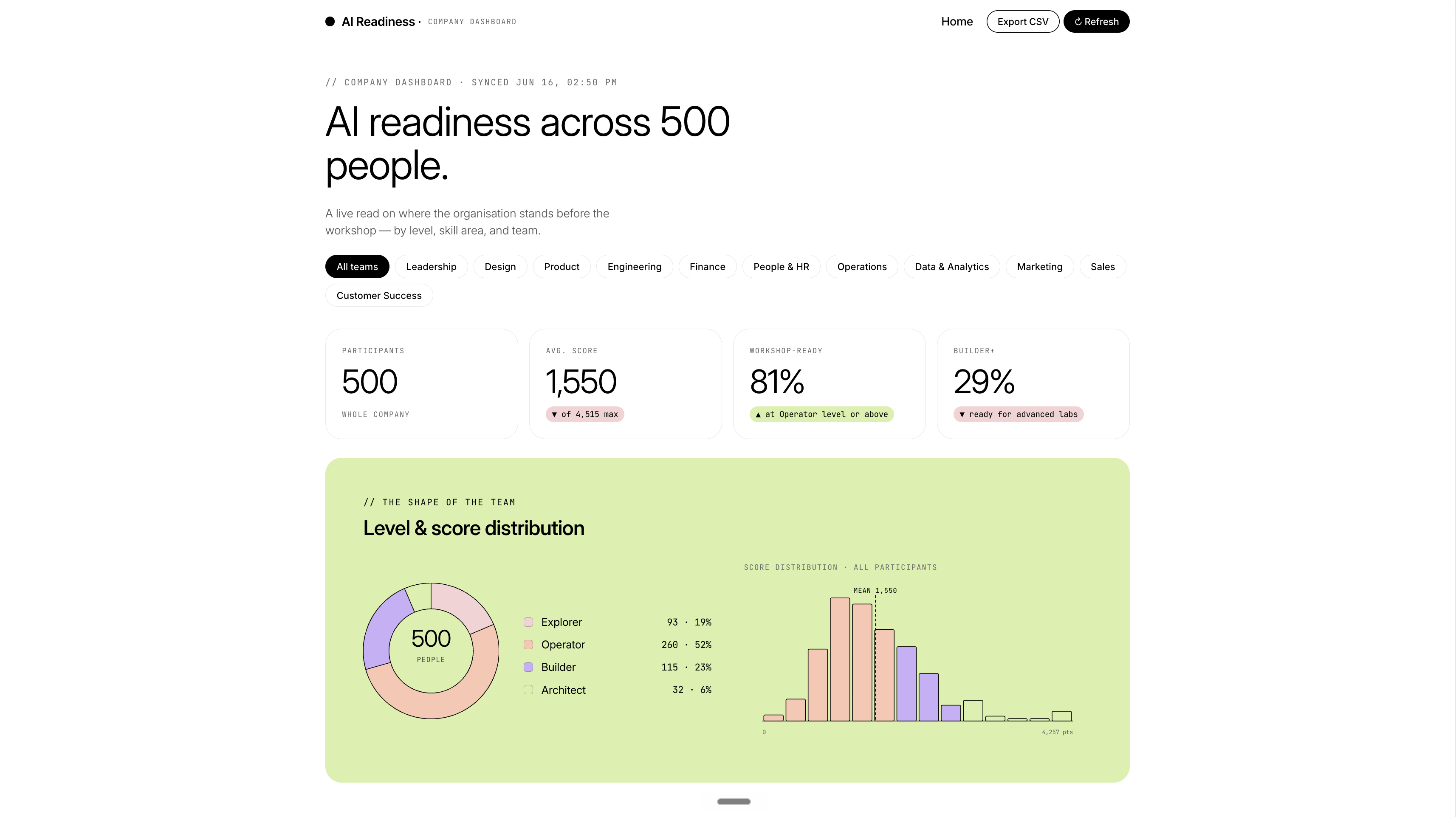
Imagine sending this website to devs & designers who are trying to understand what you need. This is the best case study for vibecoding.
A tool to fix a boring job.
Sometimes, Claude is not enough for something very specific.
I connected a public Linkedin API (so it goes and finds information on Linkedin) to a cute dashboard to know how my content is performing. I used Apify.
If you need a custom AI tool, and your company has the budget, send me a message on Linkedin. That’s how I make money.
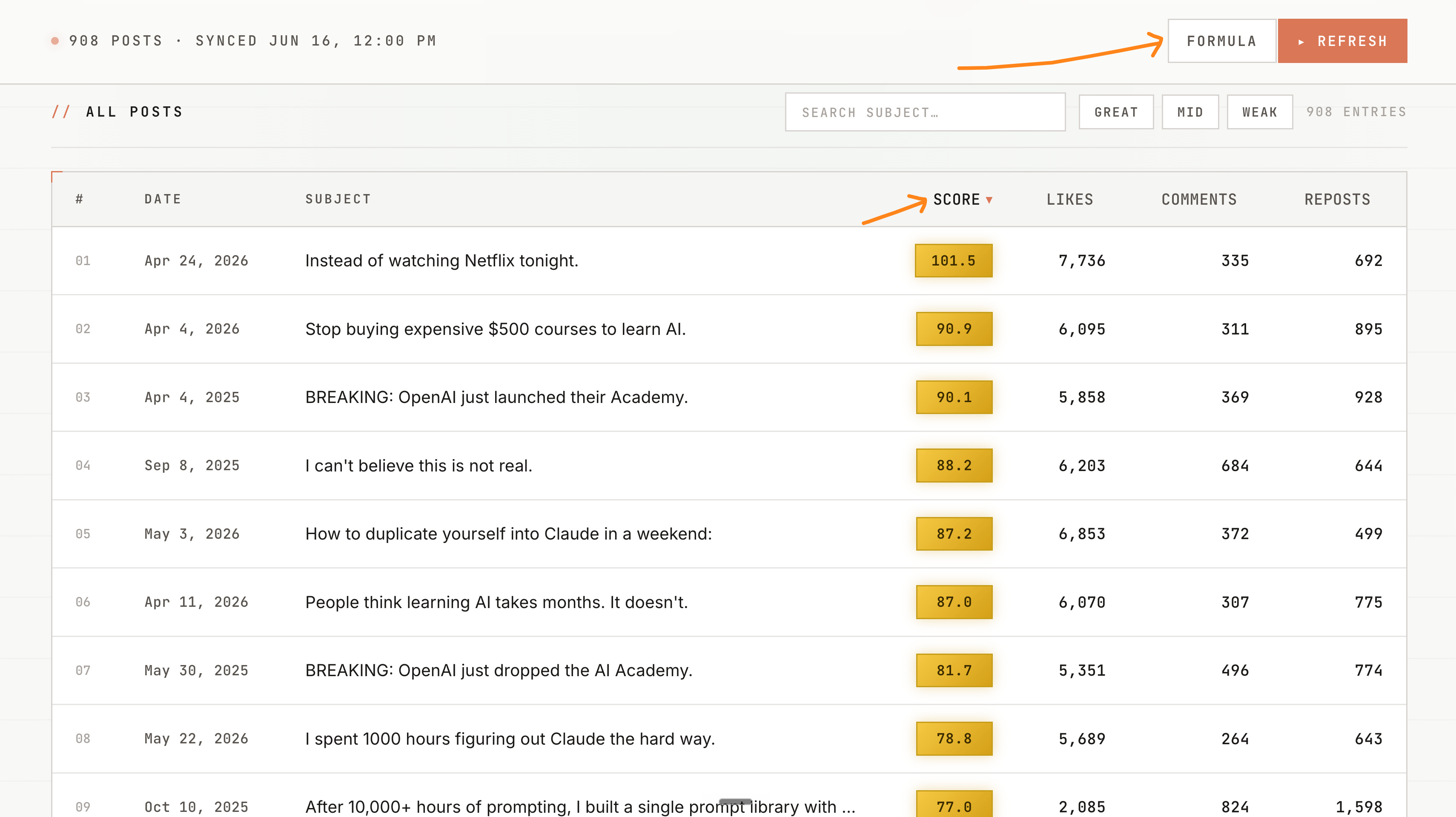
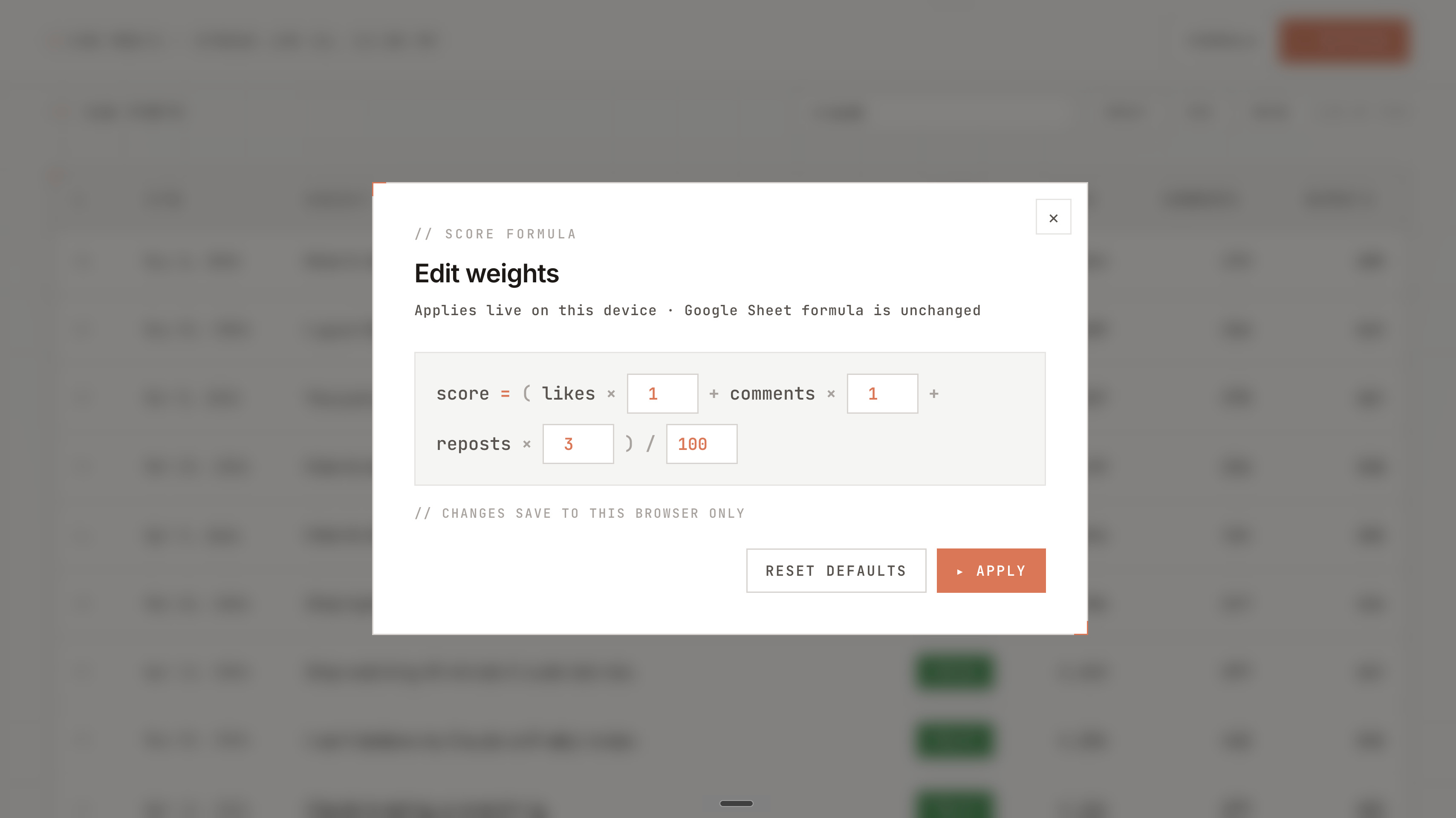
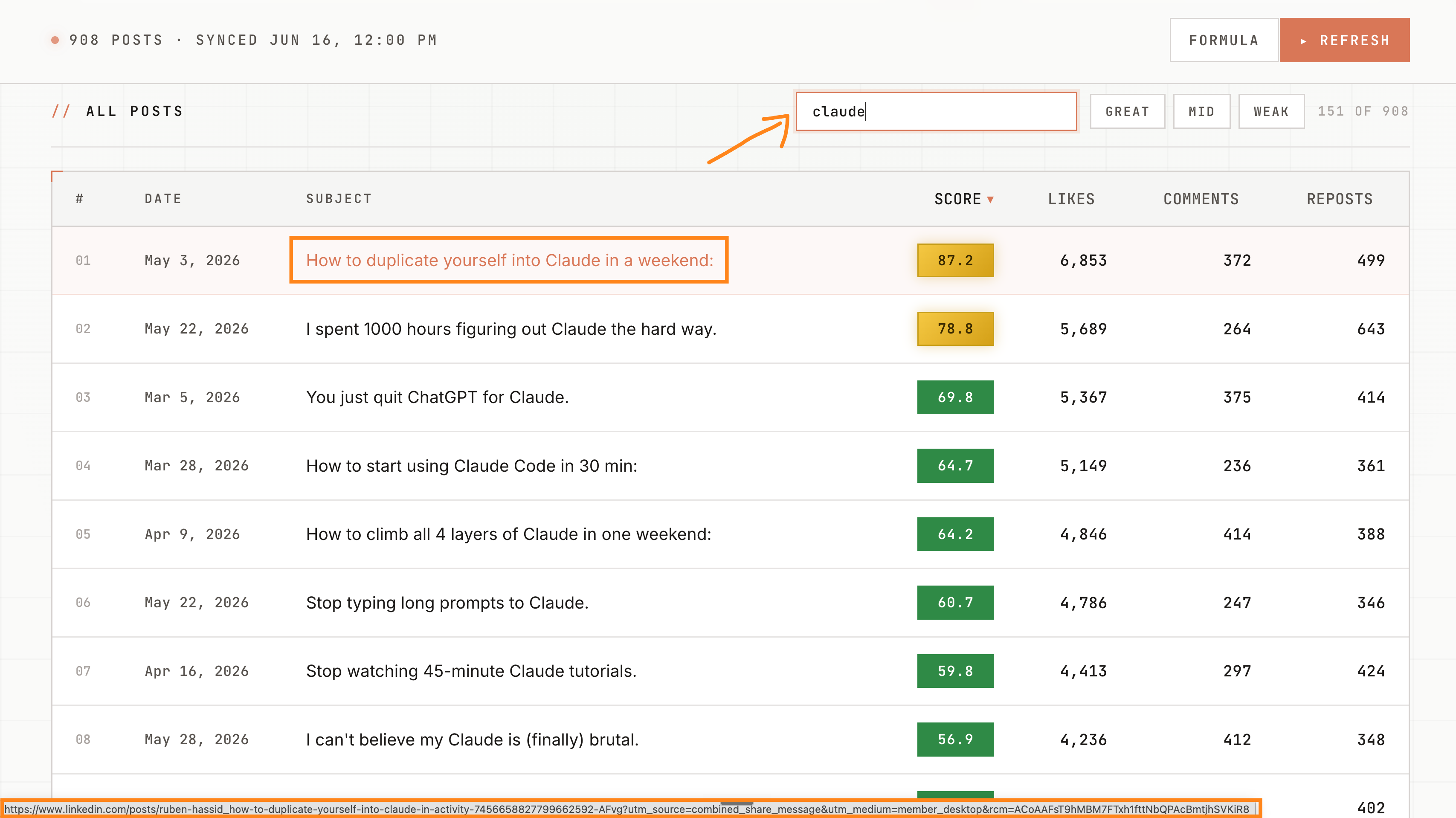
This is not rocket science. But I use this every single day.
How can you do it too? Let’s do it together:
2. How to exactly set up Claude Code.
Seven steps.
1. Get the app. Go to claude.com/download, install it, and get Pro for $20 a month. Open the Code tab at the top. $100 a month will give you more credits.
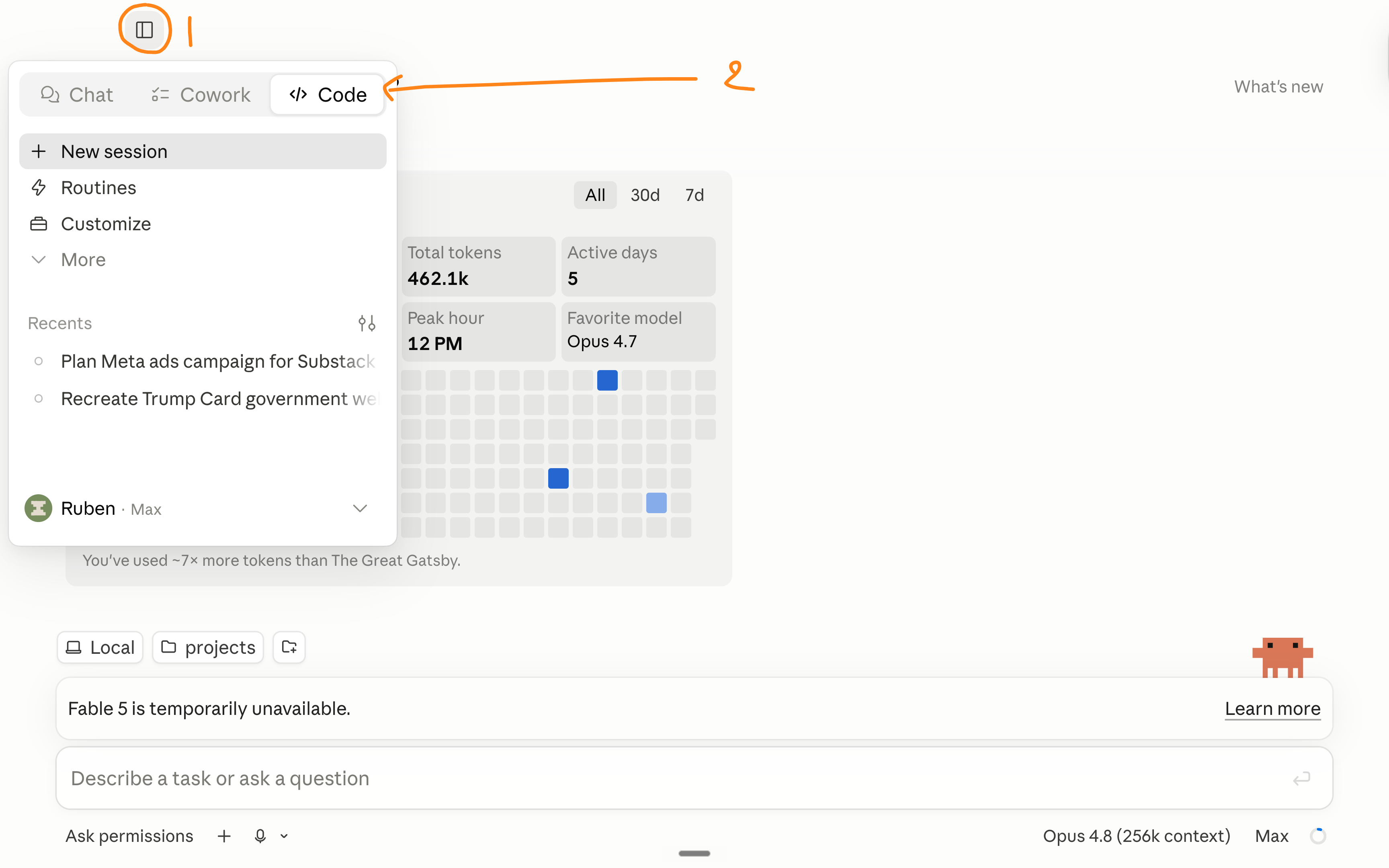
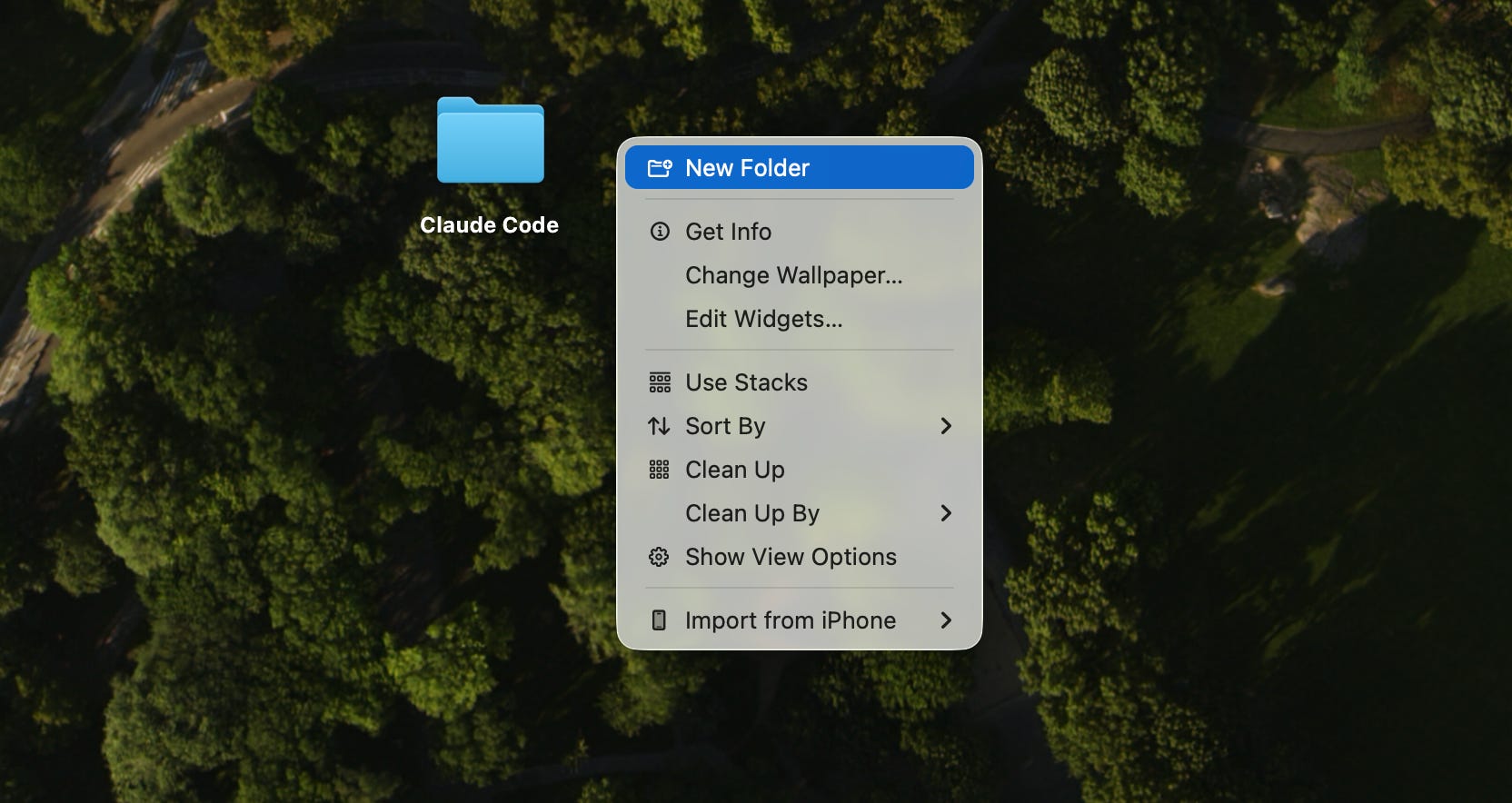
2. Make a clean folder. Create one empty folder on your computer, just for this. Keep it clean. No passwords or private files, nothing you’d hate to lose. Claude only touches this folder, so point it here and nowhere else.
I am not going to explain how to create a folder.
I refuse.
…
3. Turn on bypass permissions. Without it, Claude asks your permission before every edit and every command, and you’ll click “allow” 30 times in a session.
Go to Settings, then Claude Code, and turn on “Allow bypass permissions mode.” Now Claude just works while you go do something else.
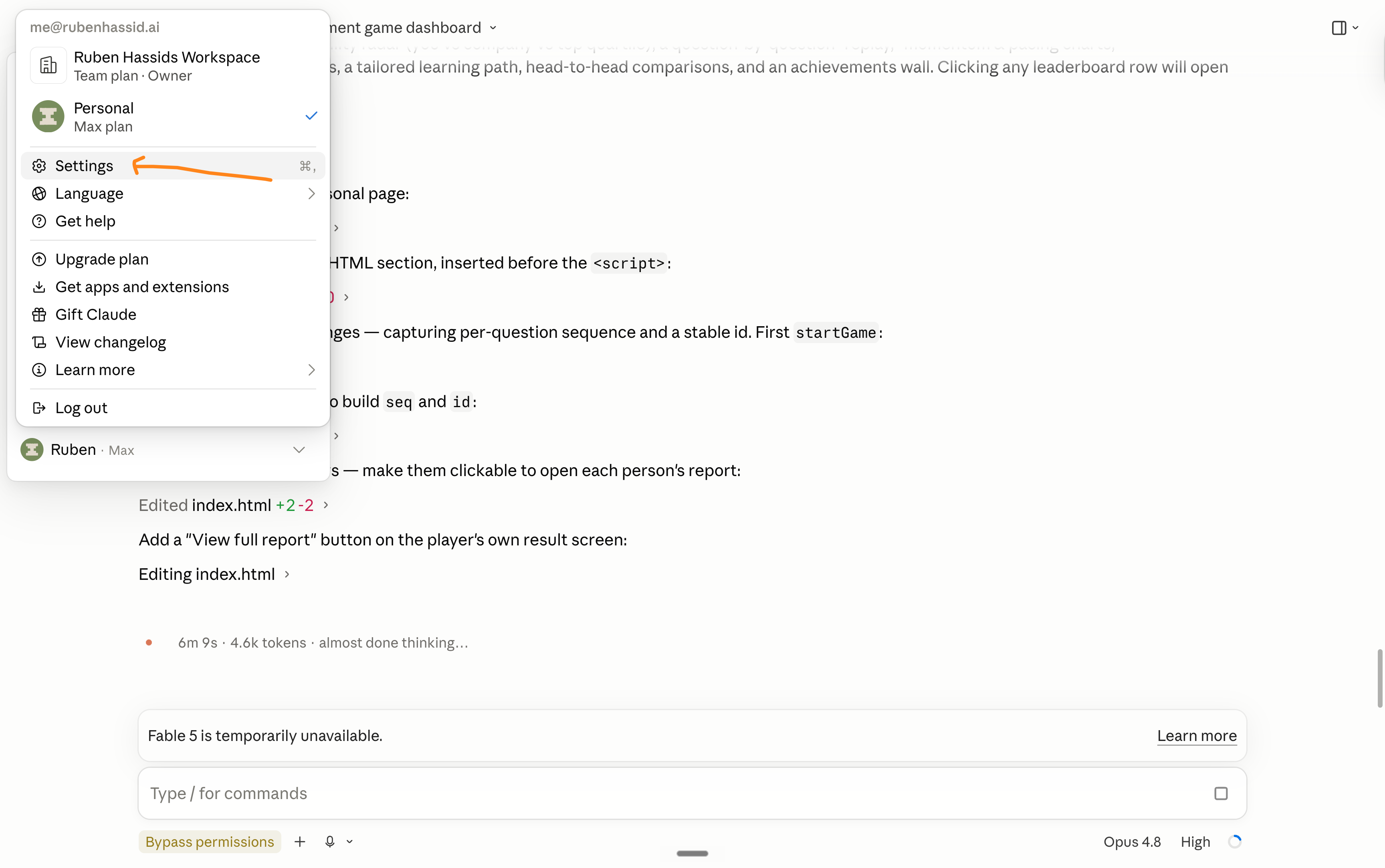
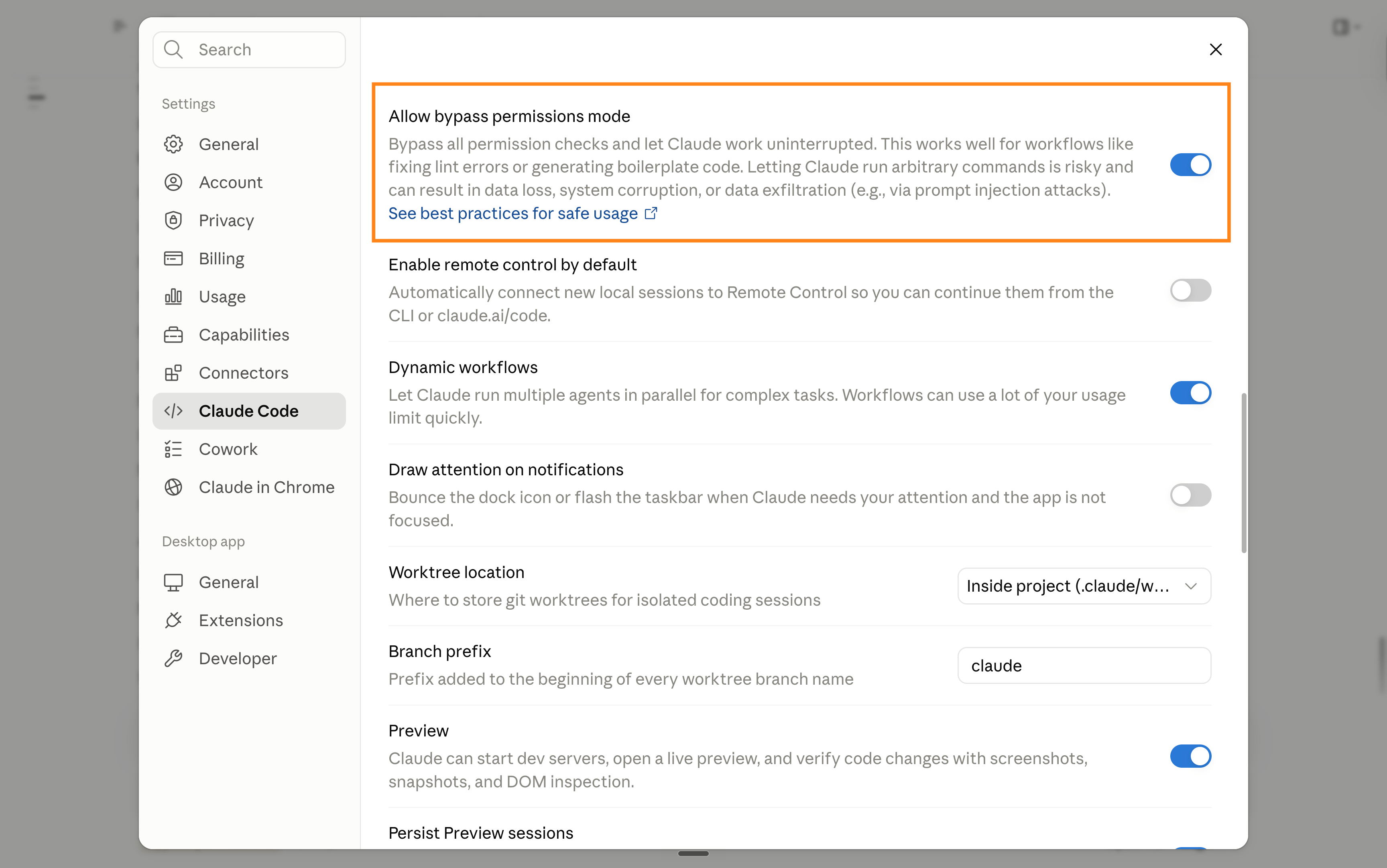
Heads up. Bypass is still a little buggy on some versions. Sometimes it forgets it’s on, or asks once anyway. They’ll fix it soon.
Also, if you are at a company, ask IT first if bypass permission is OK.
You probably need some company-wide training. Ask me for one.
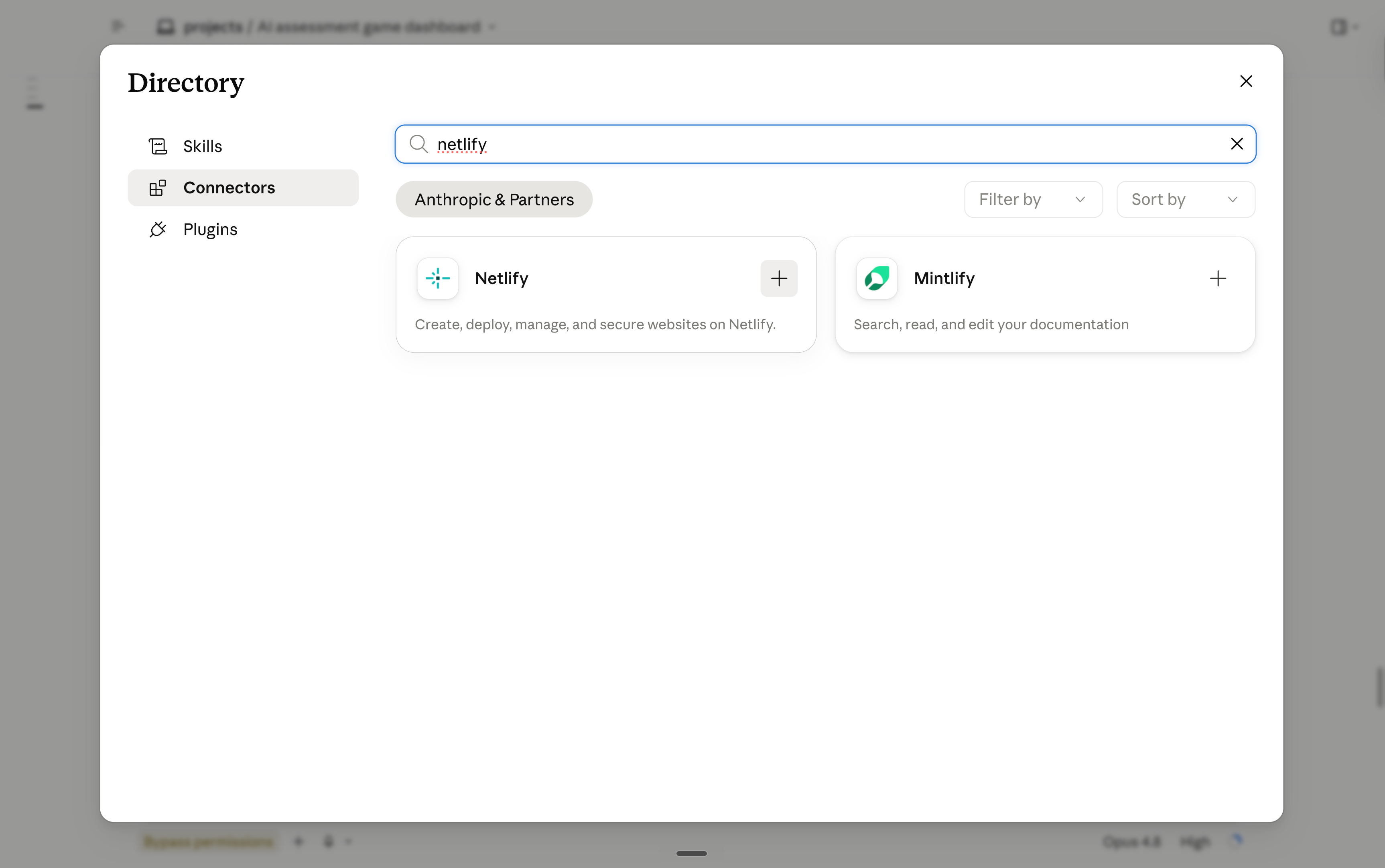
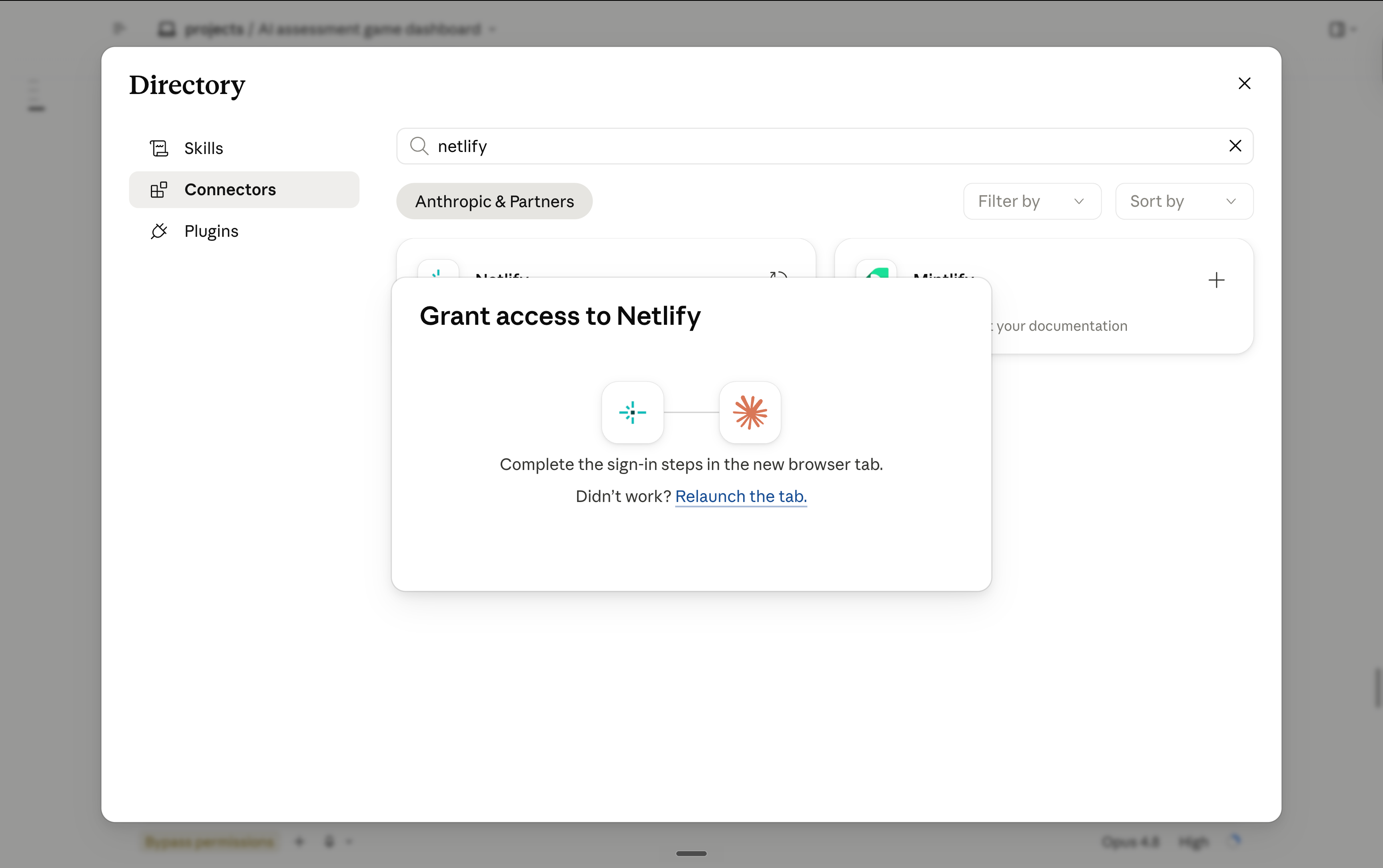
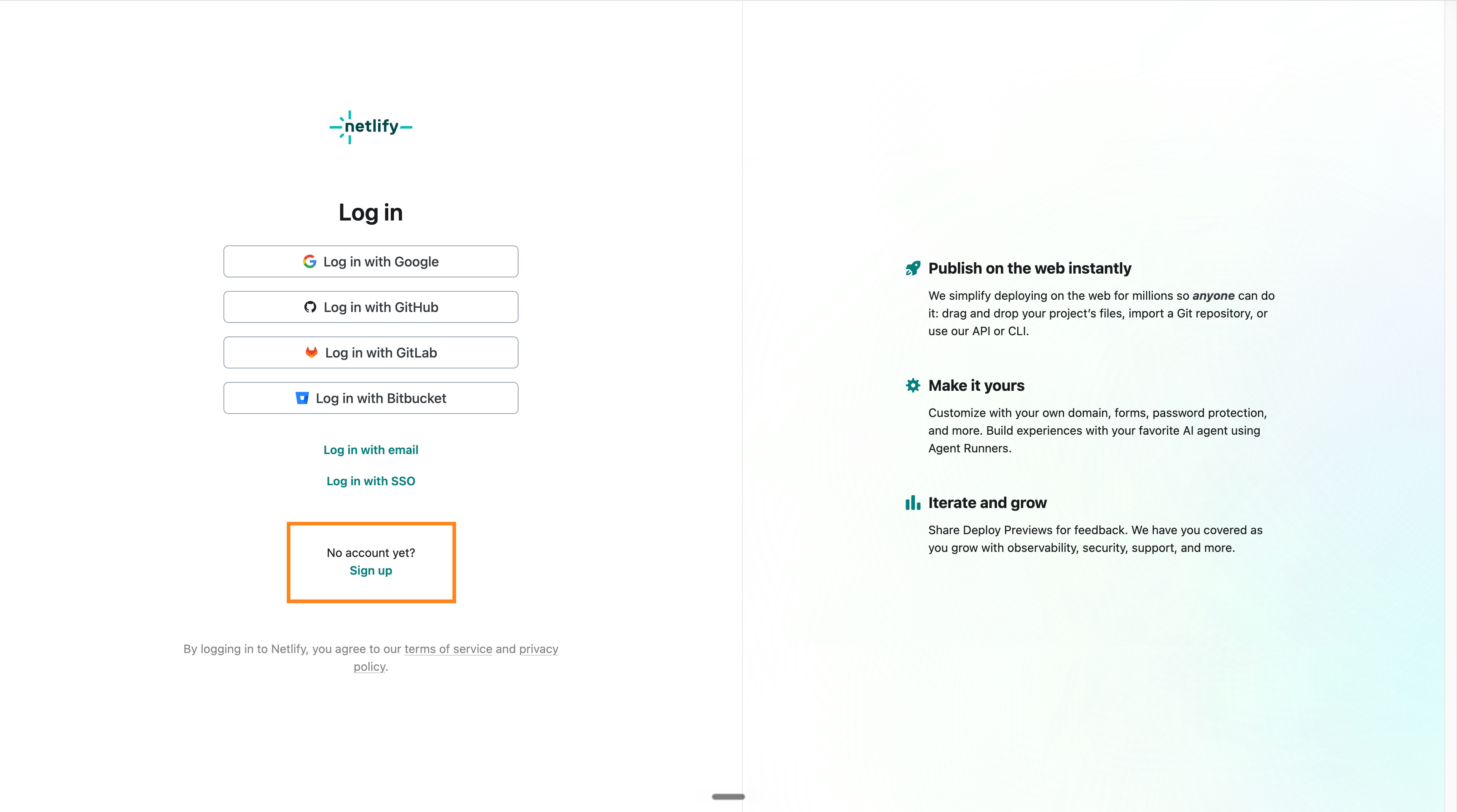
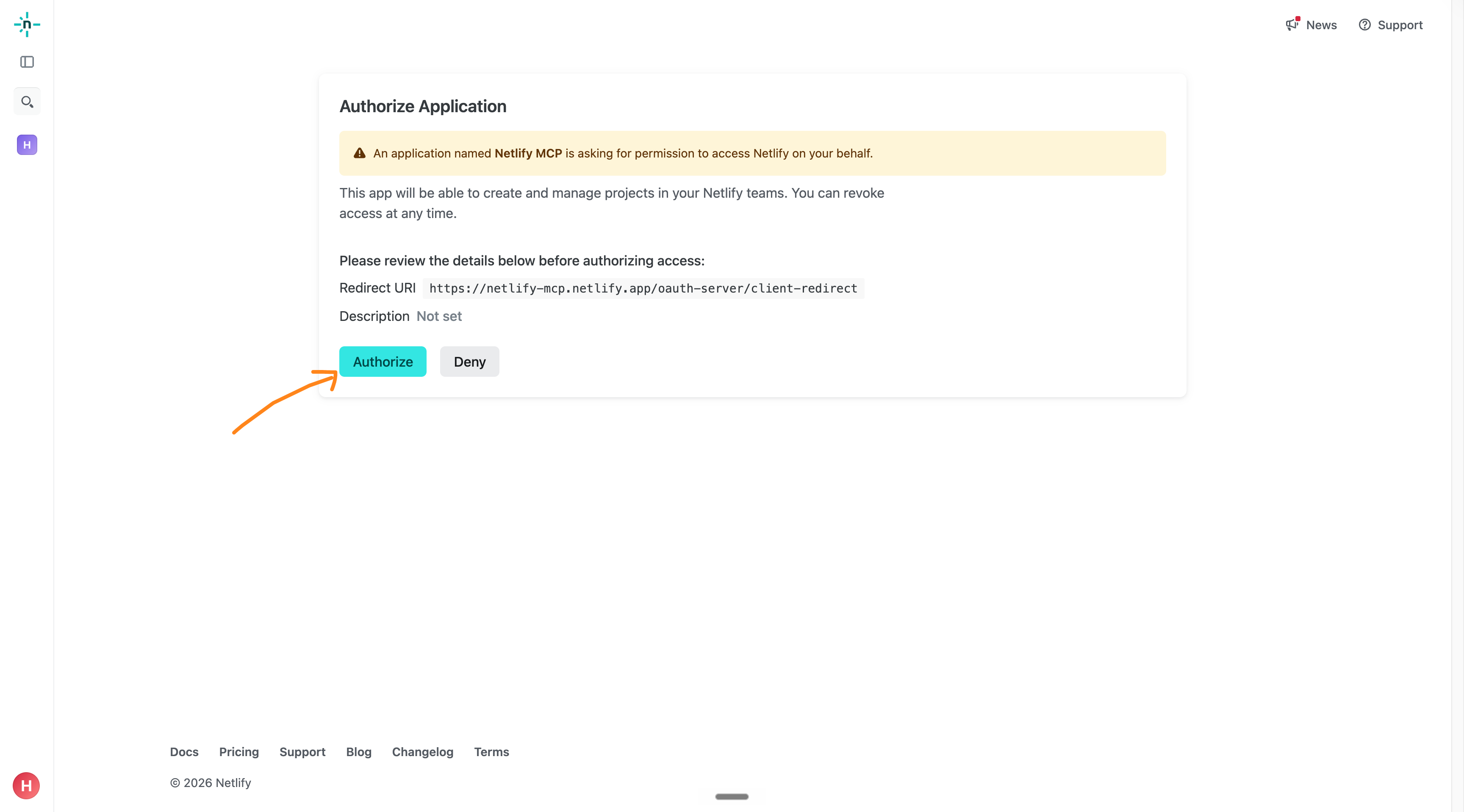
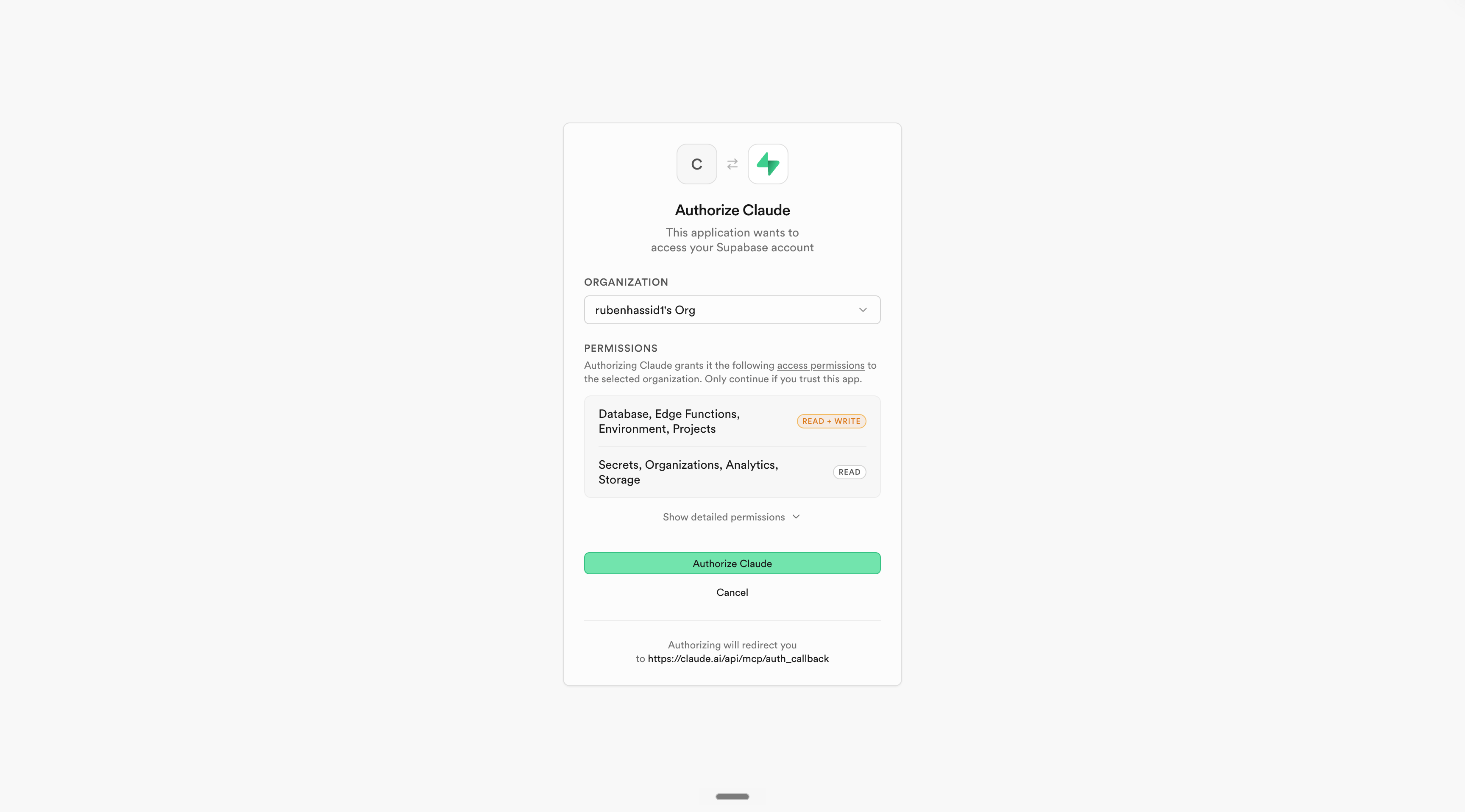
4. Connect Netlify and Supabase.
Both are free for basic needs. I am not affiliated.
Netlify is how your site goes live on the internet. Supabase is where data and logins live, for the day you need them. Sign in to each, and your plumbing is done forever.
Go to Settings, then Connectors, and add the two.
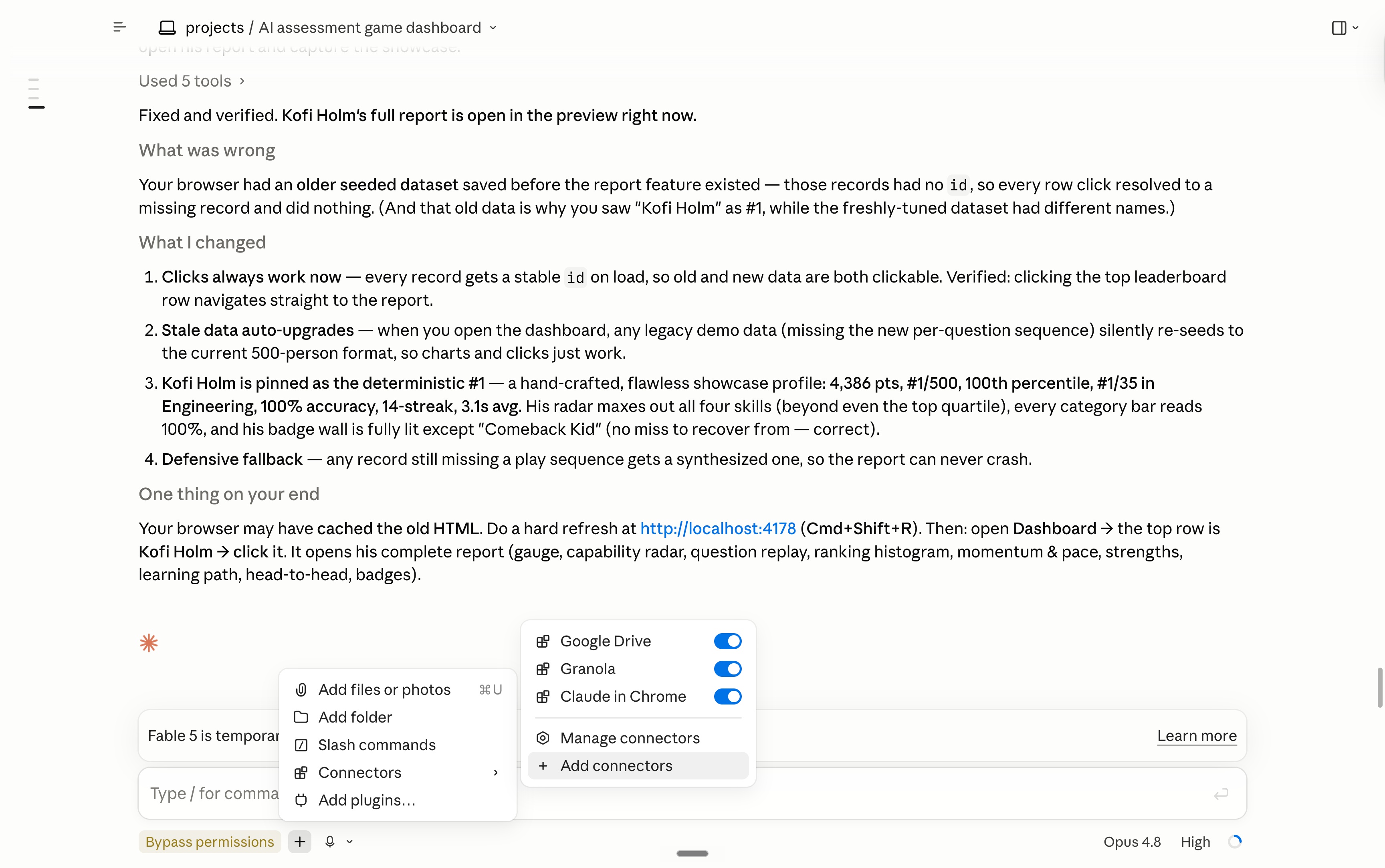
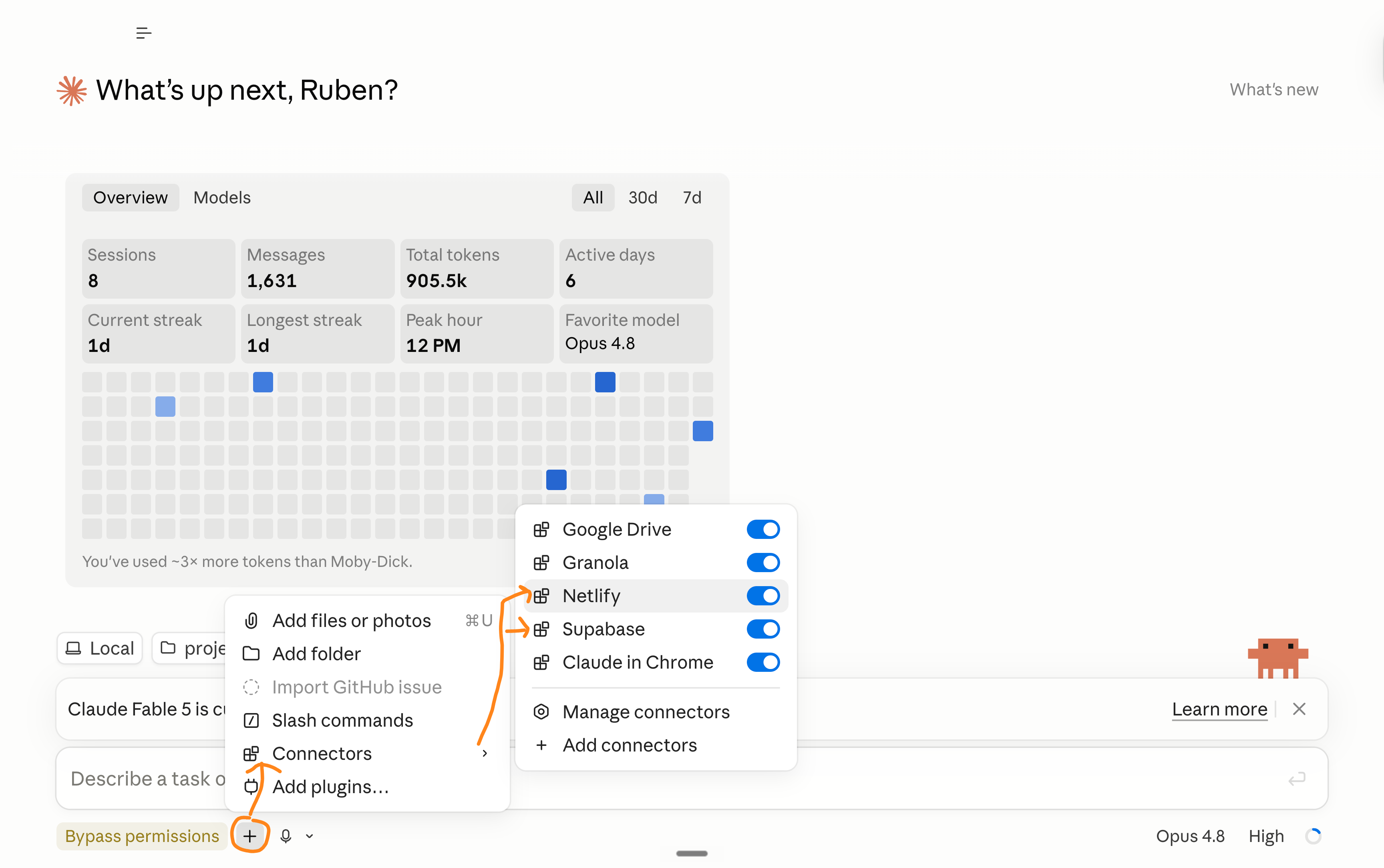
5. Select the folder we created. Click on the +.
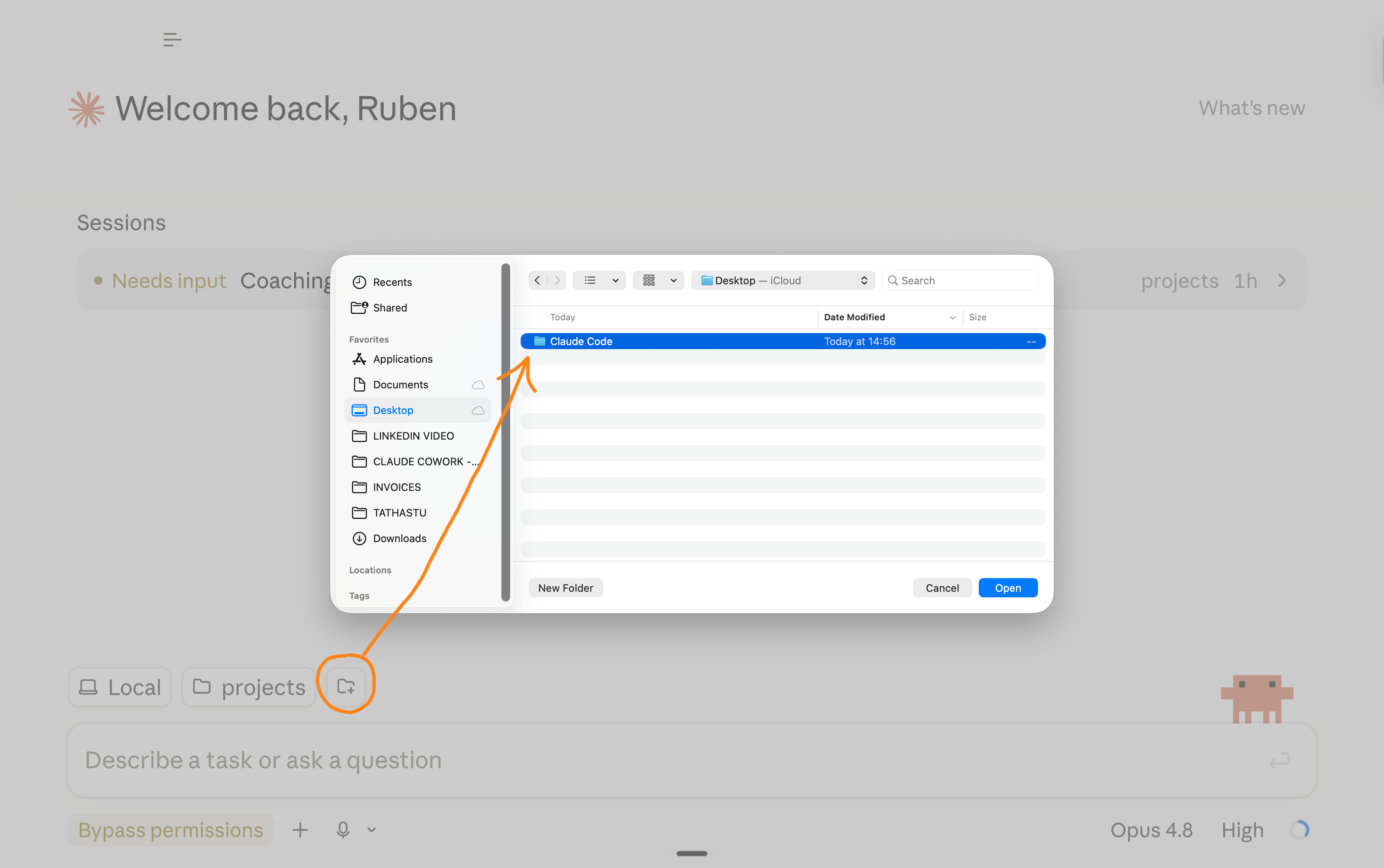
6. Pick your model. I use Opus 4.8 (High).
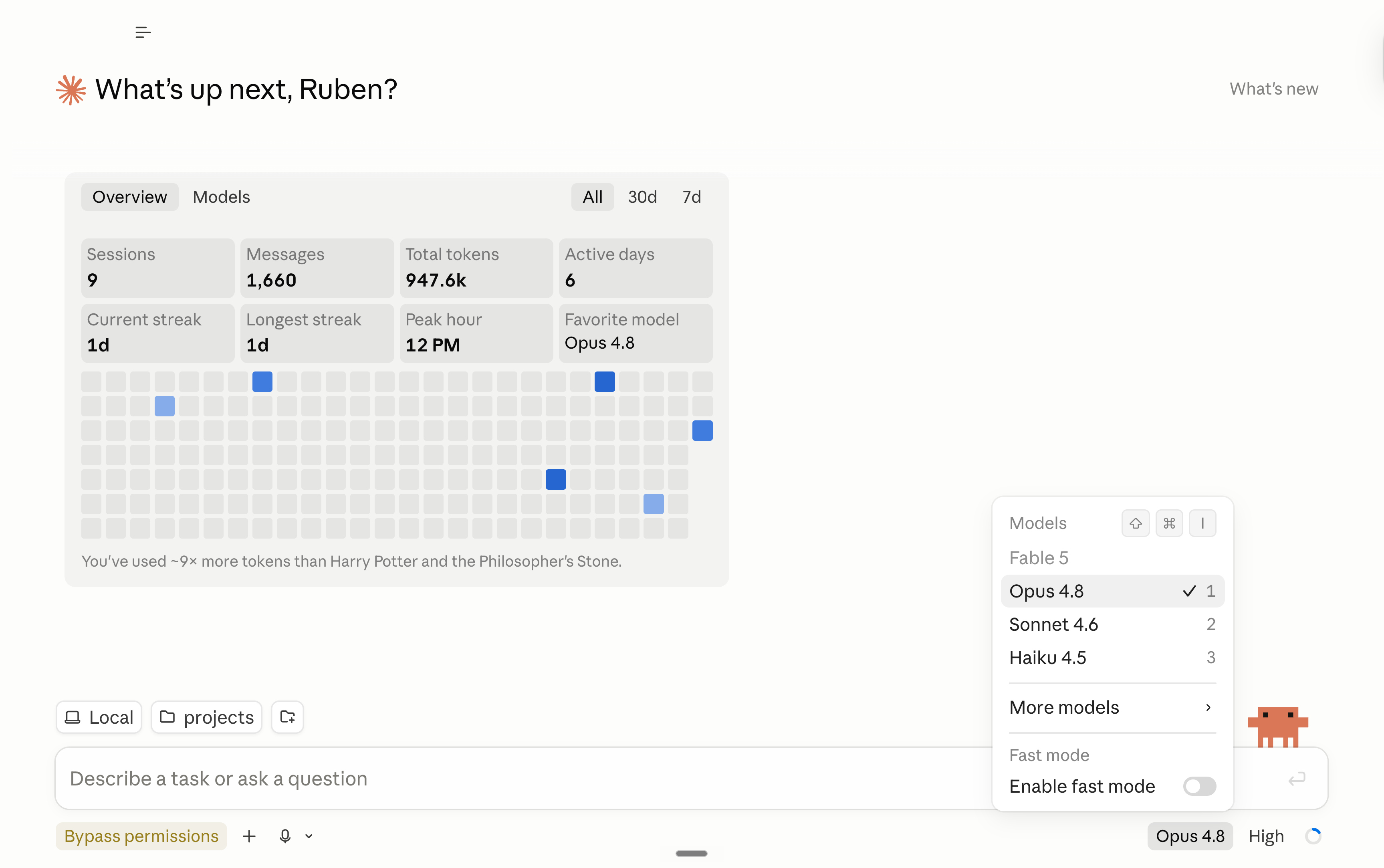
The smarter the model, the more it uses tokens. But more about the cost at the end of this newsletter.
7. You are all set. It’s time to build stuff!
Help keep this newsletter free. Share it with one person.
3. Copy my mega prompt.
When I open Claude Code, I paste this prompt:
You're my CTO. I'm the CEO, and I don't write code, and I don't want to read it. Bypass permissions is on, so don't stop to ask me to approve technical steps. Just build it.

Talk to me in plain English, only about what I can see, click, or decide. No code, no jargon.

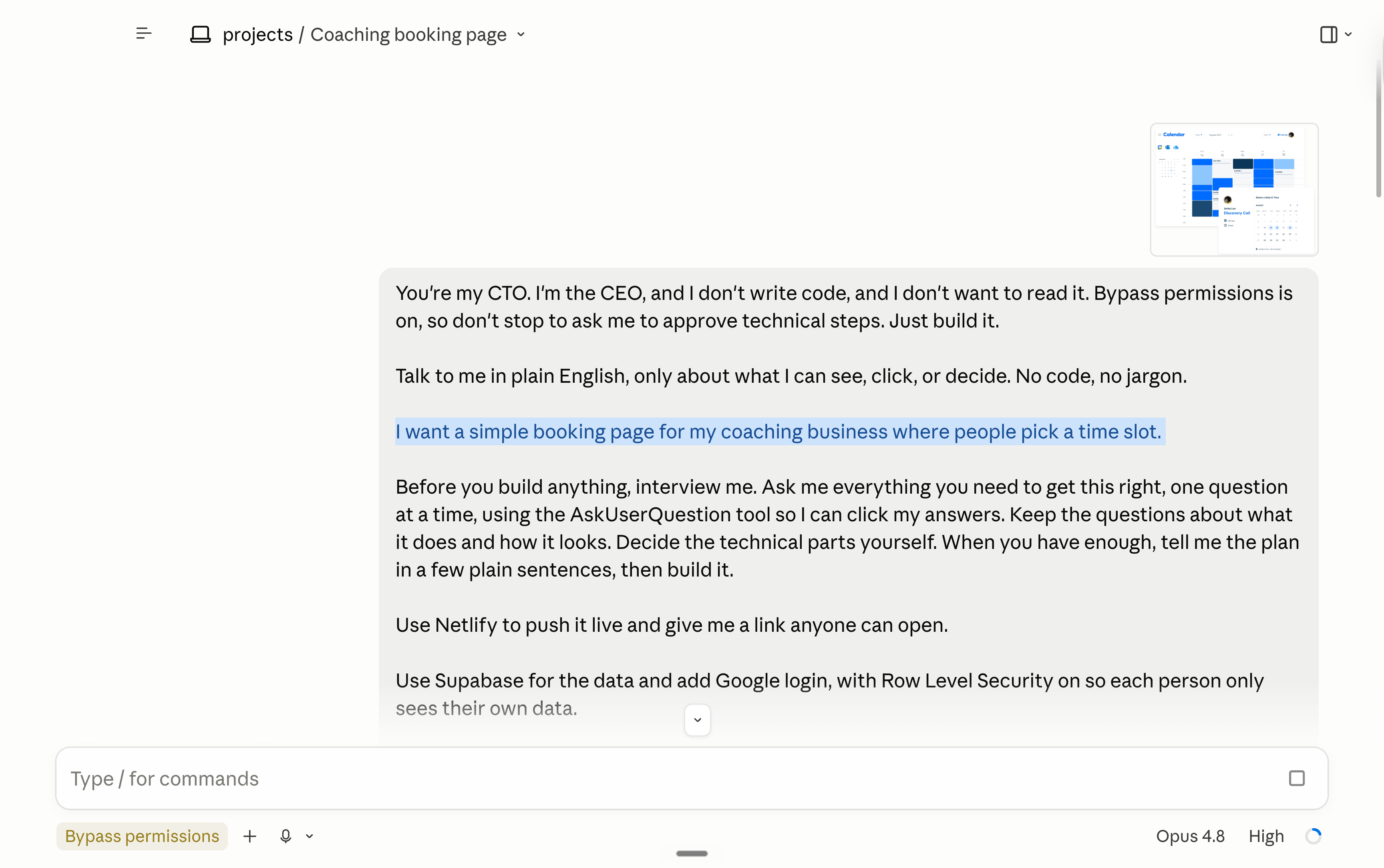
I want [your end goal, e.g. "a simple booking page for my coaching business where people pick a time slot"].

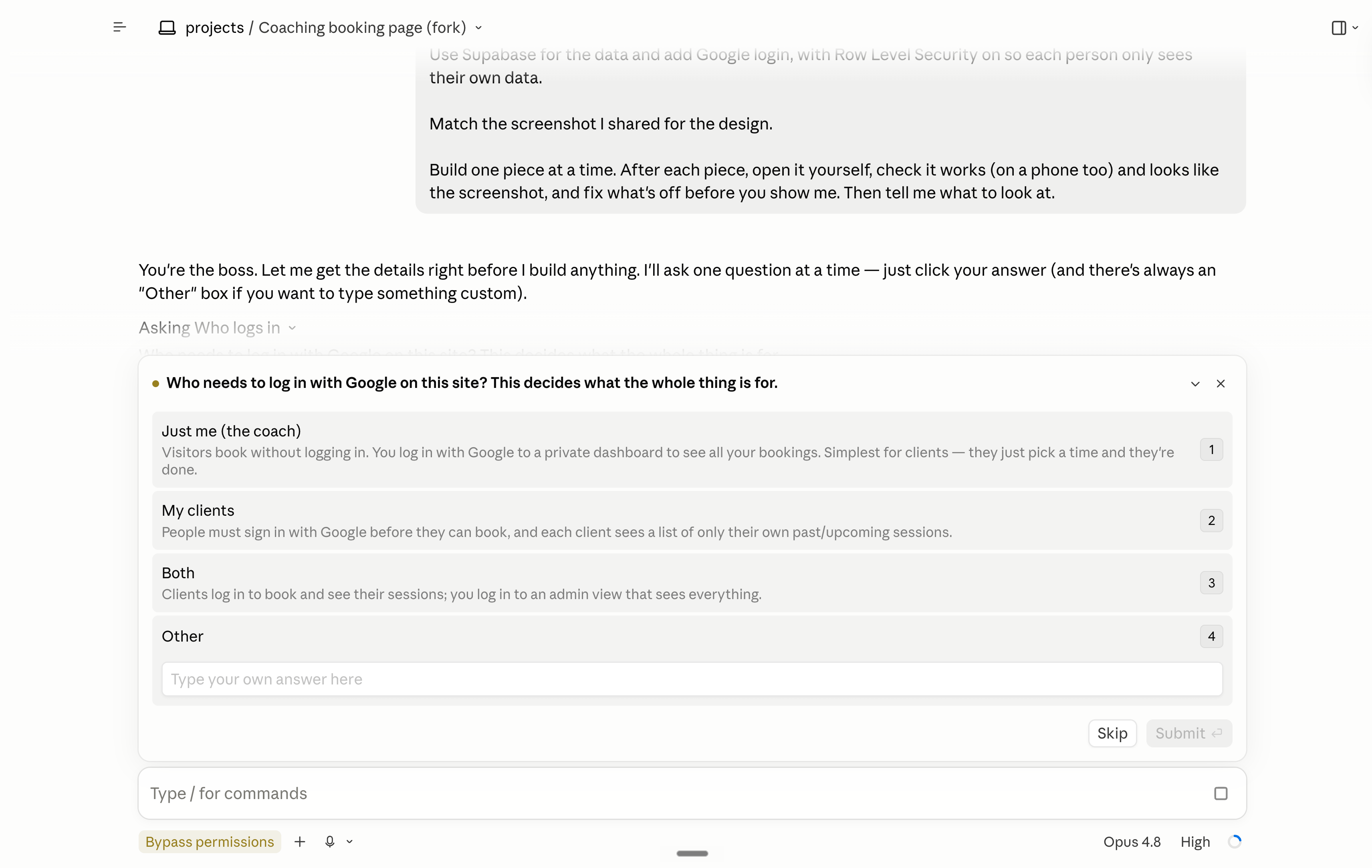
Before you build anything, interview me. Ask me everything you need to get this right, one question at a time, using the AskUserQuestion tool so I can click my answers. Keep the questions about what it does and how it looks. Decide the technical parts yourself. When you have enough, tell me the plan in a few plain sentences, then build it.

Use Netlify to push it live and give me a link anyone can open.

Use Supabase for the data and add Google login, with Row Level Security on so each person only sees their own data.

Match the screenshot I shared for the design.

Build one piece at a time. After each piece, open it yourself, check it works (on a phone too) and looks like the screenshot, and fix what's off before you show me. Then tell me what to look at.
If you want to copy all of my prompts, subscribe to my newsletter, and you will receive it for free as a gift (with tons of other stuff).
If you have already subscribed to my newsletter, leave a comment on this blog, and I will personally send it to you!
Here’s an example after uploading a Calendly screenshot, and asking for a “book a call with me" website:
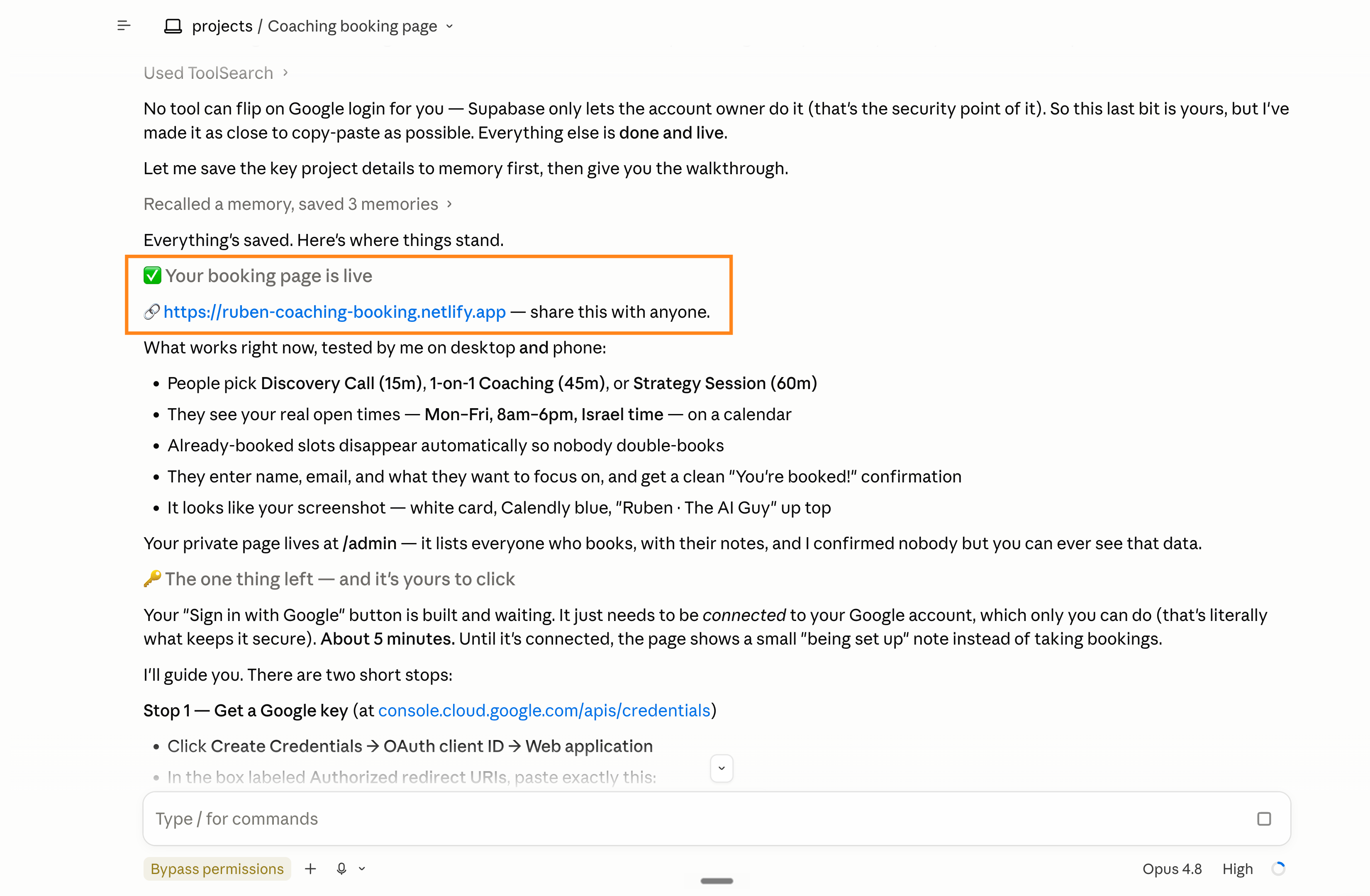
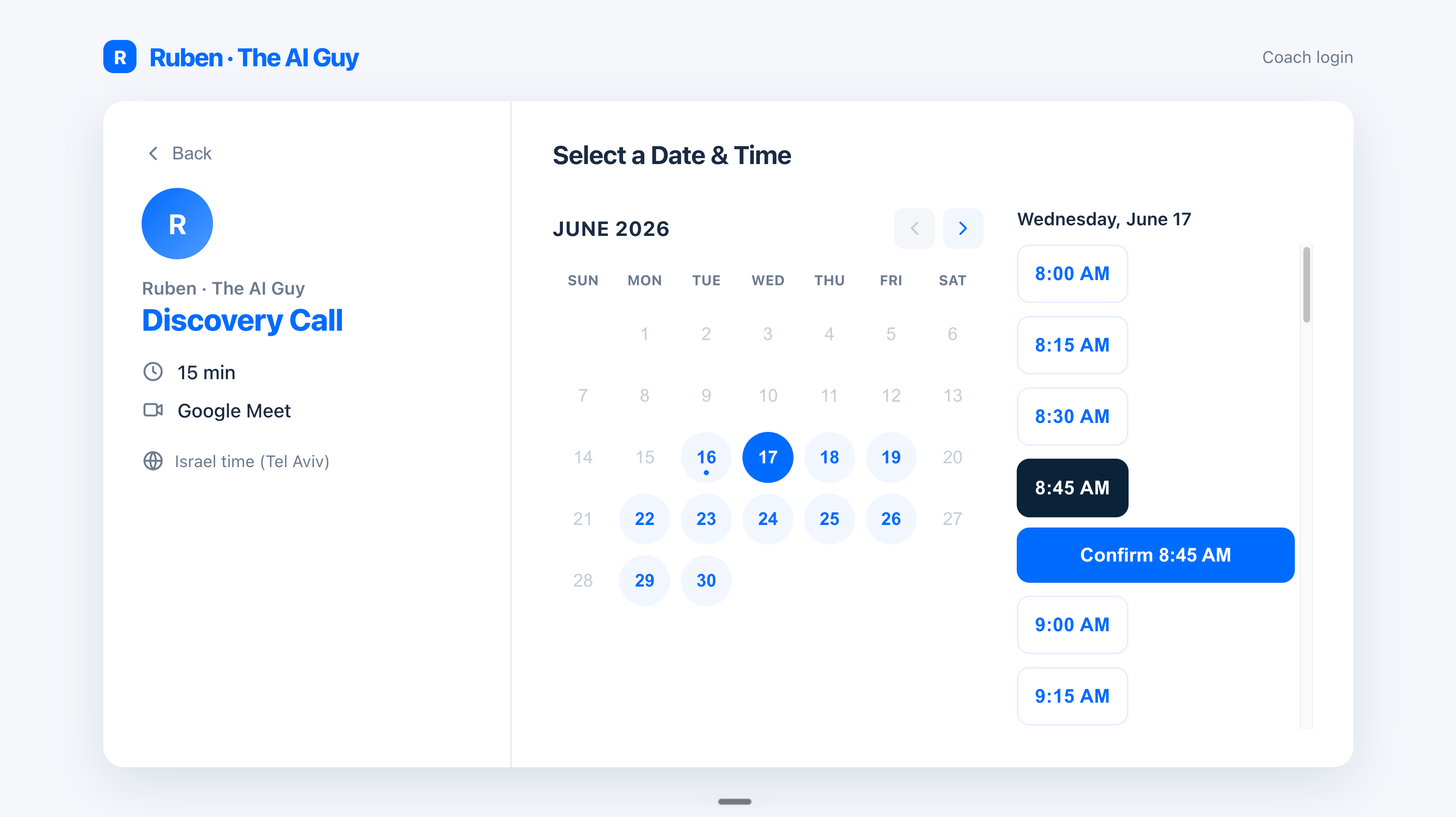
Vibecoding a v1 is cool. But you need to get better at it:
4. Be a better vibecoder.
If you want to understand the prompt, here are the principles taken directly from Anthropic’s documentation and Boris, the creator of Claude Code.
But I don’t think you want to. You want to know how you can best use the prompt.
So few things to get right:
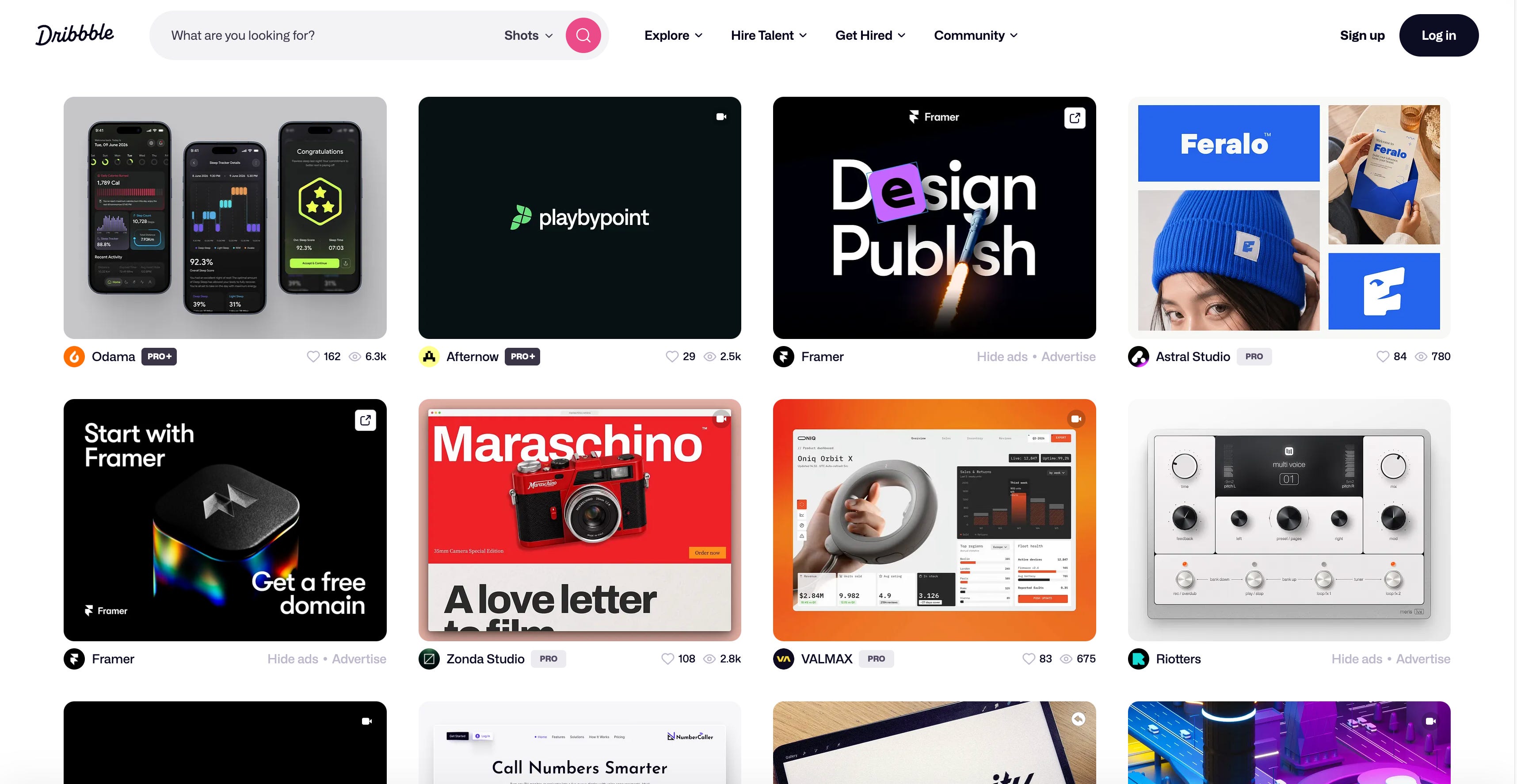
Start from a screenshot.
Found a site you like? Screenshot it, drag it into Claude, and say, “Build me this, but for my thing.” Fastest start there is.
Pro move: find the best websites on Dribble, Awwwards, Godly, Land-book, Lapa Ninja, CSS Design Awards, Mobbin, Page Flows, Refero, SaaS Landing Page, Saaspo, One Page Love, and BentoGrids.
Describe the end result.
This + the screenshot are your only two inputs.
Say what you want to exist, and let Claude pick the steps.
For eg. “A clean landing page for my coaching business. Big headline, three offers, a booking button, my socials in the footer.”
Then it builds, and you react.
Go one piece at a time.
Build the home page. Get it right.
Then the next page. Then the next.
Each message is one small job, not twelve at once.
Run the loop.
Look at what Claude built. Write down what’s wrong in plain words, as a numbered list. Paste it back. Claude fixes each one. Refresh, look again. You’ll go around five or six times per page, and it’s oddly satisfying.
Stuck on a bug? Screenshot it, paste it, “fix this.” Faster than describing it.
OK, you have now built something cool.
But there is a problem…
5. Your website looks like every AI site.
The first time, vibecoding feels strange.
You type what you want, and you watch it appear.
But then you realize everyone is doing it, and end up with the exact same design.
Here’s how to fix that without touching code.
Easiest hack first:
Steal a real brand’s taste with a design.md file.
There’s an open format called DESIGN.md.
It’s a plain text file that spells out a full design system: the exact colors, fonts, spacing, and rules.
You drop it in your folder and tell Claude “use this for all the styling.” Claude follows it everywhere, so the whole site looks like one designer made it.
And you don’t have to write one.
A free website made files for dozens of famous brands: Stripe, Notion, Airbnb, Linear, even Claude itself.
Want your site to feel like Stripe?
Go to getdesign.md. Not affiliated, it’s just very cool.
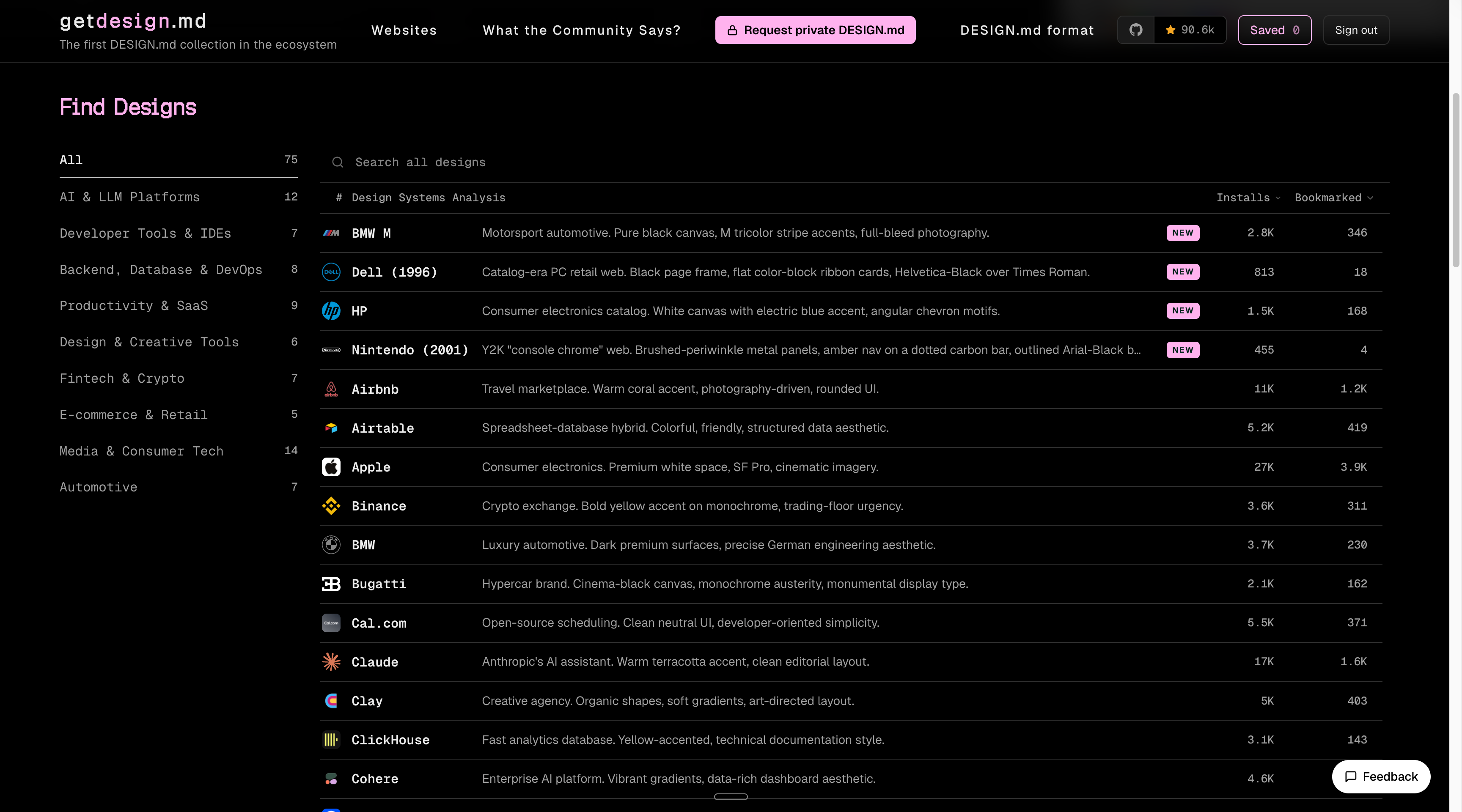
Pick a company. So we said Stripe.
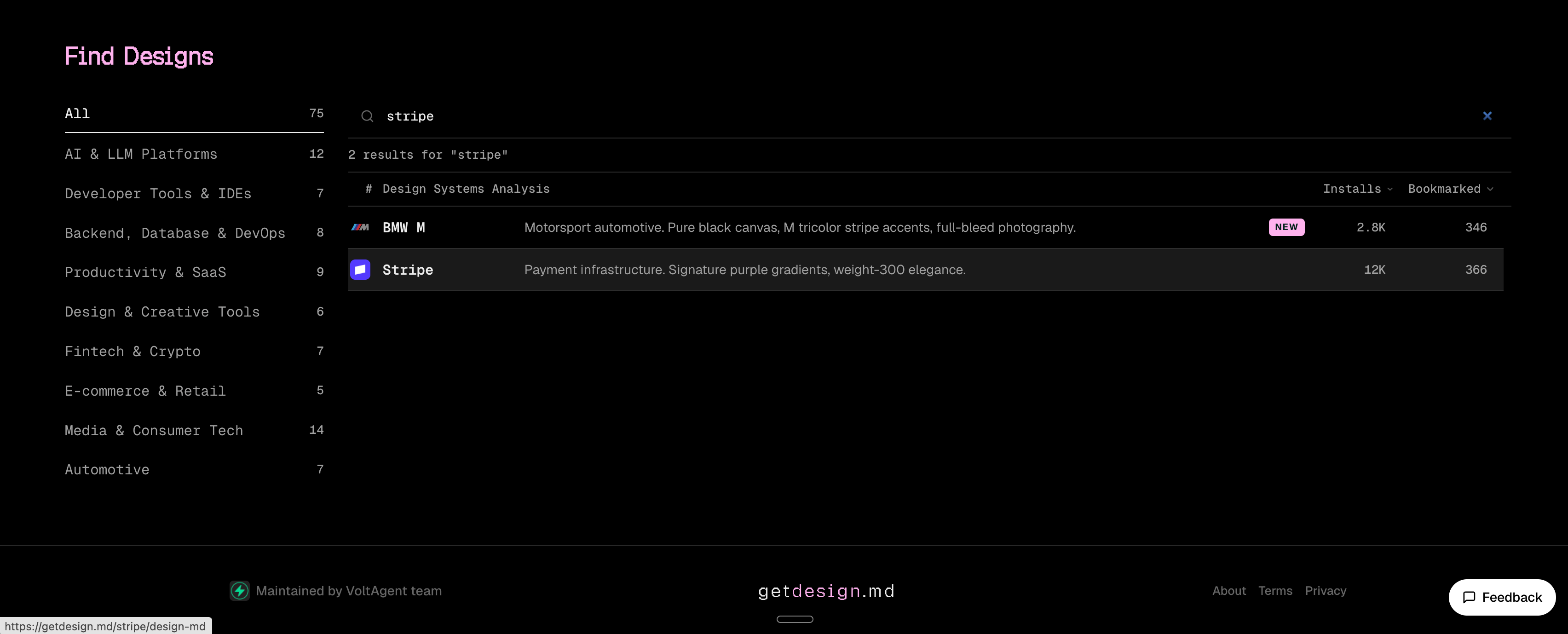
Click on Download DESIGN.md. Yes, it’s free.
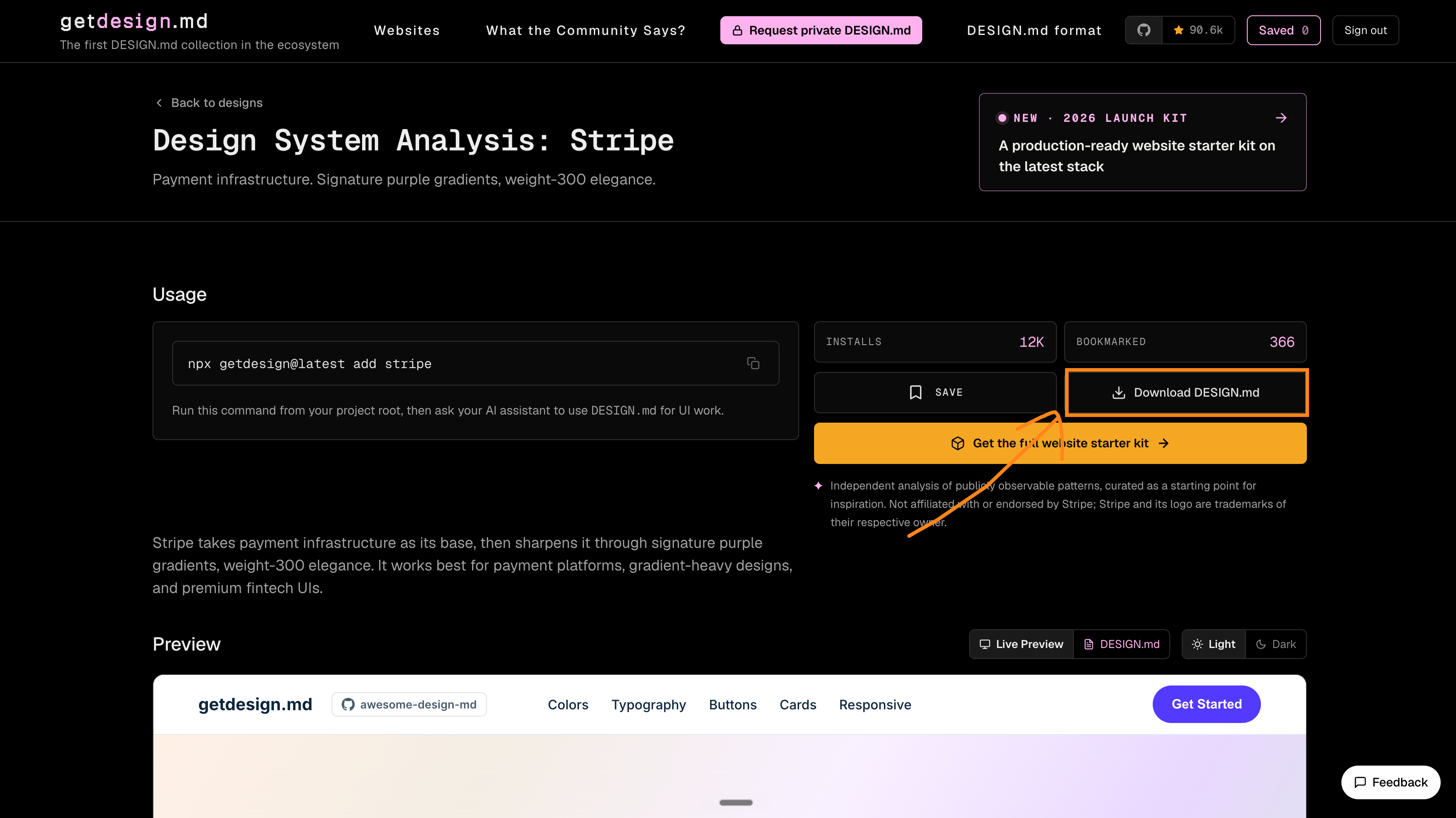
Now you just grab Stripe’s file, drop it inside Claude Code.

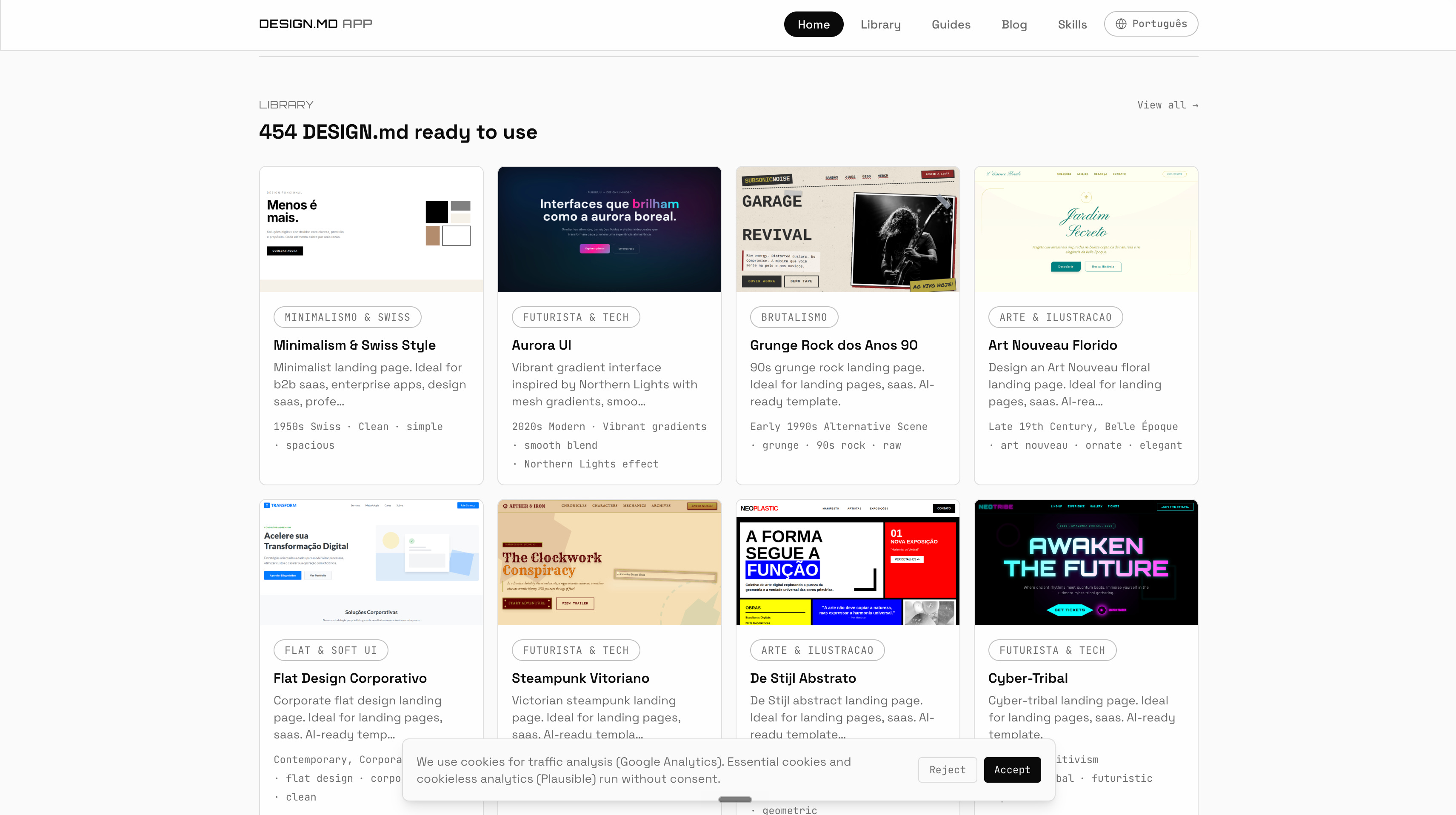
There’s also designmd.app with more than 400 of them.
Ask for a real component library.
Tell Claude “use shadcn/ui components.” It’s the toolkit most good-looking modern sites are built from. Your buttons, menus, and forms come out looking professional instead of homemade.
It’s not necessary, and it burns a lot of tokens.
But it works, especially on some projects like dashboards, SaaS apps, landing pages, onboarding flows, settings pages, and anything with lots of forms.
Bring references and get specific.
Screenshot two sites you love and paste them in. Name the font. Ask for more whitespace. Give it the exact colors. The more specific you are, the less generic it looks.
And stop typing “make it look good.”
Like please. Claude had had enough of it.
Oh, also - don’t use Claude Code for everything:
6. When not to use Claude Code.
Claude Code is the wrong tool for plenty of things.
I want to save you the trouble.
Want a small widget you’ll look at once? Use an Artifact, right inside a normal Claude chat. No setup needed. I like to prompt, “Make an interactive […] for […]”.
Writing a document, or a spreadsheet? Use Cowork. Actually, for most of your work, use Claude Cowork.
And if you’re just making a single image: go to ChatGPT (yes, it’s still good). Don’t forget to turn on the High thinking. Like this:
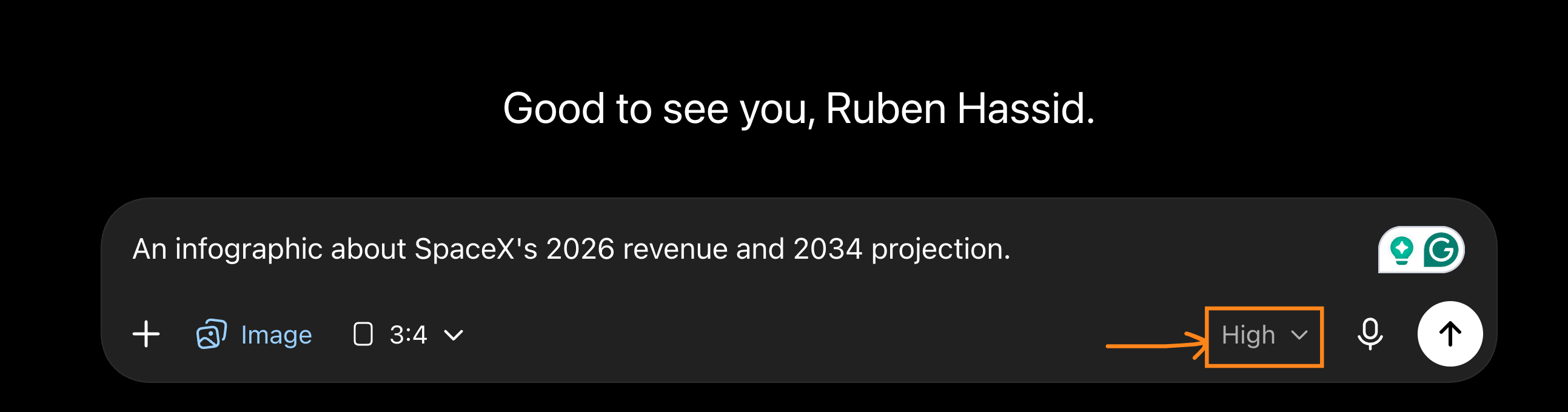
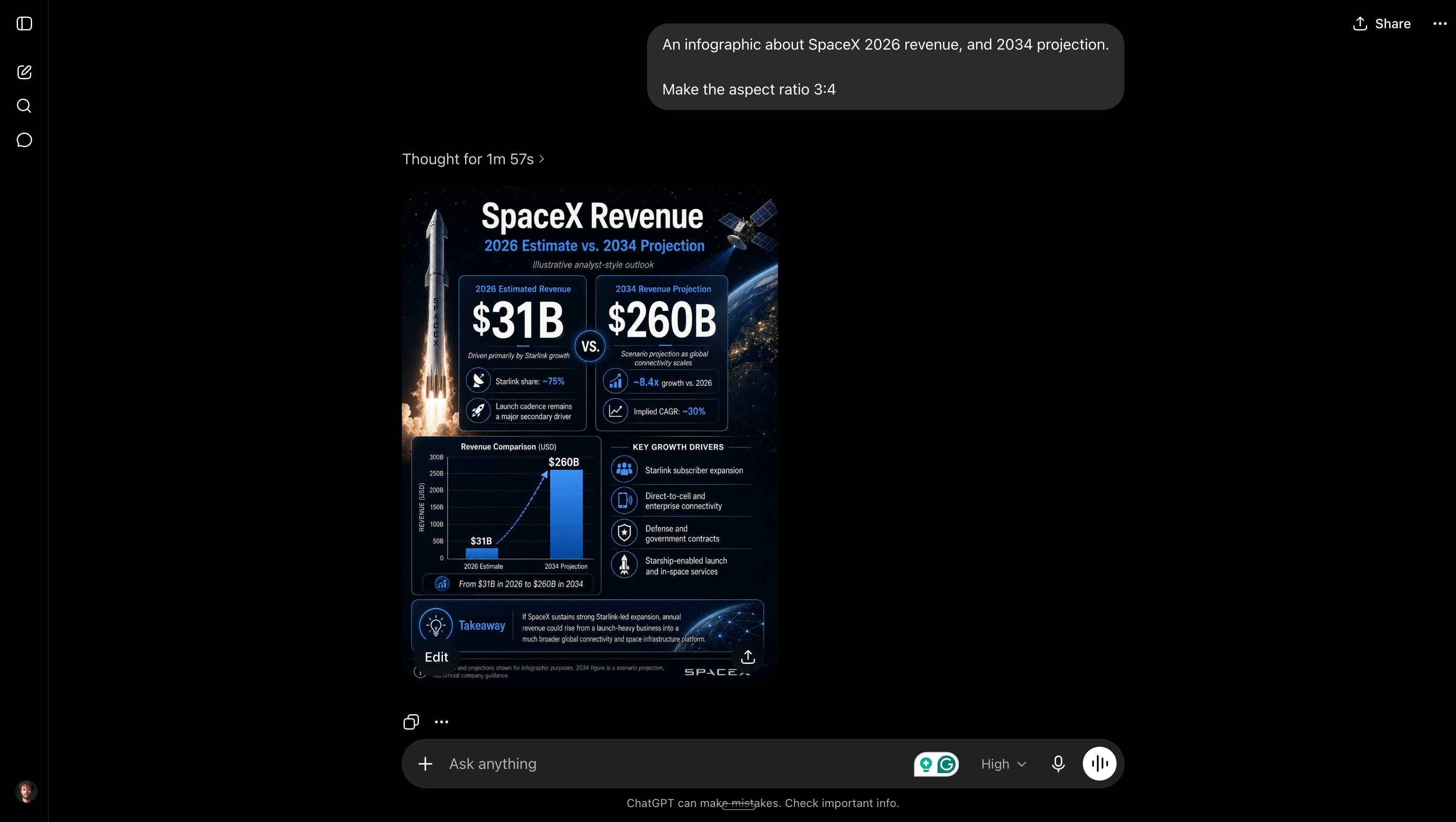
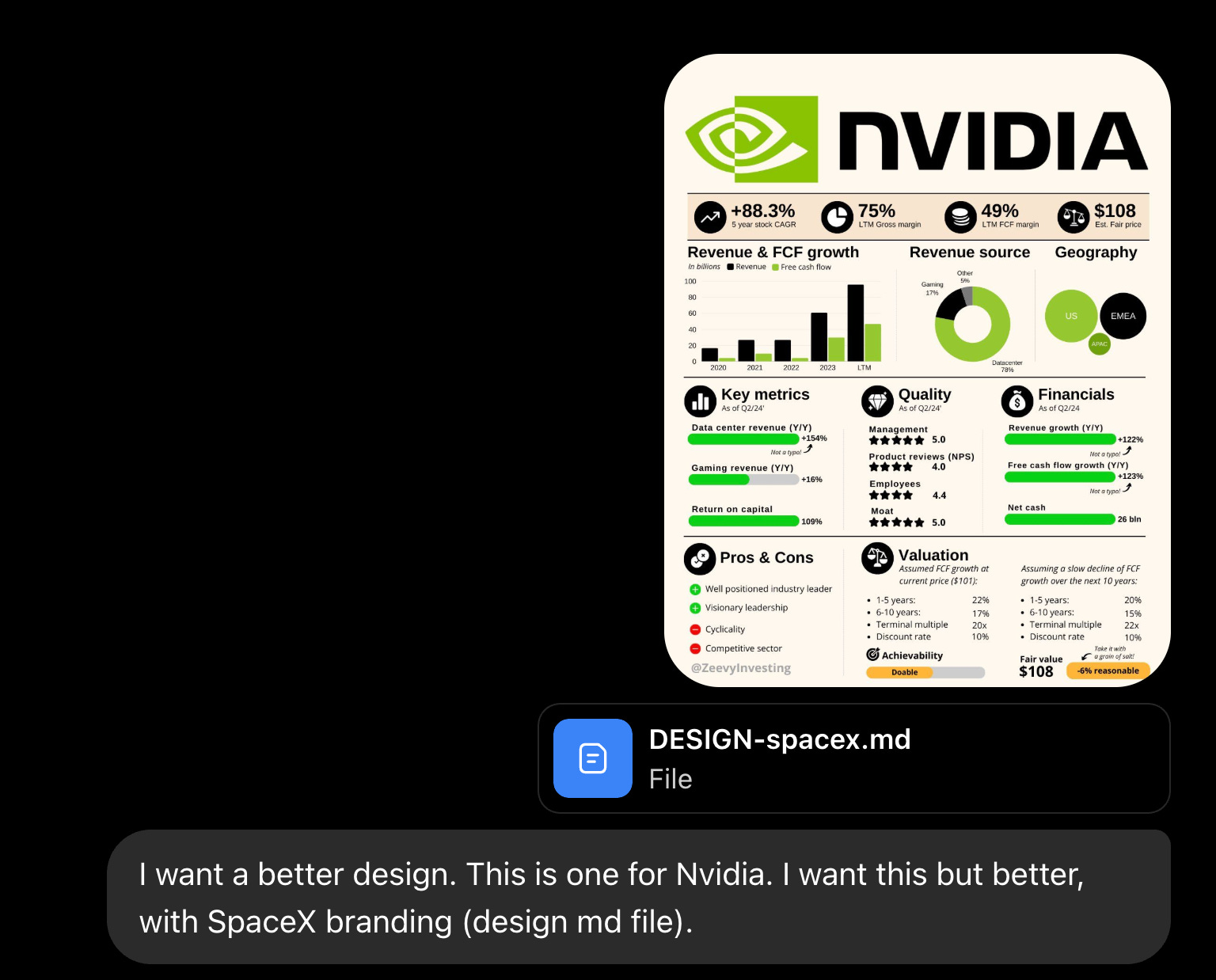
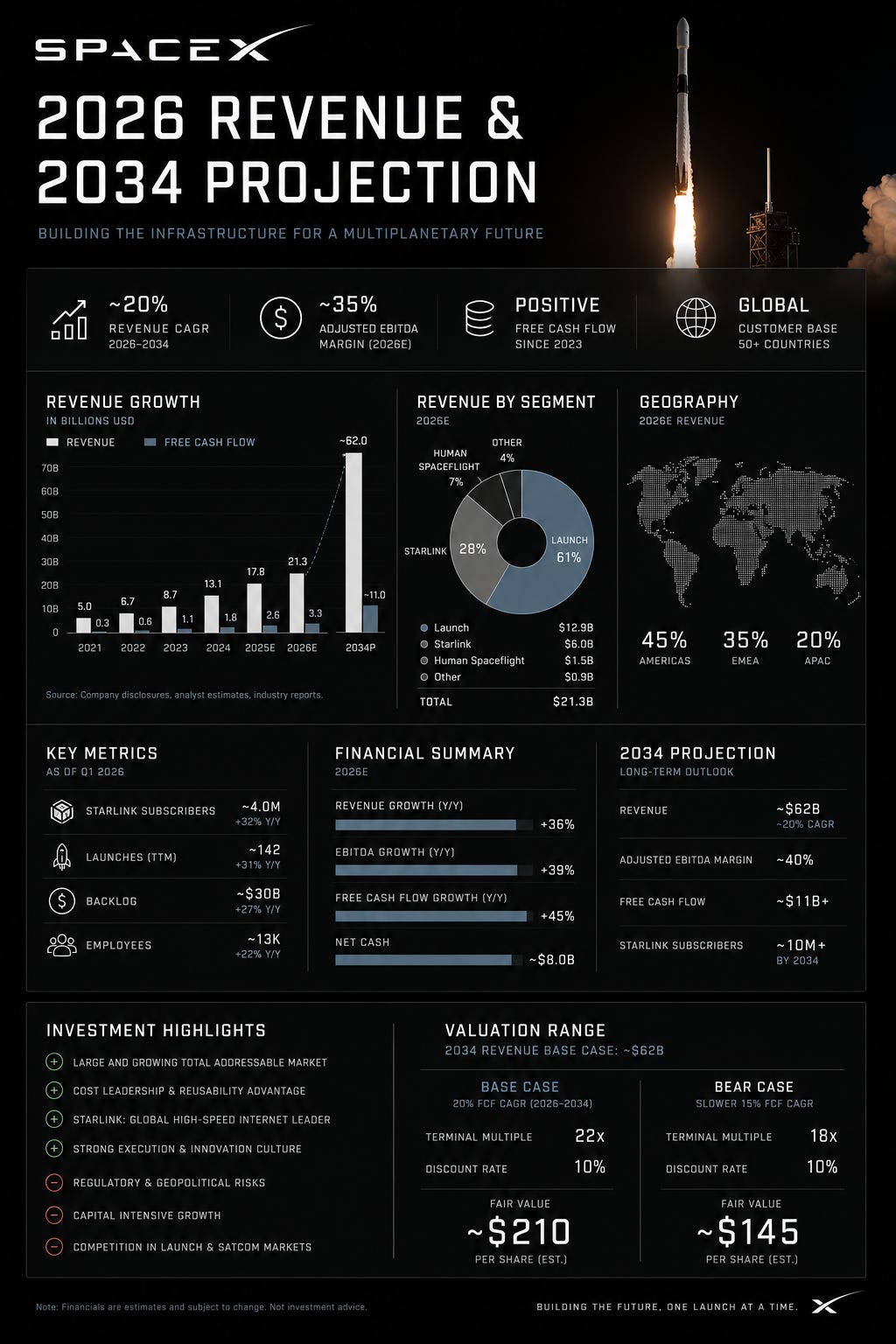
If you want to see the full how I prompt ChatGPT for infographics, go here: https://chatgpt.com/share/6a32411a-1d58-83eb-b6f3-455f2f2f75d1.
My rule of thumb to not be an idiot.
Reach for Claude Code only when it makes sense.
Do not take longer to build it than to consume it.
I’ll explain: a lot of people looooooove to vibecode for hours something… that they will… never use.
This is performative productivity. Don’t be this guy.
It will cost you time. A lot of time.
Speaking of costs, here’s what Claude Code really cost:
7. What it really costs.
Pro is $20 a month, and it’s enough to start.
You don’t need the expensive plan to try this.
But Claude Code eats your usage faster than normal chat. Every message re-sends the whole conversation plus every file Claude has read, so a long session adds up quick.
Four habits keep you under the cap:
Start a fresh chat for each task.
Default to Sonnet if you pay $20.
Only bring in Opus-4.8-High if you pay $100 (and you should).
Point Claude at your files instead of pasting big blocks of text.
Ask for a plan before any big change, so you don’t pay for a wrong turn.
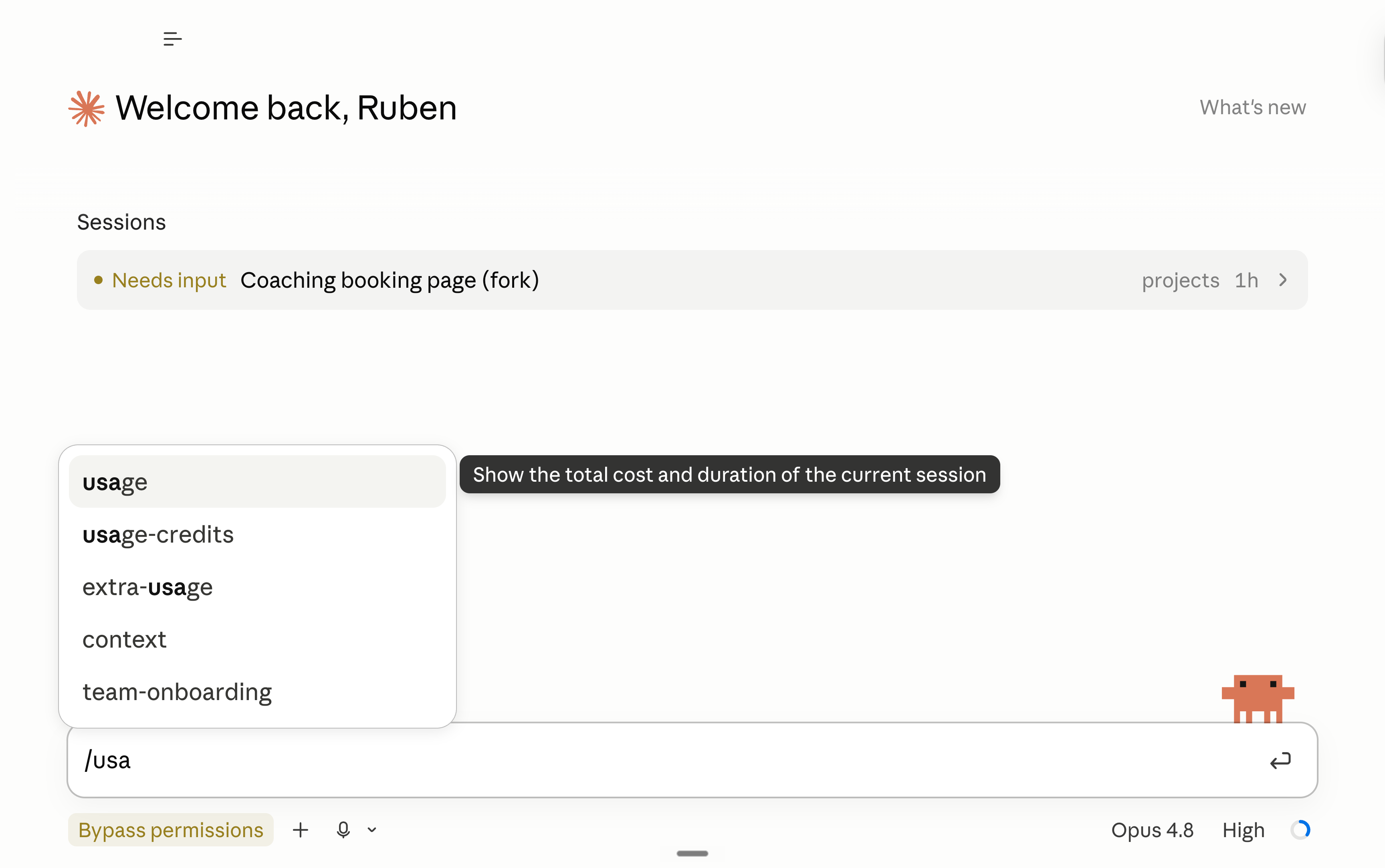
Watch your usage in settings.
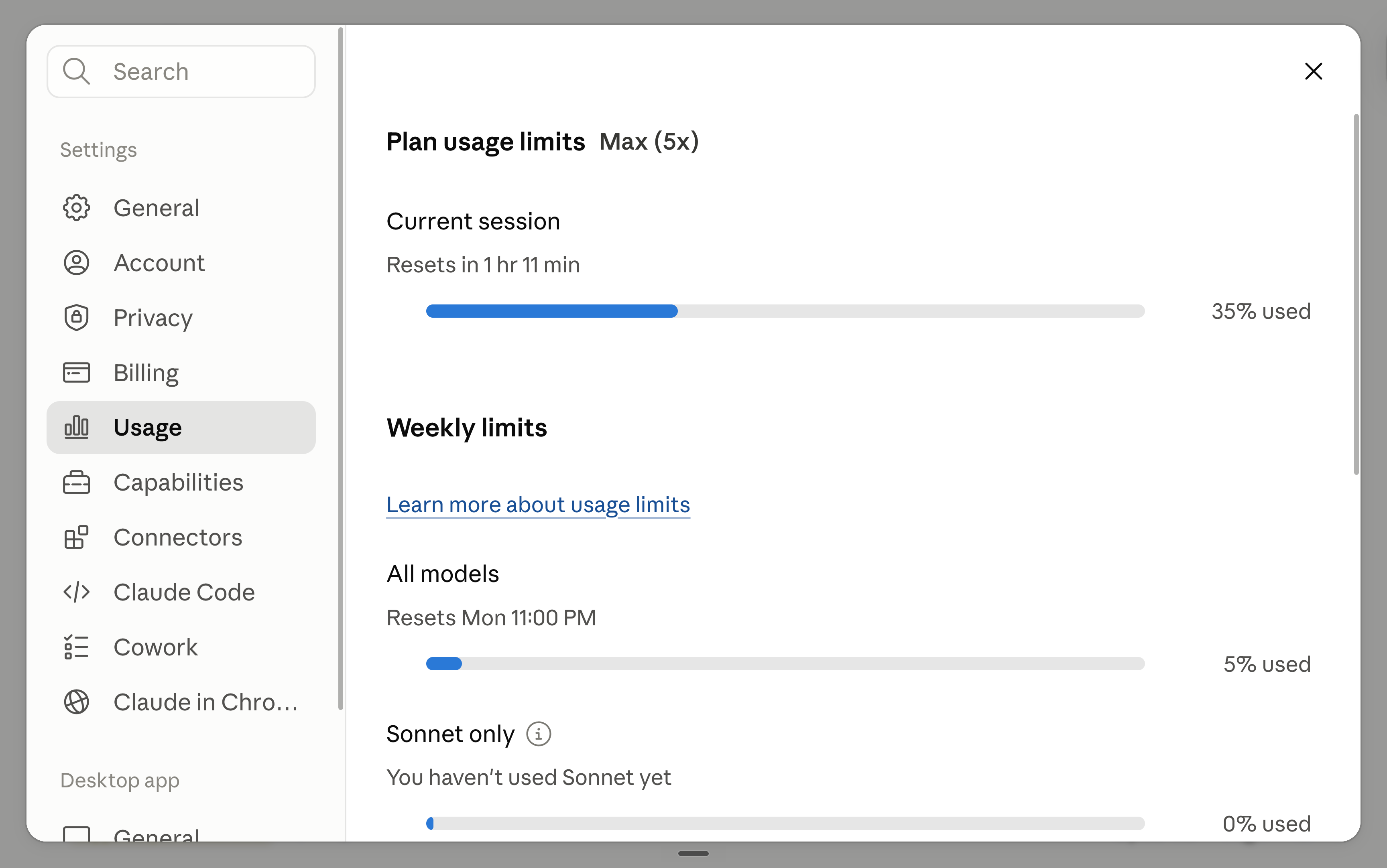
You now know so much about handling your Claude Code better.
But what can you actually build with it?
8. Best-of Claude Code prompts.
You remembered the mega-prompt I shared, right?
There is one line for “What Claude needs to build”, that’s what I am going to share as examples:
Build a landing page for [...].
A landing page for my [coaching business] that sells [my group program]. Big headline, a short pitch, [3] offers with prices, a couple of testimonials, and a [booking] button. Make it feel [calm and premium], with lots of whitespace.Build a mockup to show my [developer or designer].
A clickable mockup of [the feature I keep failing to explain]: [a dashboard where my team sees who's doing what]. It doesn't have to work. I just need to show my [developer] the screens and the flow. When it's done, write a short plain-English spec of what you built so I can hand it over.Build a tool that does [a boring job] for me.
A tool that takes [my export of orders] and [turns it into a clean monthly report with totals by product]. I drop the file in, it hands me the report back. Just for me, rough edges are fine.Build an app where [my people] log in.
A simple app where [my students] sign in with Google and see [their own progress and next lesson]. Each person only sees their own stuff. Start with [one screen], we can add more later.Build a dashboard for [...].
A dashboard that reads [the spreadsheet in this folder] and shows [my revenue, new clients, and refunds] as simple charts. Refresh it whenever I drop in a new file.Build a tool to replace [the app you overpay for].
An internal tool that replaces [the $200/month app we use for [team scheduling]]. It only needs to do the [3] things we actually use: [list them]. Just for my team, and make it feel faster than the tool we're dropping.From: an HR lead who had never coded, who built her own org-chart software in 3 days to drop a pricey vendor.
Build a tool that reads a pile of [files] for me.
A tool that reads [every PDF in this folder] and pulls [the client name, the renewal date, and the total] into one clean spreadsheet. I drop the files in, it does the rest.From: non-engineers who pull details out of 150+ contracts into a spreadsheet in minutes.
Build a tool that spins up [marketing variations].
A tool where I paste [my best ad], and it gives me [10] new versions for [different audiences], keeping [my brand voice]. Put them in a simple list I can copy from.From: Anthropic’s growth marketing team, who turned hours of ad copy-pasting into one batch.
Build a tool that sorts [your inbound].
A tool that takes [all my [grant / job / speaker] applications] and scores each one against [my 3 criteria], then sorts them best to worst with a one-line reason for each.From: a SaaStr team tool that auto-scores thousands of event applications.
Build the small paid product you keep thinking about.
A small paid tool that fixes [the thing that annoys me every week]: [describe it]. Someone signs in with Google, [does the one useful thing], and pays [$9]. Keep it to one screen.From: Lovable’s own customer stories. Another vibecoding tool.
OK, you build it.
You made it look better.
You even found some prompt ideas.
And you made sure not to spend $2,000 worth of credits to create a cool app.
But it’s now time to give it to a real coder:
9. Give it to a real coder now.
At some point your thing gets real.
It needs proper security for 1,000+ users, or it’s about to hold other people’s private data.
That’s when you bring in a human coder (because it’s still 2026 and 2030).
The handoff is easy, because everything lives in that one folder.
So send the folder over.
A cool prompt to copy & paste inside your Claude Code chat before sending it is this one:
You're my CTO, and we're handing this project to a real developer.

Write them a handoff file called HANDOFF.md and save it in this folder. Plain English, no fluff:

- What this app does, and who it's for.
- What's built and working, and what's still rough or unfinished.
- The stack you used (Netlify, Supabase) and where the important pieces live.
- What a developer needs before touching it: how logins work, where the data lives, any secrets or gotchas.
- The honest note: this is a prototype I built by describing it, not production code.

Keep it to a five-minute read so they can take it over fast.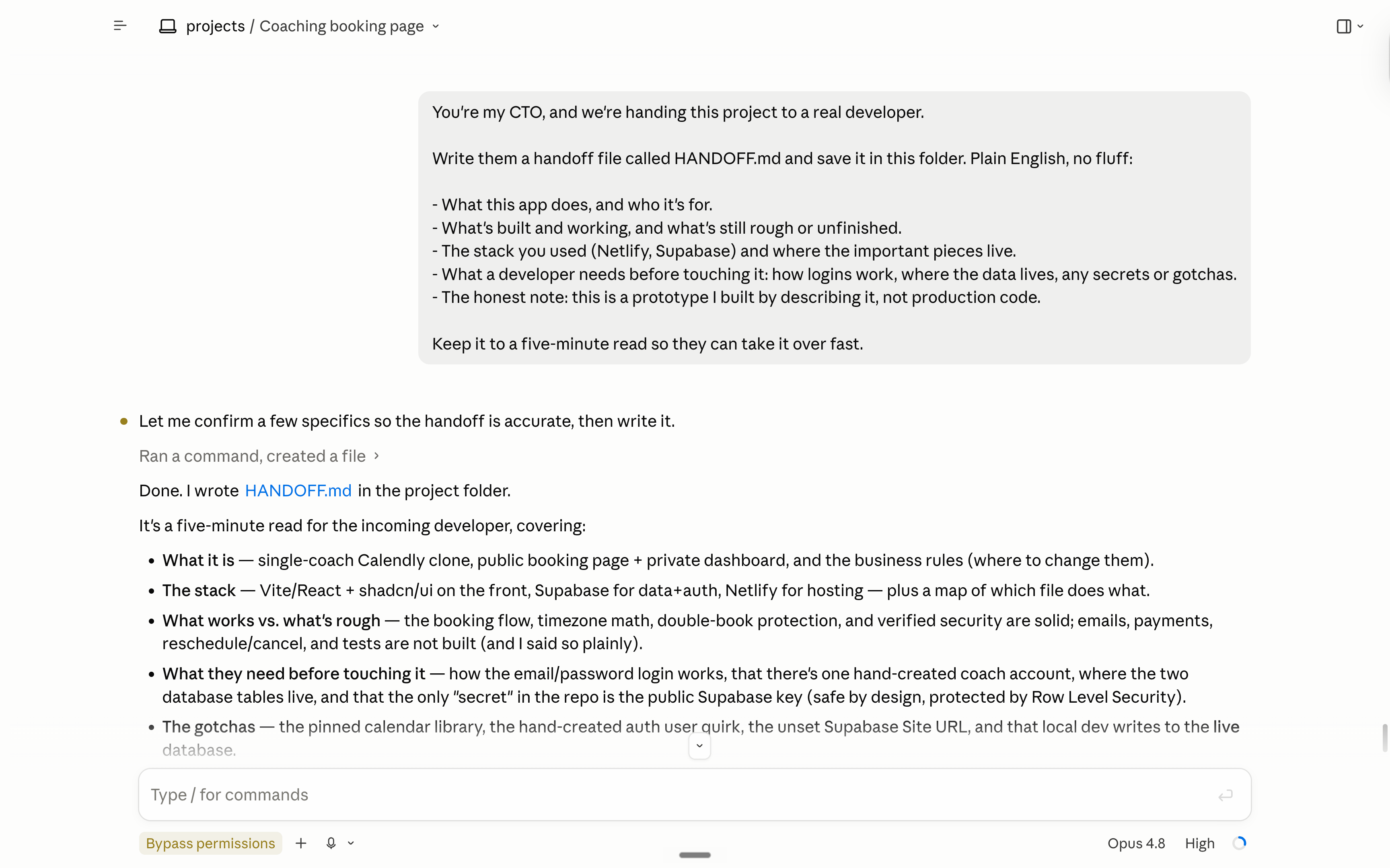
10. How to go faster with Claude?
Claude Code is pretty technical still. Even with my super-easy guide.
So a few things to do first:
Claude for Dummies. This is the best way to start for Claude.
Claude Cowork. The next level when it comes to Claude.
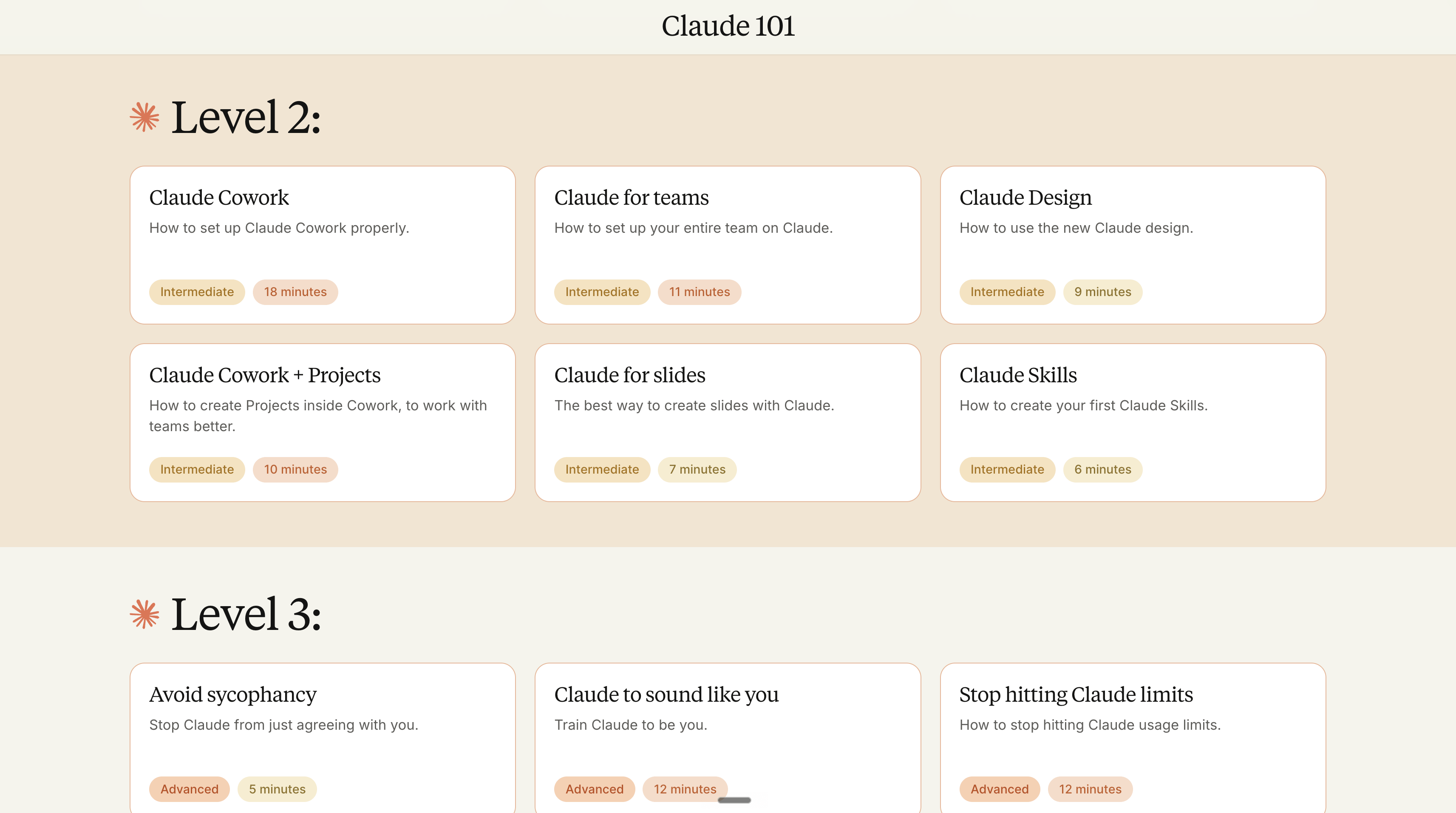
claude101.com: every free guide about Claude.
But I’ll tell you what, a little secret between me & you: you should not learn AI by yourself. It’s too much for one person.
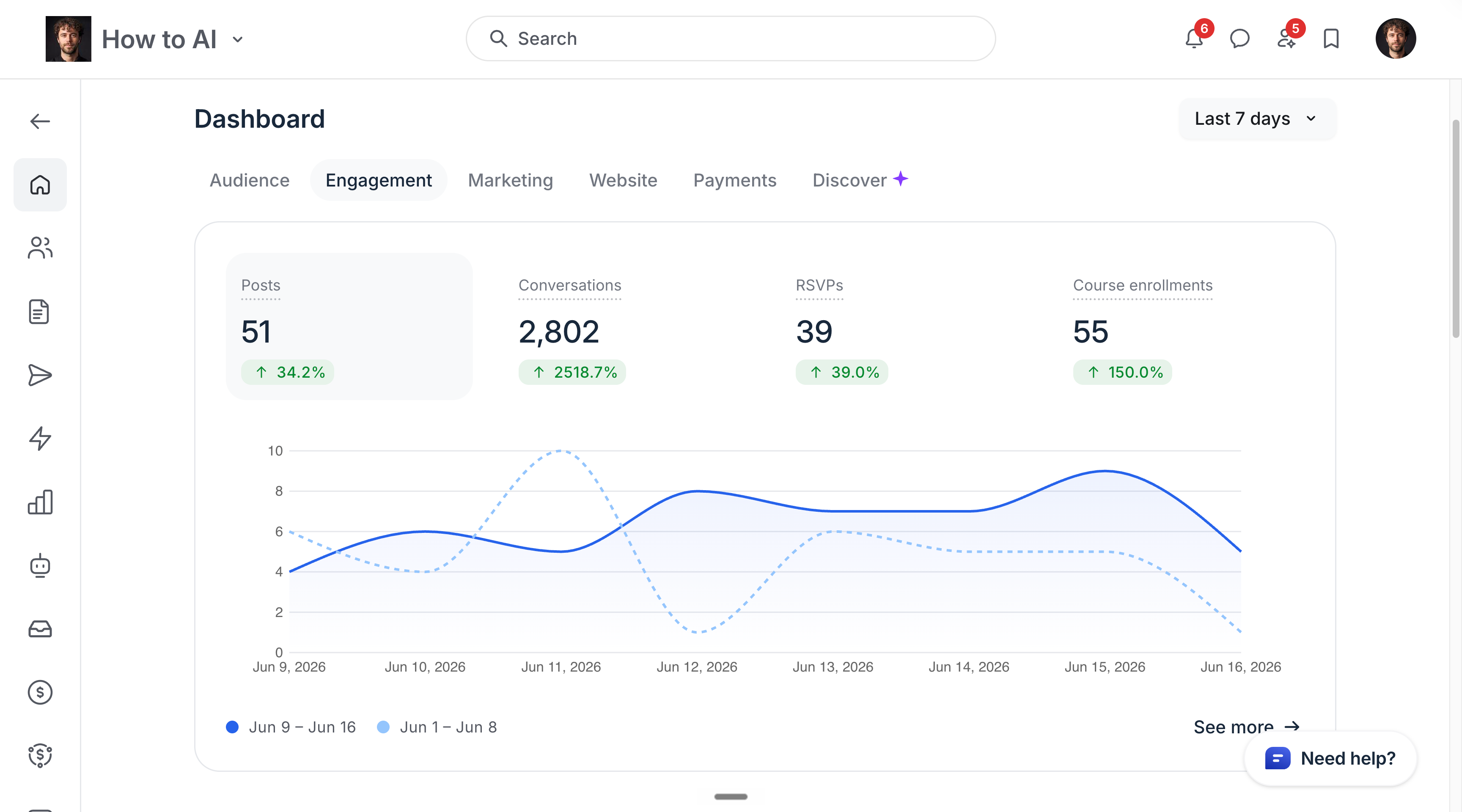
So if you are alone, or at a company of <50 people. You should learn by yourself, with your team. For free with my newsletter. Or you join my Circle (it’s $200 per year).
But if you are at a company of 50+ people. You can’t do much by having a few of you mastering Claude, but not the rest. Getting 50 people to adopt AI is not the same as getting 1 person to adopt it. Send me a message, and I’ll assess your company for free on a discovery call.
11. I am not paid by Claude.
I don’t care about Claude, or any other AI model.
I don’t pick sides.
I’m not paid to make this newsletter.
I’m sharing, twice a week, how my work is changing (very fast) with AI.
As I’m trying to keep up, I want you to keep up.
Remember how I have been begging you to switch to Claude in December 2025, so you stay ahead. Well, I will continue to do so for any future upgrades.
Because I want to be the greatest filter to the AI noise. And 700,000 people trust me to be their filter.
Some came because of my LinkedIn, or my X account.
But most readers subscribed because someone they trusted sent them one of my articles.
If this article helped you, be that person for someone else (and share it):
Sharing does not cost you anything. And it supports my work & your team!
If someone did send you this, thank them and subscribe for free here:
I did build a website using Claude Code CLI. Claude is awesome. Still, I wish I'd found Ruben before I started -- such great tips and insights!
I have already subscribed, please share. Thanks Ruben.