
Prompt 4.7
You prompt (the new) Claude wrong.

Claude is the best AI.
And Claude’s best model is Opus 4.7.
The better you prompt it, the better results you get.
Anthropic, Claude Parent’s company, just wrote a 31-page PDF on prompting 4.7. Prompting the new Claude is drastically different than the old one.
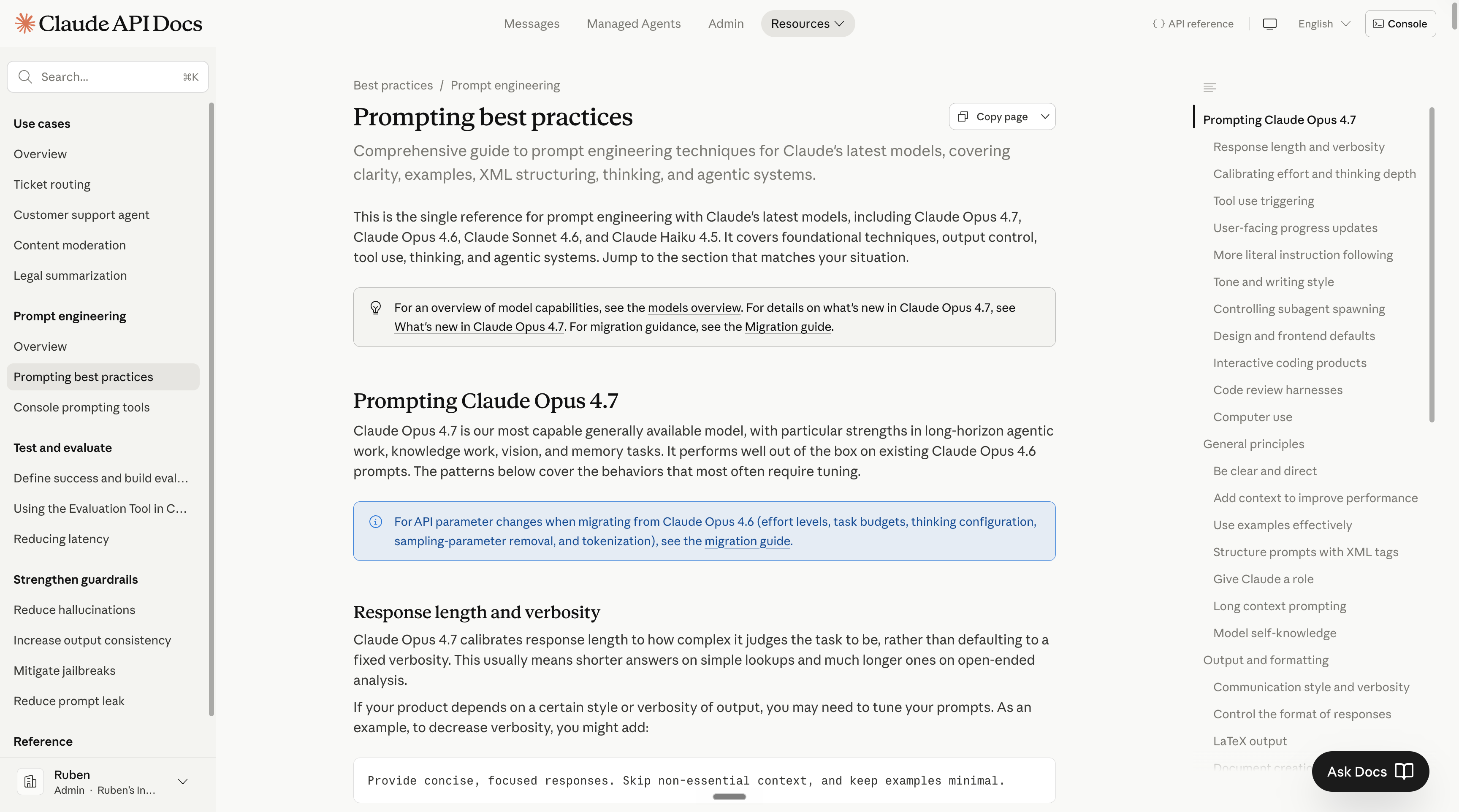
But if you read my newsletter, it’s because you don’t want to read a 31-page-long document on how to prompt. I feel you.
So I spent the weekend on it for you to easily know:
How to prompt Claude 4.7
How not to prompt Claude 4.7
Before starting, I want you to do two things:
Save this & block 20 minutes this week to try Claude.
Share it with anyone who is looking for an easy guide on prompting Claude.
PS: This newsletter grows from your shares. And I keep hitting 1,000+ shares! It’s my weekly north star. Sharing is free & helps me stay laser focused on mastering AI for you.
I - Old Claude vs. New Claude.
The new Claude is Opus 4.7. A reminder on where to find it:
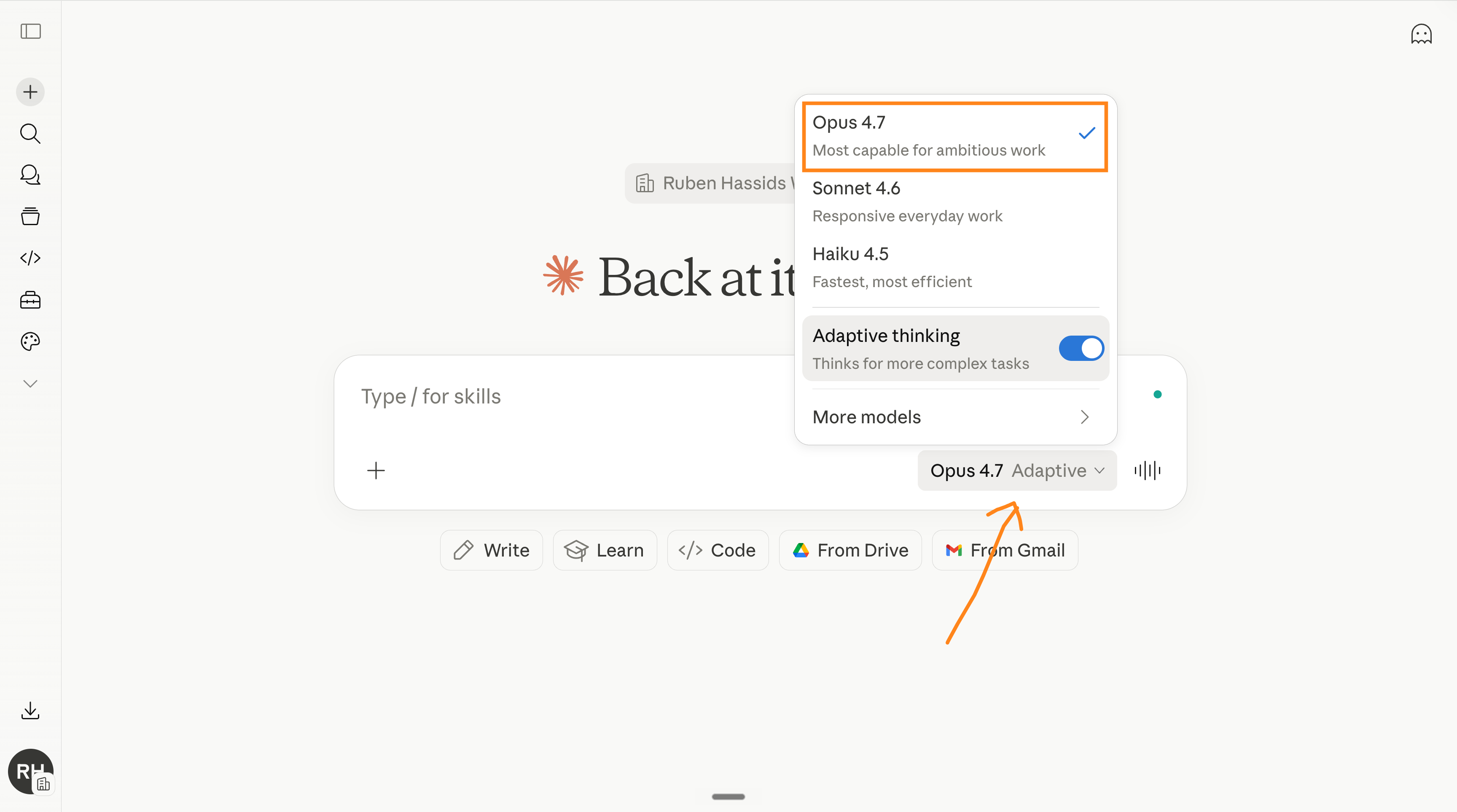
This is how to prompt the new Claude:
Step 1: Replace “review” with the actual scope.
Before (4.6): Claude would try to understand what you meant, with freedom.
After (4.7): Does exactly what you typed.
Old:
Review this contract.New:
Review this contract. Flag risks per clause. Rate severity 1-5.
Suggest one rewrite per risky clause. Return as a table.
The fix: Name every output. Name the order. Name the boundaries.
Step 2: Define length.
Before (4.6): Roughly the same length each time, regardless of input size.
After (4.7): Sizes the answer to what it thinks the task is. Long input + “summarize” = long summary. If you want a short summary, be explicit.
Old:
Summarize this report.New:
Summarize this report in exactly 5 bullet points.
Each bullet under 15 words. First word of each bullet: an action verb.
The fix: Name the format and the cap.
Step 3: Use positive instructions only.
Negative instructions stick to the literal sentence on Claude 4.7.
They don’t work. (it’s kinda funny to say “don’t be negative” which is negative).
Old:
Don't use jargon. Don't use buzzwords. Don't sound like a marketer.New:
Write in plain English a 16-year-old could read aloud.
Use short, concrete words: simple, specific, real.
Replace "leverage" with "use." Replace "scalable" with "works at any size."
Step 4: Use action verbs only.
Each action verb tells Claude 4.7 to ship something specific. And 4.7 loves that.
Old:
Can you help me with the email?New:
Go to my Gmail. Find [contact] and read our last conversation.
Write the answer email. Final draft. Send-ready.
Goal: book a meeting with the CRO of Snowflake by Friday.
Length: under 90 words.
Tone: confident, casual, specific.
You need to use Claude Connector for this, to connect your apps like Gmail to Claude.
My next newsletter is about Claude Connectors. Subscribe for free to not miss it:
Step 5: Calling “tools”.
A “tool” is, for example, when Claude goes to the web to find information.
Before (4.6): Called tools frequently.
After (4.7): Calls fewer tools. Reasons more between calls.
The fix:
If quality is good, trust the new default.
If you want more tool use, prompt explicitly. For example:
Use web search aggressively. Verify every claim with at least 2 sources.Step 6: The new tone.
Before (4.6): Warmer. Validation-forward. “Great question!” energy. More emojis.
After (4.7): More direct. Less validation. Almost zero emojis.
The fix (if you want a warmer tone back):
Use a warm, conversational tone. Acknowledge the user's framing before answering.Even better: paste 2-3 sentences in the voice you want, and tell Claude to match the rhythm of those examples. Or build your about-me file before (here’s how).
Step 7: Add “go beyond the basics” on creative tasks.
This phrase is from Anthropic’s own Claude 4.7 doc. It pushes 4.7 past the literal minimum on creative or open-ended work. Feels great when you finally try it!
Old:
Build a landing page for my AI consultancy.New:
Build a landing page for my AI consultancy.

Sections (in this order):
- Hero (headline + subheadline + CTA)
- Logo bar (6 client placeholders)
- 3 case-study cards (problem / what I did / result)
- Service blocks (workshops, deployment, sprints,
  fractional Chief of AI)
- Testimonial carousel (3 quotes)
- About me (180-word bio + headshot placeholder)
- Newsletter signup
- Footer

Style: editorial, serif headlines, sans-serif body, generous whitespace.
Animations: subtle on scroll. No purple gradients.

Go beyond the basics. Polish like it's a real client deliverable.II - The trick to bypass adaptive thinking.
Models like Claude have a “thinking” mode in which they think before answering. This gives you much better answers every single time.
But the new Claude does not reason by default. They call it “adaptive thinking”.
Here’s a trick to make sure Claude always uses the maximum reasoning:
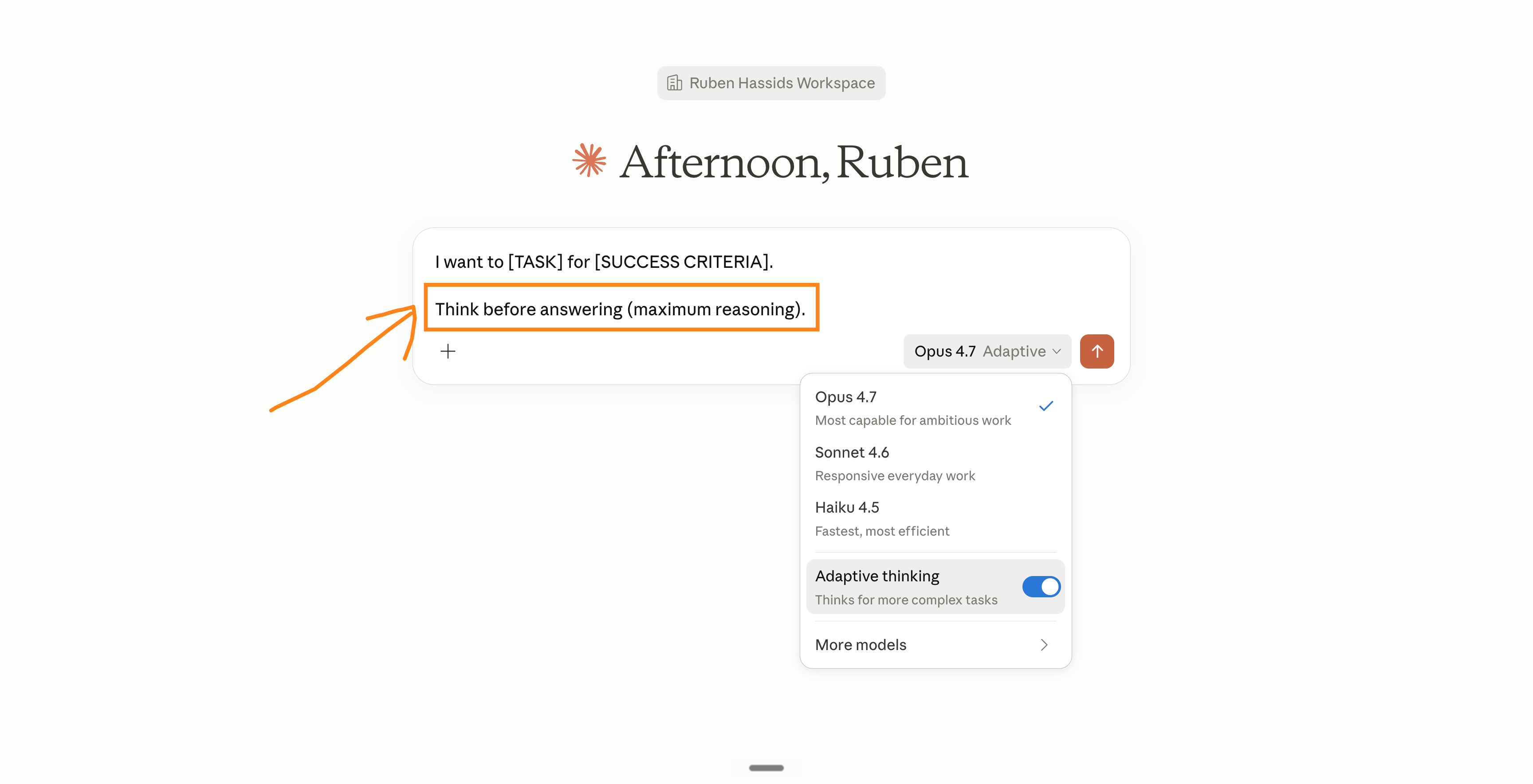
The prompt trick at the end: “Think before answering (maximum reasoning)”.
III - Have a Claude /skill to prompt for you.
A “skill” in Claude is a command with tons of instructions pre-built.
I wrote a newsletter on Claude Skills right here.
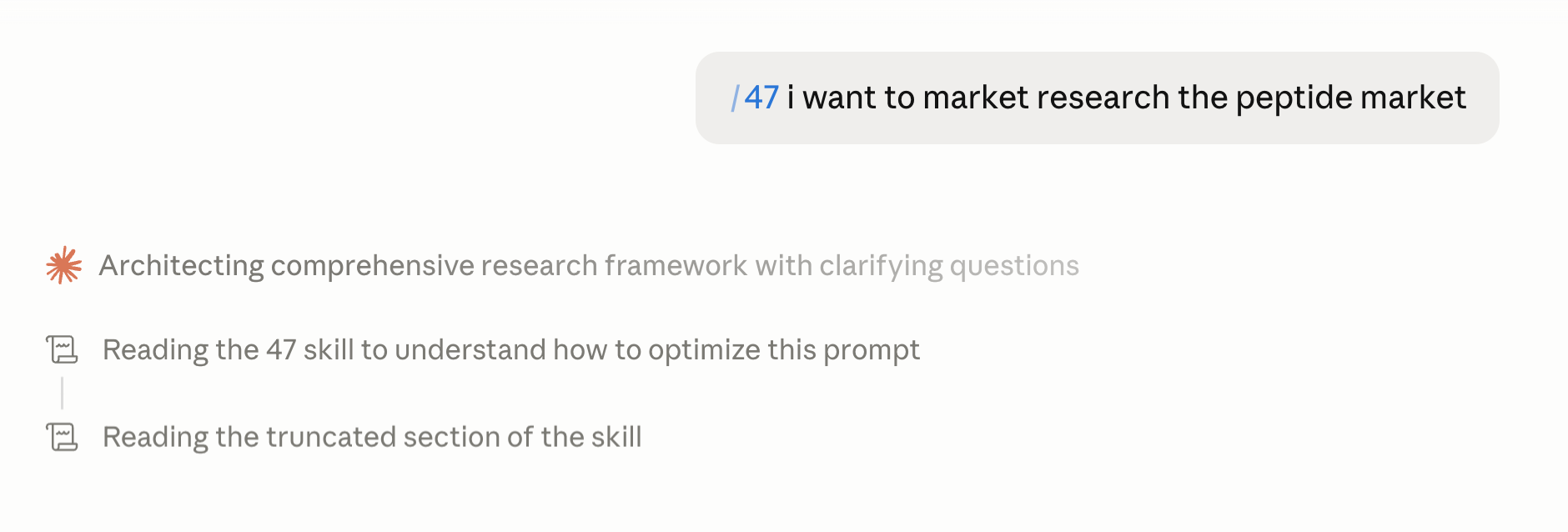
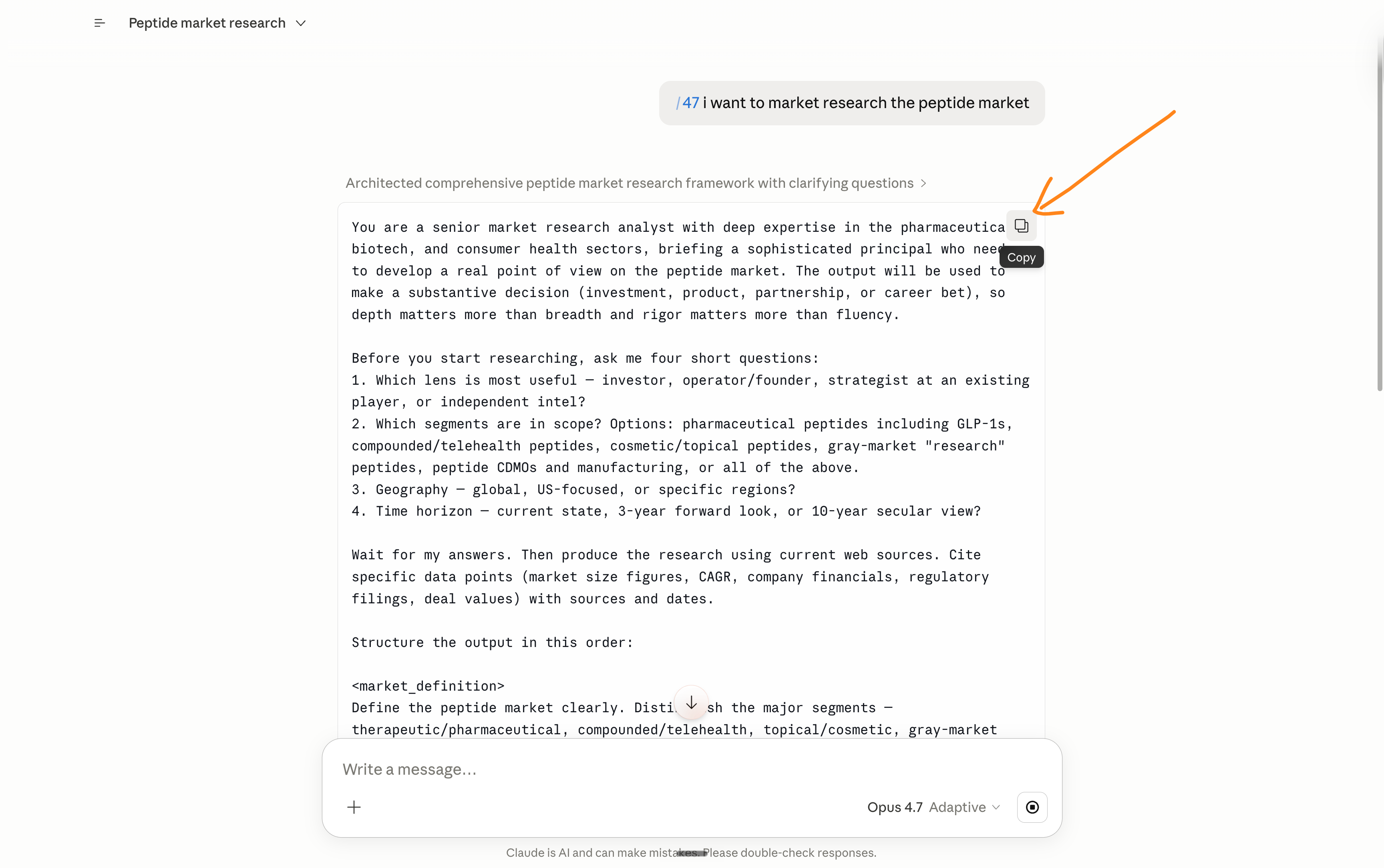
And I made a skill to turn any lazy prompt into an Opus 4.7-optimized one.
Here’s an example:
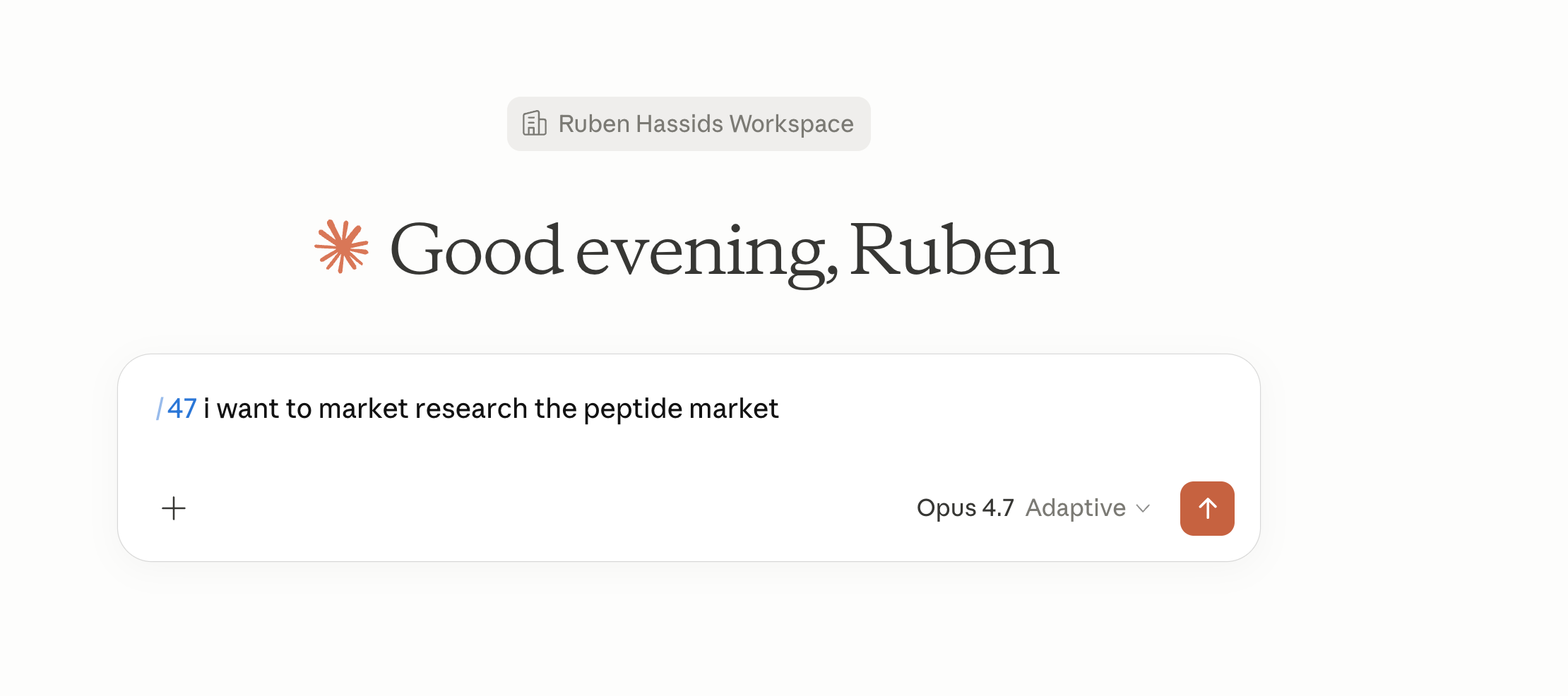
Then Claude will use my skill and think about the answer:
You can easily copy the new prompt:
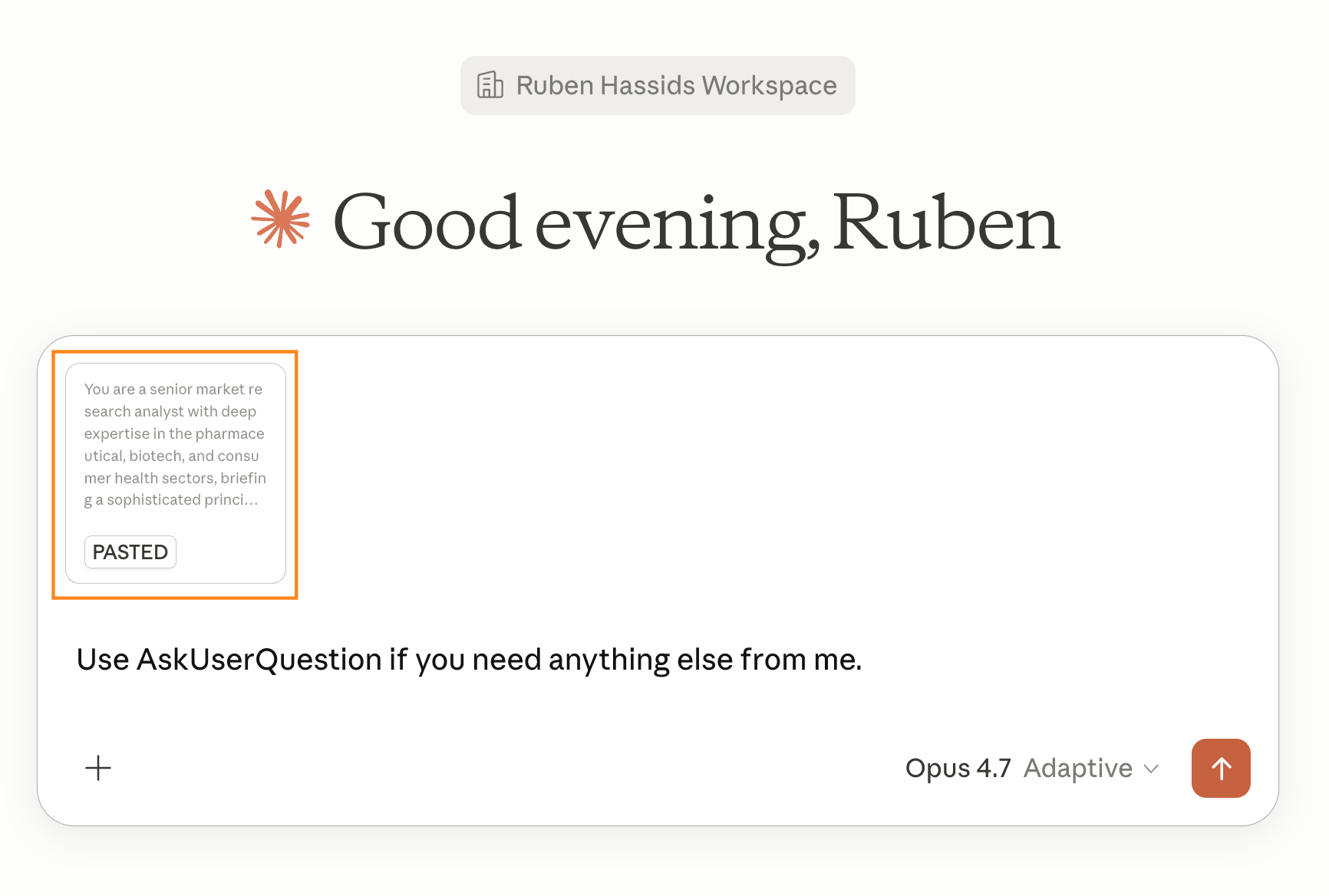
And then paste it in a new chat:
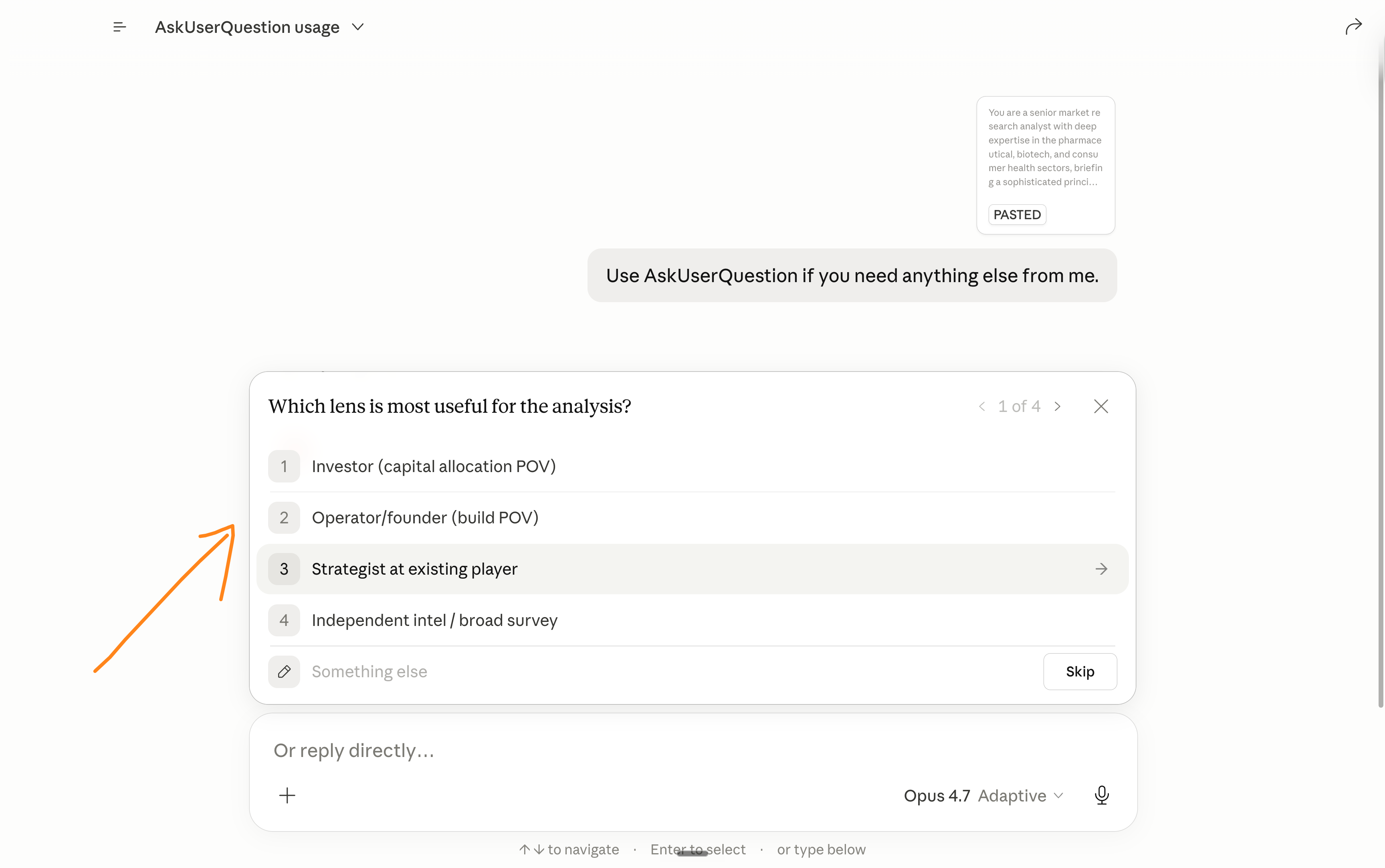
And click on the new form it generated:
If you also want this skill, follow these instructions:
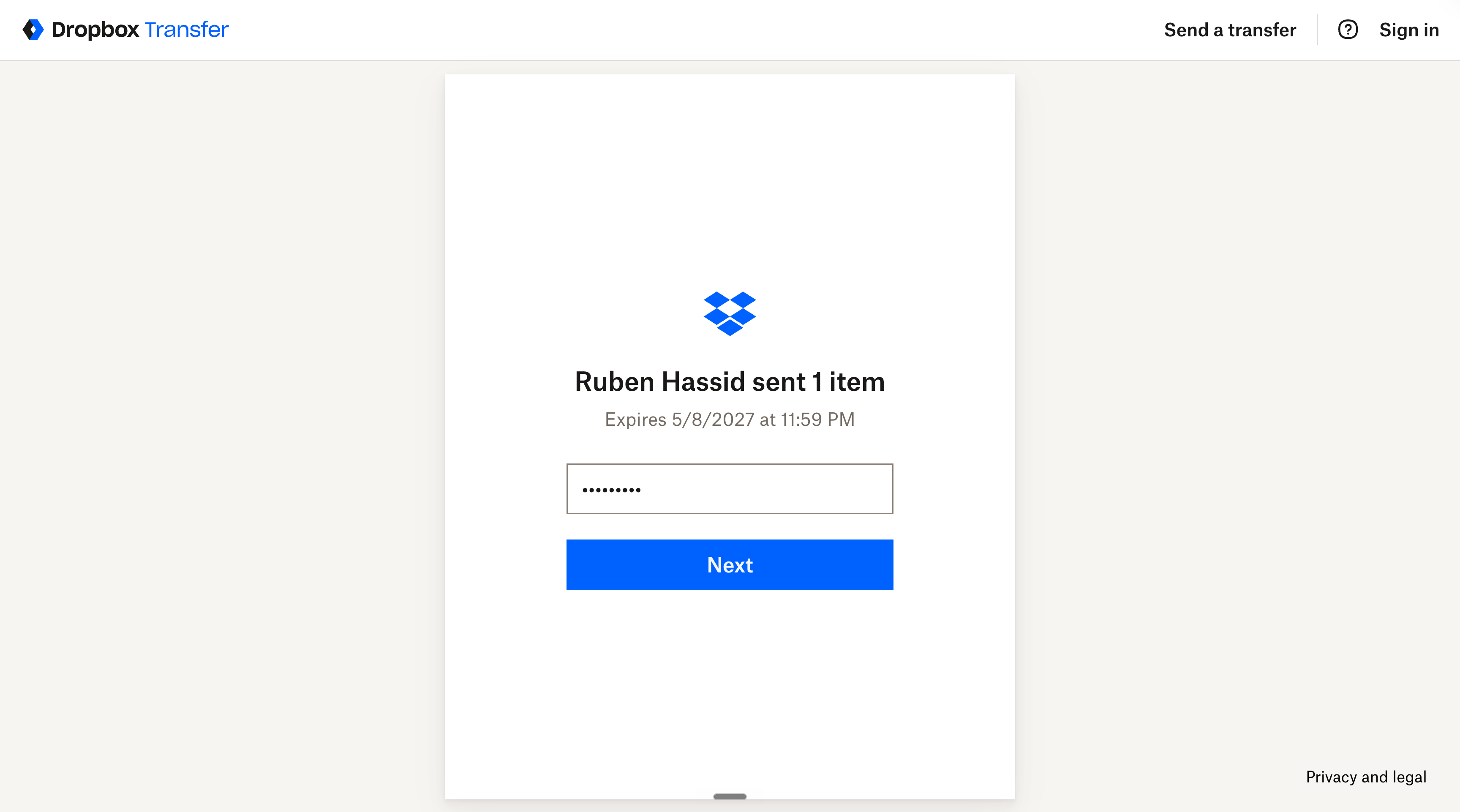
Download my skill → here (and use the password: HOW-TO-AI).
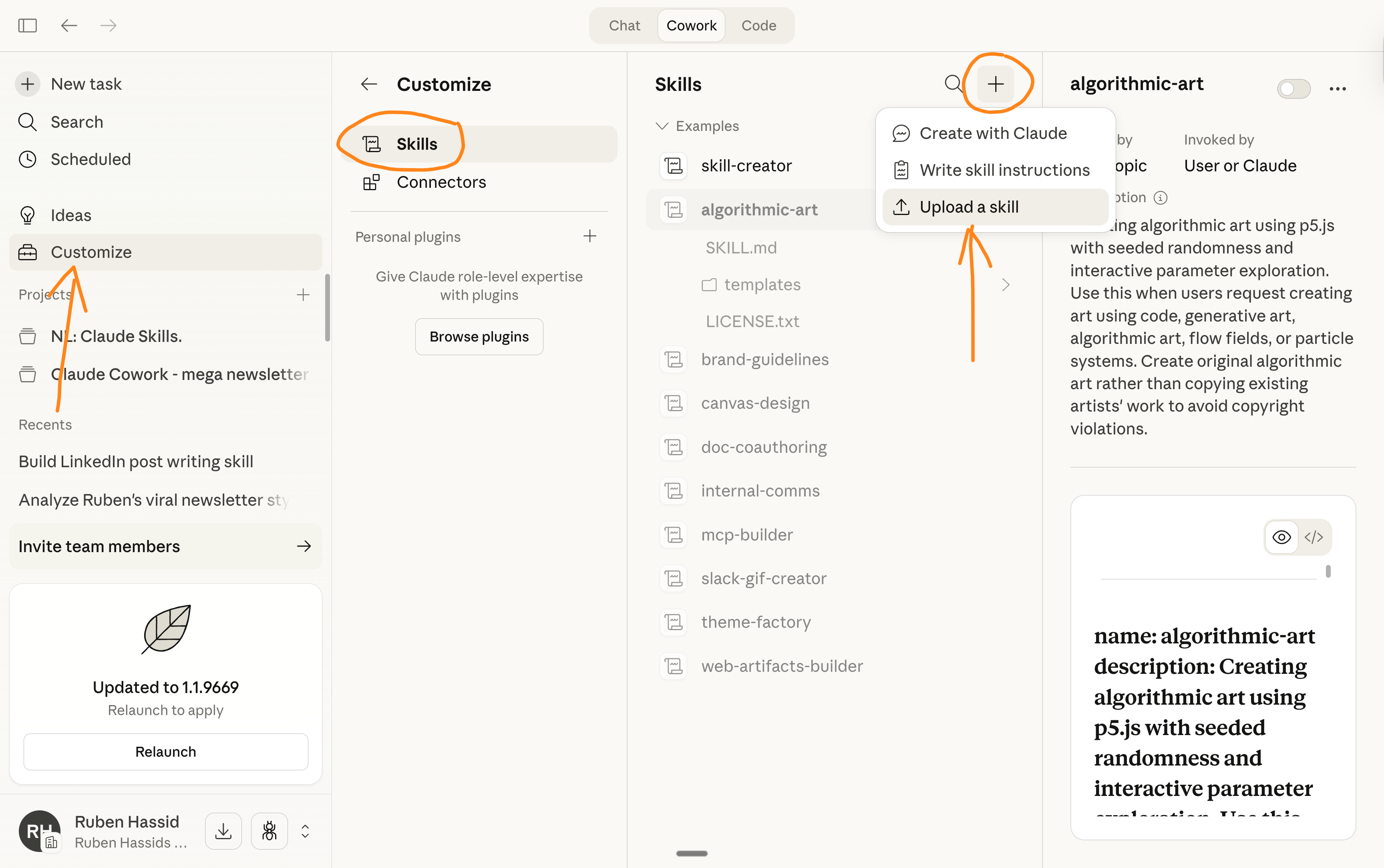
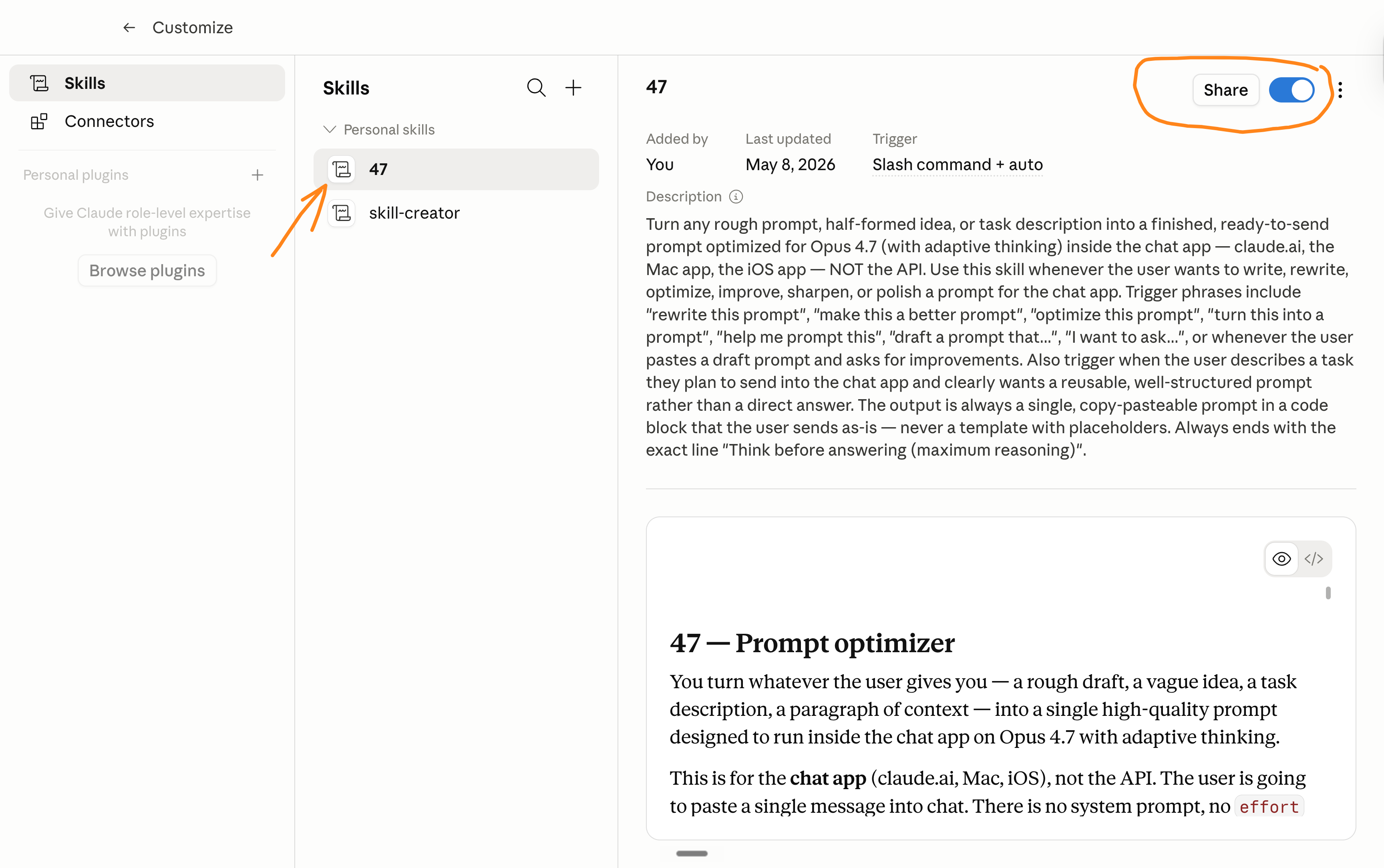
Then upload the skill inside Claude.
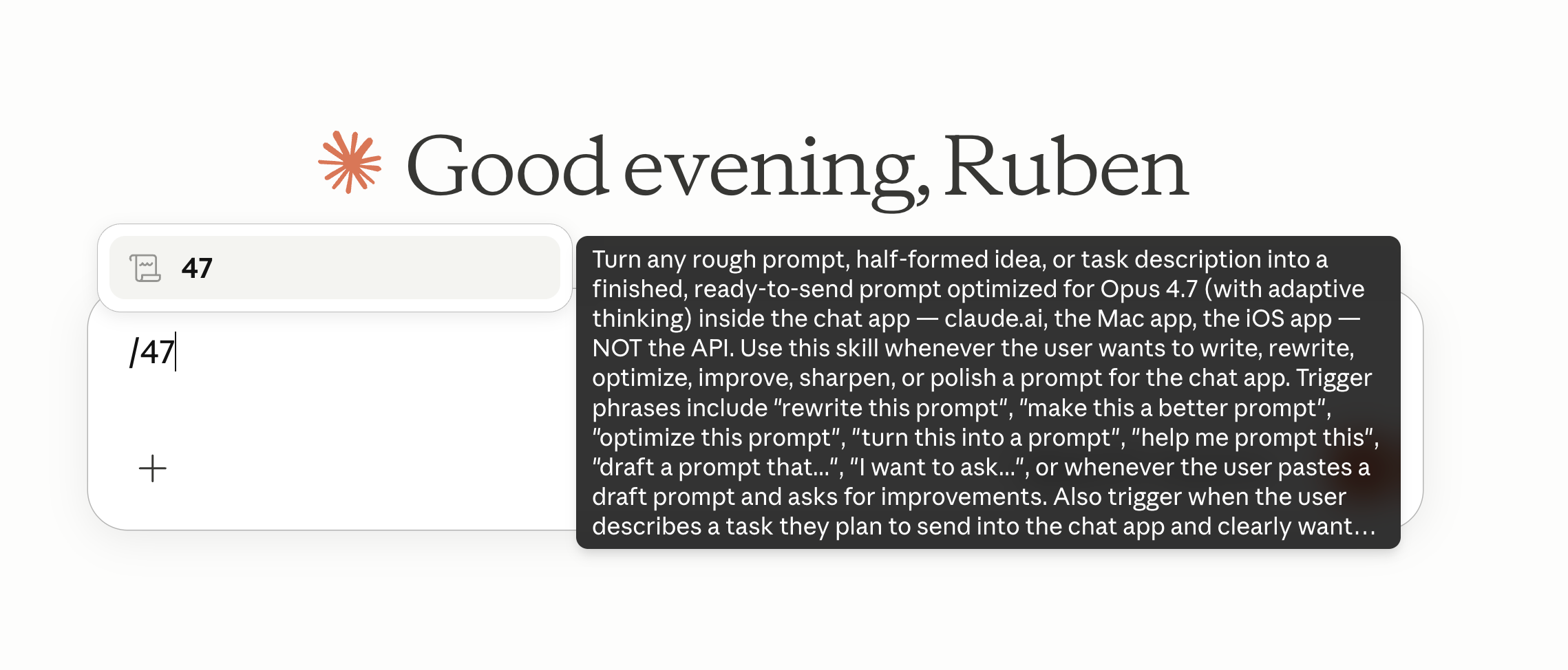
Once done, just type /47.
Here’s the visual explanation, step-by-step:
I am not paid by Claude to write this.
I don’t care about Claude, or any other AI model.
I don’t pick sides. I’m not paid to make this newsletter.
I’m sharing, twice a week, how my work is changing (very fast) with AI.
As I’m trying to keep up, I want you to keep up.
Remember how I have been begging you to switch to Claude in January, so you stay ahead. Well, I will continue to do so for any future upgrades.
Because I want to be the greatest filter to the AI noise. And 500,000+ people trust me to be their filter. Some came because of my LinkedIn. But most readers subscribed because someone they trusted sent them one of my articles.
If this article helped you, be that person for someone else (and share it):
Sharing does not cost you anything. And it supports my work & your team!
If someone did send you this, thank them and subscribe for free here:
PS: I made this website to help people start with Claude → claude101.com.
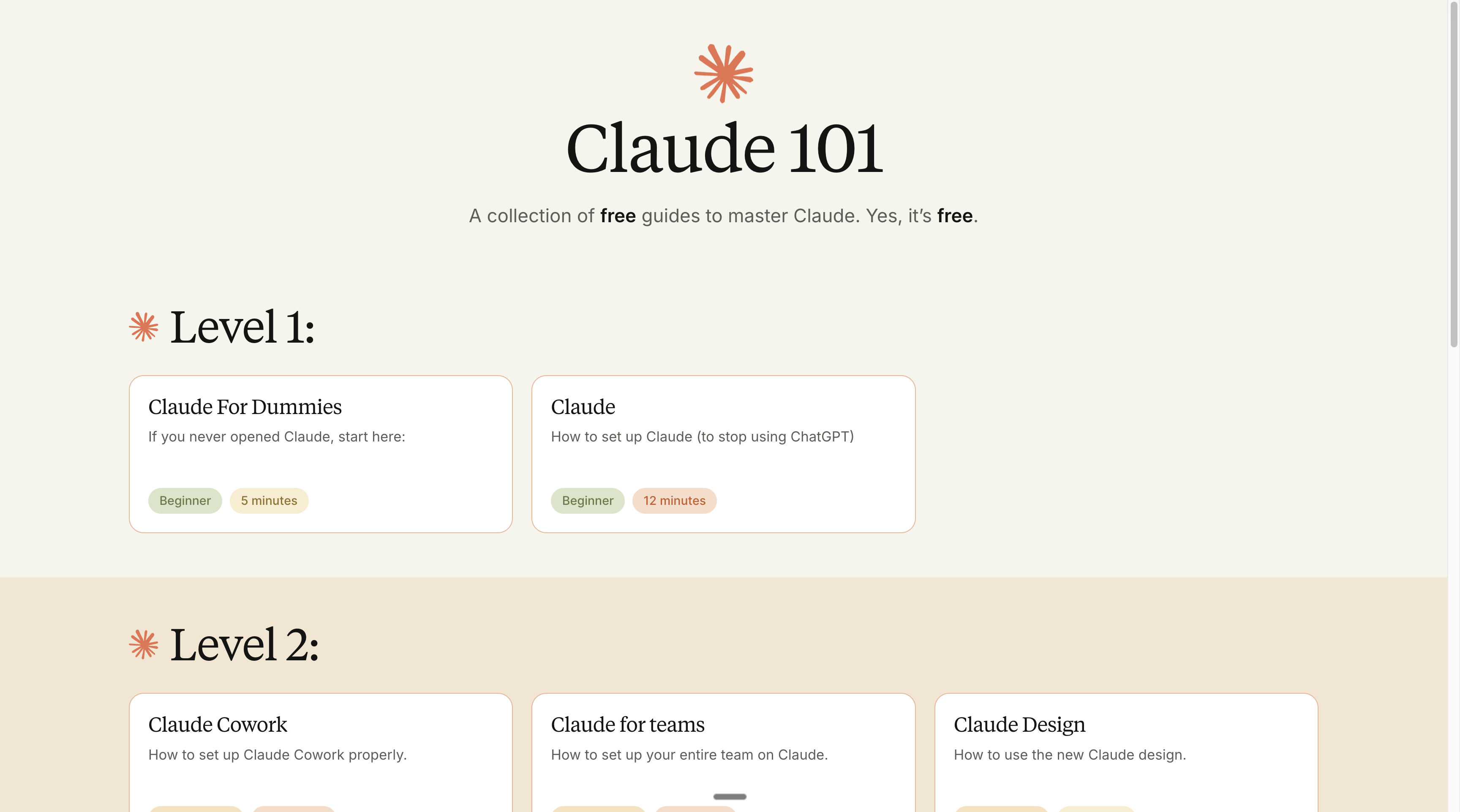
Claude101 is a list of all of my favorite Claude guides. They are all free.
You can share this too with your network → it’s simple: claude101.com
Ask me anything in the comment section. I make sure to answer every one of you.
Thanks Ruben, that's very helpful! What I don't get: before, every evolution of models got a bit better at inferring from prompts what the users want. I thought that's why prompt engineering is on the decline. Opus 4.7. seems like a step back in that sense. I understand that giving context and intent is always better. But e.g. in the landing page example it requires the user to know what sections are important to have or the user needs to first ask for the sections. Where exactly do you think opus 4.7 is better?