
Carousels.
How to make carousels (for Linkedin), with AI.
I spent 1,000+ hours making slides with AI.
Kimi, Gemini, NotebookLM, ChatGPT, Genspark…
Everyone wants to be the best tool to make slides.
But only one company is actually doing it for the taste.
And when it comes to LinkedIn Carousel, it’s even harder to make it with AI.
This newsletter is about the “how” of making a LinkedIn carousel, with the latest tool prompts and tricks, including examples & results.
This is not theory, but the practical steps to get there.
Here’s what you can expect at the end of this article:
How to make a Linkedin carousel, with AI.
My own Linkedin results using AI for carousels (video).
1. How to make a Linkedin carousel, with AI.
Just so that we talk about the same thing, a Linkedin carousel is:
✦ A PDF document (that usually gets the most engagement/views).
✦ Shared as a 1080 x 1350 format (4:5).
✦ Between 6-14 slides (ideally, it can be more or less).
Now here’s my most optimized step-by-step process:
Step 1: Context.
You must give AI enough context to make a solid Linkedin carousel.
A carousel - like any communication - is an opinionated statement.
Educate us on something we ignored. Tell us something. Make us feel.
Let’s take the example of getting context from my YouTube video.
Step 2: Extract the key information.
I use Gemini here to extract easily what’s on the YouTube video I selected.
First, make sure to use the Thinking model.
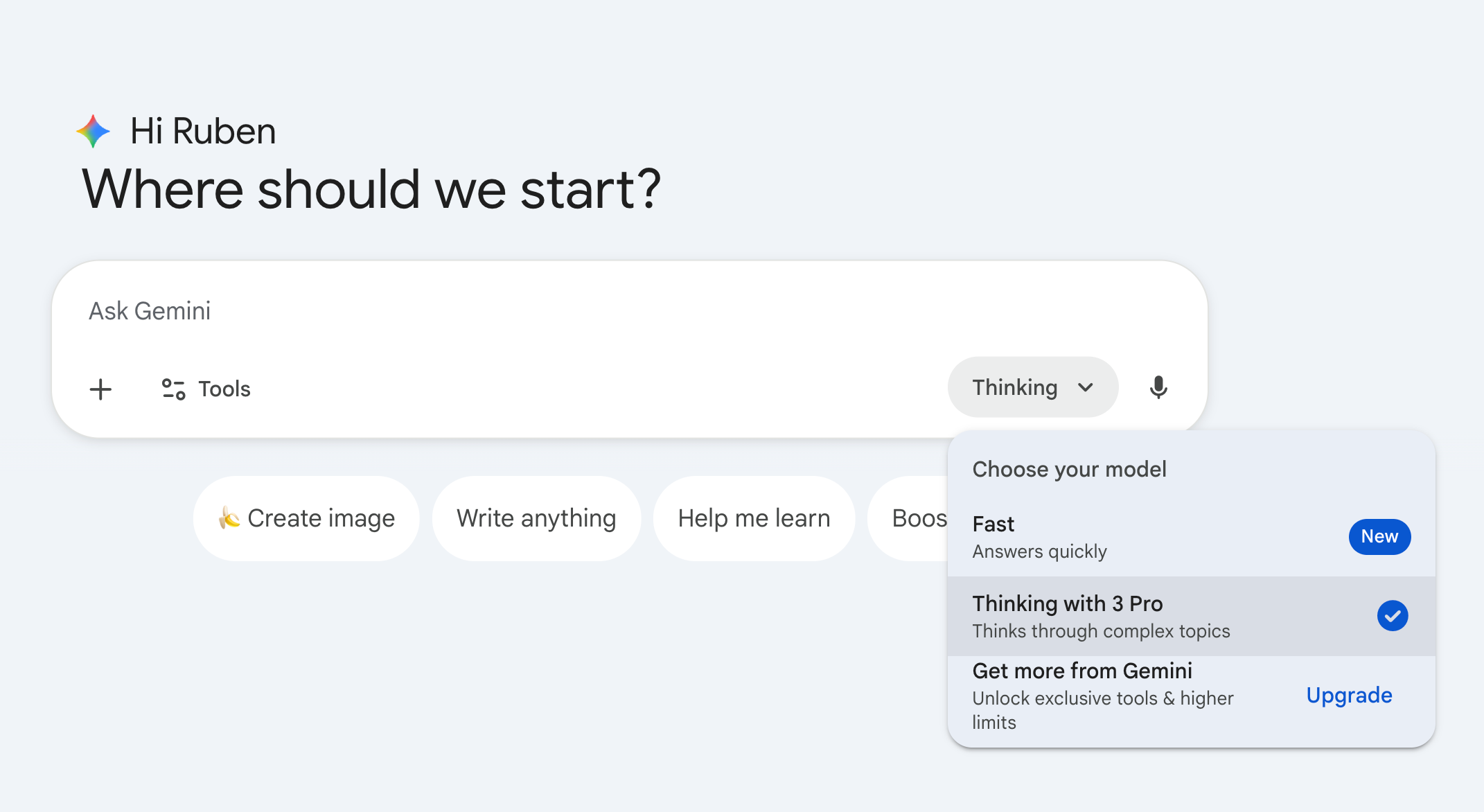
Then copy and paste this prompt:
Act like an expert Content Strategist and Senior Editor for a leading digital publication. Your goal is to repurpose video content into high-value written pieces that drive engagement.
Please analyze the following YouTube video: [YOUTUBE LINK].
Part 1: The Extraction
First, provide a comprehensive breakdown of the video content. Do not just summarize; extract the “meat” of the content using the following structure:
Core Thesis: What is the single most important argument or lesson in one sentence?
Key Data/Facts: List specific numbers, case studies, or hard facts mentioned.
Golden Quotes: Extract 3–5 verbatim quotes that are punchy or profound.
The Framework: If the speaker uses a specific step-by-step process or mental model, outline it clearly.Part 2: The Angles
Based only on the extraction above, pitch 5 narrow, specific article angles.
Constraint: Avoid generic titles like “Summary of [Video Name].”
Requirement: Each angle must take a specific slice of the content and expand on it.
Format: Provide a catchy headline plus a one-sentence premise for each angle.Example of a “Narrow Angle”
Bad: How to do Sales.
Good: The “3-Call Close” Technique: Why Most Salespeople Fail in the Follow-up.
Gemini will then pitch you 5 angles to choose from for your Linkedin carousel.
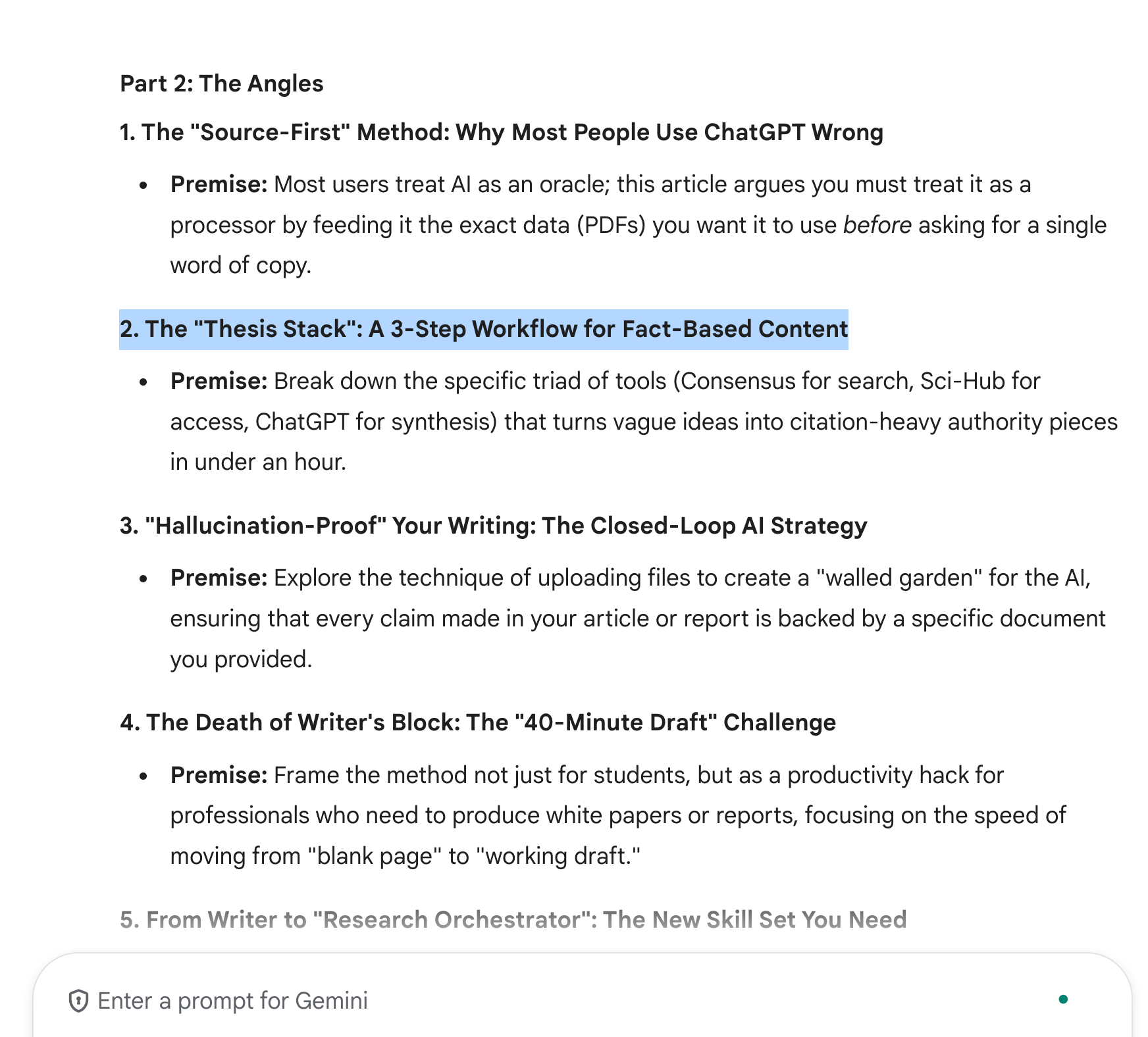
For our example, I selected the second angle “The Thesis Stack”.
Then you must follow-up with this prompt to create your carousel outline:
You are a specialized Ghostwriter for Thought Leaders on LinkedIn. Your task is to turn a specific angle into a high-retention, 10-slide carousel outline.
The Input Angle: [WHAT YOU CHOSE ON THE PREVIOUS PROMPT]
You must strictly focus on this angle, as closely as possible.
The Source Material: The youtube video I shared.
Your Formatting Rules:
No Fluff: Every slide must provide a specific insight, a lightbulb moment, or a counter-intuitive fact.
The Slide Breakdown:
Slide 1: The Hook. A polarizing or curiosity-gap headline that stops the scroll.
Slide 2: The Stakes. Why does this matter right now? What is the cost of inaction?
Slide 3: The Insight. The core thesis or the Golden Quote from the video.
Slides 4-8: The Value Meat. Break down the framework or facts into one aha moment per slide. Use specific data or steps from the video.
Slide 9: The Summary. A TL;DR (Too Long; Didn’t Read) checklist for readers to save or screenshot.
Slide 10: The CTA. A low-friction question to spark comments (e.g., Which of these 3 steps is your biggest bottleneck?).Structure each slide as:
[Slide #] [Slide headline Content]
[Text Content]
You will 10 slides, made for a Linkedin carousel.
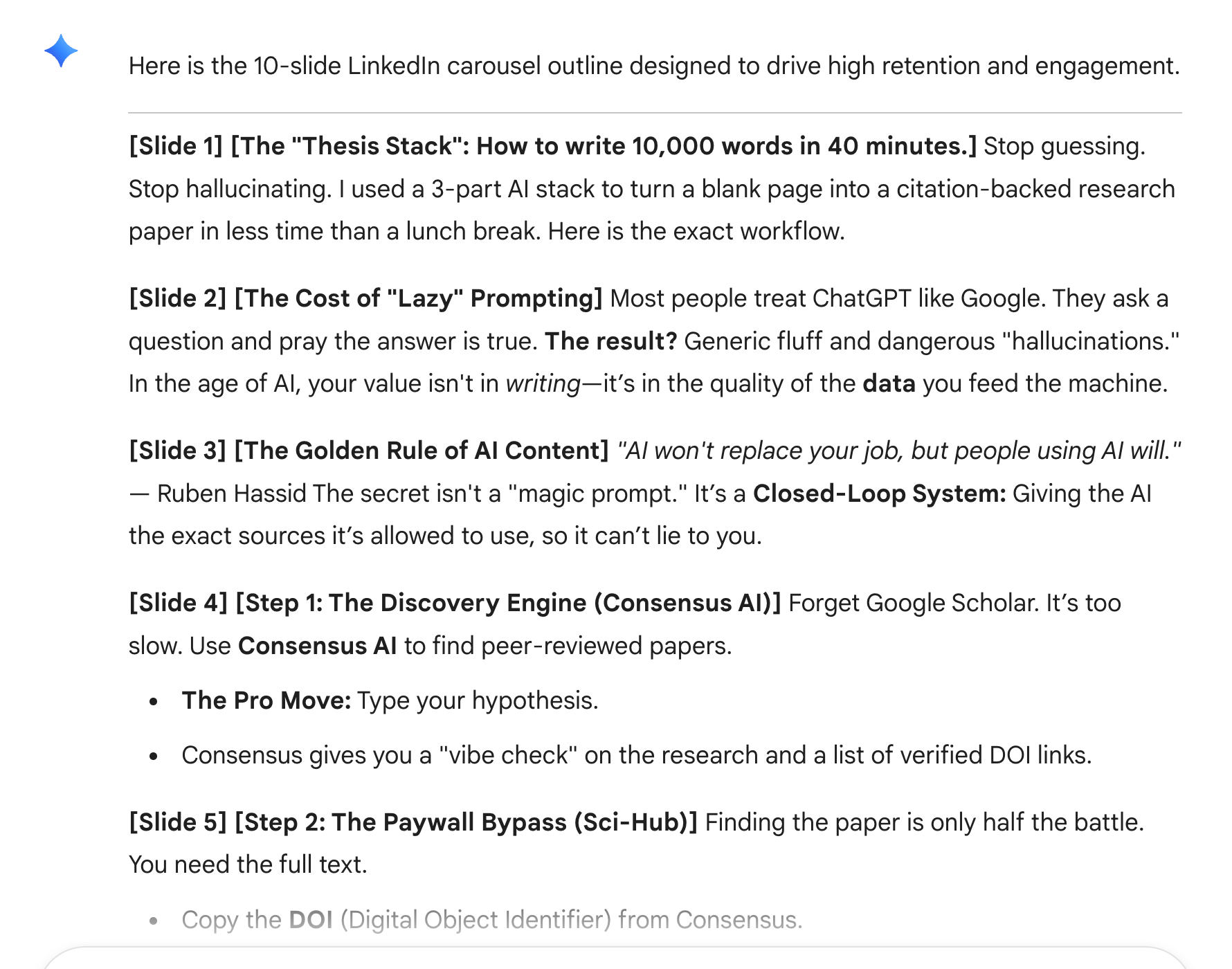
To check the example with my YouTube video, go to this link:
↳https://docs.google.com/document/d/10SWB6fhNpnEwvKbTMDN0DXfL0mUda_taRV692DcEVBc/edit?usp=sharing.
Now that we have (1) the right context (2) the carousel outline, it’s time to design.
Step 3: Go to Gamma.
It’s the best at making slides using AI.
There is just no competition.
But you must use it right. Here is my favorite workflow:
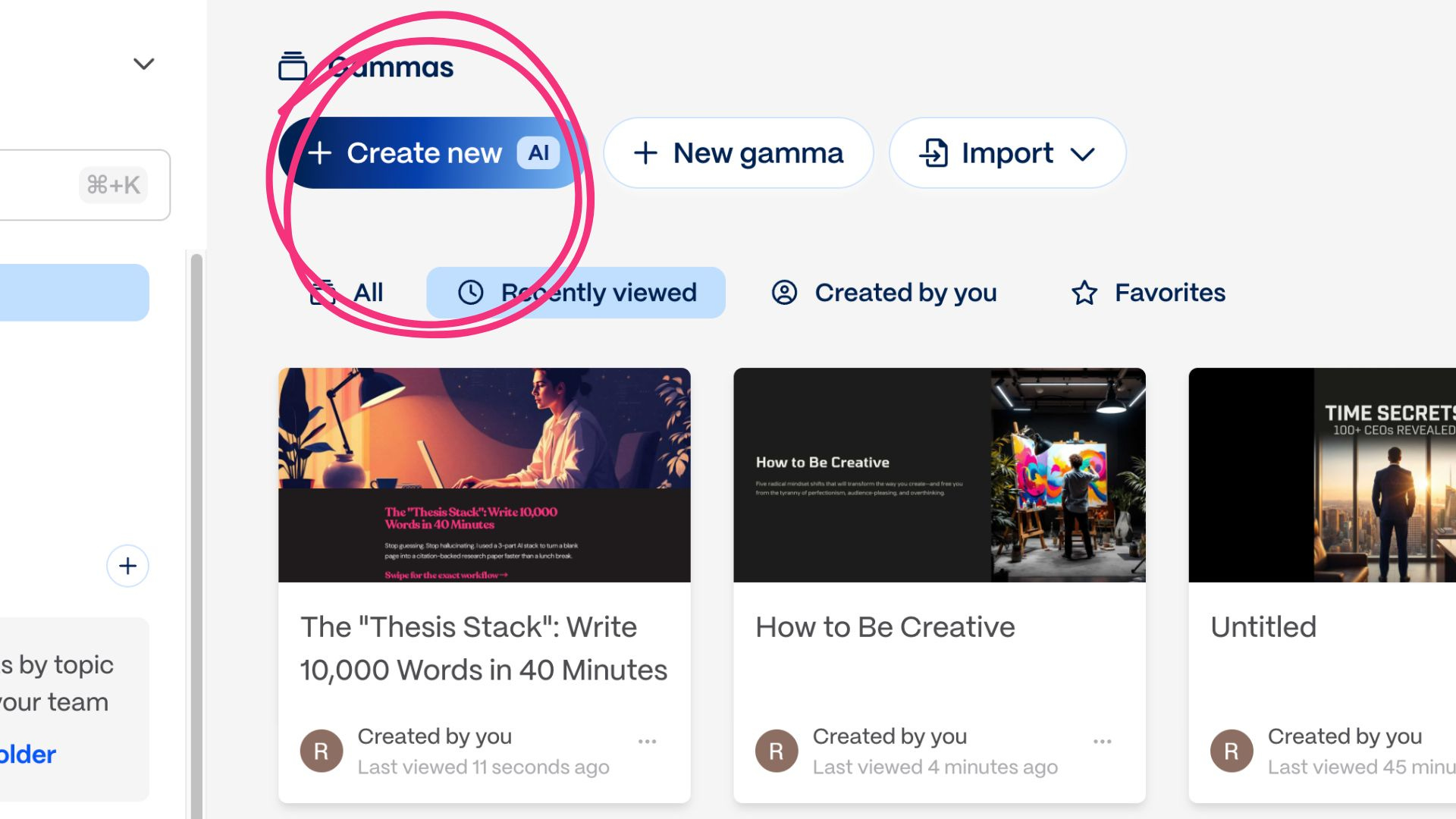
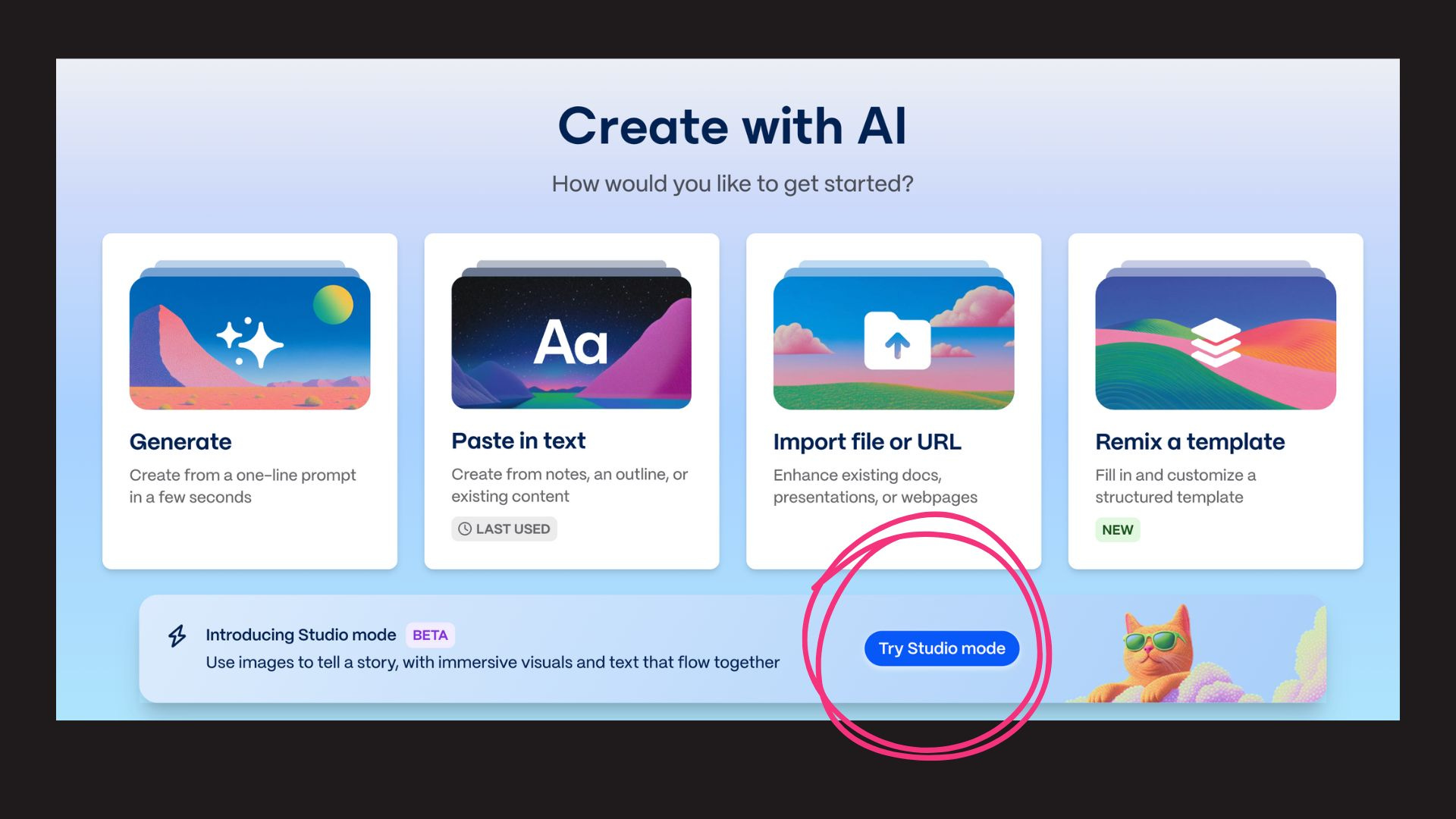
You must click on “Studio mode” to get the most of it.
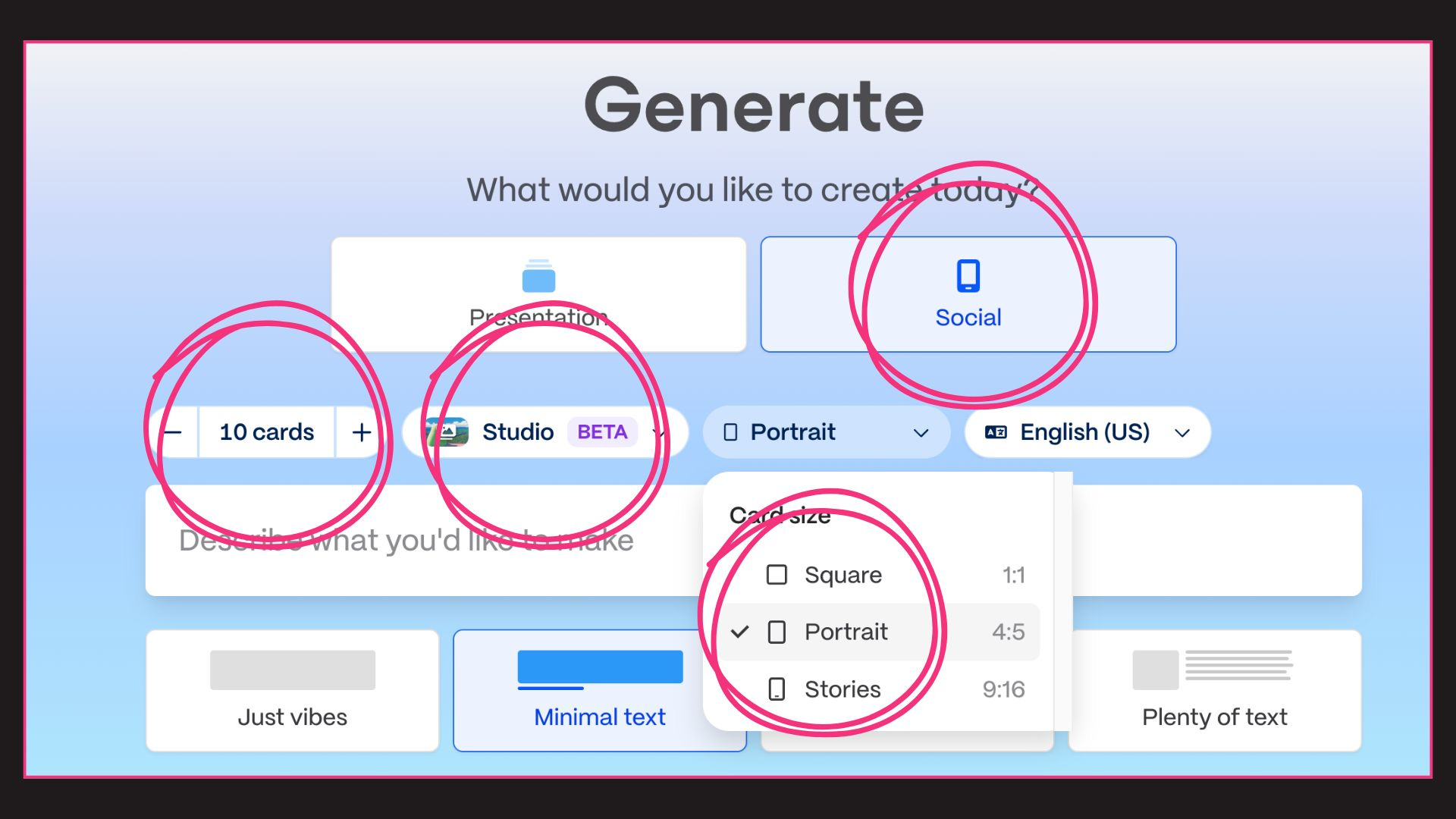
Make sure to select (1) social (2) 10 cards (3) Studio BETA (4) Portrait card size.
Then you simply paste your last answer from Gemini in the prompt box.
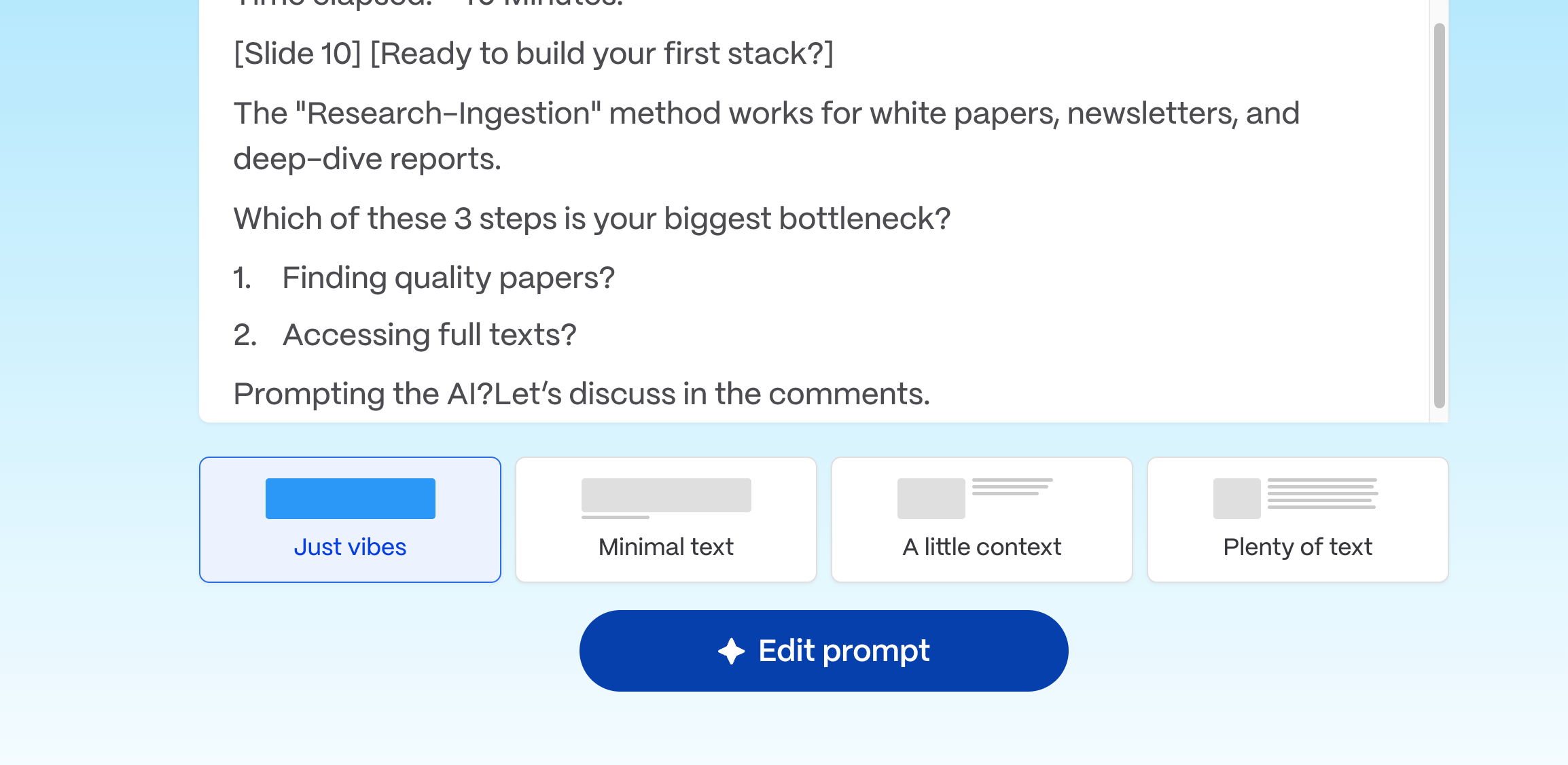
I like to select “Just vibes” on the quantity of text.
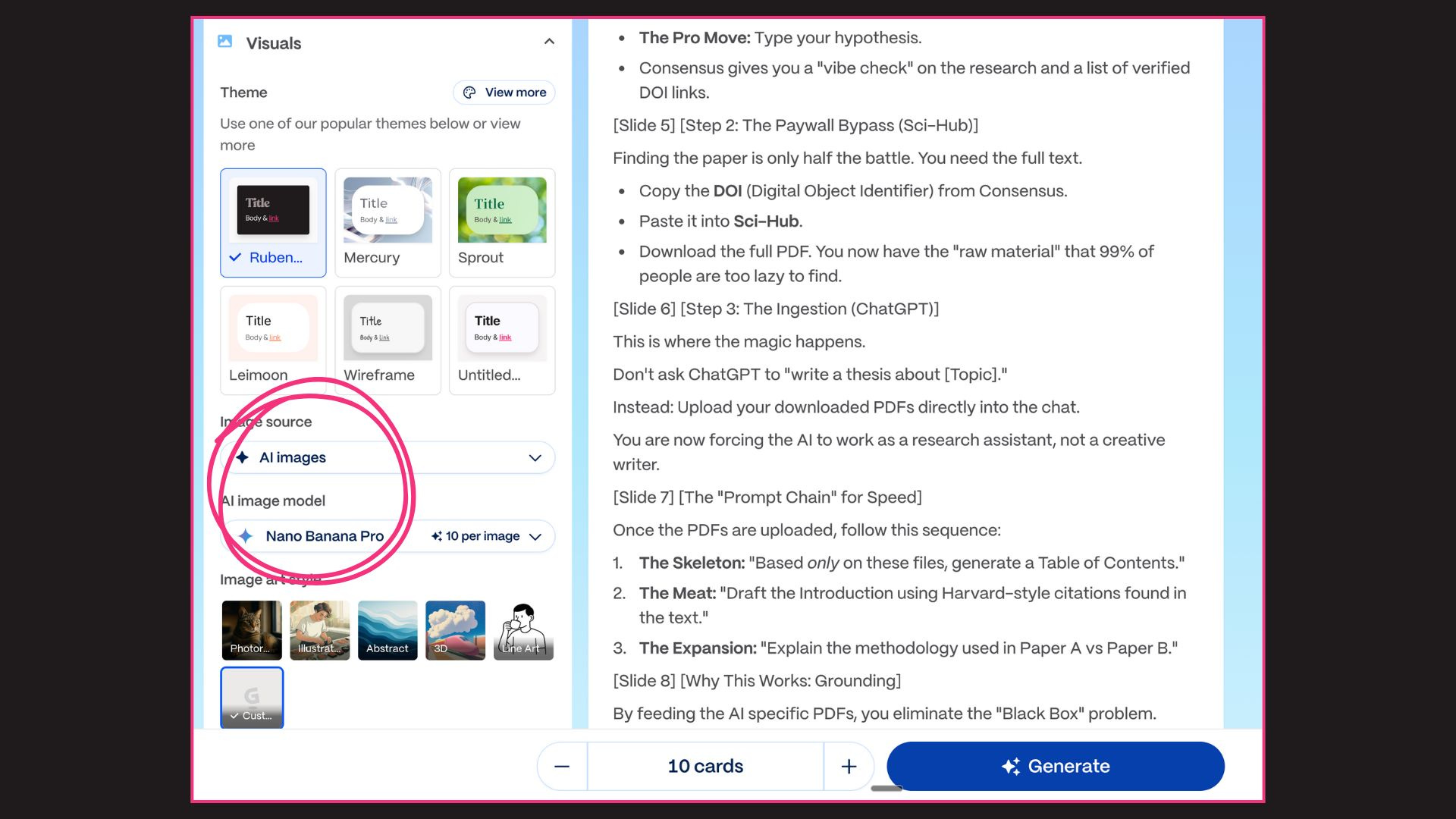
You have to select a theme (or make your own) + AI images source + Nano Banana Pro. It’s the best combo for perfect Linkedin carousels.
Check the full carousel: https://gamma.app/docs/The-Thesis-Stack-Write-10000-Words-in-40-Minutes-oumo19zkp4uirog.
But the way I make LinkedIn carousel is slightly different. I’ll share more on the next section of this newsletter.
Are you new? Access my archive: https://docs.google.com/document/d/1pWuMCBVQo1zKcgKltX_BZxAr31KgxmOlp3Vzvmc5Hxc/edit?usp=sharing.
2. My own Linkedin results using AI.
My job is to make content.
So I use AI slightly differently to make Linkedin carousels, and get these results:
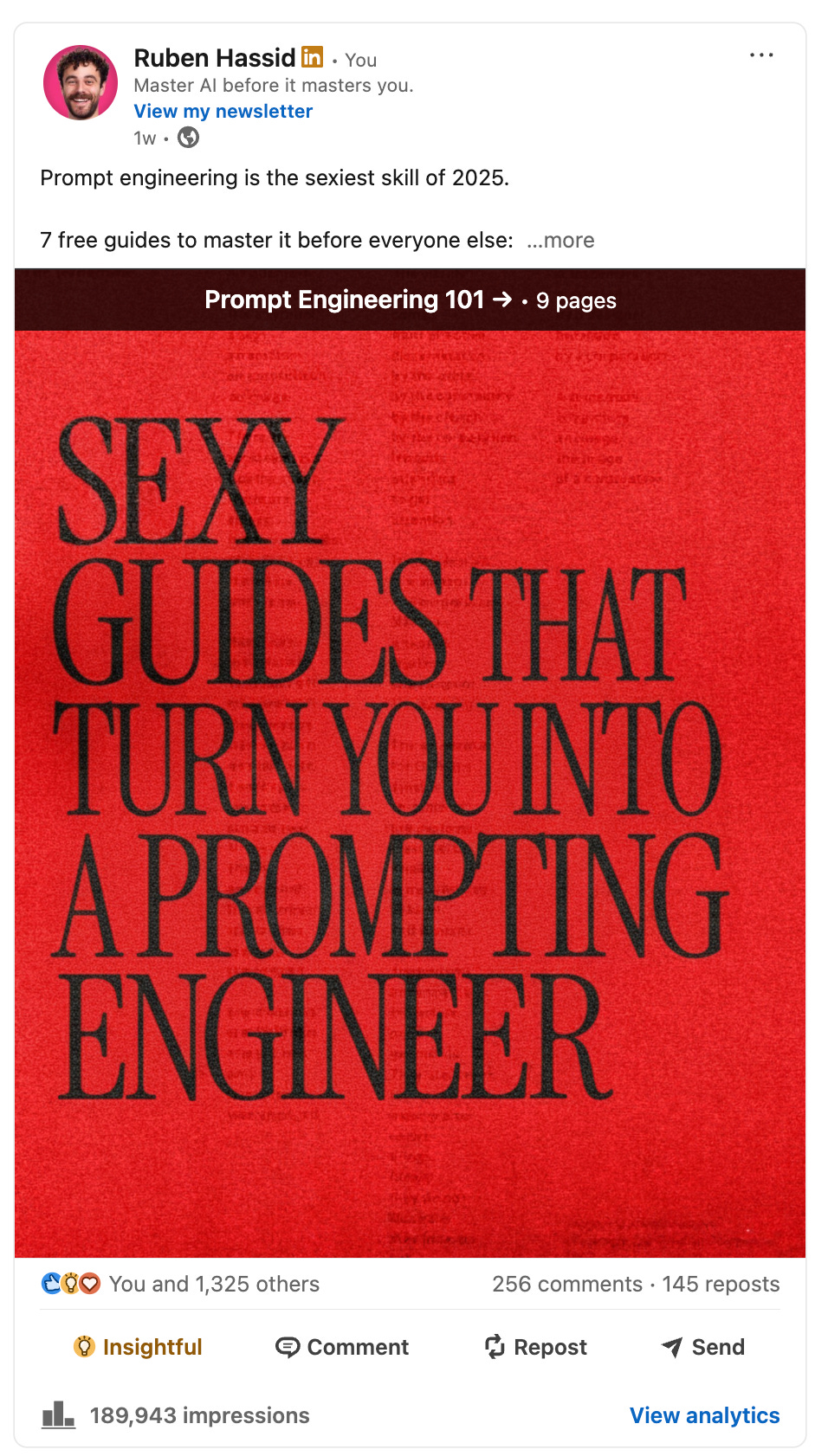
189,000 impressions and roughly 1,000 new followers in a day.
Here is my exact step-by-step process: