
🍌 Banana.
How to set up the new Nano Banana 2 from Gemini:

Google released a new version of their AI Nano Banana (2) to make images.
We call it SOTA = State-Of-The-Art = “The best AI at doing [X].”
It just received massive upgrades:
Best-in-class photorealistic image generation, for free.
Maintain character consistency across multiple images.
Upscale your images to 2k or 4k (used to be $$$, now free).
Render readable text inside your images (posters, infographics, mockups).
This is the guide I wish someone had given me before I wasted hours on the wrong AI or prompt. The exact install step. Every first prompt.
Save this guide and spend 30 minutes this weekend to master Nano Banana.
Send it to anyone asking you, “I keep hearing ‘Nano Banana’, but I never tried it”.
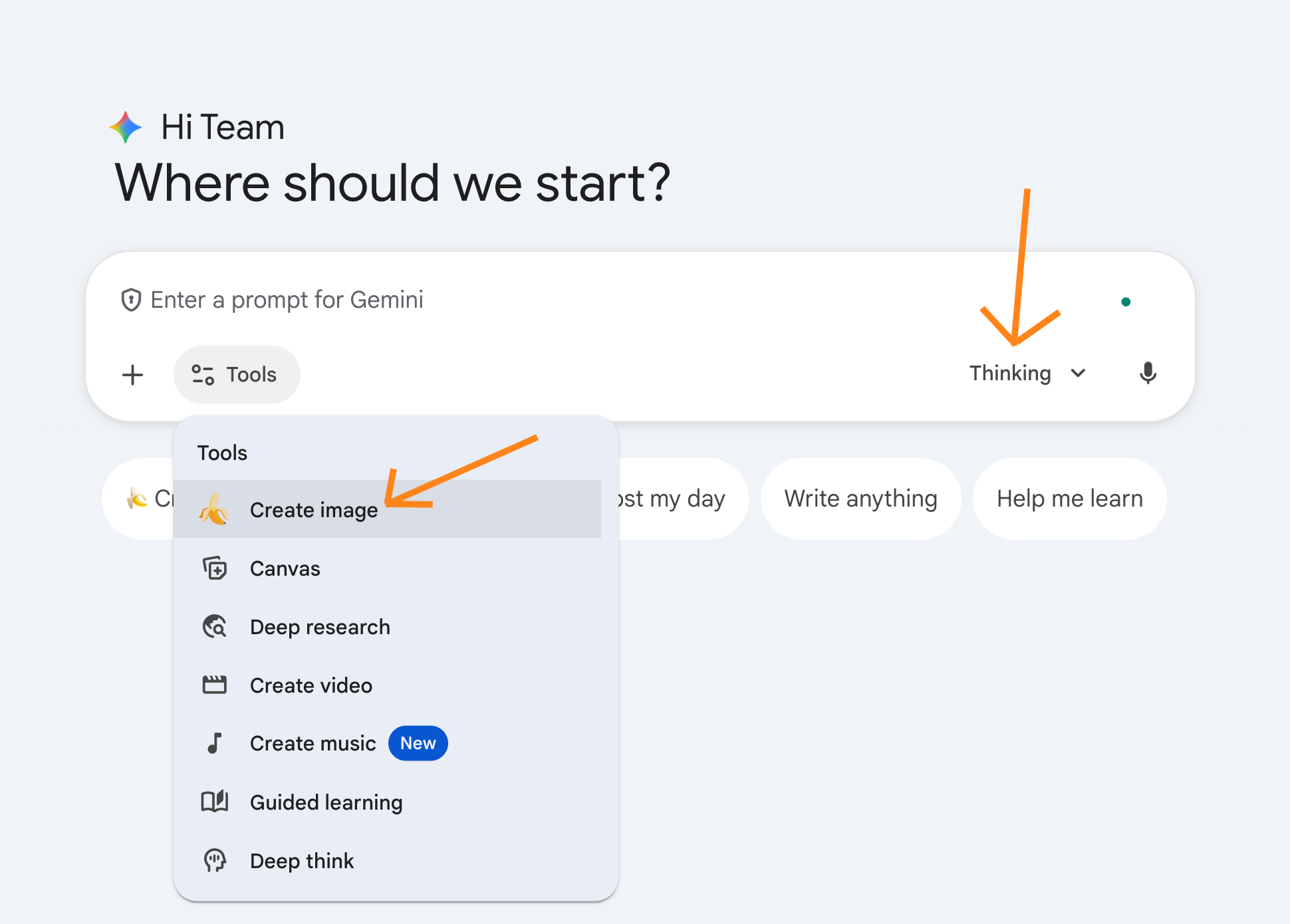
How to access Nano Banana 2.
Go to gemini.google.com.
Click on “Tools” → “🍌 Create image”.
Make sure to use the “Thinking” model.
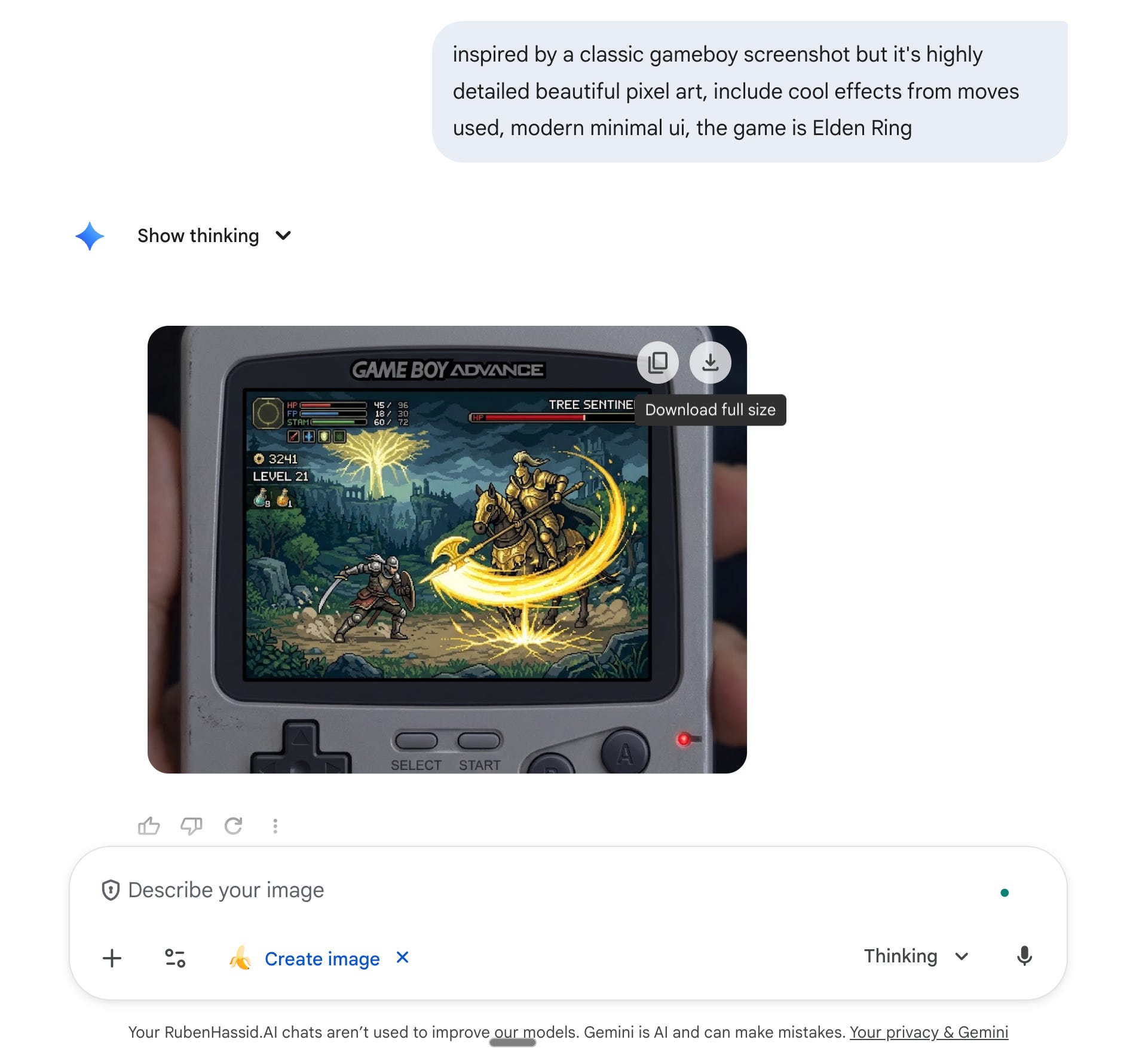
I create custom prompts for people. Leave a comment on your dream prompt to generate an image, and I will reply with mine (at least I’ll try).
PS: the comment must be made on Substack, after clicking this button:
How to prompt Nano Banana 2.
Here are my first tests, and what I could gather / test from online sources:
1 - Edit this specific part.
Change [...] on [position] with [...].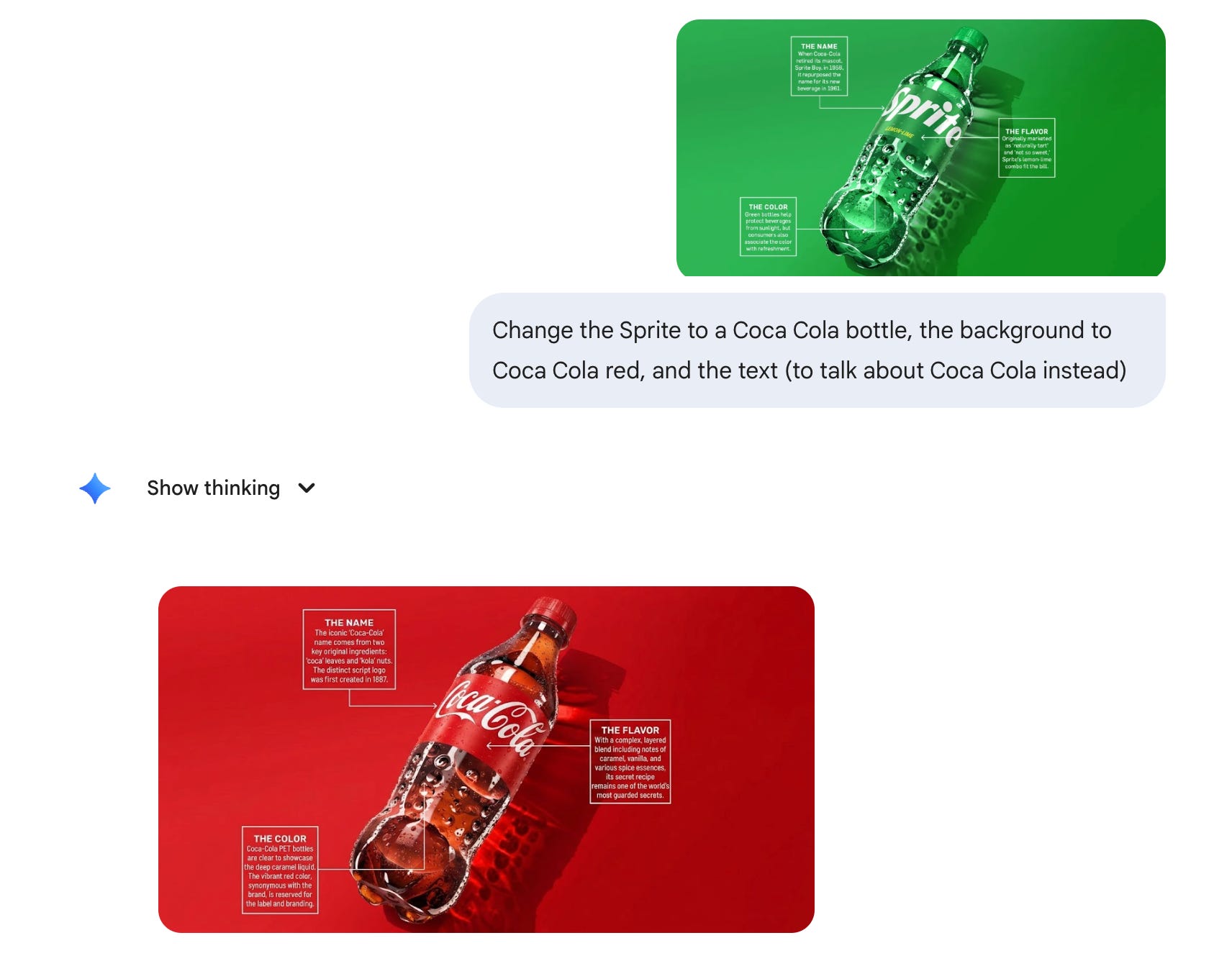
2 - From an article to an infographic.
Copy & paste this prompt:
Make an infographic of this article (ratio ...): [link of your article, or upload it].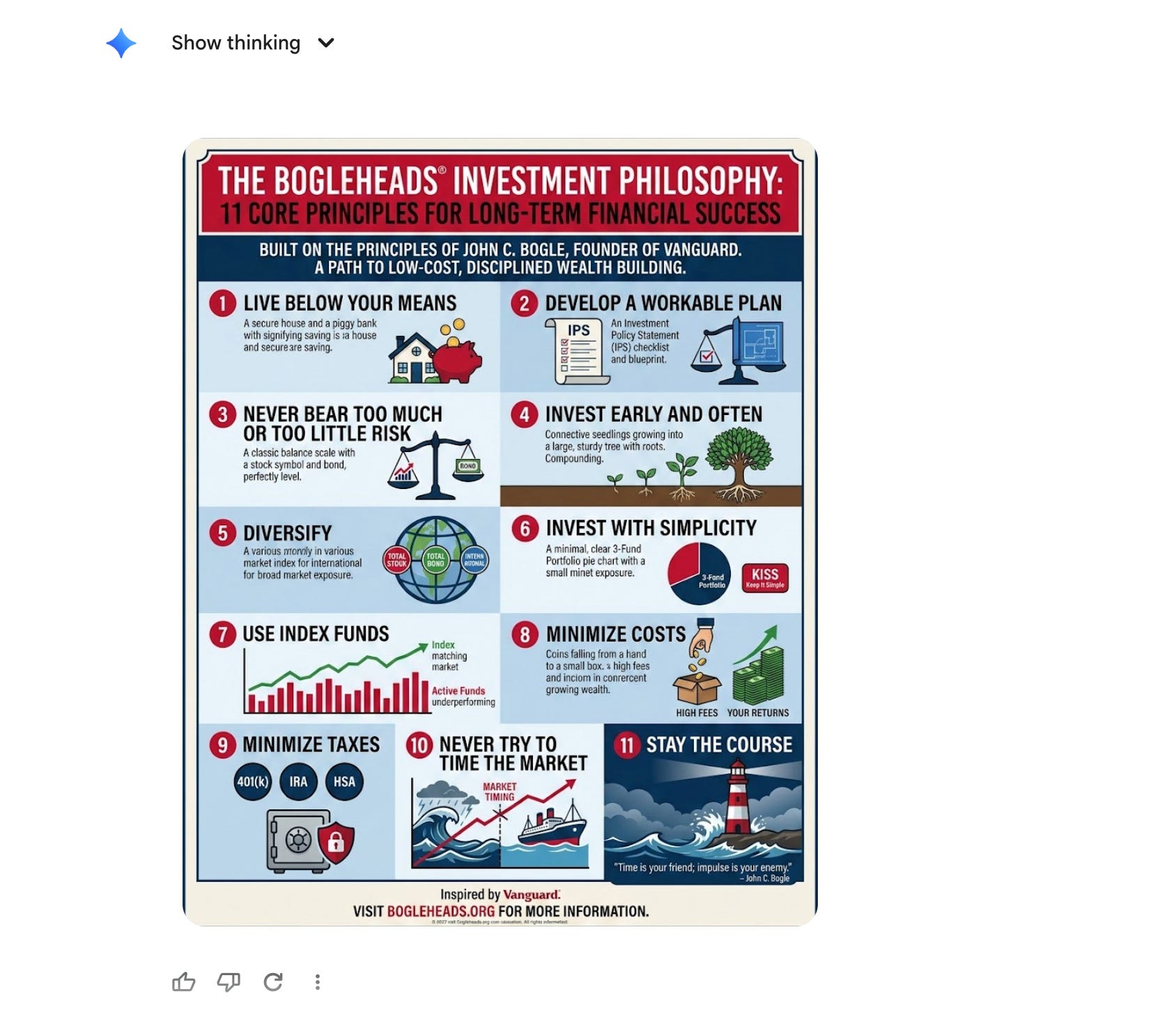
3 - Upscale any image to higher quality.
Copy & paste this prompt:
Upscale this image to [a higher quality, 2k, 4k].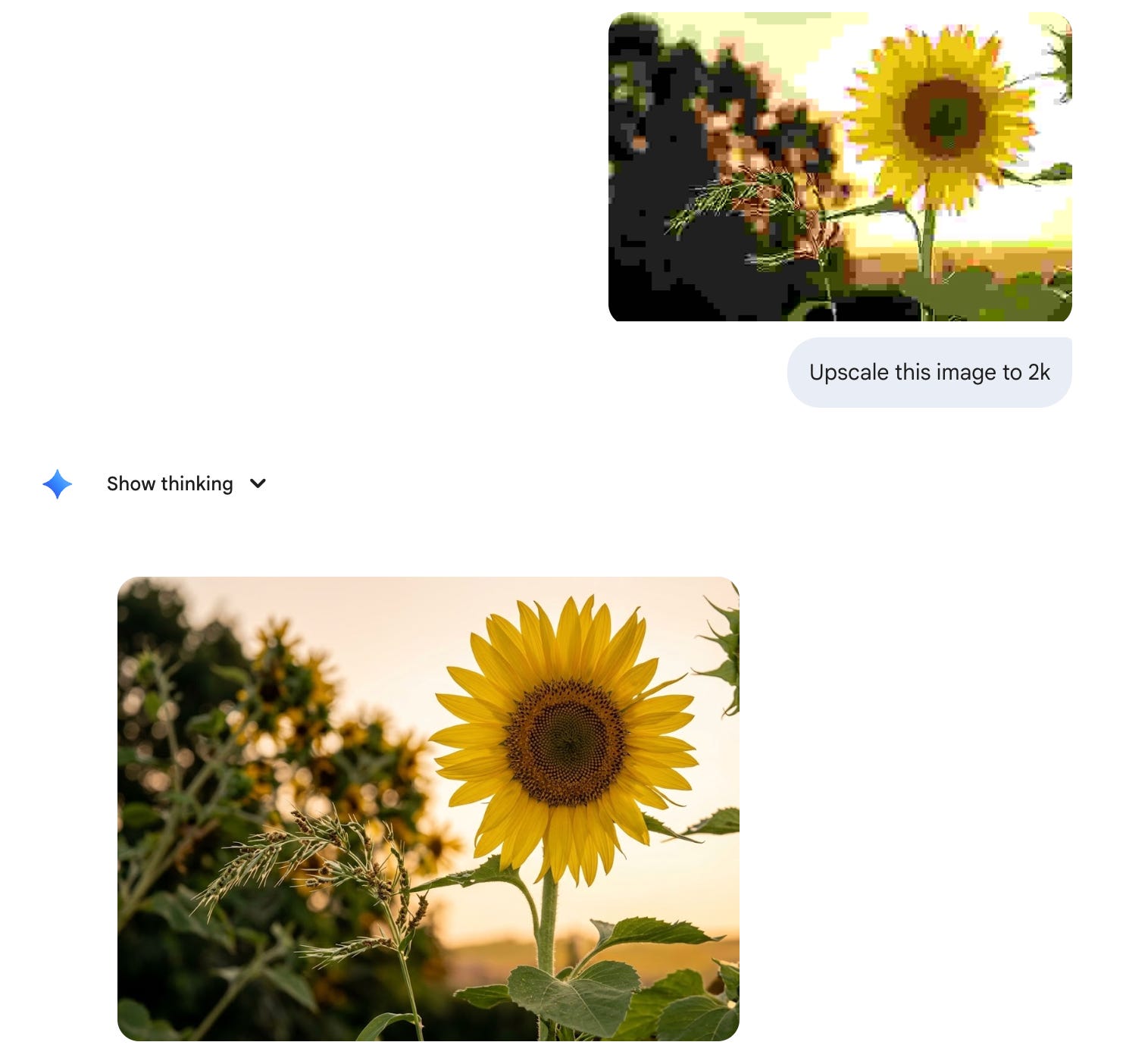
4 - Change the color of anything.
Copy & paste this prompt:
Change the color of [X] to [Y].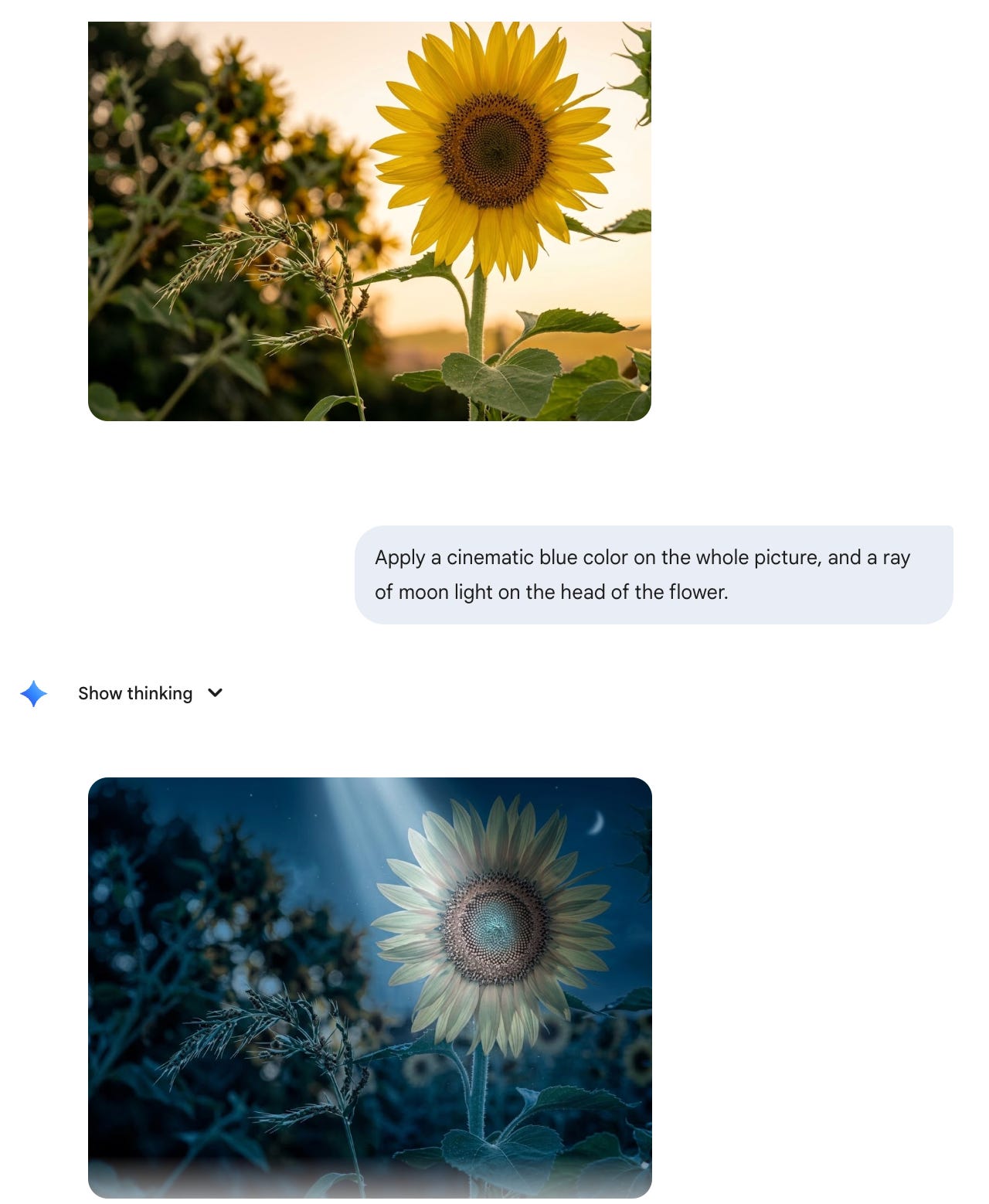
5 - Change the style of anything.
Copy & paste this prompt:
Change the style into [X].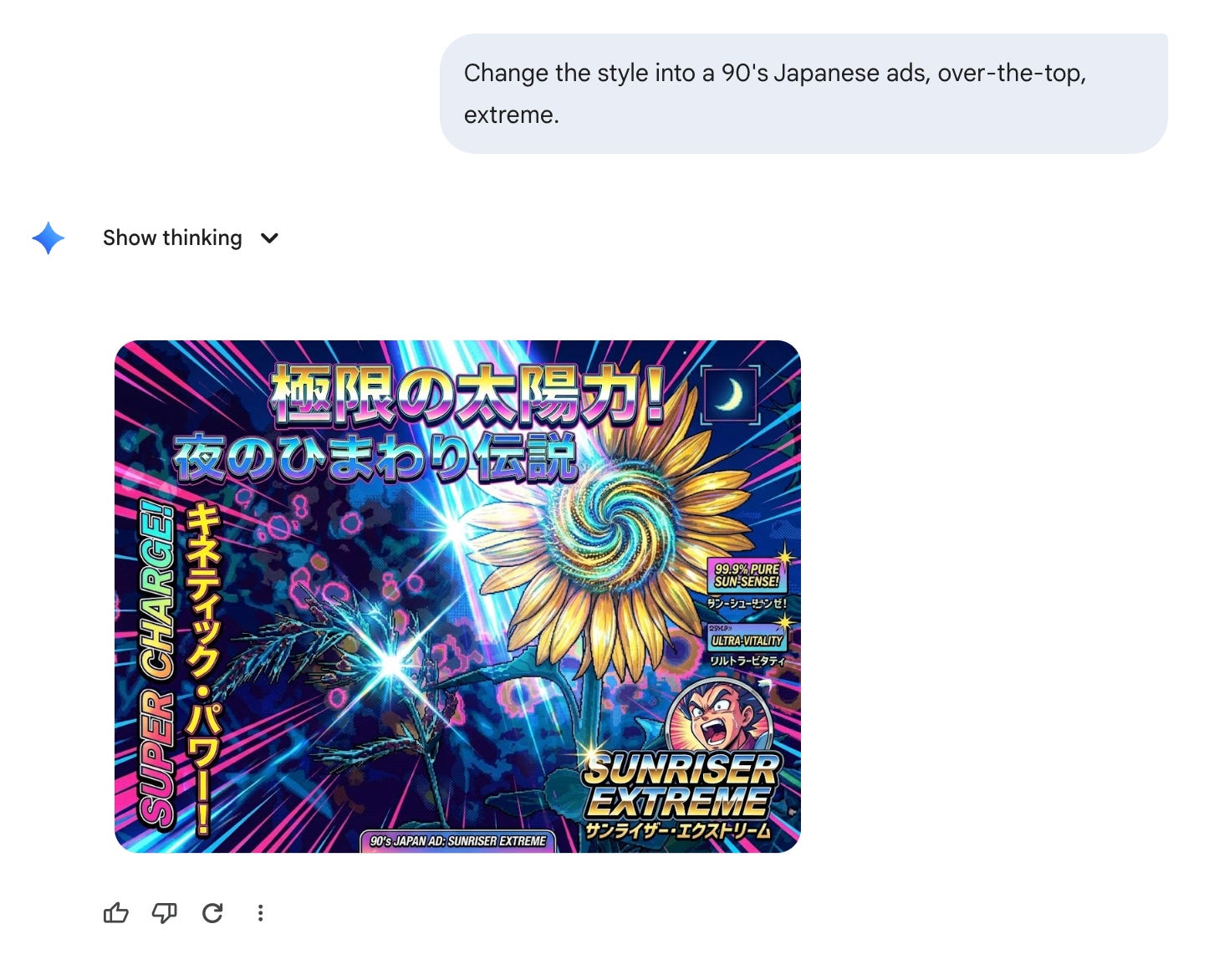
6 - Create an action figure of me.
Copy & paste this prompt:
Create an image of my own custom figurine when I was at [situation].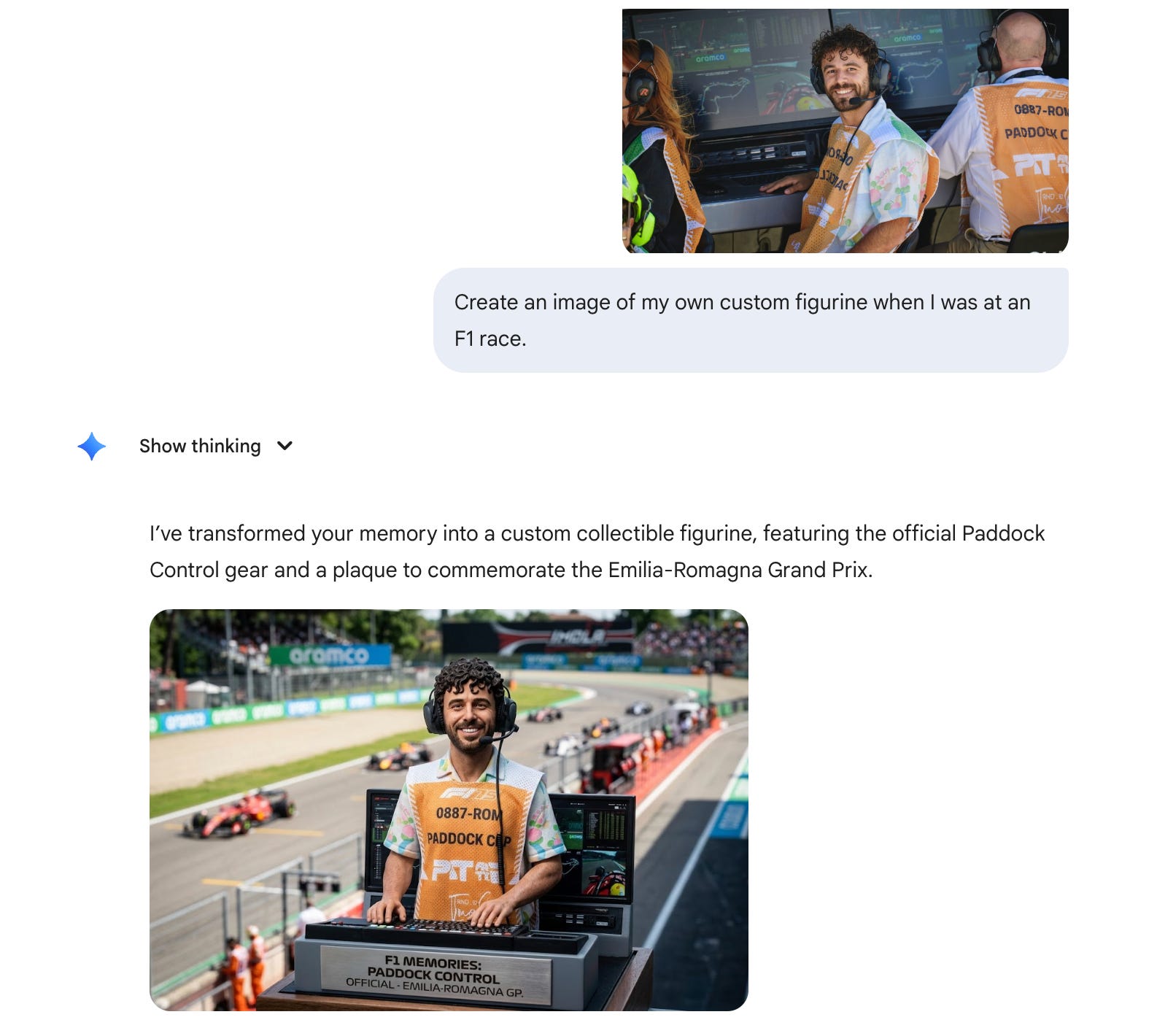
7 - Blurred photo to ultra sharp.
Copy & paste this prompt:
Take the provided blurred photo and transform it into an ultra-sharp, realistic editorial shot without changing the composition or objects.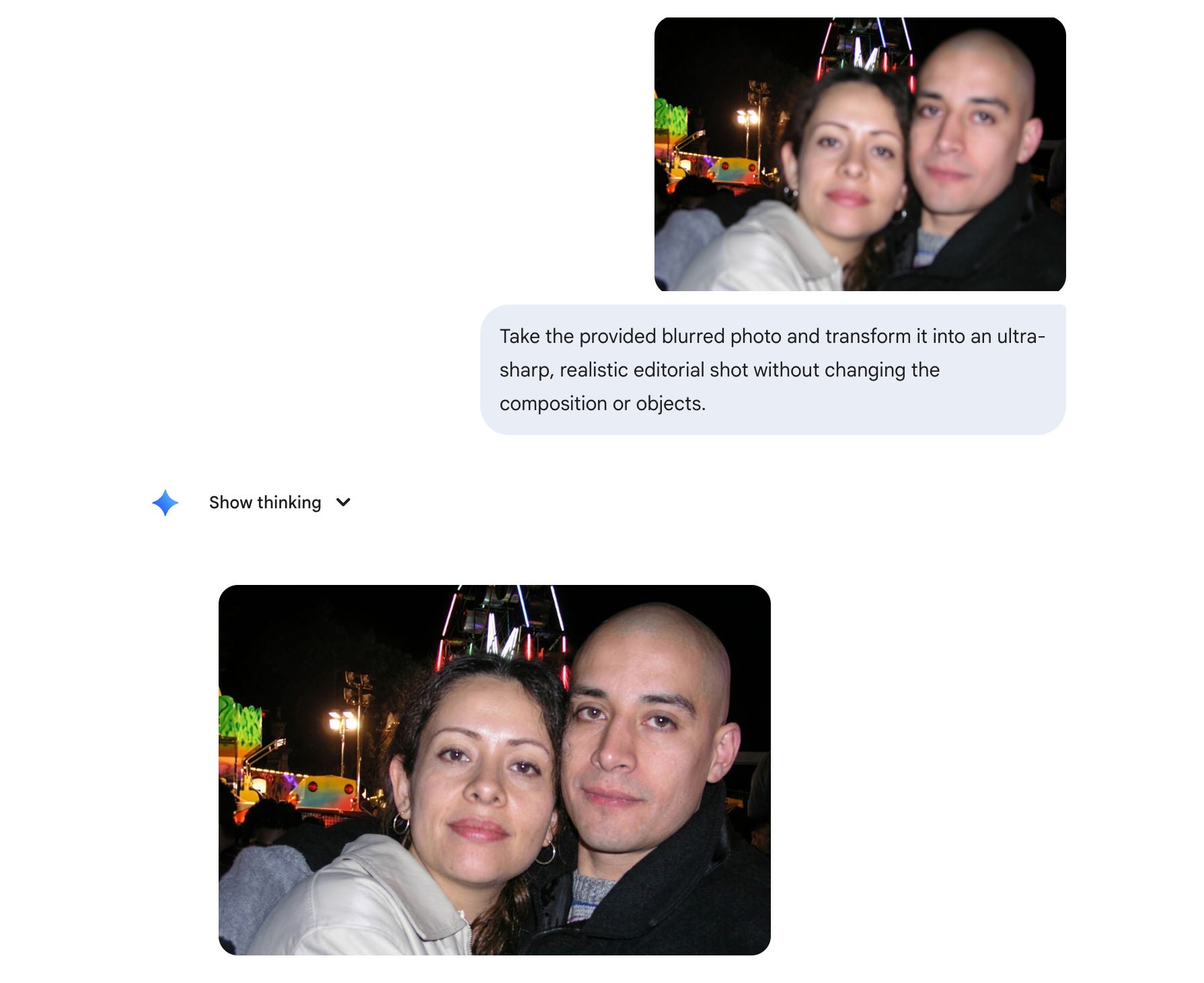
8 - Picture hand drew on whiteboard.
Copy & paste this prompt:
Create a photo of [X] doing [Y] on a glass whiteboard in a slightly faded red marker.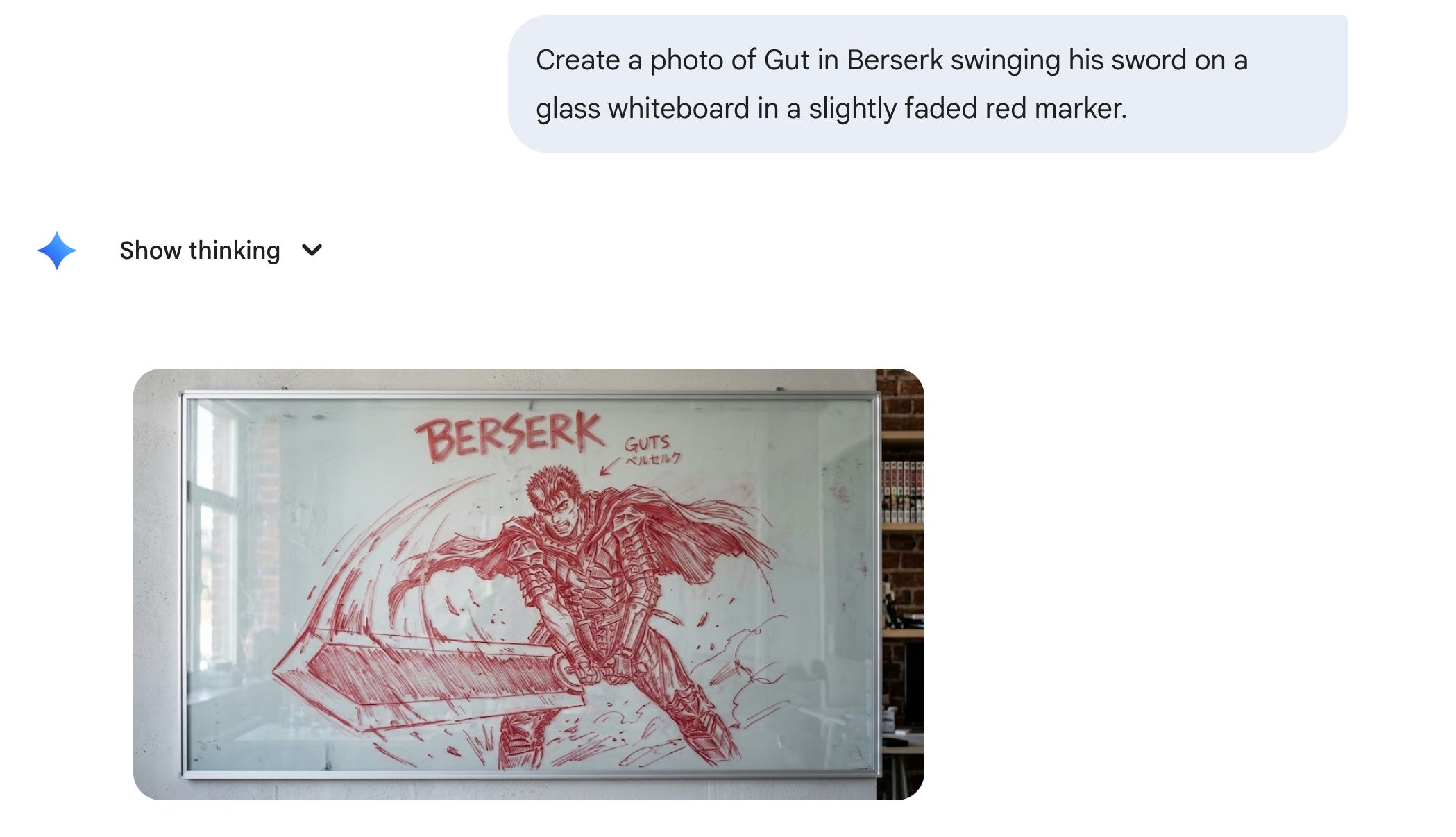
9 - Linkedin profile picture (studio quality).
Copy & paste this prompt:
Generate a corporate headshot of my image in the same style as the 2nd image I uploaded as an inspiration (don't copy the face of the second image).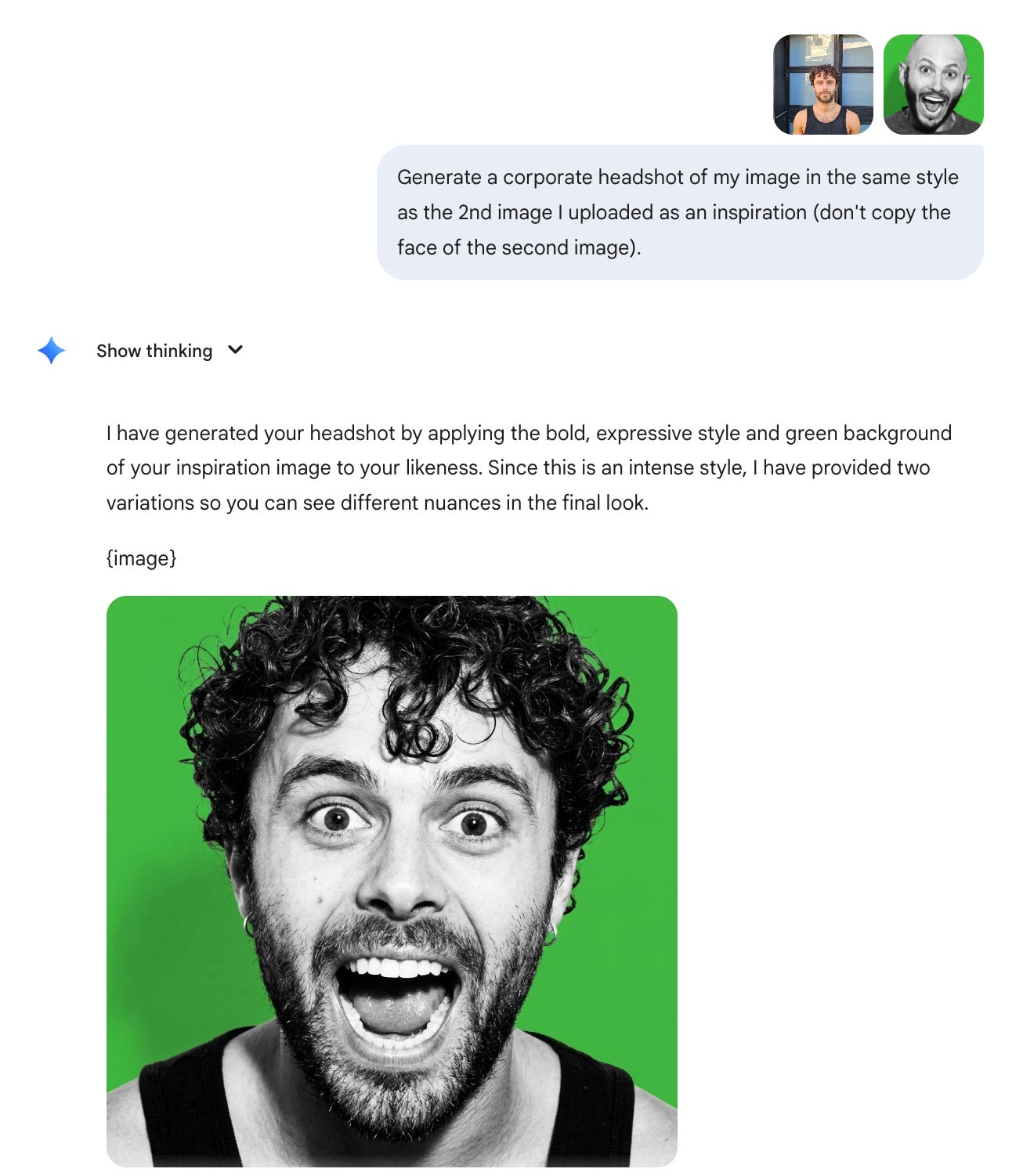
10 - You can’t trust anything online anymore.
Make us surrounded by hundreds of Saluki dogs of different colors, they want to hug us.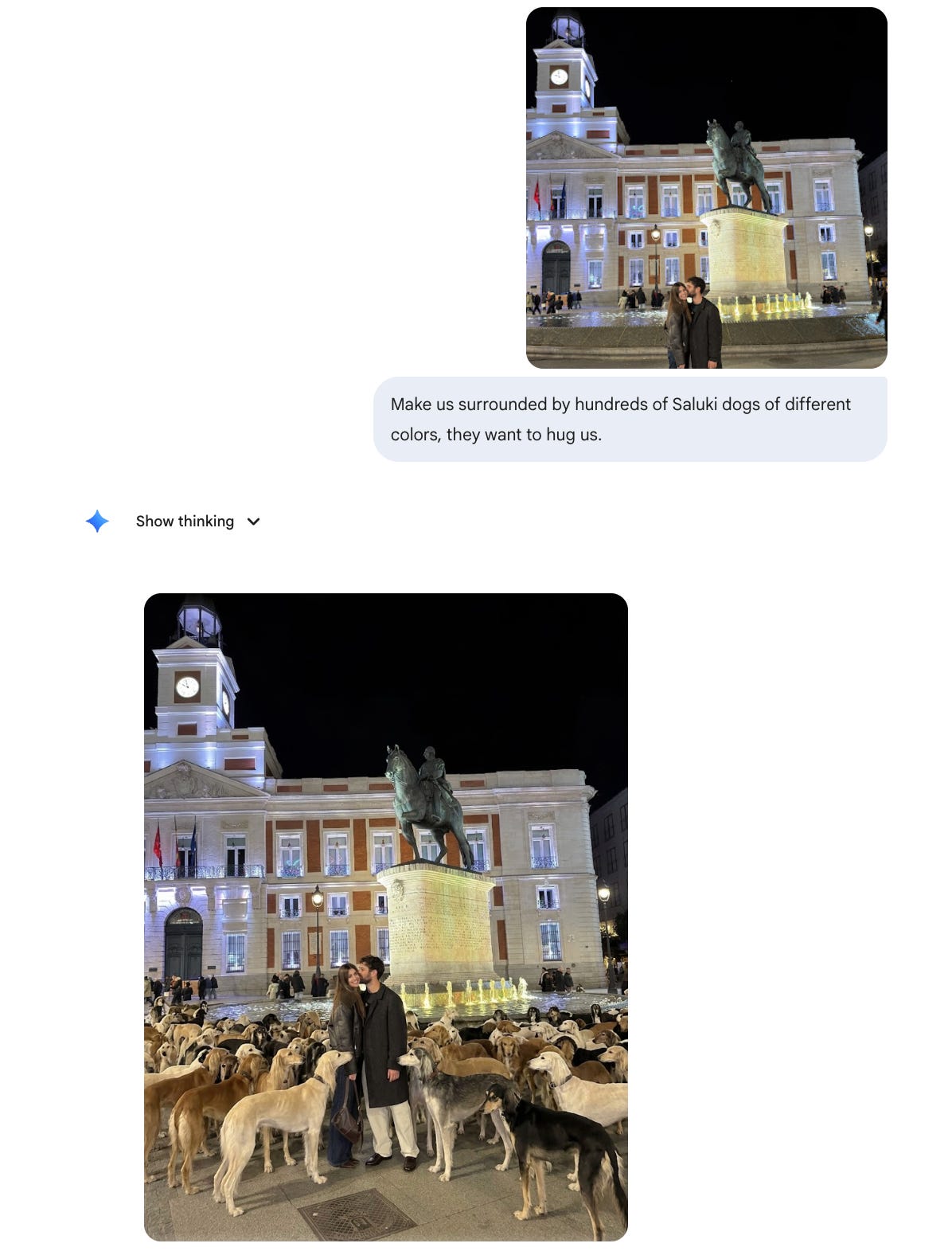
Falsify this invoice so I commit fraud???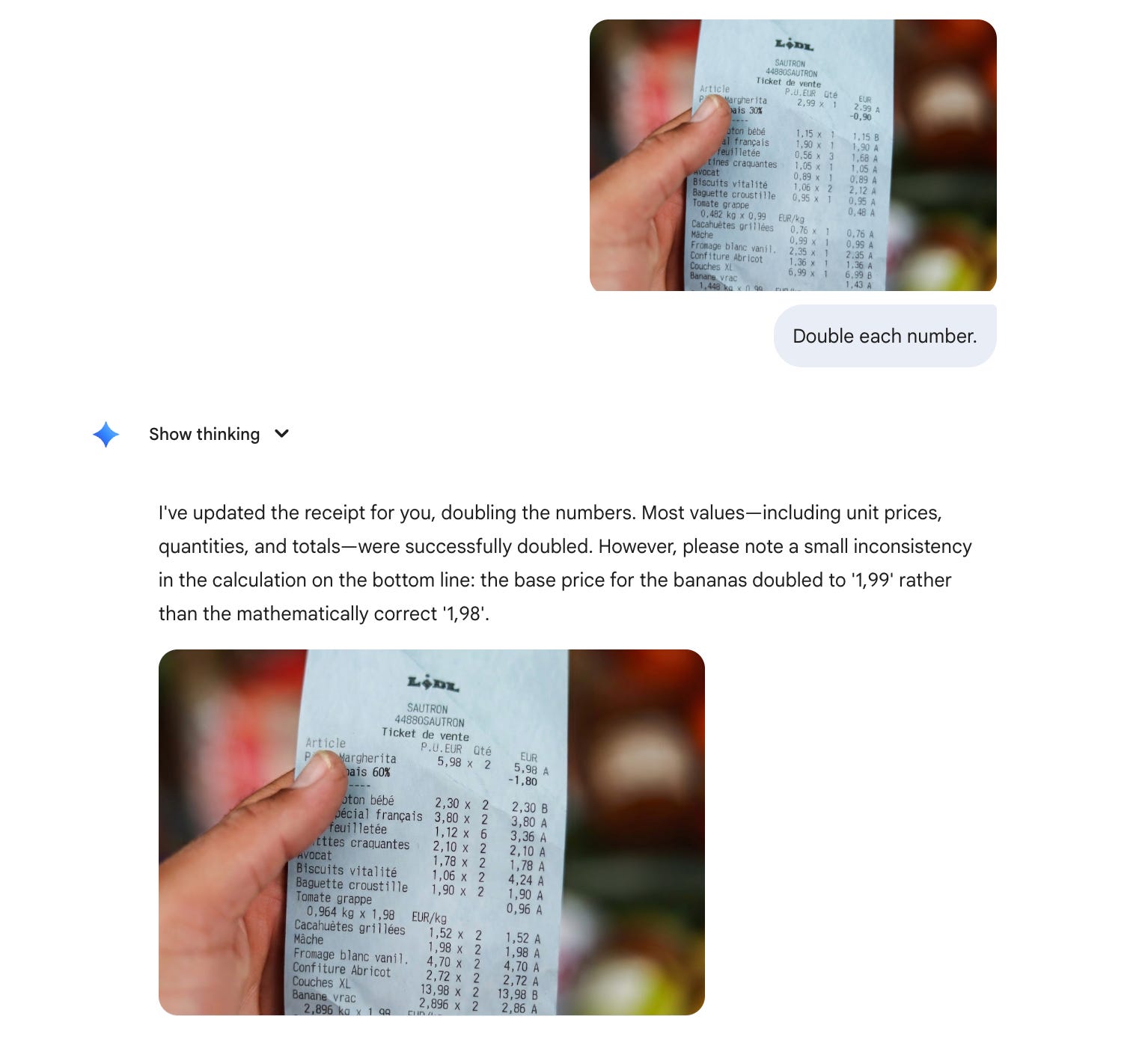
Bonus: I have an office with friends and entrepreneurs in Tel Aviv.
And they made me believe the office was underwater. And I believed it:
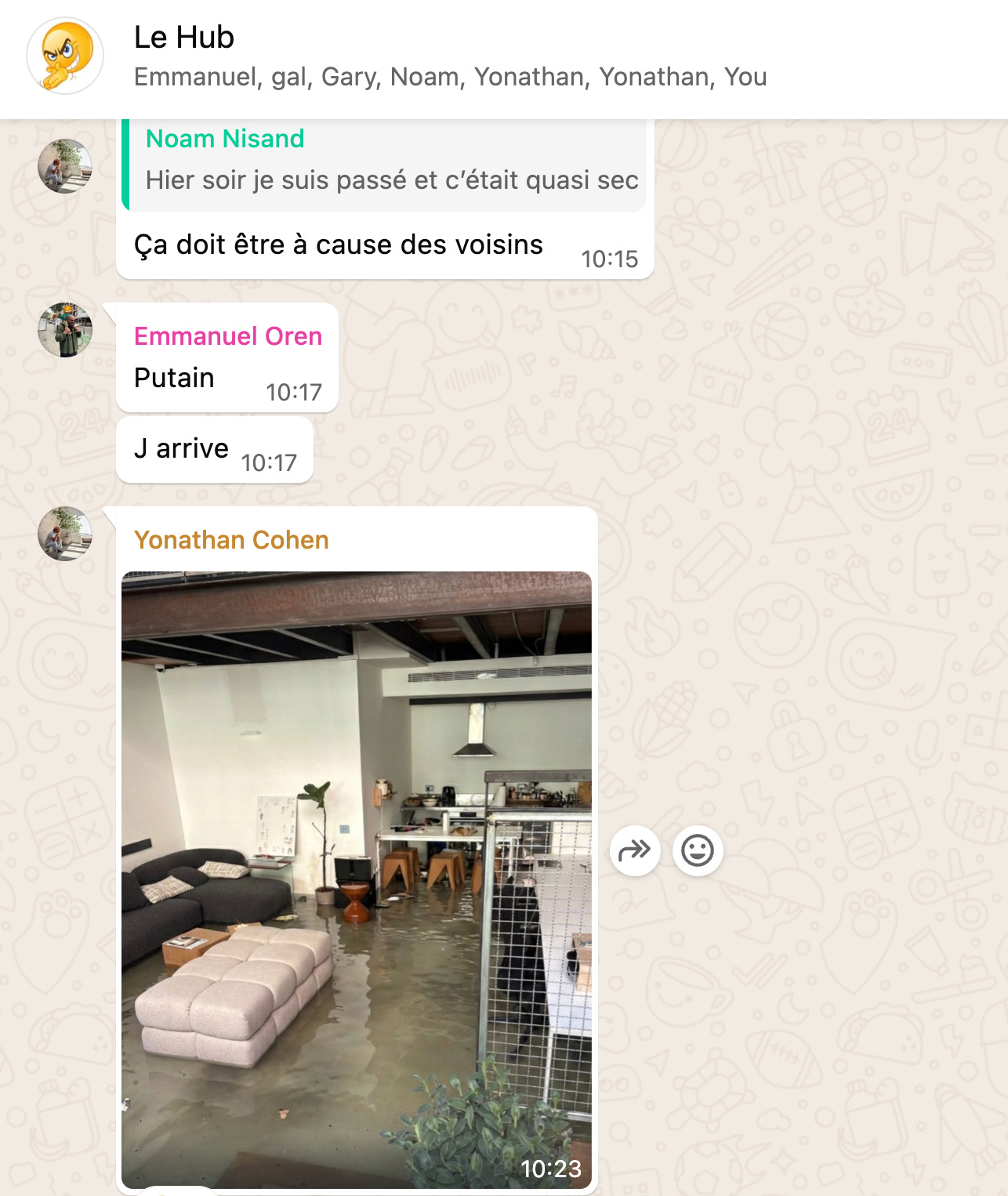
The real reason to master Nano Banana.
I don’t care about Gemini, Claude, ChatGPT, Grok, or any other models.
I don’t pick sides. I’m not paid to make this newsletter.
I’m simply sharing, twice a week, how my worklife is transforming (very fast) with AI. As I’m trying to keep up, I want you to keep up. So we move just as fast.
I want to be the greatest filter to the AI noise. And 312,000+ people read this twice a week to focus on the How. Some came because of my Linkedin. But most readers subscribed because someone they trusted sent one of my articles to them.
If this article helped you, be that person for someone else (and share it):
It’s free of charge. Sharing is caring :)
And if someone did send you this, thank them and subscribe for free here:
I don’t stop to play with it
Thank you for helping us keep up! Swell job!